1. Introducció
Thank you for choosing the Wiko T50 smartphone. This manual provides essential information on how to set up, operate, and maintain your device. Please read this manual carefully before using your Wiko T50 to ensure proper functionality and safety.
2. Informació de seguretat
Always follow basic safety precautions when using your Wiko T50 to reduce the risk of injury, electric shock, fire, or damage to the device.
- No exposeu el dispositiu a temperatures extremes, llum solar directa ni humitat elevada.
- Use only Wiko-approved chargers and accessories.
- Eviteu deixar caure el dispositiu ni sotmetre'l a impactes forts.
- No intenteu desmuntar ni reparar el dispositiu vosaltres mateixos. Poseu-vos en contacte amb personal de servei qualificat.
- Keep the device away from pacemakers and other medical devices.
3. Contingut del paquet
Ensure all items are present in your Wiko T50 package:
- Wiko T50 Smartphone
- Carregador
- Lithium Polymer Battery (pre-installed or included)
- Manual d'usuari (aquest document)
4. Producte acabatview
Familiarize yourself with the physical features of your Wiko T50 smartphone.
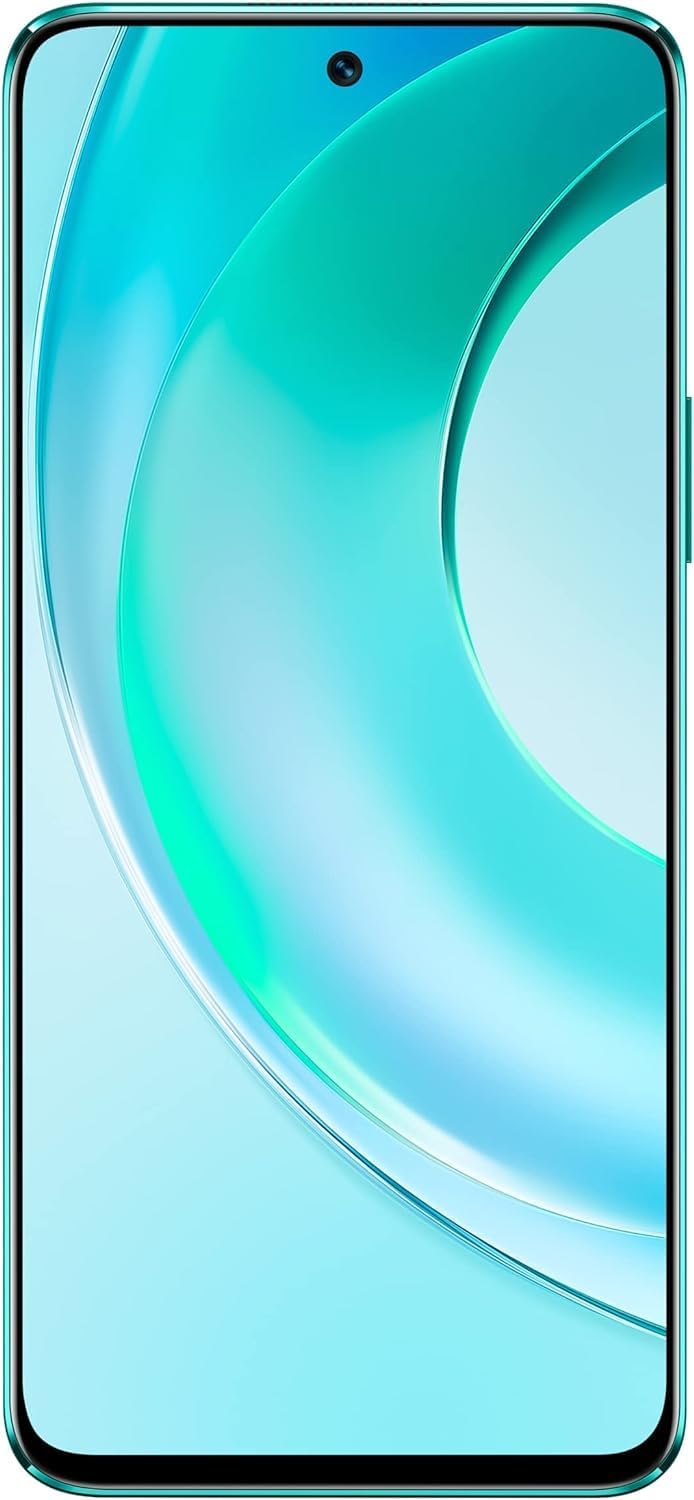
Figura 4.1: Davant view of the Wiko T50 smartphone, showcasing its large display and front camera.

Figura 4.2: posterior view of the Wiko T50 smartphone in Aqua Green, highlighting the triple camera module and Wiko branding.

Figura 4.3: costat dret view of the Wiko T50 smartphone, showing the power button and volume rocker.

Figura 4.4: Costat esquerre view of the Wiko T50 smartphone, showing the SIM tray.
Components clau:
- Visualització: 6.6-inch FHD+ borderless display for immersive viewing.
- Càmeres: 64MP AI Triple Camera system on the rear, featuring a 120-degree ultra-wide angle lens. Front camera for selfies and video calls.
- Botons: Power button and volume rocker located on the right side for easy access.
- Ports: Port USB per a càrrega i transferència de dades.
- Safata de la targeta SIM: Dual SIM support for flexible connectivity.
5. Configuració
5.1 Inserció de targetes SIM
- Localitza la safata de la targeta SIM al costat esquerre del dispositiu.
- Feu servir l'eina d'expulsió de la SIM proporcionada per obrir la safata.
- Carefully place your Nano-SIM cards into the designated slots. Ensure the gold contacts are facing down.
- Empenyeu suaument la safata de la SIM cap a dins de la ranura fins que encaixi al seu lloc.
5.2 Càrrega de la bateria
- Connect the charger to the USB port at the bottom of your Wiko T50.
- Connecteu el carregador a una presa de corrent.
- The device supports 40W fast charging. The battery indicator on the screen will show charging progress.
- Un cop estigui completament carregat, desconnecteu el carregador.
5.3 Engegada/apagada
- Per encendre: Press and hold the Power button on the right side until the Wiko logo appears.
- Per apagar: Mantingueu premut el botó d'engegada i, a continuació, seleccioneu "Apagar" de les opcions que apareixen a la pantalla.
6. Funcionament
6.1 Navegació bàsica (Android 11.0)
- Pantalla tàctil: Navigate the device using touch gestures such as tap, swipe, pinch-to-zoom.
- Pantalla d'inici: El centre neuràlgic de les teves aplicacions i widgets.
- Notificacions: Feu lliscar el dit cap avall des de la part superior de la pantalla fins a view notificacions i configuracions ràpides.
- Calaix d'aplicacions: Llisca cap amunt des de la part inferior de la pantalla per accedir a totes les aplicacions instal·lades.
6.2 Ús de la càmera
Your Wiko T50 features a 64MP AI Triple Camera system.
- Obre l'aplicació Càmera des de la pantalla d'inici o des del calaix d'aplicacions.
- Seleccioneu el mode desitjat (Foto, Vídeo, Retrat, Pro, etc.).
- Toqueu el botó de l'obturador per capturar una foto o iniciar/aturar la gravació d'un vídeo.
- Switch between the main lens and the 120-degree ultra-wide lens for different perspectives.
6.3 Connectivitat
- Wi-Fi: Aneu a Configuració > Xarxa i internet > Wi-Fi per connectar-vos a les xarxes Wi-Fi disponibles.
- Bluetooth: Go to Settings > Connected devices > Connection preferences > Bluetooth to pair with Bluetooth devices.
- Dades mòbils (4G LTE): Assegureu-vos que la targeta SIM estigui activa i que les dades mòbils estiguin habilitades a Configuració > Xarxa i Internet > Xarxa mòbil.
- USB: Connect your device to a computer using a USB cable for file transferència o càrrega.
7. Manteniment
- Neteja: Feu servir un drap suau i sense borrissol per netejar la pantalla i el cos del dispositiu. Eviteu utilitzar productes químics agressius o materials abrasius.
- Actualitzacions de programari: Comproveu i instal·leu regularment si hi ha actualitzacions de programari per garantir un rendiment i una seguretat òptims. Aneu a Configuració > Sistema > Actualització del sistema.
- Cura de la bateria: To prolong battery life, avoid fully discharging the battery frequently. Charge the device before the battery level drops too low.
- Gestió d'emmagatzematge: Netegeu periòdicament els innecessaris fileAplicacions i aplicacions per alliberar espai d'emmagatzematge i mantenir la velocitat del dispositiu.
8. Solució De Problemes
Aquí teniu solucions a problemes comuns que podeu trobar:
| Problema | Solució |
|---|---|
| El dispositiu no s'encén | Assegureu-vos que la bateria estigui carregada. Connecteu el carregador i espereu uns minuts abans d'intentar tornar-lo a engegar. |
| La bateria s'esgota ràpidament | Close unused apps, reduce screen brightness, disable Wi-Fi/Bluetooth when not in use. Check for background app activity. |
| No es pot connectar a la Wi-Fi | Restart your Wi-Fi router and the phone. Ensure you have entered the correct Wi-Fi password. |
| Les aplicacions es bloquegen o es bloquegen | Restart the device. Clear the cache of the problematic app (Settings > Apps > [App Name] > Storage & cache > Clear cache). |
| Sense senyal de xarxa | Ensure SIM card is properly inserted. Check if airplane mode is off. Try restarting the device. Contact your network provider if the issue persists. |
9. Especificacions
Detailed technical specifications for the Wiko T50 smartphone:
| Característica | Especificació |
|---|---|
| Nom del model | T50 |
| Número de model de l'article | W-P861-03 |
| Sistema operatiu | Android 11.0 |
| Mida de la RAM instal·lada | 6 GB |
| Capacitat d'emmagatzematge de memòria | 128 GB |
| Model de CPU | Snapdragon |
| Velocitat de la CPU | 2 GHz |
| Mida de la pantalla | 6.6 polzades |
| Resolució | 1080 x 2400 |
| Freqüència d'actualització | 60 Hz |
| Color | Aqua Green |
| Potència nominal de la bateria | 4000 mAh (unspecified rating) |
| Factor de forma | Bar |
| Tecnologies de comunicació sense fil | Cel·lular |
| Tecnologies de connectivitat | Bluetooth, Wi-Fi, USB |
| GPS | GLONASS |
| Altres funcions de la càmera | posterior |
| Device Interface_Primary | Micròfon, pantalla tàctil |
| Pes de l'article | 260 g |
| Dimensions del paquet | 27.8 x 24.4 x 10.2 cm |
| Data de primera disponibilitat | 15 de maig de 2022 |
10. Garantia i Suport
Wiko provides a limited warranty for its products. Please refer to the warranty card included with your purchase for specific terms and conditions. For technical support, service, or further inquiries, please visit the official Wiko weblloc o poseu-vos en contacte amb el seu servei d'atenció al client.
Conserveu el vostre comprovant de compra per a reclamacions de garantia.


