1. Introducció
Thank you for choosing the MINISO Xo-9838 Waterproof Bluetooth Speaker. This portable wireless speaker is designed to provide high-quality audio with the convenience of Bluetooth connectivity and a durable, waterproof design. Please read this manual carefully before using the product to ensure proper operation and to maximize your listening experience.
2. Contingut del paquet
- MINISO Xo-9838 Waterproof Bluetooth Speaker
- Cable de càrrega USB
- Manual d'usuari (aquest document)
3. Característiques del producte
- Disseny impermeable: IPX5 rated, offering protection against low-pressure water jets from any direction.
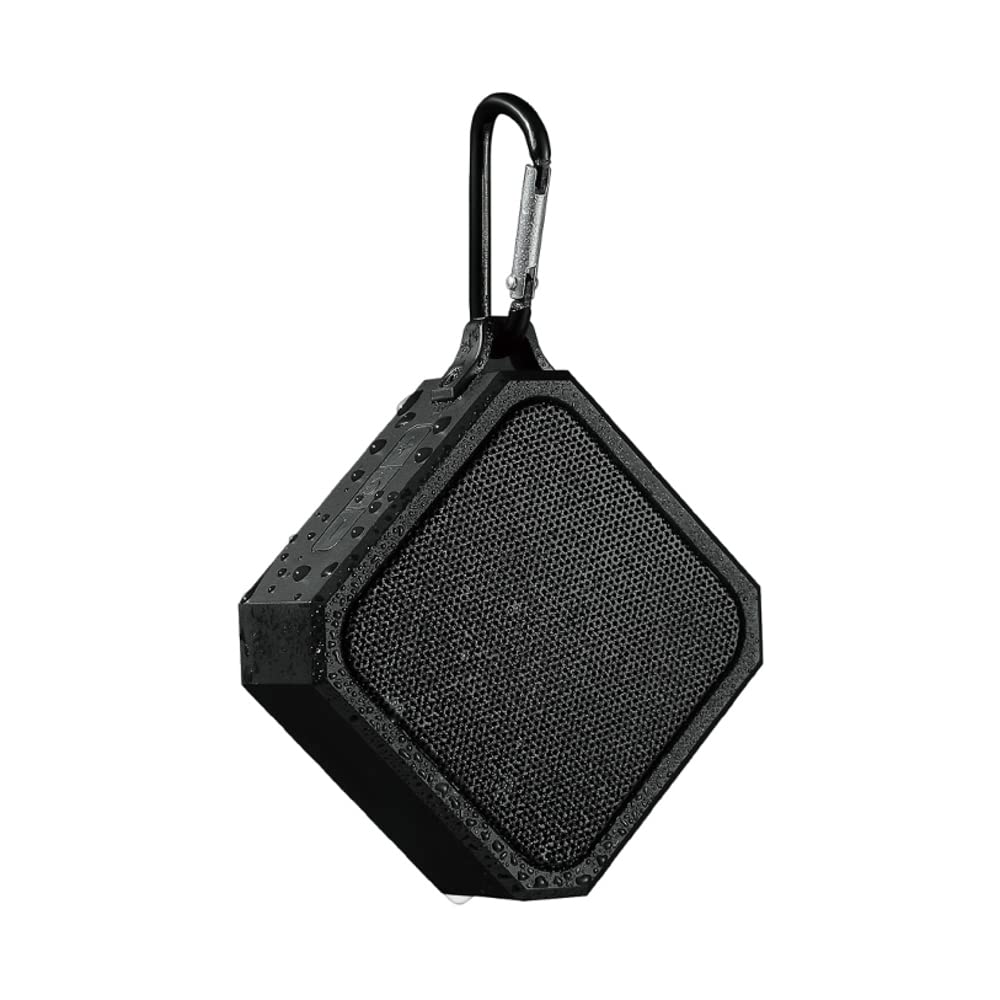
- Portàtil i lleuger: Compact design with an integrated hook for easy carrying.
- Bluetooth 5.0: Garanteix una connectivitat sense fil estable i eficient.
- Bateria de llarga durada: Bateria de liti de 3.7 V integrada.
- Càrrega ràpida: Aproximadament 1.5 hores per a una càrrega completa.
- Temps de joc ampliat: Fins a 2 hores de reproducció de música contínua.
- Controls intuïtius: Easy-to-use buttons for power and volume.
4. Configuració
4.1 Càrrega de l'altaveu
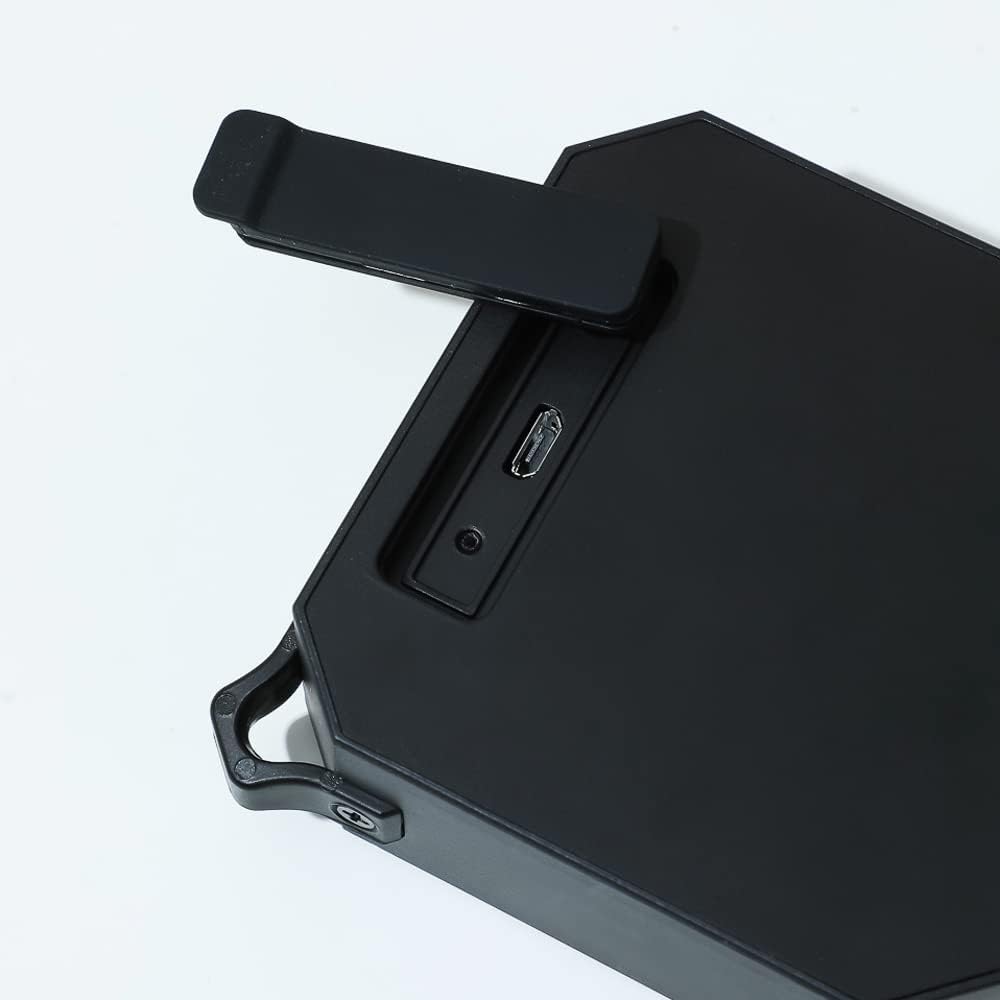
- Locate the charging port on the side of the speaker, usually protected by a rubber flap.
- Open the rubber flap to expose the Micro USB charging port.
- Connect the small end of the included USB charging cable to the speaker's charging port.
- Connecteu l'extrem més gran del cable USB a un adaptador de corrent USB (no inclòs) o al port USB d'un ordinador.
- The charging indicator light (usually red) will illuminate to show that the speaker is charging.
- Once fully charged (approximately 1.5 hours), the indicator light may change color or turn off.
4.2 Engegada/apagada
- Per encendre: Manteniu premut el botó d'encesa (⏻) located on the top panel of the speaker for a few seconds until you hear an audible prompt or see an indicator light.
- Per apagar: Manteniu premut el botó d'encesa (⏻) again for a few seconds until you hear an audible prompt or the indicator light turns off.
4.3 Vinculació Bluetooth
- Ensure the speaker is fully charged and powered on. The Bluetooth indicator light will typically flash, indicating it is in pairing mode.
- Al teu dispositiu mòbil (telèfon intel·ligent, tauleta, ordinador portàtil), vés a la configuració de Bluetooth.
- Activa el Bluetooth i cerca els dispositius disponibles.
- Select "MINISO Xo-9838" (or similar name) from the list of found devices.
- Once paired, the speaker will emit an audible confirmation, and the Bluetooth indicator light will stop flashing and remain solid.
- Ara pots reproduir àudio des del teu dispositiu a través de l'altaveu.
5. Funcionament de l'altaveu
5.1 Reproducció de música i control de volum
- Reproduir/pausa: While music is playing, a short press of the power button (⏻) will typically pause or resume playback.
- Pujar el volum: Premeu el botó "+" per augmentar el volum.
- Baixar el volum: Premeu el botó "-" per baixar el volum.
- Pista següent: A long press of the "+" button may skip to the next track.
- Pista anterior: A long press of the "-" button may go to the previous track.
5.2 Ús impermeable (IPX5)
The MINISO Xo-9838 speaker is rated IPX5, meaning it is protected against low-pressure water jets from any direction. This makes it suitable for use in environments where it might be exposed to splashes, such as by a pool or in a bathroom. However, it is no designed to be submerged in water. Ensure the charging port's rubber flap is securely closed before exposing the speaker to water.

6. Manteniment
- Neteja: Use a soft, dry cloth to wipe the speaker. For stubborn dirt, a slightly damp cloth can be used, but ensure the charging port flap is closed and dry the speaker thoroughly afterward. Do not use harsh chemicals or abrasive cleaners.
- Emmagatzematge: Guardeu l'altaveu en un lloc fresc i sec, allunyat de la llum solar directa i de temperatures extremes.
- Cura de la bateria: Per allargar la durada de la bateria, eviteu descarregar completament l'altaveu amb freqüència. Carregueu-lo regularment, fins i tot si no l'utilitzeu durant períodes prolongats.
- Protecció de l'aigua: Always ensure the rubber flap covering the charging port is securely closed when not charging, especially when near water.
7. Solució De Problemes
- L'altaveu no s'encén: Ensure the speaker is charged. Connect it to a power source and try again after a few minutes.
- No es pot emparellar amb el dispositiu:
- Make sure the speaker is in pairing mode (indicator light flashing).
- Assegureu-vos que el Bluetooth estigui habilitat al vostre dispositiu.
- Acosta l'altaveu al dispositiu.
- Apaga i activa tant l'altaveu com el Bluetooth del dispositiu.
- Oblida el dispositiu de la llista de Bluetooth del telèfon i intenta emparellar-lo de nou.
- Sense so o volum baix:
- Comproveu els nivells de volum tant de l'altaveu com del dispositiu connectat.
- Assegureu-vos que l'altaveu estigui correctament emparellat.
- Prova de reproduir una font d'àudio diferent.
- Mala qualitat del so:
- Acosta l'altaveu al dispositiu per reduir les interferències.
- Assegureu-vos que no hi hagi obstacles entre l'altaveu i el dispositiu.
- Check if the speaker's battery is low, which can affect sound quality.
8. Especificacions
| Característica | Especificació |
|---|---|
| Model | Xo-9838 |
| Versió Bluetooth | 5.0 |
| Tipus de bateria | Bateria de liti de 3.7 V |
| Temps de càrrega | Aprox. 1.5 hores |
| Temps d'ús | Aprox. 2 hores |
| Classificació impermeable | IPX5 |
| Dimensions de l'altaveu | 9.2 x 9 cm (approx.) |
| Dimensions del paquet | 20.3 x 12.2 x 6 cm |
| Pes | 200 g |
| Connectivitat | Bluetooth, USB |
| Mode de sortida d'àudio | Mono |
9. Garantia i Suport
For warranty information, please refer to the terms and conditions provided at the time of purchase or contact your retailer. Keep your purchase receipt as proof of purchase.
For technical support or further assistance, please contact MINISO customer service through their official weblloc web o la informació de contacte que s'inclou amb l'embalatge del producte.