1. Producte acabatview
The Vantrue S2-2CH is a sophisticated dual dash camera system designed for comprehensive vehicle surveillance. It integrates a 160° front-facing camera and a 165° inside cabin-facing camera into a single unit, capable of simultaneously recording videos at crisp 2.5K (1440P) and 1080P resolutions. When operating in single front camera mode, it records in 2.5K (2560x1440P) QHD resolution, ensuring clear capture of details like license plates and street signs. The camera lens can be pivoted vertically to achieve optimal recording angles.
Key features include built-in 2.4G WiFi for seamless smartphone connectivity, integrated GPS for tracking speed and location, advanced IR Night Vision for clear low-light recording, and a 3-inch IPS touch screen for intuitive operation. The S2-2CH also offers multiple 24-hour parking modes and utilizes a super capacitor for enhanced durability in extreme temperatures.

Image: The Vantrue S2-2CH dash camera alongside a smartphone displaying its companion application, which shows live video feed, map tracking, and recording controls.
2. Contingut del paquet
Verifiqueu que tots els elements que s'enumeren a continuació s'inclouen al vostre paquet:
- Vantrue S2 Dash Cam with GPS Adhesive Mount
- 3.3ft Type-C Data Cable
- Car Charger with Built-in Type-C Cable (11.5ft)
- Adhesiu electrostàtic
- Pegatina adhesiva
- Manual d'usuari
3. Característiques del producte
3.1. Dual Channel Recording
The S2-2CH records simultaneously from both the front (160° wide angle) and interior cabin (165° wide angle) cameras. This provides comprehensive coverage for both road incidents and in-cabin activities. In single front recording mode, it captures video at 2.5K (2560x1440P) resolution.
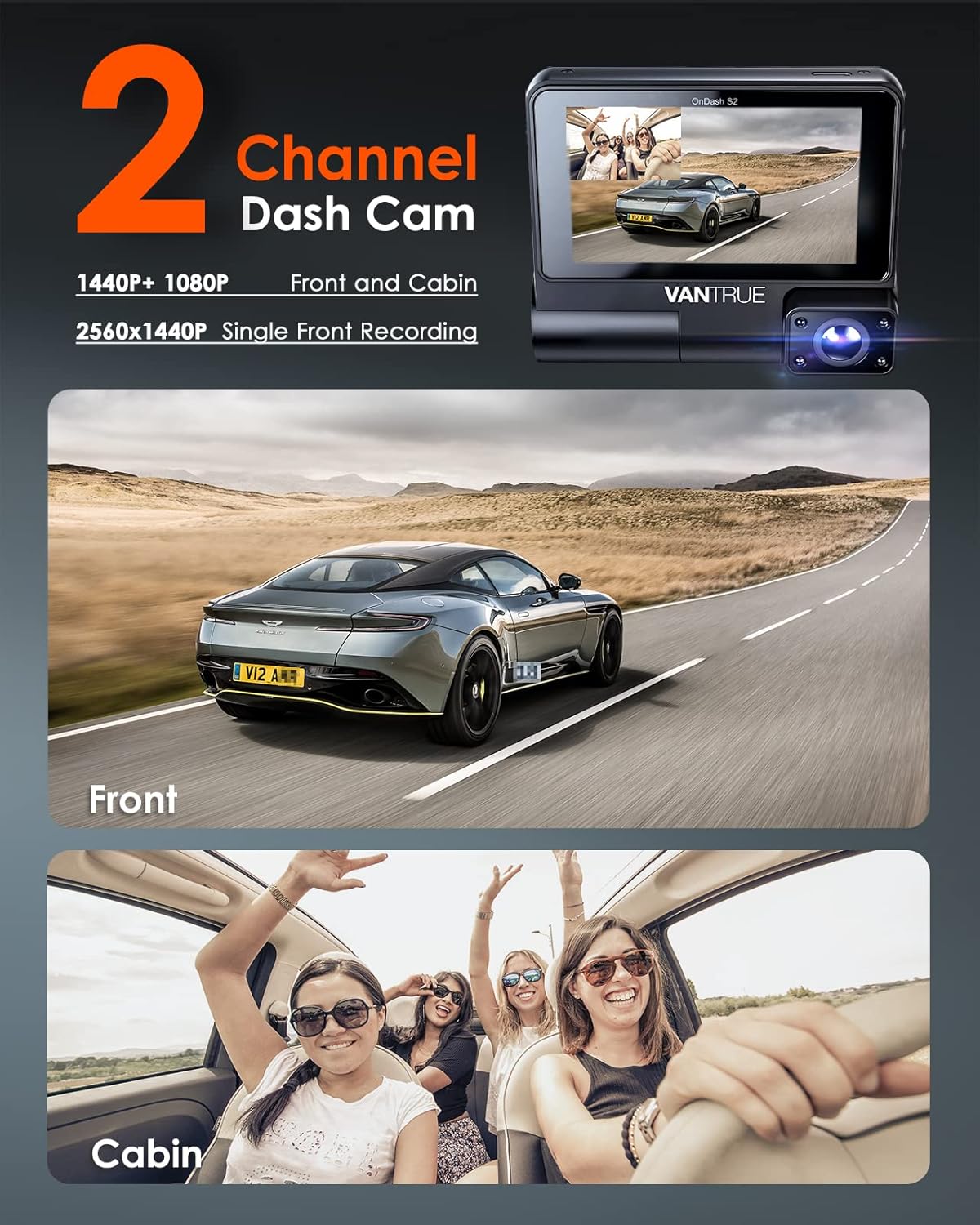
Image: Visual representation of the dual-channel recording capability, showing distinct views captured by the front and cabin cameras.
3.2. IR Night Vision
Equipped with a high-performance STARVIS CMOS sensor and large camera apertures, the S2-2CH significantly enhances low-light image capture. Four infrared LED lights illuminate the vehicle's interior, ensuring clear recordings of drivers and passengers even in complete darkness, making it suitable for rideshare services.

Image: Illustration of the dash cam's Super Night Vision feature, showing clear video capture in both front and cabin views during nighttime.
3.3. Built-in 2.4G WiFi & GPS
The integrated 2.4G WiFi allows for wireless connection to the Vantrue mobile application. This enables users to view viu footage, download recorded files, share videos, and configure dash cam settings directly from a smartphone or tablet. The built-in GPS module logs the vehicle's speed (in KM/H or MP/H), location, and direction of travel, which can be tracked via the app or PC.

Image: A smartphone displaying the Vantrue app, highlighting features like real-time preview, GPS information, settings control, file download, and sharing capabilities.

Image: A laptop and smartphone displaying the GPS tracking feature, showing a vehicle's route and data on a map interface.
3.4. Pantalla tàctil IPS de 3 polzades
The dash cam features a 3-inch IPS display with high color saturation, providing clear visuals. The touch screen interface allows for easy navigation through menus and convenient operation of the device's functions with a simple finger touch.

Image: A hand interacting with the 3-inch IPS touch screen of the Vantrue dash cam, demonstrating its ease of operation.
3.5. Super Capacitor
The S2-2CH utilizes a super capacitor instead of a traditional lithium-ion battery. This design choice enhances durability and reliability, especially in extreme hot or cold weather conditions (operating range typically -20°C to 70°C), and contributes to a longer lifespan for the device.
3.6. Automatic Emergency Recording & Loop Recording
The built-in G-Sensor automatically detects sudden shakes or collisions, initiating emergency recording and locking the footage to prevent overwriting. Continuous loop recording ensures that the oldest recordings are automatically overwritten when the microSD card reaches its storage limit, allowing for uninterrupted recording. The device supports microSD cards up to 512GB; Vantrue brand microSD cards are recommended for optimal performance.

Image: Visuals illustrating the continuous loop recording feature and the automatic emergency recording function, marked by a lock icon during a collision event.
4. Guia de configuració
4.1. Preparació de la targeta MicroSD
Before first use, insert a high-speed (Class 10 or higher) microSD card into the dash cam. It is recommended to format the microSD card within the dash cam's settings menu to ensure compatibility and optimal performance. The S2-2CH supports cards up to 512GB.
4.2. Muntatge de la Dash Cam
- Netegeu la zona del parabrisa on es muntarà la càmera del salpicader.
- Apply the electrostatic sticker to the clean windshield. This helps in easy removal and repositioning without leaving residue.
- Attach the GPS adhesive mount to the electrostatic sticker. Ensure it is firmly pressed to remove air bubbles.
- Slide the Vantrue S2-2CH dash cam onto the GPS adhesive mount until it clicks into place.
- Adjust the camera lens vertically to achieve the desired recording angle for both front and cabin views.
4.3. Connexió d'alimentació
Connect the provided car charger to your vehicle's cigarette lighter socket and the Type-C cable to the dash cam's power input. Route the cable neatly along the vehicle's trim to avoid obstruction. For continuous 24-hour parking mode functionality, a hardwire kit (ASIN B083XB8T7T) or an external battery is required and sold separately.
5. Instruccions de funcionament
5.1. Encès / apagat
The dash cam will automatically power on and begin recording when connected to power and the vehicle's ignition is turned on. It will power off automatically shortly after the ignition is turned off.
5.2. Enregistrament bàsic
Once powered on, the dash cam will automatically start loop recording. The recording status is indicated on the screen. Locked emergency videos are saved separately and will not be overwritten by loop recording.
5.3. Ús de la pantalla tàctil
Navigate through the dash cam's settings and playback options by tapping and swiping on the 3-inch IPS touch screen. Icons on the screen represent various functions such as resolution settings, loop recording duration, IR LED control, G-Sensor sensitivity, and file accés.
5.4. Vantrue App Usage
Download the free Vantrue app from the App Store (iOS) or Google Play (Android). Connect your smartphone to the dash cam's 2.4G WiFi network. Through the app, you can:
- View a real-time live preview of the camera feeds.
- Access and download recorded videos and photos to your device.
- Review GPS information, including speed, location, and route on a map.
- Adjust dash cam settings remotely.
- Share videos directly to social media platforms.
6. Mode d'aparcament
The Vantrue S2-2CH offers four distinct parking modes to provide continuous surveillance when your vehicle is parked. To enable 24-hour parking mode, the dash cam must be connected to a hardwire kit (ASIN B083XB8T7T) or an external battery, as the standard car charger only provides power when the ignition is on.

Image: An illustration depicting the 24-hour parking mode features, including motion detection, collision detection, low bitrate recording, and low frame rate recording, all contributing to vehicle protection.
6.1. Detecció de moviment
In this mode, the dash cam will automatically begin recording when motion is detected in front of the camera, providing evidence of any activity around your parked vehicle.
6.2. Detecció de col·lisions
The G-Sensor will trigger recording automatically if a collision event is detected while the vehicle is parked, ensuring critical moments are captured.
6.3. Enregistrament amb taxa de bits baixa
This mode allows for continuous recording at a lower bitrate (e.g., 1080P 15fps or 720P 15fps) to conserve storage space while maintaining constant surveillance.
6.4. Low Frame Rate Recording (Time Lapse)
The dash cam captures images at a reduced frame rate (e.g., 1, 5, 10, or 15 pictures per second) and splices them into a video. This creates a time-lapse recording of your parking duration, saving significant storage space.
7. Manteniment
7.1. Neteja del dispositiu
Use a soft, dry cloth to clean the dash cam's body and lenses. Avoid using abrasive cleaners or solvents, as they may damage the device.
7.2. Gestió de targetes MicroSD
Regularly format the microSD card (at least once a month) within the dash cam's settings to prevent data corruption and ensure optimal recording performance. Back up any important files abans de formatar.
7.3. Actualitzacions de firmware
Check the official Vantrue website periodically for firmware updates. Updating the firmware can improve performance, add new features, and resolve potential issues.
8. Solució De Problemes
| Problema | Possible causa/solució |
|---|---|
| La càmera del salpicader no s'encén. |
|
| La gravació s'atura o files estan corruptes. |
|
| Problemes de connexió WiFi amb l'aplicació. |
|
| El GPS no registra la ubicació/velocitat. |
|
| La pantalla tàctil no respon. |
|
9. Especificacions
| Característica | Detall |
|---|---|
| Nom del model | S2-2CH |
| Resolució de captura de vídeo | Front: 2.5K (2560x1440P) | Dual: 2.5K (1440P) + 1080P |
| Camp de View | Front: 160 Degrees | Cabin: 165 Degrees (Total 325 Degrees combined) |
| Mostra | Pantalla tàctil IPS de 3 polzades |
| Connectivitat | Built-in 2.4G Wi-Fi, GPS-Enabled |
| Suport d'emmagatzematge | MicroSD card up to 512GB (Class 10 or higher recommended) |
| Font d'alimentació | Super Capacitor (for extreme temperature resilience) |
| Característiques especials | Parking Monitor (Motion Detection, Collision Detection, Low Bitrate, Time Lapse), IR Night Vision, Loop Recording, G-Sensor |
| Tipus de muntatge | Muntatge adhesiu |
| Pes de l'article | 2.4 lliures |
| Dimensions del paquet | 6.06 x 5.67 x 3.43 polzades |
10. Garantia i Suport
Vantrue offers lifetime after-sale service for the S2-2CH dash cam. An extended 18-month warranty is available upon registration on the official Vantrue website. Customer support is provided via email, with responses typically within 24 hours. Firmware updates are regularly released to ensure continuous improvements and new features.
For support inquiries, please refer to the contact information provided on the official Vantrue website or the user manual included in the package.
For additional accessories like the hardwire kit for parking mode, please refer to ASIN B083XB8T7T on Amazon. For a rear camera option for 3-channel recording, refer to ASIN B09LLW1GRH.


