Introducció
The Hyperkin X91 Ice Wired Controller is designed for use with Xbox Series X|S, Xbox One systems, and Windows 10/11 PCs. It features a classic 90s-style design combined with modern controller functionalities, offering a comfortable and responsive gaming experience.

Image: Hyperkin X91 Ice Wired Controller (Ruby Red) and its retail packaging.
Característiques principals:
- Retro Design with Modern Ergonomics: Combines a classic aesthetic with comfortable handling for extended play sessions.
- Precision Analog Triggers: Provides accurate and responsive input for gaming.
- Presa per a auriculars de 3.5 mm: Allows connection of a compatible headset for audio and communication.
- Botó Compartir: Dedicated button for capturing and sharing gameplay moments on Xbox Series X|S.
- Construcció Premium: Constructed for durability and reliable performance.
Instruccions de configuració
The Hyperkin X91 Ice Wired Controller is a plug-and-play device. Follow these steps to connect it to your system:
- For Xbox Series X|S or Xbox One:
- Assegura't que la consola Xbox estigui engegada.
- Locate an available USB port on your console.
- Plug the USB connector of the Hyperkin X91 controller into the USB port.
- The controller will automatically be detected and configured by the console.
- For Windows 10/11 PC:
- Assegureu-vos que el vostre PC estigui encès.
- Localitza un port USB disponible al teu ordinador.
- Plug the USB connector of the Hyperkin X91 controller into the USB port.
- Your PC should automatically install the necessary drivers. This may take a few moments.
- Once drivers are installed, the controller is ready for use with compatible games.
No additional software or batteries are required for operation.
Funcionament del controlador
Familiaritzeu-vos amb la disposició i les funcions del controlador:
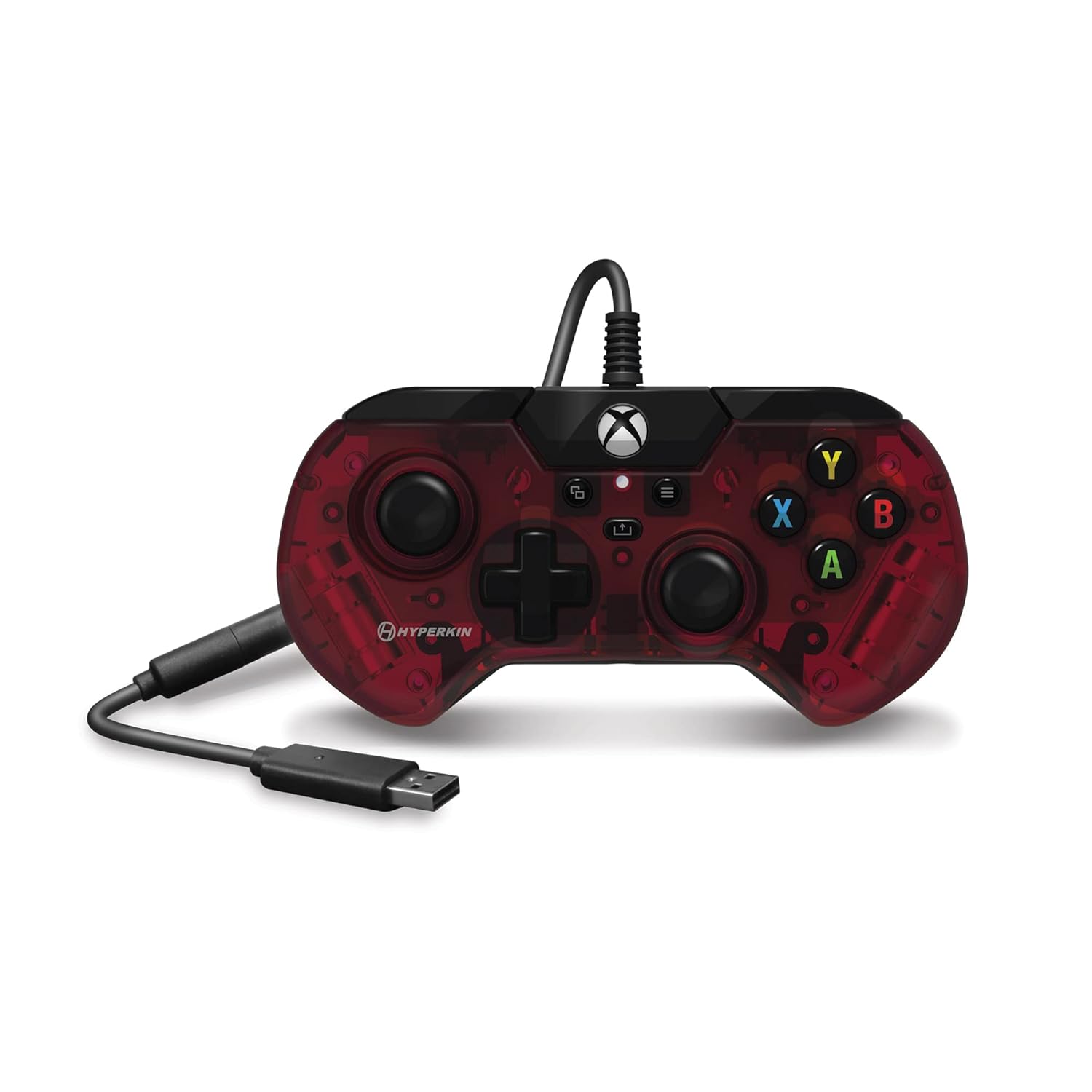
Imatge: Superior view of the Hyperkin X91 Ice Wired Controller, highlighting button placement.
- Manets analògics esquerre/dret: S'utilitza per al moviment i el control de la càmera en jocs.
- D-Pad (coixinet direccional): For precise directional input, often used in menus or for specific game actions.
- Botons A, B, X, Y: Standard action buttons, typically color-coded and labeled.
- Botó de menú: Accesses in-game menus or system settings.
- View Botó: Provides additional in-game options or system functions.
- Botó Xbox: Powers on the console (if off), opens the Xbox Guide, or returns to the home screen.
- Botó Compartir: (Xbox Series X|S only) Press to capture screenshots or record game clips.

Image: Detail of the Share button, located near the center of the controller.
- Para-xocs esquerre/dret (LB/RB): Located on the top edge, typically used for secondary actions.
- Disparadors esquerra/dreta (LT/RT): Analog triggers on the underside of the top edge, providing pressure-sensitive input for actions like acceleration or shooting.

Imatge: View of the Left and Right Triggers (LT/RT) on the controller's top edge.
- Presa per a auriculars de 3.5 mm: Located on the bottom edge of the controller. Plug in a compatible headset for game audio and voice chat.

Image: Detail of the 3.5 mm headset jack on the bottom of the controller.
Manteniment i cura
To ensure the longevity and optimal performance of your Hyperkin X91 controller, follow these maintenance guidelines:
- Neteja: Feu servir un drap suau i sec per netejar el controlador. Per a la brutícia persistent, netegeu lleugerament.ampNetegeu el drap amb aigua o una solució de neteja suau. Eviteu productes químics agressius o materials abrasius.
- Emmagatzematge: Store the controller in a clean, dry place away from direct sunlight, extreme temperatures, and excessive dust.
- Cura del cable: Avoid sharply bending or twisting the USB cable. Do not pull the controller by its cable. Always grasp the USB connector when plugging or unplugging.
- Eviteu les gotes: Protect the controller from drops or impacts, as this can damage internal components or affect button responsiveness.
Resolució de problemes
If you encounter issues with your Hyperkin X91 controller, refer to the following common solutions:
- El controlador no respon:
- Assegureu-vos que el cable USB estigui ben connectat tant al controlador com a la consola/PC.
- Prova de connectar el controlador a un port USB diferent.
- Reinicieu la consola o l'ordinador.
- Test the controller on another compatible device if possible to determine if the issue is with the controller or the system.
- Botons o joysticks analògics que no funcionen correctament:
- Check for any physical obstructions or debris around the buttons or analog sticks.
- Gently press and release the affected buttons multiple times.
- If an analog stick exhibits "drift" (input without touching), ensure the controller's firmware is up to date (if applicable, check Hyperkin's official support weblloc).
- No Audio from Headset Jack:
- Ensure your headset is fully plugged into the 3.5 mm jack on the controller.
- Check your console/PC audio settings to ensure output is directed to the headset.
- Prova els auriculars amb un altre dispositiu per confirmar que funcionen correctament.
- Ajusteu els nivells de volum tant als auriculars com al sistema.
If problems persist, contact Hyperkin customer support for further assistance.
Especificacions
| Número de model | X91 |
| Compatibilitat | Xbox Series X|S, Xbox One, Windows 10/11 PCs |
| Connectivitat | USB per cable |
| Port d'àudio | Conector per a auriculars de 3.5 mm |
| Dimensions (aprox.) | 7.05 x 5.43 x 3.23 polzades (dimensions del paquet) |
| Pes (aprox.) | 12 unces |
| Fabricant | Hiperkin |
Garantia i Suport
For warranty information, product registration, or technical support, please visit the official Hyperkin website or contact their customer service department. Details regarding specific warranty periods and support procedures are typically provided with your product purchase or on the manufacturer's weblloc.
Oficial d'Hyperkin Weblloc: www.hyperkin.com


