1. Introducció
The Meliconi Easy 4.1 is a universal 4-in-1 infrared remote control designed to simplify your home entertainment experience by consolidating up to four original remote controls. It is compatible with a wide range of devices including TVs, Smart TVs, Digital Terrestrial (DTT) decoders, Satellite receivers, TV Boxes, DVD players, Blu-Ray players, and Media Centers. Its full keyboard is particularly well-suited for Smart TV functionalities.
This manual provides detailed instructions for setting up, operating, and maintaining your Meliconi Easy 4.1 remote control. Please read it carefully before use.
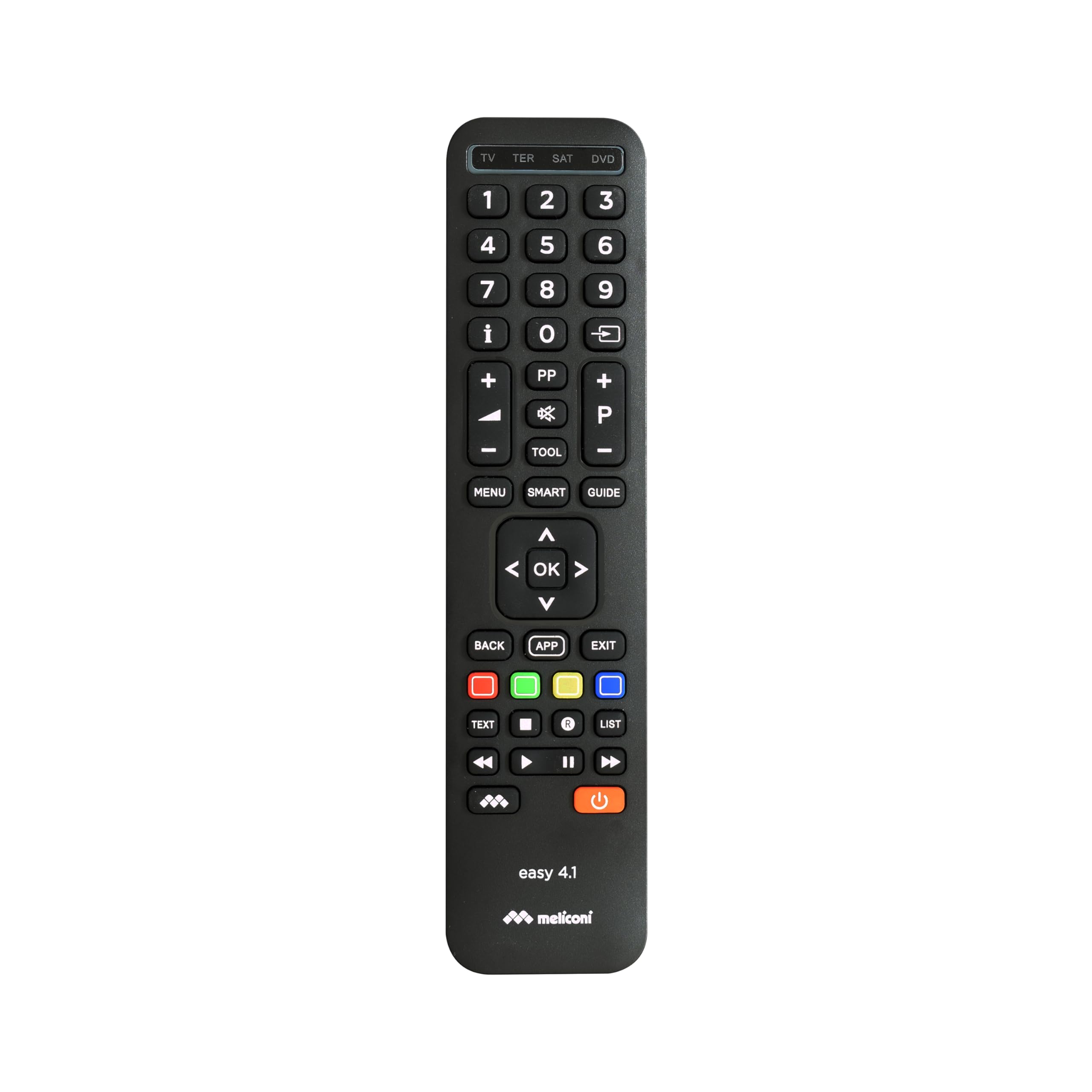
Image 1.1: The Meliconi Easy 4.1 Universal Remote Control.
2. Informació de seguretat
- Do not expose the remote control to direct sunlight, heat sources, or extreme humidity.
- Eviteu deixar caure el comandament a distància ni sotmetre'l a impactes forts.
- No intenteu desmuntar ni modificar el comandament a distància. Això anul·larà la garantia.
- Mantingueu les piles fora de l'abast dels nens. En cas d'ingestió, busqueu atenció mèdica immediata.
- Desfeu-vos de les piles usades d'acord amb la normativa local. No barregeu piles velles i noves, ni piles de diferents tipus.
3. Contingut del paquet
Si us plau, comproveu que els següents elements estiguin inclosos al vostre paquet:
- Meliconi Easy 4.1 Universal Remote Control
- Manual d'instruccions (aquest document)
Nota: Es necessiten 2 piles AAA i no estan incloses en el paquet.
4. Configuració
4.1. Introducció de piles
- Obriu la tapa del compartiment de la bateria a la part posterior del comandament a distància.
- Introduïu dues piles AAA, assegurant-vos de la polaritat correcta (+ i -) tal com s'indica a l'interior del compartiment.
- Tanqueu bé la tapa del compartiment de la bateria.

Imatge 4.1: posterior view of the remote control, indicating the battery compartment.
4.2. Programació del comandament a distància
The Meliconi Easy 4.1 can be programmed using an automatic code search or by manually entering a code. For detailed code search software, key/function correspondence tables, and video tutorials, please visit the official Meliconi support weblloc: cme.it.
4.2.1. Automatic Code Search (Recommended)
This method allows the remote to automatically find the correct code for your device.
- Turn on the device you wish to control (e.g., TV).
- Premeu i manteniu premut el botó del dispositiu desitjat al comandament a distància (per exemple, TV, Ds, DVD, TER) until the indicator light illuminates.
- Mentre manteniu premut el botó del dispositiu, premeu i manteniu premut el PODER button. The indicator light will start flashing.
- Release both buttons. The remote is now in automatic search mode.
- Apunta el comandament a distància al teu dispositiu i prem el botó PODER repetidament (aproximadament cada 2 segons) fins que el dispositiu s'apagui.
- Once the device turns off, immediately press the device button (e.g., TV) to save the code. The indicator light will flash twice to confirm.
- Test the remote's functions. If some functions do not work correctly, repeat the process as the remote may have found a partial match.
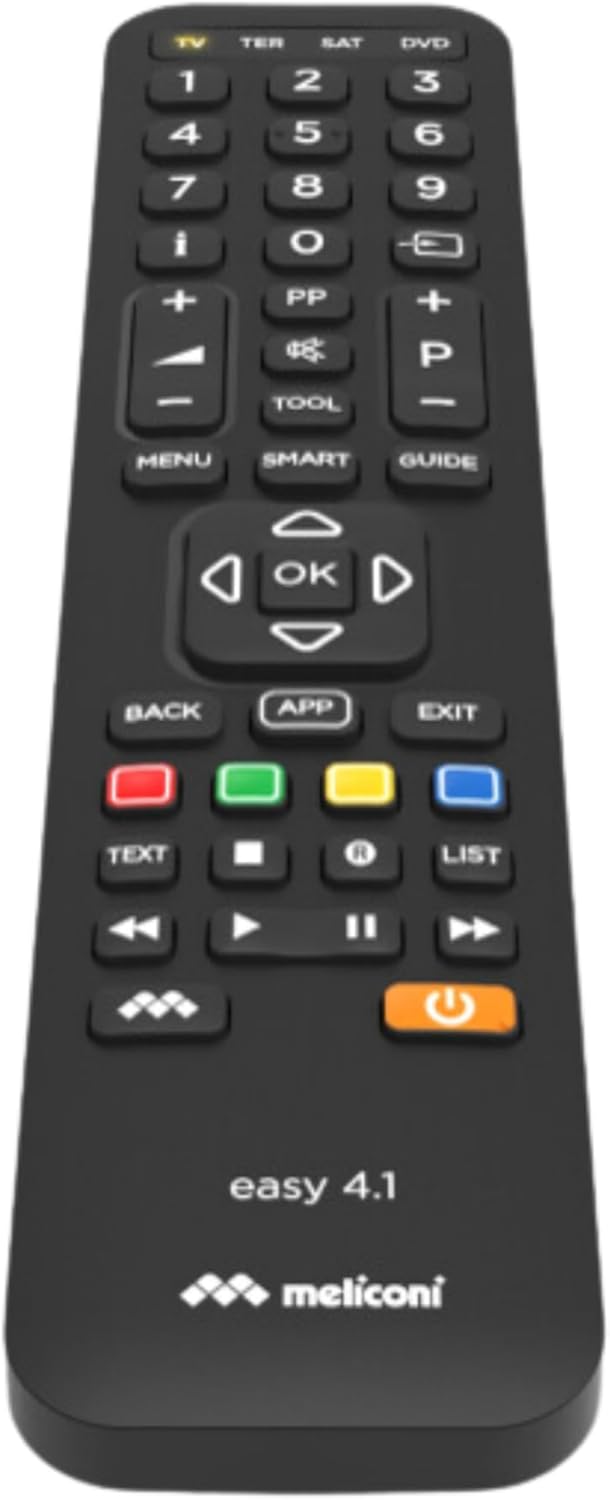
Image 4.2: Close-up of the Meliconi Easy 4.1 remote control buttons.
4.2.2. Introducció manual de codi
If you know the specific code for your device, you can enter it directly. Codes can be found on the cme.it weblloc.
- Engegueu el dispositiu que voleu controlar.
- Premeu i manteniu premut el botó del dispositiu desitjat (per exemple, TV) until the indicator light illuminates.
- Enter the 4-digit code for your device using the numeric keypad.
- After entering the last digit, the indicator light will flash twice to confirm the code has been saved.
- Test the remote's functions. If it does not work, try another code from the list for your device.
4.3. Funció d'aprenentatge
The learning function allows you to copy specific functions from your original remote control to the Meliconi Easy 4.1. This is useful for functions not covered by the pre-programmed codes. The remote can learn up to 63 signals.
- Place the Meliconi Easy 4.1 and your original remote control on a flat surface, facing each other, with a distance of about 2-5 cm.
- Manteniu premut el botó CONFIGURACIÓ button on the Meliconi remote until the indicator light illuminates.
- Premeu el botó del dispositiu (per exemple, TV) for which you want to learn a function. The indicator light will flash slowly.
- Press the button on the Meliconi remote where you want to store the new function. The indicator light will flash rapidly.
- Press and hold the corresponding button on your original remote control until the Meliconi remote's indicator light flashes twice, indicating successful learning.
- Repeat steps 4 and 5 for any other functions you wish to learn.
- Per sortir del mode d'aprenentatge, premeu la tecla CONFIGURACIÓ button. The indicator light will turn off.
5. Instruccions de funcionament
5.1. Canviar entre dispositius
To control a specific device, simply press the corresponding device button at the top of the remote (e.g., TV, TER, Ds, DVD). The indicator light will briefly illuminate to confirm the selection.
5.2. Funcions bàsiques
- PODER: Encén o apaga el dispositiu seleccionat.
- Teclat numèric (0-9): For direct channel selection or numerical input.
- Pujar/baixar el volum (+/-): Adjusts the volume of the selected device.
- Channel Up/Down (P+/-): Changes channels on the selected device.
- MUT: Silencia l'àudio.
- D'acord / Fletxes de navegació: Per a la navegació i selecció de menús.
- MENÚ: Accesses the device's main menu.
- ENRERE / SORTIDA: Returns to the previous screen or exits a menu.
- Botons de colors (vermell, verd, groc, blau): These typically correspond to specific functions within menus or interactive services (e.g., Teletext, Smart TV apps).

Imatge 5.1: Frontal view del comandament a distància, destacant la disposició dels botons.
5.3. Funcions de Smart TV
The Meliconi Easy 4.1 features a comprehensive keyboard layout, making it ideal for navigating Smart TV interfaces and applications. Buttons such as APP, INTELLIGENT, and dedicated colored buttons are designed to interact with modern Smart TV functions. Refer to your TV's manual for specific Smart TV button functionalities.
5.4. Memory and Security Functions
- Security Mode (Key Lock): You can activate a security mode to lock non-essential keys, preventing accidental presses. Consult the cme.it website for instructions on enabling and disabling this feature.
- Freeze Initial Settings: This function allows you to lock the initial programming settings, ensuring they cannot be inadvertently modified. Details on how to use this feature are available on the cme.it support page.
6. Manteniment
6.1. Neteja del comandament a distància
Per netejar el comandament a distància, utilitzeu un drap suau i sec. Per a la brutícia resistent, netegeu lleugerament.ampen the cloth with water or a mild cleaning solution. Do not use abrasive cleaners, alcohol, or solvents, as these can damage the surface.
6.2. Substitució de la bateria
When the remote control's range decreases or it becomes unresponsive, it's time to replace the batteries. Follow the steps in Section 4.1 "Inserting Batteries" to replace the two AAA batteries. Always replace both batteries at the same time with new ones of the same type.
7. Solució De Problemes
| Problema | Causa possible | Solució |
|---|---|---|
| El control remot no funciona. | Batteries are dead or inserted incorrectly. No code programmed for the device. | Check battery polarity and replace if necessary. Program the remote control using the automatic code search or manual code entry (Section 4.2). |
| Només algunes funcions funcionen. | Incorrect code programmed. Device not fully compatible. | Repeat the programming process (Section 4.2) to find a more suitable code. Use the learning function (Section 4.3) for missing functions. |
| La funció d'aprenentatge falla. | Original remote batteries are low. Remotes are not aligned correctly. | Ensure original remote has fresh batteries. Adjust the distance and alignment between the two remotes. Try again in a dimly lit room to avoid interference. |
| L'abast remot és deficient. | Low batteries. Obstruction between remote and device. | Replace batteries. Ensure a clear line of sight between the remote and the device's IR receiver. |
8. Especificacions
| Marca | Meliconi |
| Model | Fàcil 4.1 |
| Color | Negre |
| Tecnologia de connectivitat | infrarojos |
| Característiques especials | Universal, 4-in-1, Learning Function, Full Keyboard for Smart TV |
| Dispositius compatibles | Television, Digital Terrestrial and Satellite Decoders, DVD/Blu-ray Players, Media Centers, TV-Boxes, etc. |
| Font d'alimentació | 2 piles AAA (no incloses) |
| Interval màxim | 10 metres |
| Número de model del fabricant | 8006023299836 |
| País d'origen | Xina |
9. Garantia
The Meliconi Easy 4.1 Universal Remote Control comes with a manufacturer's warranty of 2 years. This warranty covers defects in materials and workmanship under normal use. Please retain your proof of purchase for warranty claims. The warranty does not cover damage caused by misuse, accidents, unauthorized modifications, or normal wear and tear.
10. Suport
For comprehensive web support, including code search software, key/function correspondence tables, image search, a full instruction manual, video tutorials, and frequently asked questions (FAQs), please visit the official Meliconi weblloc:
You can also contact Meliconi customer service for further assistance. Refer to the weblloc per obtenir les dades de contacte específiques de la vostra regió.