1. Introducció
The DJI Avata is a First-Person View (FPV) drone designed for immersive flight experiences and high-quality aerial videography. It features 4K stabilized video recording, a super-wide 155° Field of View (FOV), and a built-in propeller guard for enhanced durability and safety. The drone utilizes HD low-latency transmission for a responsive live feed during flight.
This manual provides essential information for the safe and effective operation of your DJI Avata drone.
Característiques principals:
- Immersive Flight Experience: Designed for intuitive control when combined with compatible goggles and motion controller.
- FAA Remote ID Compliant: Adheres to FAA regulations for drone identification.
- Ultra-Smooth 4K Footage: Equipped with a 1/1.7-inch sensor, 155° FOV, and flagship stabilization for high-quality video.
- Palm-Sized and Agile: Lightweight and compact design allows for agile maneuvers in various environments.
- Seguretat millorada: Features a built-in propeller guard, emergency brake, and downward sensors for low-altitude flight.
- Flagship Transmission: DJI O3+ video transmission provides a sharp and responsive HD live feed up to 10 km.
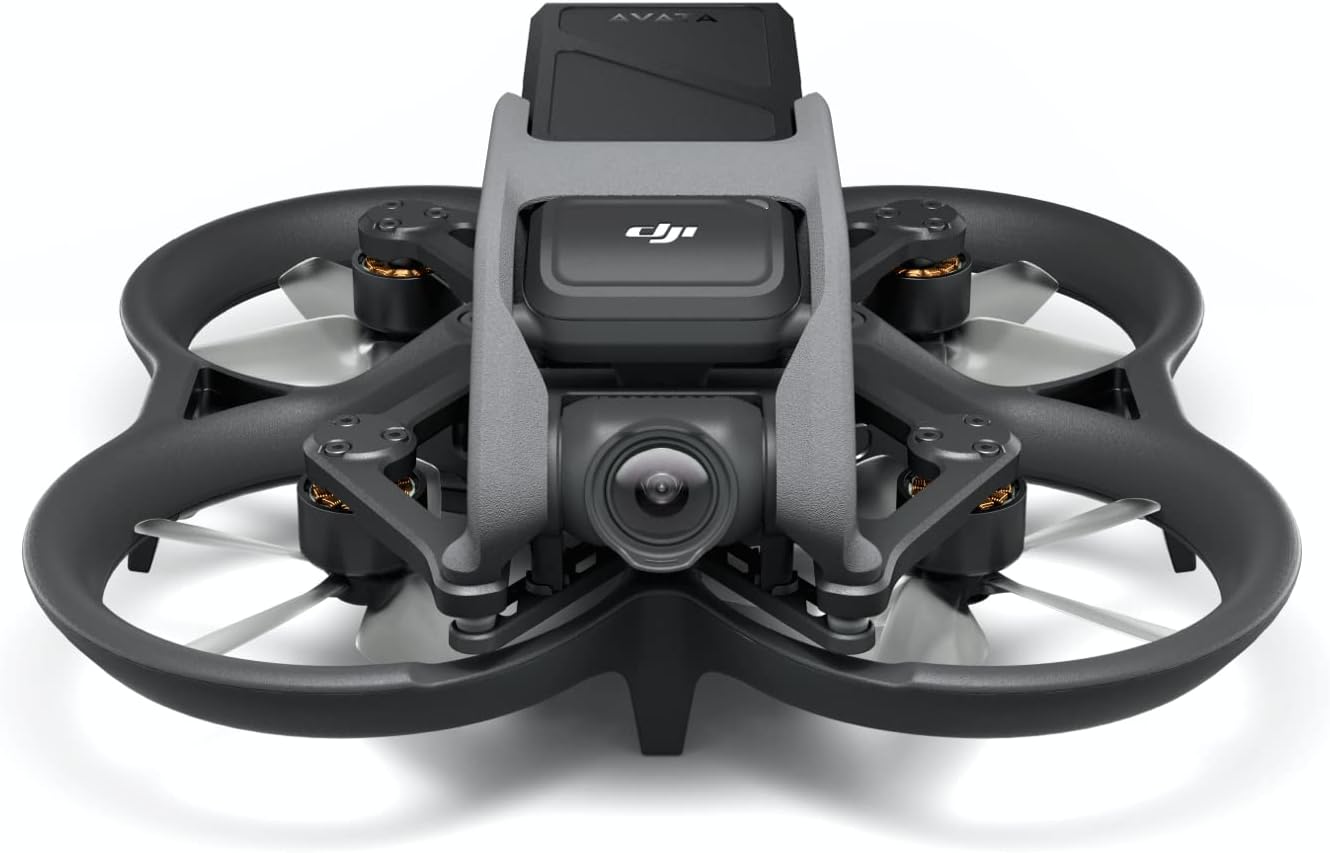
Figure 1: The DJI Avata drone, showcasing its compact design and built-in propeller guards.
2. Què hi ha a la caixa
The DJI Avata package includes the following components:
- DJI Avata Drone ×1
- DJI Avata Intelligent Flight Battery ×1
- Propeller (Pair) ×3
- DJI Avata Power Adapter ×1
- Gimbal Protector ×1
- Type-C to Type-C PD Cable ×1
- Tornavís × 1
- Screw (M2×7) ×4
Note: Remote Controller and Goggles are sold separately unless part of a combo package.

Figure 2: Diagram illustrating the components included in the DJI Avata drone package.
Compatibilitat del producte:
DJI Avata is compatible with DJI Goggles 2, DJI Goggles Integra, DJI FPV Goggles V2, DJI FPV Remote Controller 2, DJI Motion Controller 2, and DJI Motion Controller.
Vídeo 1: Un overview of the items included with the DJI Avata drone, demonstrating the unboxing experience and initial components.
3. Configuració
3.1. Initial Power-On and Activation
- Assegureu-vos que la bateria de vol intel·ligent estigui completament carregada.
- Insert the Intelligent Flight Battery into the drone until it clicks securely.
- Press the power button once, then press and hold it for two seconds to power on the drone.
- Follow the on-screen instructions in the DJI Fly app or compatible goggles for initial activation.
3.2. Linking Drone with Controller and Goggles
To establish communication between your DJI Avata, remote controller, and goggles, follow the linking procedure:
- Power on the drone, remote controller, and goggles.
- Refer to the specific linking instructions provided in the DJI Fly app or the quick start guide for your remote controller and goggles.
- Typically, this involves pressing and holding a linking button on each device until an indicator light confirms successful pairing.
Video 2: Demonstrates the process of linking the DJI Avata drone with its compatible remote controller and goggles for initial setup.
4. Operating the DJI Avata
4.1. Flight Experience and Control
The DJI Avata offers an immersive First-Person View (FPV) flight experience. When paired with DJI Goggles and a Motion Controller, users can control the drone's movements intuitively using hand and head movements.

Figure 3: A user experiencing immersive flight with DJI Avata, utilizing goggles and a motion controller.
4.2. Video Recording and FOV
The Avata features an upgraded camera system capable of ultra-smooth 4K footage. The 155° FOV provides a super-wide perspective, enhancing the immersive feel of flight. Stabilization technologies ensure clear and steady video capture.
- The 155° FOV is available when the aspect ratio is 4:3 (2.7K@50/60fps or 1080p@50/60fps) or 16:9 (4K@50/60fps, 2.7K@50/60fps, or 1080p@50/60fps).
- HorizonSteady is available in Normal mode FOV with a 16:9 aspect ratio (4K@50/60fps, 2.7K@50/60fps, or 1080p@50/60fps).
- RockSteady is unavailable when recording at 2.7K@100/120fps or 1080p@100/120fps.

Figure 4: The DJI Avata drone capturing wide-angle footage while navigating a natural landscape.
4.3. Agile Maneuvers and Safety
The compact and agile design of the Avata allows it to fly through tight spaces, such as gaps and branches. The built-in propeller guard provides protection against minor impacts, helping the drone maintain flight even after contact.

Figure 5: The DJI Avata drone demonstrating its agility by flying through a confined circular space.

Figura 6: Un primer pla view of the DJI Avata's built-in propeller guard, highlighting its protective design.
5. Seguretat i Compliment
5.1. FAA Remote ID Compliance
The DJI Avata is compliant with the FAA Remote ID rule. Users are advised to check the compliance document and visit the FAA's website for requirements regarding drone registration and Remote ID.
5.2. Obstacle Sensing and Flight Restrictions
- DJI Avata supports downward obstacle sensing only when used with DJI FPV Remote Controller 2 or DJI Motion Controller in N Mode or S Mode.
- The drone must maintain a distance of at least 0.25 m from the ground during operation.
6. Manteniment
6.1. Substitució d'accessoris
Regular inspection and replacement of accessories such as propellers are crucial for maintaining optimal flight performance and safety. Refer to the user manual for detailed instructions on replacing specific components.
Video 3: Instructions on how to replace accessories for the DJI Avata drone, ensuring proper maintenance and longevity.
7. Especificacions
| Característica | Especificació |
|---|---|
| Marca | DJI |
| Nom del model | QF2W4K |
| Característica especial | Primera Persona View, 4K Stabilized Video, Super-Wide 155° FOV, Built-in Propeller Guard, HD Low-Latency Transmission, FAA Remote ID Compliant |
| Color | Negre |
| Resolució de captura de vídeo | 4K |
| Resolució de fixes efectius | 12 megapíxels |
| Tecnologia de connectivitat | USB |
| Pes de l'article | 0.41 quilograms (14.4 unces) |
| Capacitat de la bateria | 2420 milionsamp Hores |
| Interval màxim | 10 quilòmetres |
| Dimensions del producte | 7.1 cm de llargada x 7.1 cm d'amplada x 3.1 cm d'alçada |
| UPC | 190021061576 |
8. Solució De Problemes
If you encounter any issues during operation, please refer to the following general troubleshooting steps:
- Problemes d'alimentació: Ensure all batteries (drone, controller, goggles) are fully charged. Check connections.
- Problemes de connexió: Re-link the drone, controller, and goggles as per the setup instructions. Ensure no interference from other wireless devices.
- Inestabilitat de vol: Check propellers for damage and replace if necessary. Ensure the drone's firmware is up to date. Calibrate the IMU if recommended by the app.
- Video Transmission Issues: Ensure a clear line of sight between the drone and goggles/controller. Avoid areas with high electromagnetic interference.
For more detailed troubleshooting, consult the DJI Fly app's help section or the official DJI support weblloc.
9. Suport
For technical assistance, product inquiries, or further support, please visit the official DJI website or contact DJI customer service. The DJI Fly app also provides in-app support resources and tutorials.
10. Informació de la garantia
The DJI Avata drone comes with a standard manufacturer's warranty. Please refer to the warranty card included in your product packaging or visit the official DJI weblloc web per conèixer els termes i condicions detallats, inclòs el període de garantia i la cobertura.
Optional protection plans may be available for extended coverage. Check with your retailer or DJI for more information.


