1. Introducció
This manual provides essential information for the installation, operation, and maintenance of your Axis Communications M2035-LE HDTV 1080P Surveillance Camera. Please read this manual thoroughly before using the product to ensure proper setup and functionality. Keep this manual for future reference.
2. Informació de seguretat
Observeu les següents precaucions de seguretat per evitar danys al producte o lesions a vosaltres mateixos o a altres persones:
- Ensure the power source matches the camera's requirements (28 Volts, 4.2 watts).
- Do not expose the camera to extreme temperatures or humidity beyond its operating specifications.
- Eviteu l'exposició directa a fonts de llum fortes, ja que poden danyar el sensor d'imatge.
- No intenteu desmuntar ni modificar la càmera. Encarregueu tot el manteniment a personal qualificat.
- Instal·leu la càmera de manera segura per evitar que caigui.
- Keep the camera away from water and moisture, despite its water-resistant rating (IP54).
3. Contingut del paquet
Verifiqueu que tots els elements siguin presents al paquet:
- Axis M2035-LE Camera Unit
- Mounting Stand/Bracket
- Guia d'instal·lació (aquest document)
- Maquinari de muntatge (cargols, ancoratges)
Note: Specific contents may vary slightly by region or package.
4. Producte acabatview
The Axis M2035-LE is a compact, outdoor-ready dome surveillance camera designed for high-definition video monitoring. It features 1080p resolution, a wide viewing angle, and infrared night vision for reliable performance in various lighting conditions.
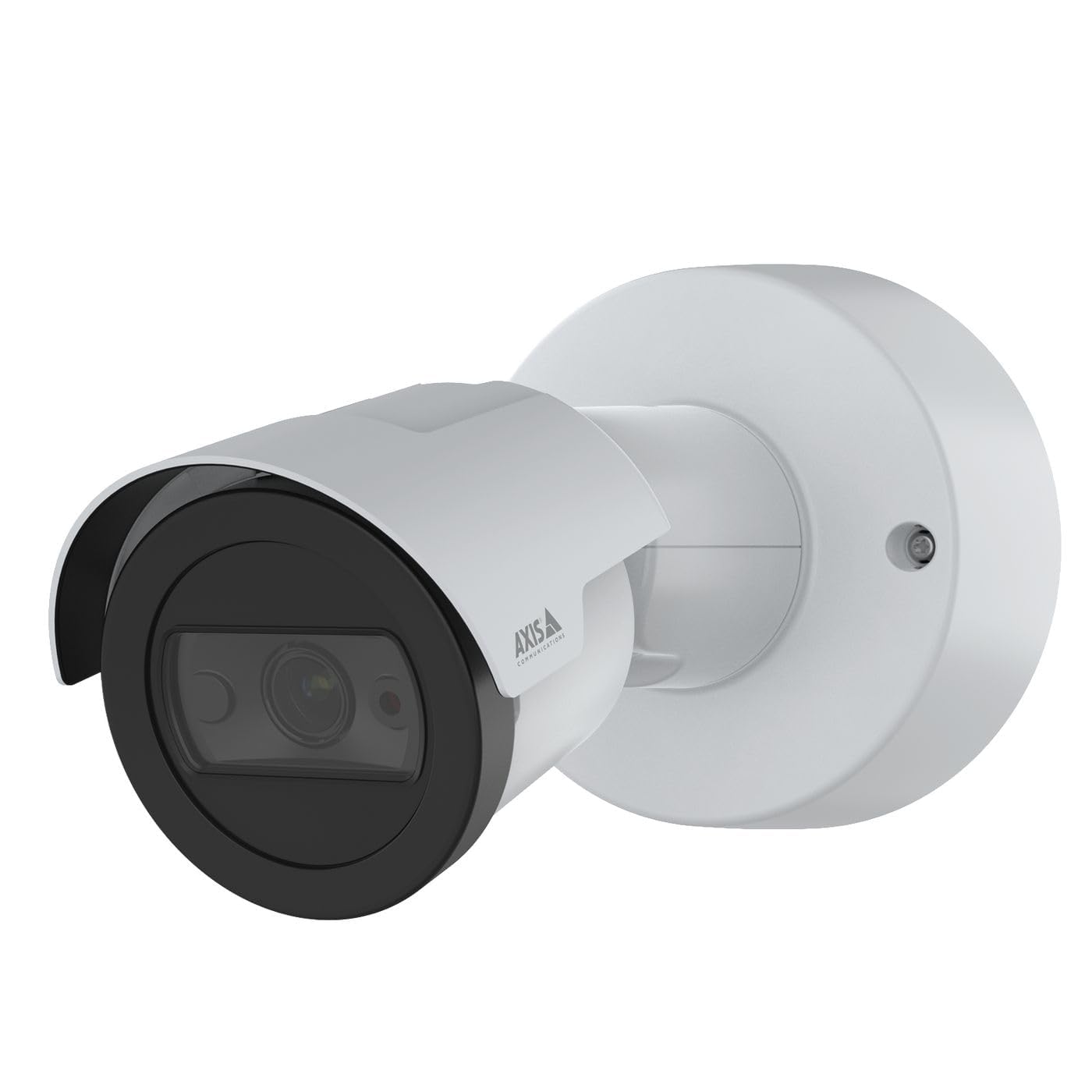
Figura 1: Davant view of the Axis M2035-LE HDTV 1080P Surveillance Camera. This image shows the compact dome design suitable for outdoor installation.
5. Configuració i instal·lació
The Axis M2035-LE camera supports various mounting options, including table mount and recessed installation. Ensure the chosen location provides a clear field of view and stable mounting surface.
5.1. Consideracions de muntatge
- Ús exterior: The camera is designed for outdoor environments.
- Potència: The camera requires a 28V power supply. Ensure proper wiring and power delivery.
- Connectivitat: The camera supports Wi-Fi and Ethernet connectivity. Plan your network connection accordingly.
5.2. Table Mount Installation
- Attach the mounting stand to the camera unit using the provided screws.
- Col·loqueu la càmera sobre una superfície plana i estable.
- Ajusta la càmera viewangle segons sigui necessari.
5.3. Recessed Mount Installation (Soffit Example)
For recessed mounting, particularly in soffits, careful planning is required to ensure sufficient depth and avoid obstructions.
- Verifica la profunditat: Before cutting, confirm the soffit has adequate depth for the recessed mount. You can use a small pilot hole and a wire to measure the available space.
- Mark and Cut: Mark the desired location and carefully cut the opening in the soffit according to the template provided with the recessed mount kit (sold separately).
- Muntatge d'instal·lació: Secure the recessed mount bracket into the opening.
- Connect and Secure: Connect the necessary cables (power, Ethernet) and then secure the camera unit into the recessed mount.
- Ajust d'angle: Adjust the camera lens to achieve the desired field of view.
6. Instruccions de funcionament
6.1. Engegada inicial i connexió de xarxa
- Connecteu la càmera a la font d'alimentació.
- For initial setup, it is recommended to connect via Ethernet to your network router or switch.
- Use the Axis IP Utility or a web browser to discover the camera on your network and configure its settings.
- For Wi-Fi connectivity, configure the wireless settings through the camera's web interfície.
6.2. Video Monitoring and Recording
- The camera provides 1080p video resolution at 30 frames per second.
- Accedeix al directe view and recording features through the camera's web interfície o programari de gestió de vídeo (VMS) compatible.
- The camera is compatible with Digital Video Recorders (DVRs).
- Video capture format is MPEG-4.
6.3. Low Light and Night Vision
The M2035-LE features "Night Color" low light technology and an infrared (IR) light source for clear imaging in dark conditions.
- The camera automatically switches to night mode when ambient light is low.
- Ensure the IR illuminator is not obstructed for optimal night vision performance.
6.4. Detecció de moviment i alertes
The camera supports motion-only alert types.
- Configure motion detection zones and sensitivity settings via the camera's web interfície.
- Set up alert actions such as email notifications or recording triggers.
6.5. Control remot
The camera can be controlled remotely through its web interface or compatible VMS, allowing for adjustments to settings and viewing live feeds.
7. Manteniment
- Neteja: Netegeu suaument la lent i el cos de la càmera amb un drap suau iamp tela. No utilitzeu productes químics aggressivs ni netejadors abrasius.
- Actualitzacions de firmware: Reviseu regularment les comunicacions d'Axis website for firmware updates to ensure optimal performance and security. Follow the instructions provided with the firmware update.
- Inspecció del cable: Periodically inspect all cables for signs of wear or damage, especially in outdoor installations.
8. Solució De Problemes
| Problema | Causa possible | Solució |
|---|---|---|
| Sense alimentació/La càmera no s'encén | Incorrect power supply; Loose connection; Power outage | Verify power adapter and connections; Check power outlet; Ensure correct voltage (28 V). |
| Cannot connect to camera via network | Incorrect IP address; Network cable issue; Wi-Fi configuration error; Firewall blocking connection | Use Axis IP Utility to find camera; Check Ethernet cable; Reconfigure Wi-Fi settings; Temporarily disable firewall for testing. |
| Mala qualitat d'imatge | Dirty lens; Insufficient lighting; Incorrect focus/settings; Network bandwidth issues | Clean the lens; Ensure adequate lighting or proper night vision settings; Adjust focus/image settings; Check network speed. |
| La detecció de moviment no funciona | Incorrect sensitivity settings; Detection zones not configured; Obstructions in view | Adjust motion detection sensitivity; Define detection zones in settings; Clear any obstructions. |
9. Especificacions
| Característica | Detall |
|---|---|
| Número de model | M2035-LE |
| Ús interior/exterior | A l'aire lliure |
| Tecnologia de connectivitat | Ethernet, Wi-Fi |
| Resolució de captura de vídeo | 1080p |
| Velocitat de fotogrames | 30 fotogrames per segon |
| Viewangle ing | 110 graus |
| Tecnologia de poca llum | Color nocturn |
| Tipus de font de llum | infrarojos |
| Tipus d'alerta | Només moviment |
| Mètode de control | Remot |
| Font d'alimentació | Information Not Available (Note: Requires 28V, 4.2W) |
| Voltage | 28 Volts |
| Wattage | 4.2 watts |
| Material | Metall |
| Color | Blanc |
| Dimensions (L x A x A) | 1.1 x 9.7 x 6.5 polzades |
| Pes de l'article | 0.634 unces |
| Classificació de protecció internacional | IP54 (Resistent a l'aigua) |
| Dispositius compatibles | Gravadora de vídeo digital |
| Tecnologia del sensor fotogràfic | CMOS |
| Format de captura de vídeo | MPEG-4 |
10. Garantia i Suport
For detailed warranty information, please refer to the official Axis Communications website or contact your local distributor. Technical support and additional resources can also be found on the Axis Communications support portal.
Fabricant: EIX
Weblloc: www.axis.com


