Introducció
This manual provides detailed instructions for the operation and maintenance of your Kuephom Portable Bluetooth CD Walkman. Designed for versatility, this device supports CD, Bluetooth, USB, and AUX playback, featuring anti-skip protection and a built-in speaker. Please read this manual thoroughly before use to ensure proper functionality and longevity of your device.
Contingut del paquet
Verifiqueu que tots els elements que s'enumeren a continuació s'inclouen al vostre paquet:
- CD player X 1
- Auriculars X 1
- Cable d'àudio X 1
- Cable de càrrega X 1
- Pouch X 1
Producte acabatview

Figure 1: Kuephom Portable Bluetooth CD Walkman and its accessories, including earbuds, audio cable, charging cable, and pouch.

Figure 2: Detailed diagram illustrating the various buttons and ports on the Kuephom Portable CD Walkman, including volume controls, playback buttons, mode selection, Bluetooth transmit, USB slot, AUX in jack, earphone jack, and speaker.
Configuració
Càrrega del dispositiu
The CD player has a built-in rechargeable lithium battery. Before first use, fully charge the device.
- Connect the provided USB charging cable to the charging port (DC 5V) on the device.
- Connect the other end of the USB cable to a compatible USB power source (e.g., wall charger, power bank, car charger, or computer USB port).
- El llum indicador de càrrega s'il·luminarà durant la càrrega i s'apagarà quan estigui completament carregat. Una càrrega completa triga aproximadament 4 hores.

Figure 3: The portable CD player connected to a power source via its USB charging cable, demonstrating various charging options.
Encès/Apagat
Feu lliscar el ON/OFF switch located on the side of the device to turn it on or off.
Inserció d’un CD
- Feu lliscar el OBERT switch to open the CD compartment cover.
- Carefully place a CD (CD, CD-R, CD-RW, MP3, WMA, WAV formats supported) onto the spindle with the label side facing up.
- Gently press the center of the CD until it clicks into place.
- Close the CD compartment cover firmly until it latches.
Video 1: Demonstration of inserting a CD into the Kuephom Portable CD Player and closing the compartment. This video also shows the supported disc formats.
Connecting Headphones or External Speakers (AUX)
For private listening or connecting to non-Bluetooth devices:
- Insert the 3.5mm jack of your headphones into the Conector d'auriculars.
- To connect to external speakers or a car audio system, use the provided 3.5mm audio cable. Insert one end into the AUX In Jack on the CD player and the other end into the AUX input of your external device.

Figure 4: The portable CD player connected to a car's audio system via an AUX cable, demonstrating its use in a vehicle with anti-shock protection for uninterrupted playback.
Instruccions de funcionament
Reproducció bàsica
- Premeu el botó Reproduir/Pausa button (►▮▮) to start or pause playback.
- Premeu el botó A continuació button (►►) to skip to the next track.
- Premeu el botó Anterior button (◄◄) to go to the beginning of the current track or the previous track.
- Premeu el botó Atureu-vos botó (■) per aturar la reproducció.
- Ajusteu el volum amb el botó Vol+ i tornar botons.
Funcionalitat Bluetooth
The device supports two-way Bluetooth connection:
Bluetooth Transmitting (Connecting to Bluetooth Headphones/Speakers)
- Ensure the CD player is powered on and a CD is inserted.
- Premeu el botó Transmissió Bluetooth button (labeled "TRANSMIT" or "BT" on some models) to enter Bluetooth transmitting mode. The Bluetooth icon on the display will flash.
- Poseu els auriculars o l'altaveu Bluetooth en mode d'emparellament.
- The CD player will automatically search for and connect to nearby Bluetooth devices. Once connected, the Bluetooth icon will stop flashing.

Figure 5: The portable CD player actively transmitting audio via Bluetooth to both headphones and a separate Bluetooth speaker, illustrating its wireless output capability.
Bluetooth Receiving (Connecting to Smartphone/Laptop)
- Premeu el botó Mode BT button (labeled "BT" or "MODE" on some models) to switch the CD player into Bluetooth receiving mode.
- Al telèfon intel·ligent, la tauleta o l'ordinador portàtil, activeu el Bluetooth i cerqueu els dispositius disponibles.
- Select "Kuephom CD Player" (or similar name) from the list of devices to pair.
- Once connected, you can play audio from your smart device through the CD player's built-in speaker.
Video 2: This video demonstrates the Bluetooth playback feature, showing the CD player connecting to a smartphone to stream audio, highlighting its versatility as a Bluetooth speaker.
Other Playback Modes
- Reproducció USB: Inseriu una unitat flaix USB al Ranura USB. The player will automatically switch to USB mode and begin playing compatible audio files.
- Funció de repetició: Premeu el botó Repetiu button to cycle through repeat modes (e.g., repeat one, repeat all).
- A-B Repeating: Premeu el botó AB button to set a starting point (A) and an ending point (B) for a section of audio to repeat. Press again to clear.
- Ajust de velocitat: Utilitza el Ajust de velocitat buttons (labeled "SPEED" or "SPEED +/-") to increase or decrease the playback speed. This feature is particularly useful for language learning.
- Programming Playback: Refer to the detailed product diagram (Figure 2) for the "PROG." button if available on your model for custom track sequencing.
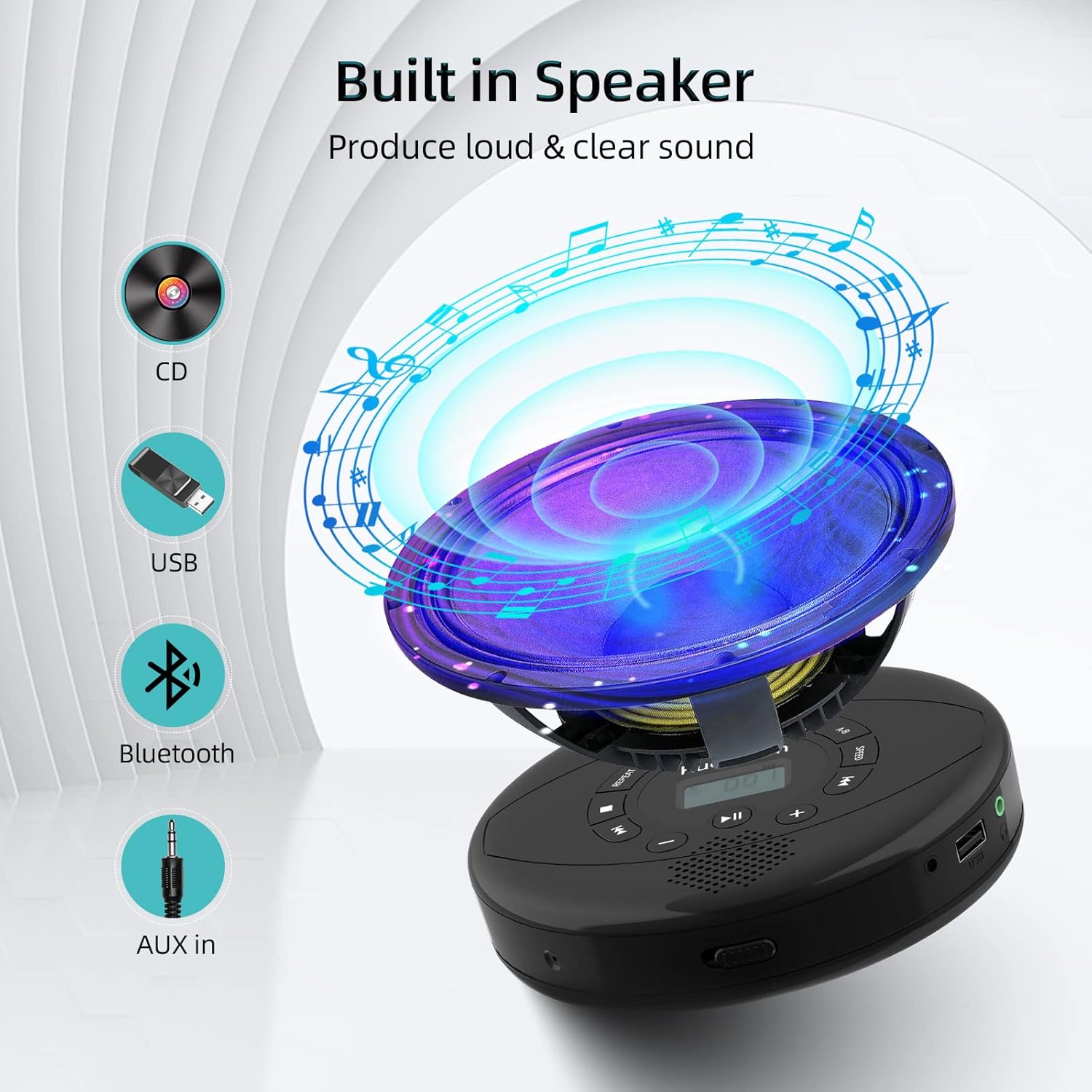
Figure 6: Illustration of the built-in speaker and the various audio input options supported by the device, including CD, USB, Bluetooth, and AUX in.
Manteniment
- Mantingueu el dispositiu net netejant-lo amb un drap suau i sec. Eviteu utilitzar productes de neteja o dissolvents abrasius.
- No exposeu el dispositiu a temperatures extremes, llum solar directa ni humitat elevada.
- Handle CDs by their edges to prevent scratches and smudges. Clean CDs with a soft, lint-free cloth, wiping from the center outwards.
- Quan no l'utilitzeu durant períodes prolongats, guardeu el dispositiu en un lloc fresc i sec.
Resolució de problemes
| Problema | Causa possible | Solució |
|---|---|---|
| El dispositiu no s'encén. | Battery is low or depleted. Power switch is off. | Charge the device fully. Ensure the ON/OFF switch is in the "ON" position. |
| El CD salta o no es reprodueix. | CD is dirty, scratched, or damaged. Device is unstable. | Clean the CD. Try another CD. Ensure the device is on a stable surface or utilize its anti-skip protection during movement. |
| No se sent so dels auriculars/altaveus. | Volume is too low. Headphones/speakers not properly connected. Incorrect mode selected. | Increase volume. Re-insert headphone/AUX cable firmly. Ensure correct mode (CD, Bluetooth, USB, AUX) is selected. |
| L'aparellament de Bluetooth falla. | Device not in pairing mode. Bluetooth device too far. Interference. | Ensure the CD player is in Bluetooth transmitting/receiving mode. Move devices closer. Turn off other Bluetooth devices to reduce interference. |
Especificacions
| Característica | Detall |
|---|---|
| Dimensions del producte | 5.7 x 5.7 x 1.2 polzades |
| Pes de l'article | 1.21 lliures |
| Número de model | PM10-Black |
| Bateria | 1 bateria de polímer de liti (inclosa) |
| Marca | Kuephom |
| Tecnologia de connectivitat | Bluetooth, Auxiliar, USB |
| Formats suportats | CD, CD-R, CD-RW, MP3, WMA, WAV |
| Característica especial | Portable, Anti-Skip, Built-in Speakers |
Garantia i Suport
For warranty information or technical support, please refer to the contact details provided with your purchase or visit the official Kuephom weblloc web. Conserveu el rebut de compra com a comprovant de compra per a qualsevol reclamació de garantia.


