Introducció
Thank you for choosing the TCL S522W 2.1 Channel Soundbar with Wireless Subwoofer. This manual provides comprehensive instructions for the setup, operation, and maintenance of your soundbar system. Please read this manual thoroughly before use and retain it for future reference.
Característiques clau
- 2.1 Channel Audio System with Wireless Subwoofer
- 200W Maximum Audio Power Output
- Dolby Audio Support
- Wireless Music Playback via Bluetooth
- Multiple Audio Modes: Movie, Music, News
- Connectivity Options: HDMI ARC, USB, Optical, 3.5mm AUX
- Slim and Elegant Design
- Wall Mount Kit Included
Contingut del paquet
Carefully unpack your soundbar system and ensure all items listed below are present and in good condition. If any item is missing or damaged, please contact your retailer.
- TCL S522W Soundbar
- Subwoofer sense fil
- Control remot
- Power Cable (for Soundbar)
- Power Cable (for Subwoofer)
- 3.5mm to 3.5mm Audio Cable (AUX Cable)
- Wall Mounting Kit (brackets, screws, template)
- Guia d'inici ràpid
- Informació de la garantia
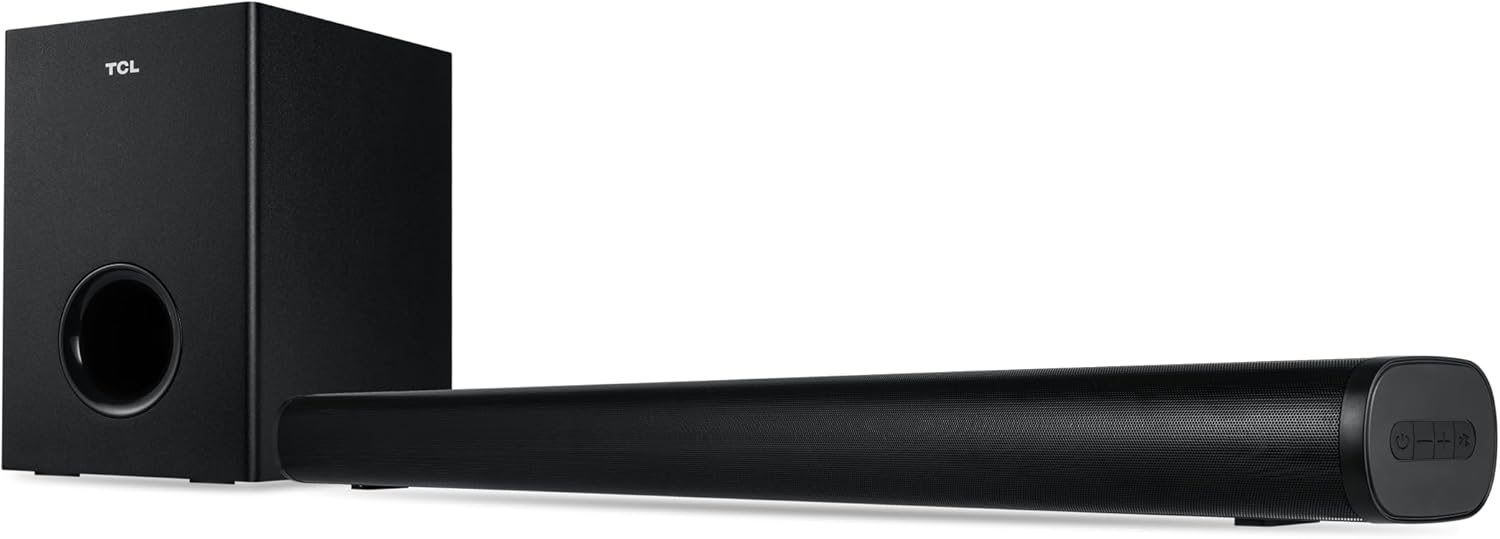
Image: The TCL S522W soundbar and its wireless subwoofer, both in black, shown together. The soundbar is a long, slender unit, and the subwoofer is a compact rectangular box.
Configuració
1. Col·locació
The TCL S522W soundbar system offers flexible placement options:
- Col·locació de la taula: Place the soundbar on a stable, flat surface directly in front of your TV. Ensure there are no obstructions in front of the soundbar to allow for optimal sound projection. The wireless subwoofer can be placed anywhere in the room, ideally within 5-10 meters of the soundbar, for best bass performance.
- Muntatge a la paret: Use the included wall mounting kit to attach the soundbar to the wall below your TV. Refer to the wall mounting template for proper screw placement. Ensure the wall can support the weight of the soundbar.

Image: The TCL S522W soundbar and its wireless subwoofer positioned on a TV cabinet beneath a television, demonstrating tabletop placement.
2. Connexions
Connect the soundbar to your TV or other audio sources using one of the following methods:
- HDMI ARC (recomanat): Connect one end of an HDMI cable (not included) to the HDMI ARC port on your soundbar and the other end to the HDMI ARC port on your TV. This connection allows for high-quality audio transmission and control of the soundbar volume using your TV remote.
- Òptic: Connect an optical cable (not included) from the OPTICAL OUT port on your TV to the OPTICAL IN port on your soundbar.
- AUX (3.5mm Audio Cable): Connect the supplied 3.5mm audio cable from the AUX OUT port on your TV or audio device to the AUX IN port on your soundbar.
- USB: Inseriu una unitat USB que contingui àudio files into the USB port on the soundbar for direct playback.
Connexió d'alimentació: Connect the power cables to the soundbar and the wireless subwoofer, then plug them into a power outlet. The subwoofer will automatically pair with the soundbar when both are powered on.
Instruccions de funcionament
1. Encendre/apagar
- Premeu el botó Poder botó del comandament a distància o de la barra de so per encendre o apagar la unitat.
- The soundbar will automatically enter standby mode after a period of inactivity.
2. Selecció de la font d'entrada
Premeu el botó Font button on the remote control or on the soundbar to cycle through available input sources (HDMI ARC, Optical, AUX, Bluetooth, USB).
3. Ajust de volum
- Premeu el botó Volum + or Volum - buttons on the remote control or on the soundbar to adjust the master volume.
- Premeu el botó Silenciar botó per silenciar temporalment l'àudio.
4. Modes d'àudio
The soundbar features three optimized audio modes for different content types:
- Mode pel·lícula: Enhances cinematic sound effects and dialogue for an immersive movie experience.
- Mode de música: Optimizes audio for music playback, providing balanced sound across frequencies.
- Mode de notícies: Clarifies dialogue and vocals, making spoken content easier to understand.
Press the corresponding mode button (Movie, Music, News) on the remote control to select your desired audio mode.

Image: The TCL S522W soundbar and its wireless subwoofer are depicted with concentric circles emanating from them, symbolizing sound waves and the immersive audio experience.
5. Emparellament Bluetooth
To connect a Bluetooth device to your soundbar:
- Turn on the soundbar and select the Bluetooth input source. The soundbar's indicator light will flash, indicating it is in pairing mode.
- Enable Bluetooth on your smart device (smartphone, tablet, etc.) and search for available devices.
- Select "TCL S522W" from the list of devices.
- Once paired, the indicator light on the soundbar will stop flashing and remain solid. You can now play audio from your device through the soundbar.
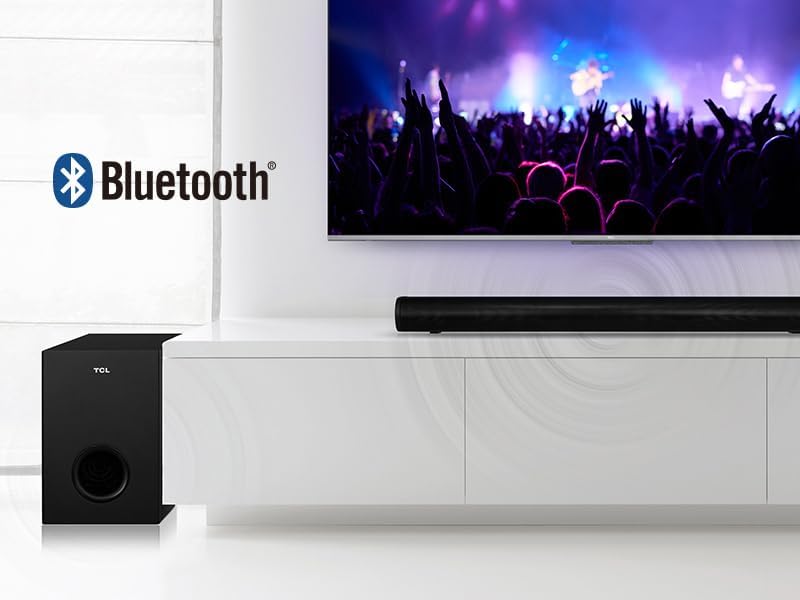
Image: The TCL S522W soundbar and subwoofer are shown next to a TV displaying a concert, with the Bluetooth logo indicating wireless connectivity.
6. Reproducció USB
Insert a USB flash drive into the USB port on the soundbar. The soundbar will automatically switch to USB input and begin playing compatible audio files. Use the remote control to navigate tracks and control playback.
Manteniment
To ensure the longevity and optimal performance of your TCL S522W soundbar system, follow these maintenance guidelines:
- Neteja: Use a soft, dry cloth to wipe the surfaces of the soundbar and subwoofer. Do not use liquid cleaners, abrasive materials, or solvents, as these can damage the finish.
- Ventilació: Assegureu-vos que les obertures de ventilació de la barra de so i del subwoofer no estiguin bloquejades. Un flux d'aire adequat evita el sobreescalfament.
- Medi ambient: Eviteu col·locar la unitat sota la llum solar directa, a prop de fonts de calor o en zones amb molta humitat o pols.
- Potència: Disconnect the power cables from the wall outlet if the unit will not be used for an extended period.
Resolució de problemes
If you encounter any issues with your TCL S522W soundbar, refer to the table below for common problems and solutions. If the problem persists, please contact customer support.
| Problema | Causa possible | Solució |
|---|---|---|
| Sense poder | Cable d'alimentació no connectat; Presa de corrent no activa. | Ensure power cables are securely connected to the soundbar, subwoofer, and a working power outlet. |
| Sense so | Incorrect input source selected; Volume too low; Mute function active; Incorrect cable connection. | Select the correct input source; Increase volume; Deactivate mute; Check all audio cable connections. |
| El subwoofer no s'aparella | Subwoofer too far from soundbar; Interference. | Ensure subwoofer is within range (5-10 meters) and free from obstructions. Power cycle both units. |
| Problemes de connexió Bluetooth | Device not in pairing mode; Soundbar not in Bluetooth mode; Interference. | Ensure both devices are in pairing mode; Select Bluetooth input on soundbar; Move devices closer. |
| El comandament a distància no funciona | Piles esgotades; Obstrucció entre el comandament a distància i la barra de so. | Replace remote control batteries; Ensure clear line of sight to the soundbar's IR receiver. |
| Audio delay/sync issues | TV audio settings; Specific connection type. | Check your TV's audio output settings for any delay adjustments. Try a different connection method (e.g., HDMI ARC instead of Optical). |
Especificacions
Detailed technical specifications for the TCL S522W Soundbar system:
| Nom del model | S522WE |
| Marca | TCL |
| Configuració del canal de so | 2.1 canals |
| Potència màxima de sortida d'àudio | 200 watts |
| Tecnologia de connectivitat | Bluetooth, HDMI ARC, USB |
| Tecnologia de comunicació sense fils | Bluetooth |
| Dispositius compatibles | TVs, Smartphones, Tablets, USB Drives |
| Mètode de control | Control remot |
| Font d'alimentació | Elèctric amb cable |
| Dimensions del producte (barra de so) | 80 cm (L) x 7 cm (H) x 9.9 cm (D) |
| Pes de l'article | 3.6 Kilograms (Total system) |
| Color | Negre |
| Material | Plàstic/metall |
| Tipus de muntatge | Taula, muntatge a la paret |
Garantia i Suport
TCL products are designed and manufactured to the highest quality standards. For detailed warranty information, please refer to the warranty card included in your package or visit the official TCL website for your region. For technical support, troubleshooting assistance, or service inquiries, please contact TCL customer support through the contact information provided in your warranty documentation or on the official TCL weblloc.


