1. Introducció
This manual provides comprehensive instructions for the Naxa NDS-6501 Portable Dual 6.5-inch Bluetooth Speaker. Please read this manual thoroughly before operating the device to ensure proper use and to maximize your experience. Keep this manual for future reference.
2. Contingut del paquet
Verifiqueu que tots els elements que s'enumeren a continuació s'inclouen al vostre paquet:
- Naxa NDS-6501 Portable Bluetooth Speaker
- Micròfon per cable
- Cable de càrrega USB
- Manual d'usuari (aquest document)
3. Característiques del producte
The Naxa NDS-6501 speaker offers a range of functionalities designed for portable audio entertainment:
- Dual 6.5-inch full-frequency speakers for clear audio output.
- Bluetooth connectivity for wireless audio streaming from compatible devices.
- Integrated multi-color flame lights with various lighting effects.
- True Wireless Stereo (TWS) function for connecting two NDS-6501 speakers wirelessly.
- Wired microphone input for vocal use.
- Built-in FM radio tuner for local station access.
- USB port and MicroSD/TF card slot for playing audio files from external storage.
- Auxiliary (3.5mm) input for wired audio connections.
- Rechargeable battery providing up to 2 hours of playback time.
4. Controls i ports
The speaker features various controls and input/output ports. A typical layout includes a power button, volume controls, mode selection, playback controls (play/pause, skip tracks), microphone input, USB port, MicroSD card slot, auxiliary input, and a charging port. Refer to the diagram below for specific locations.
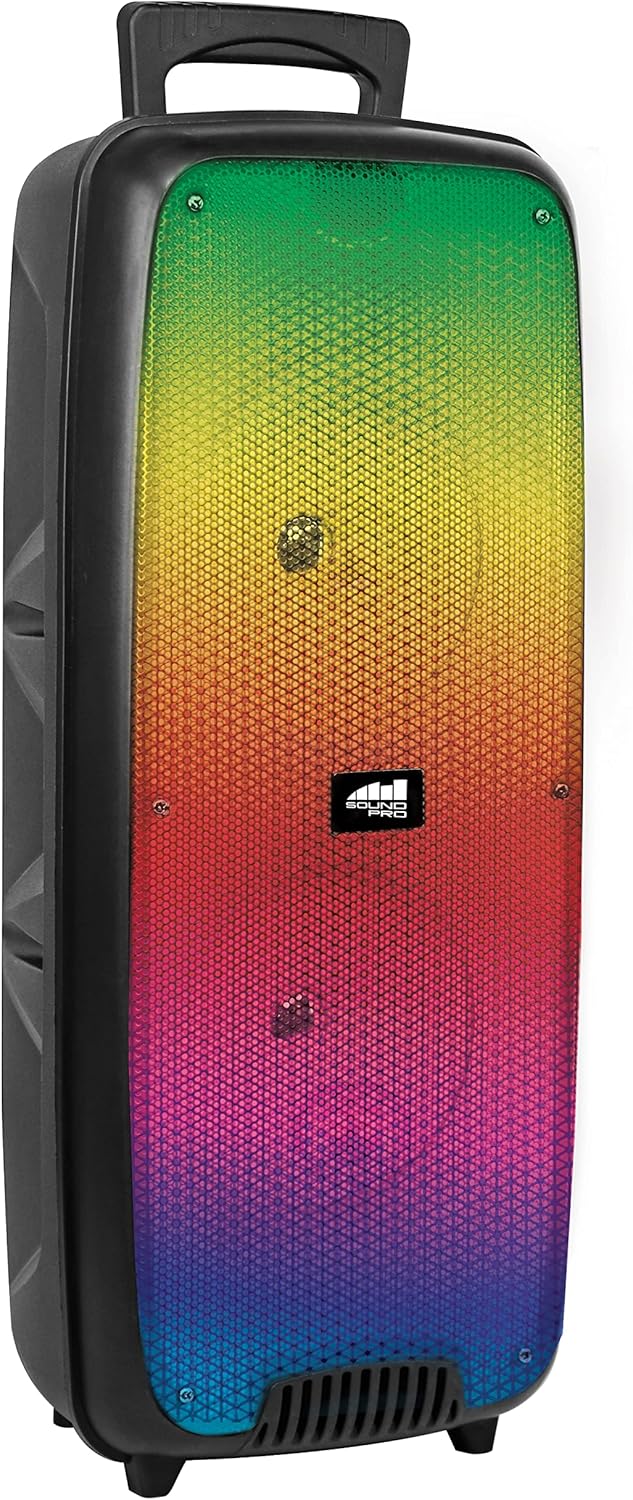
Figura 4.1: Davant view of the Naxa NDS-6501 speaker, showcasing the dual 6.5-inch drivers and multi-color flame lights.

Figura 4.2: lateral view of the Naxa NDS-6501 speaker, illustrating its portable design with an integrated handle.
5. Configuració
5.1 Càrrega de l'altaveu
- Connecteu el cable de càrrega USB subministrat al port de càrrega de l'altaveu.
- Connecteu l'altre extrem del cable USB a un adaptador de corrent USB compatible (no inclòs) o al port USB d'un ordinador.
- El llum indicador de càrrega s'il·luminarà, normalment en vermell, durant la càrrega.
- Once fully charged, the indicator light will change color or turn off (refer to specific LED behavior in your product). A full charge provides approximately 2 hours of playback.
5.2 Engegada/apagada
- To power on: Press and hold the Power button for a few seconds until the speaker activates.
- Per apagar: premeu i manteniu premut el botó d'engegada de nou fins que l'altaveu s'apagui.
6. Instruccions de funcionament
6.1 Vinculació Bluetooth
- Ensure the speaker is powered on and in Bluetooth mode. If not, press the Mode button to switch to Bluetooth. The speaker will indicate it is ready for pairing (e.g., a flashing LED or an audible prompt).
- Al dispositiu amb Bluetooth (telèfon intel·ligent, tauleta, etc.), aneu a la configuració de Bluetooth.
- Cerca available devices. You should see "NDS-6501" or a similar name in the list.
- Select "NDS-6501" to initiate pairing.
- Once successfully paired, the speaker will provide an audible confirmation, and the Bluetooth indicator light will become solid.
6.2 Emparellatge estèreo sense fil veritable (TWS)
The TWS function allows you to connect two NDS-6501 speakers for a stereo sound experience.

Figura 6.1: Illustration of the True Wireless Stereo (TWS) function, enabling two speakers to connect wirelessly from a single Bluetooth source.
- Ensure both NDS-6501 speakers are powered on and in Bluetooth mode, but not yet paired to any device.
- On one of the speakers (this will be the primary speaker), press and hold the TWS button (or a designated pairing button) for a few seconds.
- The primary speaker will search for the secondary speaker. Once connected, both speakers will provide an audible confirmation.
- Now, pair your Bluetooth device to the primary speaker as described in Section 6.1. Audio will play through both speakers in stereo.
6.3 Funcionament de la ràdio FM
- Premeu el botó Mode per canviar al mode de ràdio FM.
- Press the Play/Pause button to automatically scan and save available FM stations.
- Use the Previous/Next track buttons to navigate between saved stations.
6.4 USB/MicroSD Playback
- Insert a USB flash drive or a MicroSD/TF card (with audio files) al port corresponent.
- L'altaveu hauria de canviar automàticament al mode USB o MicroSD i començar a reproduir àudio. Si no, premeu el botó Mode per seleccionar l'entrada correcta.
- Use the playback controls (Play/Pause, Previous/Next) to manage your music.
6.5 Microphone Use
- Connect the wired microphone to the microphone input jack on the speaker.
- Adjust the microphone volume control (if available) on the speaker to your desired level.
- The microphone audio will be mixed with any music playing through the speaker.
6.6 Efectes d'il·luminació
- The speaker features integrated multi-color flame lights.
- Press the Light button (if available) to cycle through different lighting modes or to turn the lights on/off.
- The lights may synchronize with the music playback.
7. Manteniment
- Neteja: Feu servir un drap suau i sec per netejar l'exterior de l'altaveu. No utilitzeu netejadors abrasius, ceres ni dissolvents.
- Emmagatzematge: Quan no l'utilitzeu durant períodes prolongats, guardeu l'altaveu en un lloc fresc i sec, allunyat de la llum solar directa i de temperatures extremes.
- Cura de la bateria: Per allargar la durada de la bateria, eviteu descarregar-la completament amb freqüència. Carregueu l'altaveu regularment, fins i tot si no l'esteu fent servir.
- Exposició a l'aigua: Aquest altaveu no és impermeable. Eviteu exposar-lo a l'aigua o a una humitat excessiva.
8. Solució De Problemes
| Problema | Causa possible | Solució |
|---|---|---|
| L'altaveu no s'encén. | La bateria està esgotada. | Carregueu l'altaveu amb el cable USB proporcionat. |
| No hi ha so de l'altaveu. | Volume is too low; incorrect input mode; device not paired. | Increase volume; press Mode button to select correct input; re-pair Bluetooth device. |
| El dispositiu Bluetooth no pot trobar l'altaveu. | L'altaveu no està en mode d'emparellament; el dispositiu és massa lluny; interferències. | Ensure speaker is in Bluetooth pairing mode; move device closer; avoid obstacles. |
| L'emparellament TWS falla. | Speakers already paired to a device; too far apart. | Ensure both speakers are unpaired from other devices; place speakers within 33 feet of each other. |
| El micròfon no funciona. | Microphone not fully plugged in; microphone volume low. | Ensure microphone is securely connected; adjust microphone volume. |
9. Especificacions
| Característica | Especificació |
|---|---|
| Número de model | NDS-6501 |
| Mida de l'altaveu | Dual de 6.5 polzades |
| Tecnologia de connectivitat | Bluetooth, USB, MicroSD, Aux (3.5mm) |
| Entrada d'àudio | Micròfon per cable |
| Mode de sortida d'àudio | estèreo |
| Potència de sortida màxima | 3 watts |
| Altaveu AmpTipus de lificació | Actius |
| Tipus de bateria | Lithium Ion (rechargeable, included) |
| Durada mitjana de la bateria | Fins a 2 hores |
| Dimensions del producte (L x A x A) | 24.13 x 19.05 x 57.91 cm (9.5 x 7.5 x 22.8 polzades) |
| Pes de l'article | 2.81 kg (6.2 lliures) |
| Color | Negre |
| UPC | 840005017555 |
10. Garantia i Suport
For warranty information or technical support, please refer to the warranty card included with your product or visit the official Naxa Electronics weblloc web. Conserveu el rebut de compra com a comprovant de compra per a qualsevol reclamació de garantia.


