1. Introducció
Thank you for choosing the AUN AKEY6S Native Full HD 1080p Projector. This manual provides essential information for setting up, operating, maintaining, and troubleshooting your projector. Please read this manual thoroughly before use to ensure optimal performance and longevity of your device.
The AUN AKEY6S projector features native 1920x1080p resolution with 4K support, 8000 lumens brightness, a 12000:1 contrast ratio, and runs on Android 9.0. It offers versatile connectivity options including WiFi (2.4G/5G) and Bluetooth 5.2, making it suitable for various home cinema and presentation needs.
2. Configuració
2.1 Desembalatge i contingut del paquet
Traieu amb cura tots els components de l'embalatge. Assegureu-vos que hi hagi tots els elements que s'enumeren a continuació:
- 1x AUN AKEY6S Projector
- 1x comandament a distància
- 1x Manual d'usuari (aquest document)
- 1x font d'alimentació
2.2 Col·locació del projector
Position the projector on a stable, flat surface or mount it securely. Ensure there is adequate ventilation around the device. The optimal projection distance and screen size are as follows:
- Mida de projecció: De 50 a 300 polzades
- Distància de projecció: Approximately 1.5 meters (50 inches) to 6.2 meters (300 inches)

Image: Illustration of the AUN AKEY6S projector demonstrating adjustable projection sizes from 50 to 300 inches based on distance from the screen.
2.3 Connexió d'alimentació
Connect the provided power supply cable to the projector's power input port and then plug it into a standard electrical outlet.
2.4 Encès inicial
Press the power button on the projector or the remote control to turn on the device. The projector will boot up and display the Android 9.0 interface.
2.5 Ajust de l'enfocament i la distorsió trapezoidal
- Focus: Gireu l'anell d'enfocament de la lent del projector fins que la imatge projectada sigui clara i nítida.
- Correcció Keystone: The AKEY6S features an electronic keystone correction of ±40°. Access this setting through the projector's menu to adjust the image shape if it appears trapezoidal.
2.6 Opcions de muntatge
The projector supports multiple mounting configurations:
- Muntatge d'escriptori: Col·loqueu el projector sobre una superfície plana.
- Muntatge al sostre: Secure the projector to the ceiling using a compatible projector mount (not included). Ensure the image orientation is adjusted in the projector settings if mounted upside down.

Image: Visual representation of various mounting options for the AUN AKEY6S projector, including ceiling and desktop placements.
3. Instruccions de funcionament
3.1 User Interface Navigation (Android 9.0)
Navigate the Android 9.0 interface using the remote control. Use the directional buttons to move between icons and options, and the OK button to select. The Back button returns to the previous screen, and the Home button returns to the main menu.
3.2 Connexió de dispositius externs
The AKEY6S projector offers multiple ports for connecting various devices:

Imatge: Detallada view of the AUN AKEY6S projector's rear panel, highlighting all available input and output ports for connectivity.
- HDMI (HD-IN): Connect devices like laptops, gaming consoles (X-BOX, PS4), TV sticks, or set-top boxes using an HDMI cable. Select the corresponding HDMI input source from the projector's menu.
- USB (USB-IN): Inseriu unitats flash USB per reproduir contingut multimèdia files (videos, photos, music) directly.
- AV (AV-IN): Connecteu dispositius més antics amb un cable AV.
- SD Card (SD Card-IN): Inseriu una targeta SD per accedir al contingut multimèdia files.
- Sortida d'àudio de 3.5 mm: Connecteu altaveus externs o auriculars.
- RJ45 (LAN): For wired internet connection (Android version only).
- VGA (VGA-IN): Connect computers or laptops using a VGA cable.
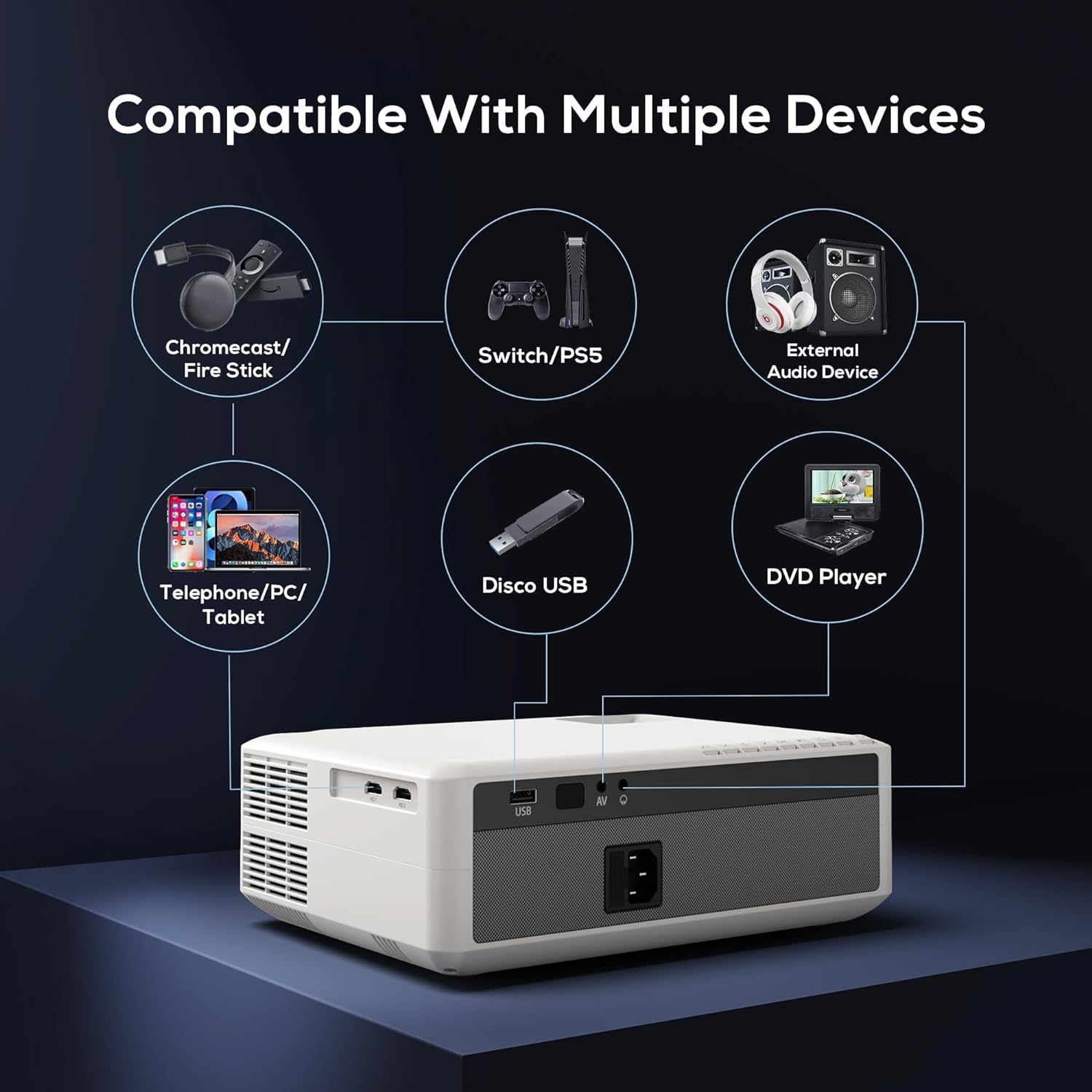
Image: Diagram illustrating the AUN AKEY6S projector's compatibility with a wide range of external devices such as streaming sticks, gaming consoles, audio systems, mobile devices, USB drives, and DVD players.
3.3 Wireless Connectivity (WiFi)
Per connectar-se a una xarxa sense fils:
- Aneu al menú de configuració del projector.
- Seleccioneu Xarxa i Internet.
- Enceneu Wi-Fi and select your desired 2.4G or 5G network from the list.
- Introduïu la contrasenya si se us demana i connecteu-vos.
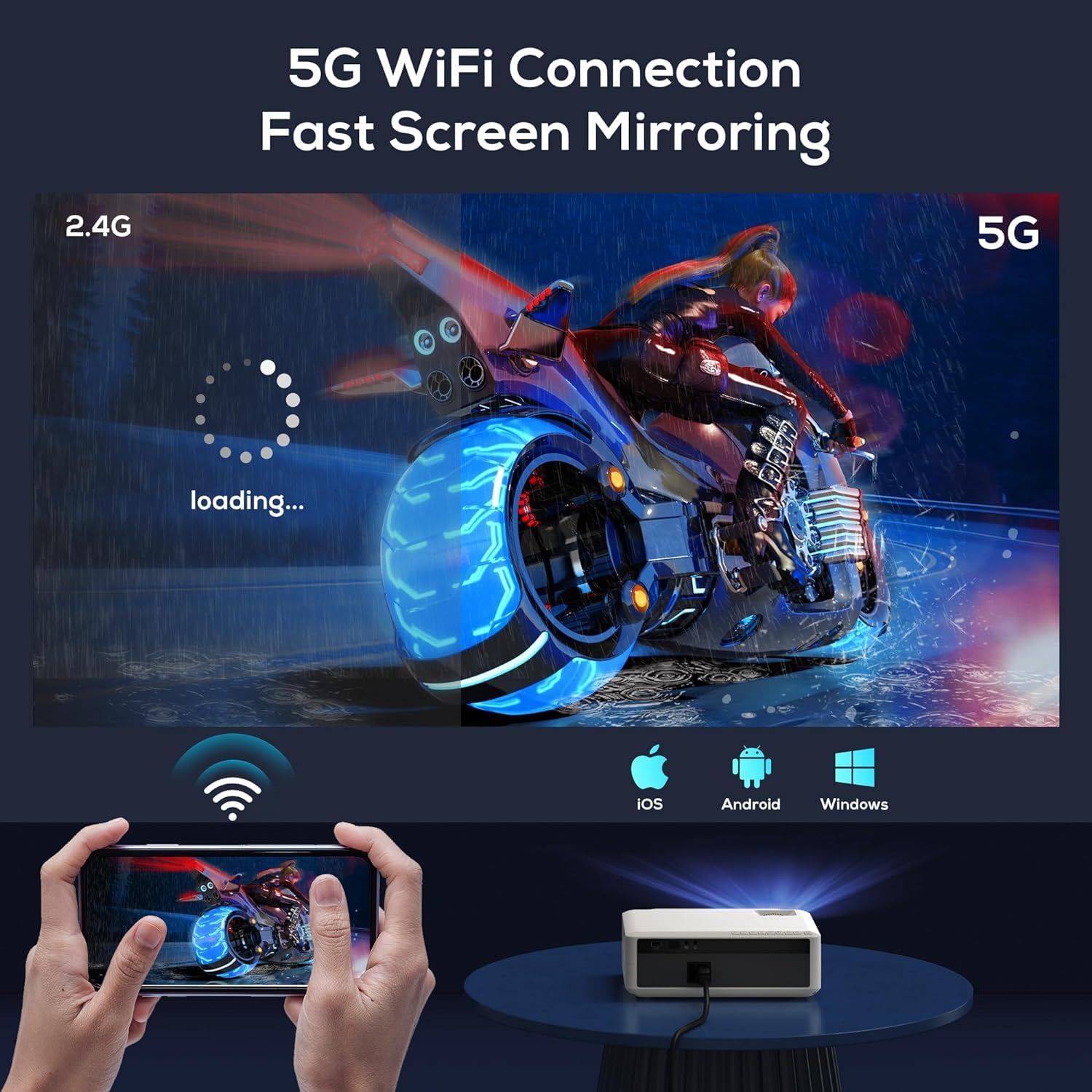
Image: The AUN AKEY6S projector displaying a loading screen, illustrating its 5G WiFi capability for fast screen mirroring from a mobile device.
3.4 Connexió d'àudio Bluetooth
Pair Bluetooth speakers or headphones for enhanced audio:
- Aneu al menú de configuració del projector.
- Seleccioneu Dispositius connectats or Bluetooth.
- Turn on Bluetooth and put your audio device into pairing mode.
- Seleccioneu el dispositiu de la llista per connectar-vos-hi.
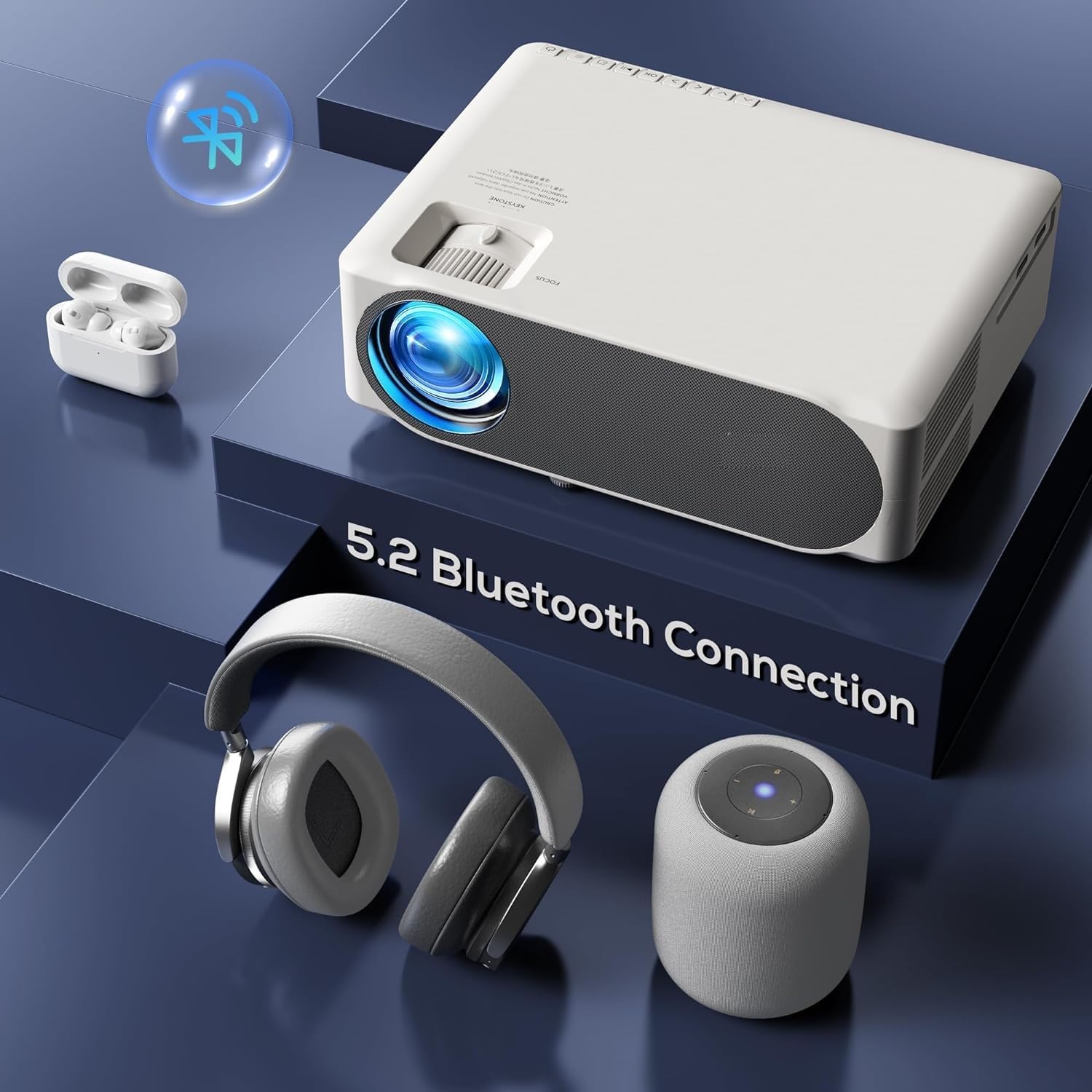
Image: The AUN AKEY6S projector shown with various Bluetooth audio devices, highlighting its Bluetooth 5.2 connectivity for wireless sound.
3.5 Mirall de pantalla
The projector supports screen mirroring from iOS, Android, and Windows devices via WiFi. Refer to the specific screen mirroring application or setting on your device and follow the on-screen instructions to connect to the projector.
3.6 Gestió d'aplicacions
The AKEY6S comes with Android 9.0 and pre-installed applications. You can also install more apps:
- Aplicacions preinstal·lades: YouTube, Netflix, Hotstar, Prime Video.
- Instal·lació de noves aplicacions:
- The projector supports Google Play Store and APK installation.
- To install Aptoide TV App Store: Open the browser, search for "Aptoide TV APK", download the APK, then open File Manager and install.
- Download other apps like Netflix, Hotstar, Prime Video from Aptoide TV App Store if not pre-installed or if updates are needed.
4. Manteniment
4.1 Neteja
- Lent: Feu servir un drap suau i sense borrissol dissenyat específicament per a lents òptiques. No utilitzeu productes de neteja abrasius ni força excessiva.
- Cos del projector: Wipe the exterior with a soft, dry cloth. For stubborn dirt, slightly dampen el drap amb aigua.
- Reixetes: Reviseu i netegeu regularment les obertures de ventilació per evitar l'acumulació de pols, que pot afectar el rendiment de refrigeració. Feu servir un raspall suau o aire comprimit.
4.2 Protecció contra la pols
The AUN AKEY6S projector features an advanced dustproof design to minimize dust ingress and maintain image quality over time. Regular cleaning of external vents is still recommended.
4.3 Emmagatzematge
When not in use for extended periods, store the projector in a cool, dry place, away from direct sunlight and extreme temperatures. Cover the lens with its cap to protect it from dust and scratches.
5. Solució De Problemes
If you encounter issues with your AUN AKEY6S projector, refer to the following common problems and solutions:
5.1 Sense poder
- Assegureu-vos que el cable d'alimentació estigui connectat correctament tant al projector com a la presa de corrent.
- Verifiqueu que la presa de corrent funciona connectant-hi un altre dispositiu.
- Check if the power indicator light on the projector is on.
5.2 Sense imatge o imatge borrosa
- Ajusteu l'anell d'enfocament de l'objectiu fins que la imatge sigui nítida.
- Check the keystone correction settings if the image is trapezoidal.
- Ensure the input source is correctly selected (e.g., HDMI 1, USB).
- Verify that the connected source device (laptop, TV stick) is powered on and outputting a signal.
- Netegeu la lent del projector si sembla bruta.
5.3 Sense so
- Augmenta el volum tant del projector com del dispositiu font connectat.
- Comproveu si els altaveus o auriculars externs estan connectats o emparellats correctament mitjançant Bluetooth.
- Ensure the audio output setting on the projector is correct.
- Verify that the source video/audio file is not muted or corrupted.
5.4 El comandament a distància no respon
- Substituïu les piles del comandament a distància.
- Assegureu-vos que no hi hagi obstacles entre el comandament a distància i el receptor d'infrarojos del projector.
- Apunteu el comandament a distància directament al receptor d'infrarojos del projector.
5.5 WiFi or Bluetooth Connectivity Issues
- Ensure WiFi/Bluetooth is enabled in the projector's settings.
- Reinicieu el projector i el vostre encaminador/dispositiu Bluetooth.
- Check if the WiFi password is entered correctly.
- Move the projector closer to the WiFi router or Bluetooth device to improve signal strength.
5.6 App Installation Issues
For issues related to app installation, refer to the following:
- How to Install YouTube? The projector comes with a preinstalled YouTube App.
- How to install Aptoide TV App Store?
- Open the Browser.
- Type for Aptoide TV APK.
- Download the APK to the Projector.
- Obriu el File Manager and Install the Aptoide TV App Store.
- How to download Netflix, Hotstar, Prime Video Apps?
- Projector comes with preinstalled Netflix, Hotstar, Prime Video Apps.
- Otherwise, download the apps from Aptoide TV App Store.
6. Especificacions
| Característica | Detall |
|---|---|
| Marca | AUN |
| Model | AKEY6S |
| Resolució nativa | 1920 x 1080p Full HD |
| Suport 4K | Sí |
| Brillantor | 8000 lúmens |
| Relació de contrast | 12000:1 |
| Mida de projecció | 50 - 300 polzades |
| Relació d'aspecte | 16:9 |
| Lamp La vida | 30,000 hores |
| Sistema operatiu | Android 9.0 |
| Memòria (RAM/ROM) | 1 GB de RAM / 8 GB de ROM |
| CPU | 4-Cores ARM 64 |
| GPU | ARM A35 GPU |
| Wi-Fi | 2.4G/5G |
| Bluetooth | Bluetooth 5.2 |
| Connectivitat | 2x HDMI, AV, USB, SD Card, 3.5mm Audio Out, RJ45, VGA |
| Clave electrònica | ±40° |
| Dimensions del producte | 30 x 25 x 8 cm |
| Pes de l'article | 2 kg |
| Wattage | 150 watts |
| Freqüència d'actualització | 60 Hz |
Nota: Les especificacions estan subjectes a canvis sense previ avís per tal de millorar el producte.
7. Garantia i Suport
7.1 Garantia del producte
The AUN AKEY6S Projector comes with a 1 anys de garantia from the date of purchase. This warranty covers manufacturing defects and workmanship under normal use. Please retain your purchase receipt as proof of purchase.
7.2 Atenció al client
For technical assistance, warranty claims, or any product-related inquiries, please contact Megaa Electronics, the authorized support provider:
- Correu electrònic: suport@megaaelectronics.com or megaaelectronics@gmail.com
- WhatsApp: 8328671337
Please provide your product model (AKEY6S) and purchase details when contacting support to facilitate a quicker resolution.


