1. Introducció
Thank you for choosing the Aresrora Vintage Bluetooth Speaker DW13. This portable speaker combines classic aesthetics with modern audio technology, offering a clear and enjoyable listening experience. This manual provides essential information for setting up, operating, maintaining, and troubleshooting your speaker to ensure optimal performance.
2. Què hi ha a la caixa
- 1 x Aresrora Vintage Bluetooth Speaker DW13
- 1 x cable d'àudio
- 1 x cable de càrrega tipus C
- 1 x Manual d'usuari
3. Producte acabatview
Familiarize yourself with the components and controls of your Aresrora Vintage Altaveu Bluetooth.

Figura 3.1: Frontal view of the Aresrora Vintage Bluetooth Speaker in light pink with gold accents and a beige handle.

Figure 3.2: Detailed diagram of speaker controls and ports.
Controls i ports:
- Power ON/OFF/Volume Knob: Gireu per encendre/apagar i ajustar el volum.
- Botó amunt: Press for previous song. Double press to Play/Pause or Answer/Hang Up calls.
- Botó ABAIX: Press for next song.
- Entrada AUX: Connecteu dispositius d'àudio externs amb el cable d'àudio proporcionat.
- Port de càrrega (tipus C): Connect the Type-C charging cable to recharge the speaker.
- Indicador LED de càrrega: Indica l'estat de càrrega.
- TF (SD) Card Slot: Insert a TF/SD card for direct music playback.
- USB Disk Port: Insert a USB drive for direct music playback.
- PU Handle: Per a una fàcil portabilitat.
4. Configuració
4.1 Càrrega de l'altaveu
- Connecteu el cable de càrrega tipus C proporcionat al port de càrrega de l'altaveu.
- Connecteu l'altre extrem del cable a un adaptador de corrent USB (no inclòs) o al port USB d'un ordinador.
- The LED Charging Indicator will illuminate during charging.
- Una càrrega completa sol trigar aproximadament 2 hores.
4.2 Vinculació Bluetooth
Follow these steps to connect your speaker to a Bluetooth-enabled device:
- Assegureu-vos que l'altaveu estigui carregat.
- Turn on the speaker by rotating the Power ON/OFF/Volume Knob clockwise. The speaker will enter Bluetooth pairing mode, indicated by a flashing LED.
- Al dispositiu mòbil, navega fins a la configuració de Bluetooth.
- Cerca available devices and select "DW13" from the list.
- Once connected, the speaker will emit a confirmation sound, and the LED indicator will stop flashing and remain solid.
- Your speaker is now ready to play audio from your device.
Video 4.1: Demonstration of Bluetooth pairing and music playback with the Aresrora Vintage Altaveu Bluetooth.
5. Instruccions de funcionament
5.1 Engegada/Apagada i control de volum
- To power on, rotate the Power ON/OFF/Volume Knob clockwise until you hear a click and the LED indicator lights up.
- To power off, rotate the knob counter-clockwise until you hear a click and the LED indicator turns off.
- To adjust the volume, rotate the knob clockwise to increase and counter-clockwise to decrease.
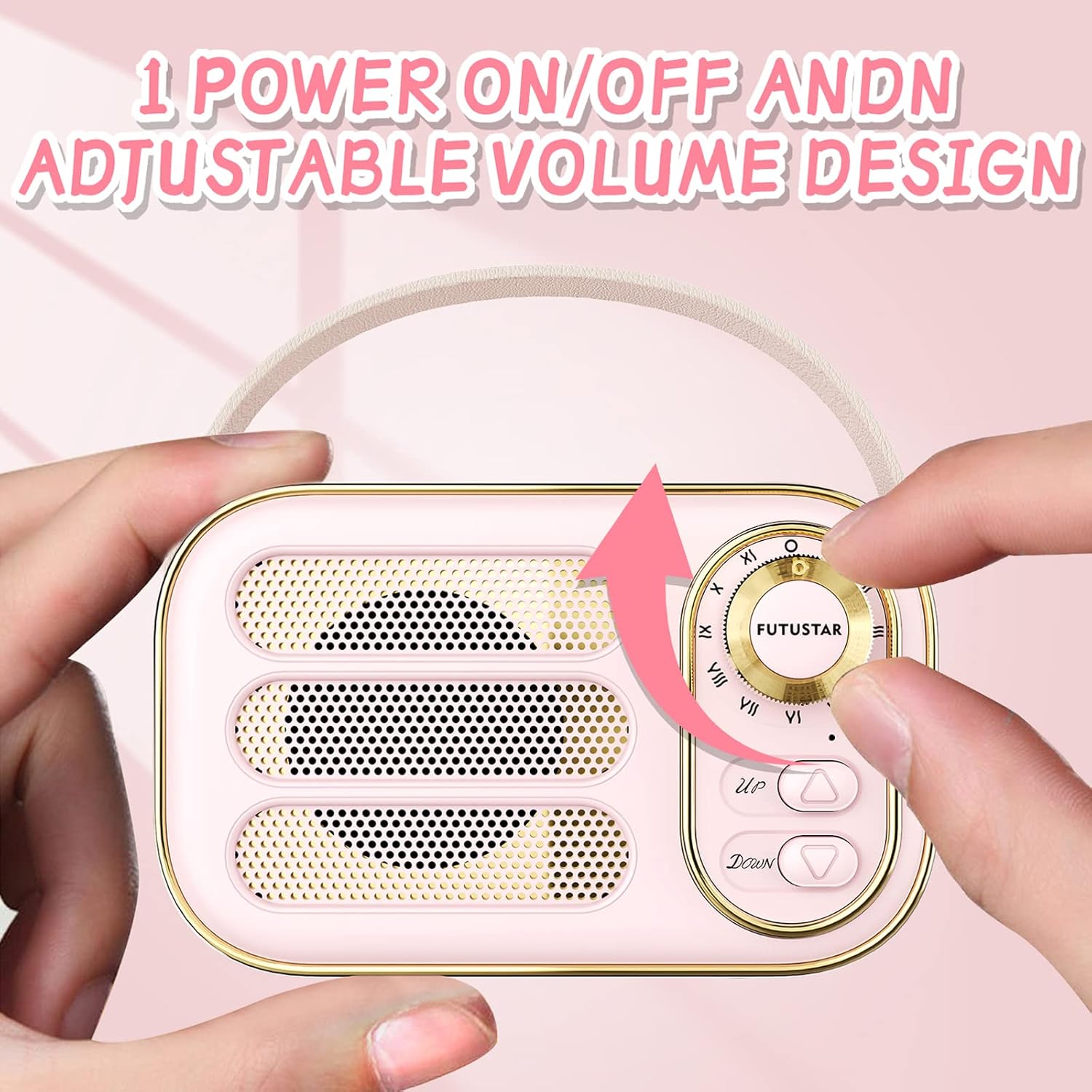
Figure 5.1: Adjusting the power and volume using the knob.
5.2 Reproducció de música
- Mode Bluetooth: Després de l'emparellament correcte, reprodueix música des del dispositiu connectat.
- Mode AUX: Insert the audio cable into the AUX input port and connect to your audio source. The speaker will automatically switch to AUX mode.
- TF (SD) Card/USB Disk Mode: Insert a TF/SD card or USB disk into the respective slot. The speaker will automatically detect and play audio files.
5.3 Controls de reproducció
- Cançó anterior: Premeu el botó UP botó.
- Següent cançó: Premeu el botó ABAIX botó.
- Reproduir/pausa: Premeu dues vegades el botó UP botó.
5.4 Trucades de mans lliures
When connected via Bluetooth, the speaker supports hands-free calling:
- Respon a la trucada: Premeu dues vegades el botó UP botó quan sona una trucada entrant.
- Penja la trucada: Premeu dues vegades el botó UP botó durant una trucada.
6. Manteniment
Proper care ensures the longevity of your speaker:
- Neteja: Use a soft, dry cloth to clean the speaker's surface. Avoid abrasive cleaners or solvents.
- Emmagatzematge: Guardeu l'altaveu en un lloc fresc i sec, allunyat de la llum solar directa i de temperatures extremes.
- Cura de la bateria: To prolong battery life, avoid fully discharging the speaker frequently. Recharge it when the battery is low. If storing for an extended period, charge it to about 50% every few months.
- Resistència a l'aigua: Aquest altaveu és no resistent a l'aigua. Avoid exposure to liquids.
7. Solució De Problemes
Si teniu problemes amb l'altaveu, consulteu els problemes i solucions més comuns següents:
| Problema | Possible solució |
|---|---|
| L'altaveu no s'encén. | Assegureu-vos que la bateria estigui carregada. Connecteu el cable de càrrega i torneu-ho a provar. |
| No es pot emparellar per Bluetooth. | Make sure the speaker is in pairing mode (flashing LED). Ensure your device's Bluetooth is on and within range (32.8 feet). Forget previous pairings on your device and try again. |
| Sense so o amb un volum baix. | Check the volume level on both the speaker and your connected device. Ensure the correct input mode (Bluetooth, AUX, TF Card, USB) is selected. |
| Distorsió del so. | Reduce the volume on both the speaker and your device. Ensure the speaker is not too far from the Bluetooth source or obstructed. |
8. Especificacions
Detailed technical specifications for the Aresrora Vintage Bluetooth Speaker DW13:
| Característica | Detall |
|---|---|
| Nom del model | DW13 |
| Marca | Aresrora |
| Tecnologia de connectivitat | Bluetooth |
| Tecnologia de comunicació sense fils | Bluetooth 5.0 |
| Interval Bluetooth | Fins a 32.8 peus (10 metres) |
| Potència de sortida màxima dels altaveus | 5 watts |
| Resposta de freqüència | 20 kHz |
| Font d'alimentació | Funciona amb bateria (1 bateria de polímer de liti inclosa) |
| Capacitat de la bateria | 400mAh (approx. 500 Amp hores) |
| Temps de càrrega | Aprox. 2 hores |
| Hora de joc | Approx. 3 hours (varies by volume) |
| Dimensions del producte | 3"D x 2"W x 2"H (approx. 4.8"L x 2.9"H x 2.3"D) |
| Pes de l'article | 6 unces |
| Material | Plàstic |
| Característiques especials | Built-in Microphone, Retro Design |
| Nivell de resistència a l'aigua | No resistent a l'aigua |
9. Garantia i Suport
The Aresrora Vintage Bluetooth Speaker DW13 comes with a limited warranty. For specific warranty details and support inquiries, please refer to the warranty card included in your product packaging or contact Aresrora customer service through their official channels. Keep your purchase receipt as proof of purchase for warranty claims.


