Introducció
This manual provides essential information and instructions for the Apple 35W Dual USB-C Port Compact Power Adapter (Model MNWM3AM/A). This adapter is designed to efficiently charge two devices simultaneously, offering convenience and portability for various Apple devices.
Informació de seguretat
Si us plau, llegiu totes les instruccions de seguretat abans d'utilitzar el producte per evitar lesions o danys.
- Use the adapter only in dry locations. Avoid exposure to liquids, moisture, or extreme temperatures.
- Ensure the adapter is fully inserted into a power outlet.
- Do not attempt to disassemble, repair, or modify the adapter.
- Mantenir fora de l'abast dels nens.
- Desendolleu l'adaptador durant tempestes amb llamps o quan no l'utilitzeu durant períodes prolongats.
- Use only with compatible USB-C charging cables (sold separately).
Contingut del paquet
El paquet conté el següent article:
- Apple 35W Dual USB-C Port Compact Power Adapter
Note: Charging cables are sold separately.
Producte acabatview
The Apple 35W Dual USB-C Port Compact Power Adapter features a compact design with folding prongs for easy storage and travel. It includes two USB-C ports, allowing for simultaneous charging of two devices.
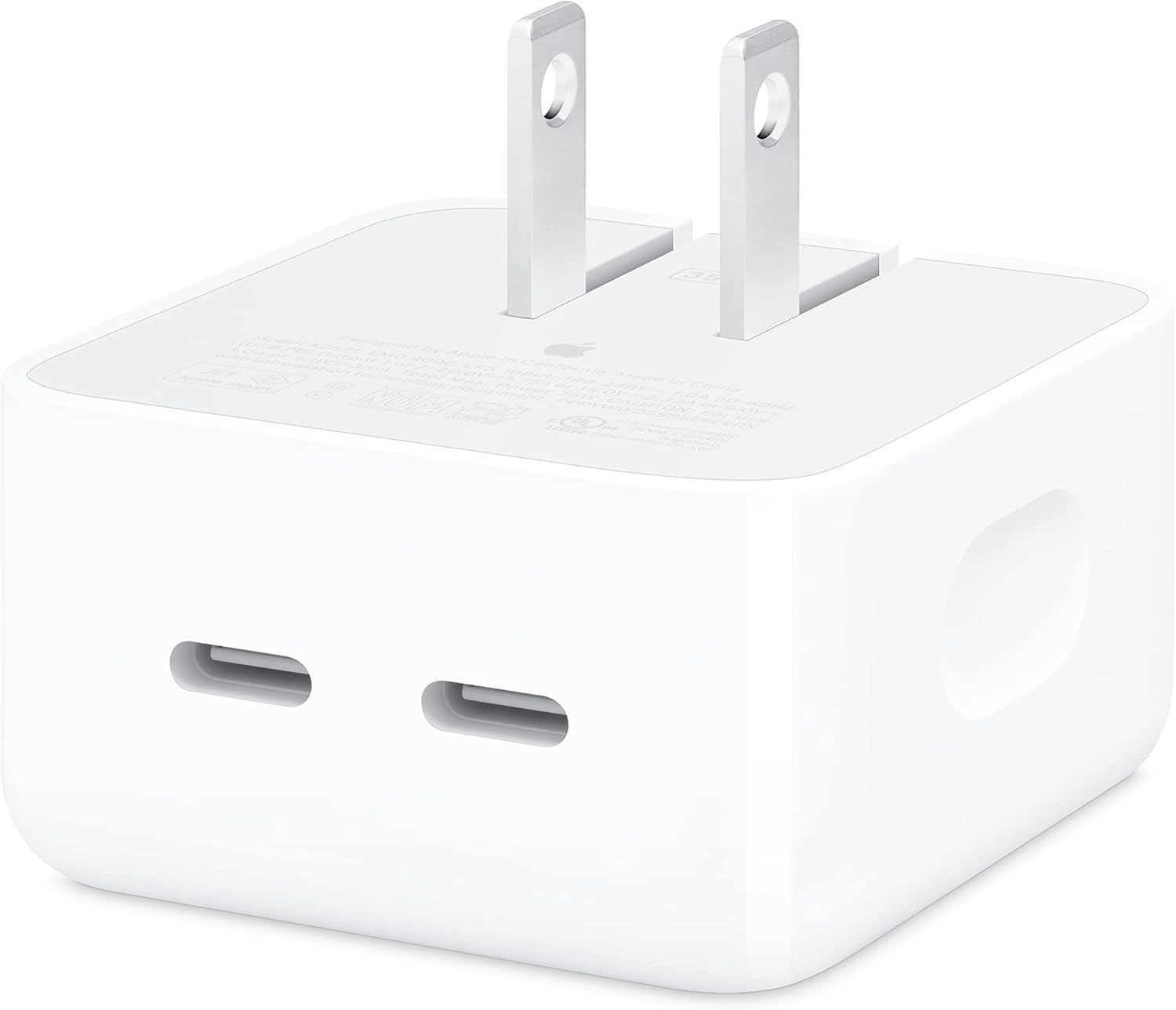
This image shows the Apple 35W Dual USB-C Port Compact Power Adapter from the front, highlighting its two USB-C charging ports and the unfolded electrical prongs.

This image displays the rear side of the power adapter, where the '35W' power rating and detailed electrical specifications are printed.

Aquesta imatge il·lustra el costat profile of the adapter, showing its compact form factor and the folded electrical prongs, ready for storage or travel.
Configuració
Follow these steps to set up your Apple 35W Dual USB-C Port Compact Power Adapter:
- Desplegueu les pues: Gently pull out the foldable electrical prongs from the adapter body.
- Connecteu-vos a la presa de corrent: Plug the adapter firmly into a standard wall power outlet.
- Connect Charging Cables: Insert your USB-C charging cables (sold separately) into the two USB-C ports on the adapter.
- Connexió de dispositius: Connect the other end of the charging cables to your compatible devices.
Instruccions de funcionament
The Apple 35W Dual USB-C Port Compact Power Adapter can charge one or two devices simultaneously. The power distribution adjusts based on the number of connected devices and their power requirements.
Càrrega d'un sol dispositiu
When only one device is connected, the adapter can deliver up to 35W of power, enabling fast charging for compatible devices.
Dual Device Charging
When two devices are connected, the 35W power is intelligently distributed between the two USB-C ports. For example, it can provide 17.5W to each port, or dynamically adjust based on the devices' needs. This allows for simultaneous charging of devices like an iPhone and an Apple Watch, or an iPad and AirPods.
Dispositius compatibles
This adapter is compatible with a wide range of USB-C powered devices, including:
- iPhone models (iPhone 8 and later, including iPhone 16 Pro, iPhone 16 Pro Max, iPhone 16, iPhone 16 Plus, iPhone 16e, iPhone 15 Pro, iPhone 15 Pro Max, iPhone 15, iPhone 15 Plus, iPhone 14 Pro, iPhone 14 Pro Max, iPhone 14, iPhone 14 Plus, iPhone 13 Pro, iPhone 13 Pro Max, iPhone 13 mini, iPhone 13, iPhone SE (3rd generation), iPhone 12 Pro, iPhone 12 Pro Max, iPhone 12 mini, iPhone 12, iPhone 11 Pro, iPhone 11 Pro Max, iPhone 11, iPhone SE (2nd generation), iPhone XS, iPhone XS Max, iPhone XR, iPhone X, iPhone 8, iPhone 8 Plus)
- iPad models
- MacBook Air models
- Models d'Apple Watch
- AirPods models
- Other USB-C compatible phones, tablets, and computers
Manteniment
To ensure the longevity and proper functioning of your power adapter, follow these maintenance guidelines:
- Neteja: Always unplug the adapter from the power outlet before cleaning. Use a soft, dry, lint-free cloth to wipe the exterior. Do not use liquid cleaners or aerosols.
- Emmagatzematge: When not in use, fold the prongs and store the adapter in a cool, dry place away from direct sunlight and moisture.
- Manipulació: Eviteu deixar caure l'adaptador ni sotmetre'l a impactes forts.
Resolució de problemes
If you encounter issues with your Apple 35W Dual USB-C Port Compact Power Adapter, try the following solutions:
- El dispositiu no es carrega:
- Assegureu-vos que l'adaptador estigui ben connectat a una presa de corrent que funcioni.
- Verify that the USB-C cable is properly connected to both the adapter and your device.
- Prova d'utilitzar un cable USB-C diferent per descartar un cable defectuós.
- Test the adapter with a different device to confirm its functionality.
- Proveu una presa de corrent diferent.
- Càrrega lenta:
- Ensure your device supports fast charging and that you are using a compatible USB-C cable.
- If two devices are connected, the power is split. Disconnect one device to see if the charging speed for the other improves.
- Close any power-intensive applications on your device while charging.
- Adapter is Hot:
- It is normal for power adapters to become warm during operation. If the adapter becomes excessively hot, disconnect it immediately and contact Apple Support.
- Assegureu-vos que l'adaptador tingui una ventilació adequada i que no estigui cobert.
Especificacions
| Característica | Especificació |
|---|---|
| Número de model | MNWM3AM/A |
| Dimensions del producte | 2.76 x 1.18 x 3.31 polzades |
| Pes de l'article | 4.6 unces |
| Fabricant | Apple |
| Data de primera disponibilitat | 17 de juny de 2022 |
| Tipus de connector | USB tipus C |
| Ports USB totals | 2 |
| Entrada Voltage | 100-240V ~ 1.0A 50-60Hz |
| Potència de sortida | 35 W (màx.) |
| Sortida 1 o 2 | 20.0V=1.75A o 15.0V=2.33A o 9.0V=3.0A o 5.0V=3.0A |
| Característiques especials | Fast Charging, Lightweight Design, Retractable Plug, Travel-friendly |
| Color | Blanc |
Garantia i Suport
This Apple product is covered by Apple's standard limited warranty. For detailed warranty information, please refer to the warranty documentation included with your purchase or visit the official Apple support website. For technical assistance, troubleshooting, or service, please contact Apple Support directly.
You can find more information and support resources at the official Suport d'Apple weblloc.


