Introducció
This manual provides comprehensive instructions for the setup, operation, maintenance, and troubleshooting of your PDP Gaming REMATCH Advanced Wired Controller. Designed for Xbox Series X|S, Xbox One, and PC, this controller offers advanced customization options through the PDP Control Hub App to enhance your gaming experience.
Contingut del paquet
- PDP Gaming REMATCH Advanced Wired Controller
- Detachable 8-foot USB-C Cable
- Manual d'instruccions
Configuració
Connexió del controlador
The PDP Gaming REMATCH Advanced Wired Controller connects directly to your console or PC via its detachable USB-C cable. Ensure the cable is securely connected to both the controller and your device.
- Localitza el port USB-C a la part superior del controlador.
- Insert the smaller end of the detachable USB-C cable into the controller's USB-C port.
- Insert the larger USB-A end of the cable into an available USB port on your Xbox console or PC.
- The controller will automatically power on and connect to your device.

Imatge: Frontal view of the PDP Gaming REMATCH Advanced Wired Controller. This image displays the overall design of the controller, including the joysticks, D-pad, face buttons (A, B, X, Y), Xbox button, and other control buttons.

Imatge: Primer pla view of the detachable USB-C cable connected to the top of the controller. This highlights the wired connection feature and the robust design of the cable port.
Instal·lació de l'aplicació PDP Control Hub
For advanced customization and diagnostics, download the free PDP Control Hub App from the Microsoft Store on your Xbox console or Windows PC.
- Open the Microsoft Store on your Xbox or PC.
- Cerca "PDP Control Hub".
- Baixeu i instal·leu l'aplicació.
- Connect your controller to your device before launching the app to ensure proper recognition.

Image: A screenshot of the PDP Control Hub App interface, showing options for customizing controller settings such as trigger sensitivity and button remapping.
Funcionament del controlador
Controls bàsics
El controlador presenta distribucions de botons estàndard de Xbox, com ara:
- Manets analògics: Left and Right analog sticks for movement and camera control.
- D-Pad: Directional Pad for precise directional input.
- Face Buttons: A, B, X, Y buttons for primary actions.
- Shoulder Buttons & Triggers: LB, RB, LT, RT for various in-game functions.
- Botó Xbox: Powers on the console, opens the Guide, and returns to the Home screen.
- View Botó: Obre el View menú.
- Botó de menú: Opens the Menu.
- Botó Compartir: Captures screenshots and game clips.
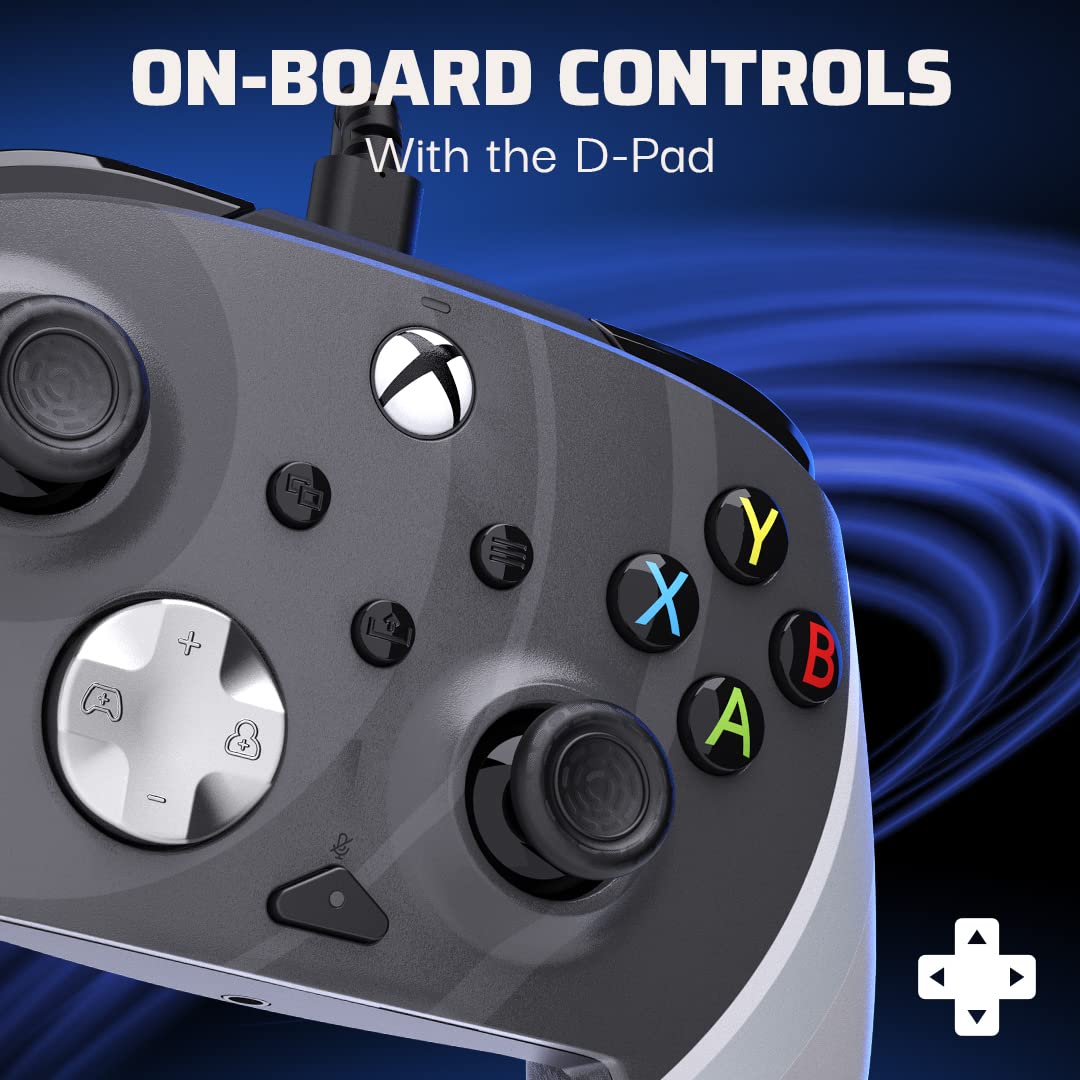
Imatge: Una imatge detallada view of the controller's D-pad and surrounding buttons, illustrating the on-board controls available for gameplay.
Botons enrere programables
The controller features two programmable back buttons for quicker responses and custom gameplay. These can be mapped to any standard controller button using the PDP Control Hub App.
- Inicieu l'aplicació PDP Control Hub amb el controlador connectat.
- Navigate to the "Re-Map Buttons" section.
- Select the back button you wish to program.
- Choose the desired button function from the available options.
- Deseu els vostres canvis.

Imatge: La part posterior view of the controller, highlighting the two programmable back buttons located on the grips, designed for enhanced control.
Funcions d'àudio
The controller includes integrated audio controls for convenience:
- Conector per a auriculars de 3.5 mm: Connect your gaming headset for audio and chat.
- Botó de silenci del micròfon: Quickly mute your microphone directly from the controller.
- D-Pad Volume Control: Use the D-pad in conjunction with the Function button to adjust game and chat audio levels. Refer to the PDP Control Hub App for detailed audio settings.
Manteniment
Neteja del controlador
To maintain the longevity and appearance of your controller:
- Disconnect the controller from your console or PC before cleaning.
- Use a soft, dry cloth to wipe down the surface of the controller.
- Per a la brutícia persistent, lleugerament dampNetegeu el drap amb aigua o un netejador suau i no abrasiu. Eviteu la humitat excessiva.
- No utilitzeu productes químics agressius, dissolvents ni materials abrasius, ja que poden danyar l'acabat del controlador.
- Use a cotton swab or compressed air to clean around buttons and joysticks if dust or debris accumulates.
Cura de cables
The detachable USB-C cable is designed for durability, but proper care will extend its life:
- Agafeu sempre l'endoll, no el cable, en connectar o desconnectar.
- Eviteu doblecs o doblecs pronunciats al cable.
- No col·loqueu objectes pesats al cable.
- Store the cable neatly coiled when not in use.
Resolució de problemes
| Problema | Causa possible | Solució |
|---|---|---|
| Controller not responding/connecting. | Loose cable connection, incorrect USB port, driver issue (PC). |
|
| Buttons/Joysticks not working correctly. | Debris, calibration issue, app settings conflict. |
|
| No hi ha àudio ni el micròfon funciona. | Headset not fully plugged in, mic mute active, audio settings. |
|
For further assistance, refer to the PDP Control Hub App's diagnostic tools or visit the official PDP support weblloc.
Especificacions
- Número de model: 049-023-RB
- Connectivitat: Wired USB-C (detachable 8-foot cable)
- Compatibilitat: Xbox Sèries X|S, Xbox One, PC (Windows)
- Dimensions: 3.23 x 6.89 x 6.89 polzades
- Pes: 12.7 unces
- Personalització: Via PDP Control Hub App (button remapping, trigger adjustment, audio, vibration)
- Àudio: 3.5mm headset jack, mic mute button, D-pad volume control
- Característiques especials: Programmable back buttons, textured grips
Garantia i Suport
PDP products are designed for quality and performance. For information regarding warranty coverage, technical support, or frequently asked questions, please visit the official PDP support weblloc:
Conserveu el vostre comprovant de compra per a reclamacions de garantia.


