1. Introducció
This manual provides detailed instructions for the Vanja USB-C SD Card Reader, Model 430C. This device is designed for high-speed data transfer between various memory cards and USB-C enabled devices. Please read this manual thoroughly to ensure proper usage and optimal performance.
2. Producte acabatview
The Vanja USB-C SD Card Reader (Model 430C) is a compact and efficient tool for managing data from various memory card formats. It features a USB-C interface for broad compatibility and high-speed data transfer.
Característiques principals:
- Interfície USB 3.2 Gen 1: Supports data transfer speeds up to 5 Gbps, enabling quick transfer of large files.
- Universal Card Compatibility: Reads SD, MicroSD, SDXC, SDHC, MMC, and UHS-I cards up to 2TB capacity.
- Suport ampli per a dispositius: Compatible with iPhone 15/16 series, MacBook Pro, iPad, Mac desktops, Windows laptops, and USB-C Android devices.
- Connexió per cable: Ensures stable and reliable data transfer without wireless interference or battery concerns.
- Plug & Play: No drivers or complex setup required for most operating systems (iOS, iPadOS, macOS, Windows, Android).
- Disseny compacte i durador: Features an aluminum shell for heat dissipation and a nylon cable for enhanced durability.
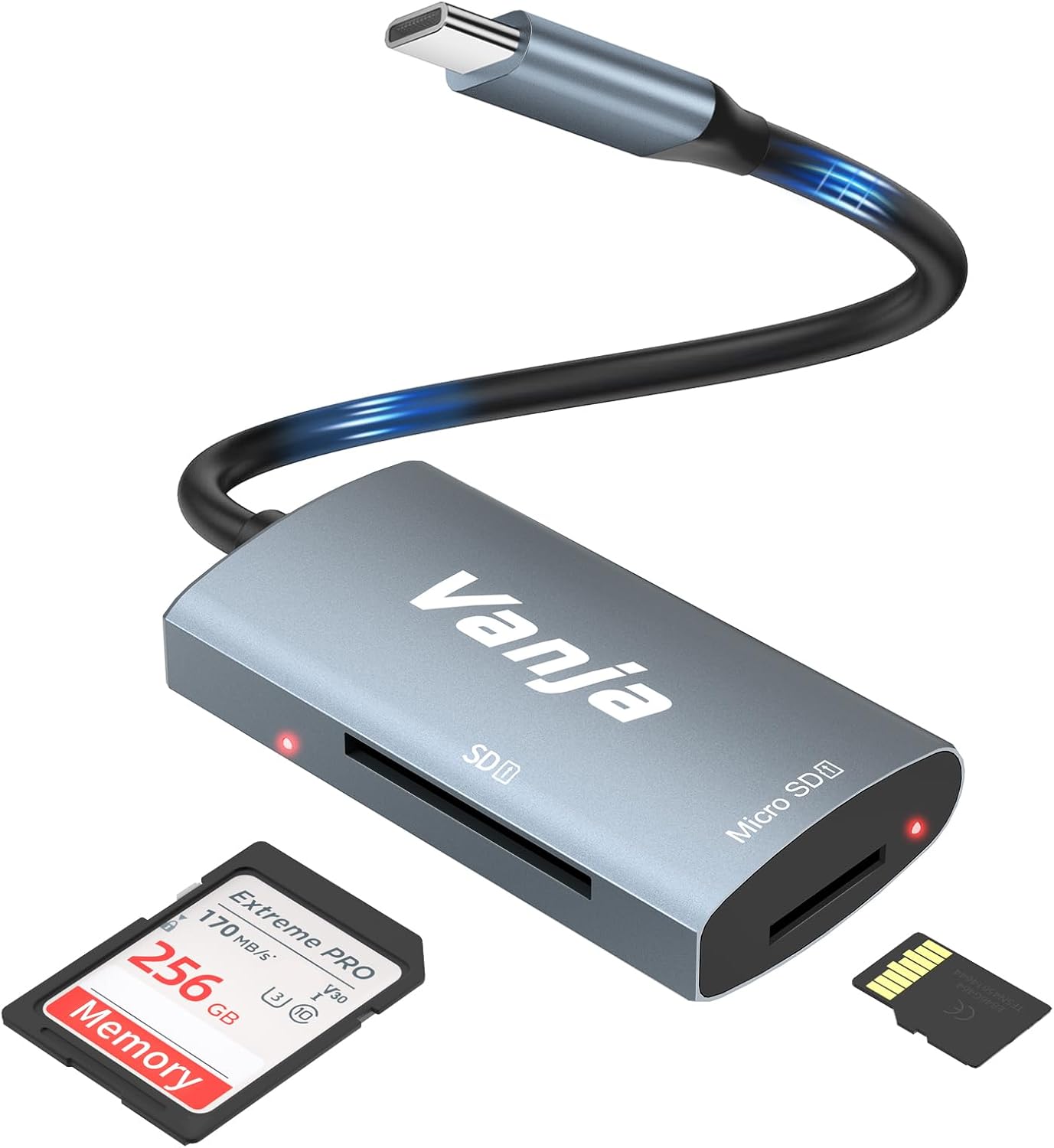
Figure 1: The Vanja USB-C SD Card Reader, showing its USB-C connector, SD card slot, and MicroSD card slot, alongside an SD card and a MicroSD card.
3. Instruccions de configuració
The Vanja USB-C SD Card Reader is designed for simple plug-and-play operation. No software installation or drivers are typically required.
- Inseriu la targeta de memòria: Gently insert your SD card into the SD slot or your MicroSD card into the MicroSD slot on the card reader. Ensure the card is inserted correctly with the contacts facing down. A slight click indicates it is securely in place.
- Connecta't al dispositiu: Plug the USB-C connector of the card reader into an available USB-C port on your compatible device (e.g., iPhone 15/16, MacBook, iPad, Windows laptop, Android phone).
- Accés Files: Your device should automatically detect the card reader and the inserted memory card. You can then access the filea través del dispositiu file manager or photo application.
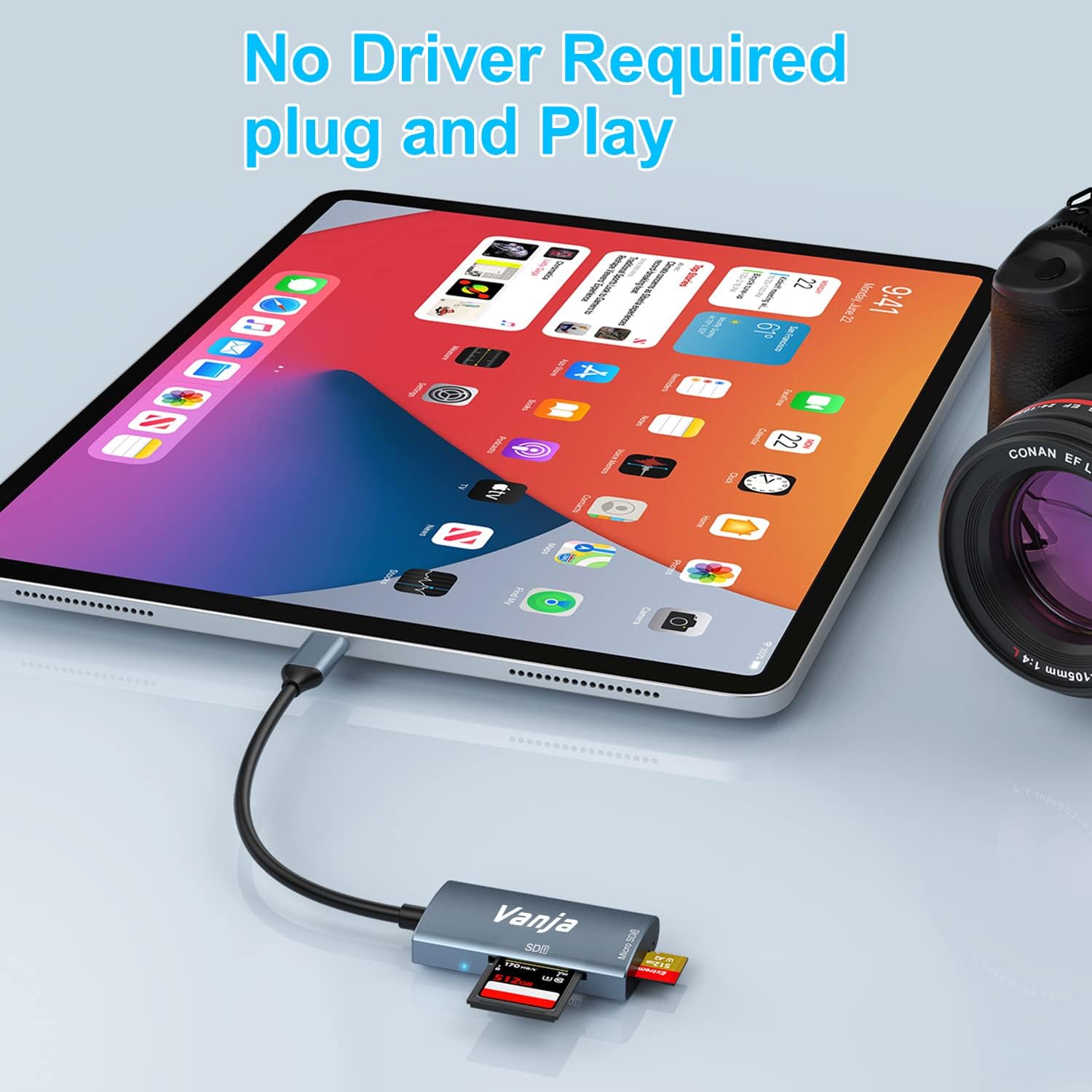
Figure 2: The card reader connected to an iPad Pro, demonstrating the plug-and-play functionality with a MicroSD card inserted.
4. Instruccions de funcionament
Once connected, the card reader functions like any external storage device.
Transferència de dades:
- Locate Drive: On Windows, the card will appear as a removable drive under "This PC." On macOS, it will appear on the desktop or in Finder. On iOS/iPadOS, access it via the "Files" app. On Android, use your device's file gerent.
- Copia/Mou Files: Arrossegueu i deixeu anar files between the memory card and your device's internal storage, or use the copy/paste functions provided by your operating system.
- Eject Safely: Always safely eject the memory card or card reader from your operating system before physically disconnecting it to prevent data corruption.

Figure 3: The card reader connected to a laptop, illustrating high-speed data transfer (5 Gbps) between a memory card and the computer.
5. Compatibilitat
Supported Memory Card Types:
- Targeta SD
- MicroSD Card (TF Card)
- Sdhc
- SDXC
- MMC
- UHS-I Cards
- Supports capacities up to 2TB.
Compatible Devices and Operating Systems:
- Dispositius Apple: iPhone 15/16 series (USB-C models), MacBook Pro, iPad (USB-C models), Mac desktops.
- Dispositius Windows: Laptops and desktops with USB-C ports.
- Dispositius Android: Samsung Galaxy smartphones and other USB-C enabled Android phones/tablets.
- Sistemes operatius: iOS, iPadOS, macOS, Windows, Android, Linux, Chrome OS.

Figure 4: Visual representation of the universal compatibility of the card reader with different memory card formats and USB-C enabled devices.
6. Especificacions
| Marca | Vanja |
| Número de model | 430C |
| Tecnologia de connectivitat | USB Type C (USB 3.2 Gen 1) |
| Velocitat de transferència de dades | Fins a 5 Gbps |
| Tipus de suports compatibles | SD Card, SDHC, SDXC, microSD, microSDHC, MMC, UHS-I |
| Capacitat màxima compatible | 2TB (depending on card type) |
| Compatibilitat de sistemes operatius | Android, iOS, Linux, Mac OS, Windows |
| Pes de l'article | 1.13 unces (aproximadament 32 grams) |
| Dimensions del paquet | 5.35 x 3.35 x 0.55 polzades (aprox. 13.6 x 8.5 x 1.4 cm) |
| Color | Blue-Gray |
| Característiques especials | Compact, Easy Setup, Plug & Play, Aluminum Housing, Nylon Cable |
7. Solució De Problemes
If you encounter issues with your Vanja USB-C SD Card Reader, try the following solutions:
- Dispositiu no reconegut:
- Ensure the card reader is firmly plugged into the USB-C port of your device.
- Try a different USB-C port on your device, if available.
- Reinicieu l'ordinador o el dispositiu.
- Check if the memory card is properly inserted into the card reader.
- Test the card reader with a different memory card to rule out card issues.
- Assegureu-vos que el sistema operatiu del vostre dispositiu estigui actualitzat.
- Transferència lenta de dades:
- Verify that your device's USB-C port supports USB 3.0/3.1/3.2 speeds. Older USB 2.0 ports will result in slower transfers.
- Ensure your memory card is a high-speed card (e.g., UHS-I or faster).
- Eviteu transferir moltes petites files simultàniament; comprimir-los en un arxiu de vegades pot millorar la velocitat.
- Tanqueu altres aplicacions que puguin estar consumint recursos del sistema.
- Memory Card Not Reading:
- Check if the memory card is damaged or corrupted. Try it in another device if possible.
- Ensure the memory card is inserted in the correct orientation.
- Clean the contacts on the memory card with a soft, dry cloth.
8. Manteniment
To ensure the longevity and optimal performance of your Vanja USB-C SD Card Reader, follow these maintenance guidelines:
- Mantenir net: Feu servir un drap suau i sec per netejar l'exterior del lector de targetes. Eviteu utilitzar netejadors líquids o dissolvents.
- Protegir els ports: Keep the card slots and USB-C connector free from dust and debris. Use compressed air if necessary, but gently.
- Emmagatzema correctament: When not in use, store the card reader in a cool, dry place, away from direct sunlight and extreme temperatures.
- Manejar amb cura: Eviteu deixar caure el dispositiu ni sotmetre'l a impactes forts. No forceu les targetes de memòria a les ranures.
9. Garantia i Suport
For warranty information, technical support, or further assistance with your Vanja USB-C SD Card Reader, please refer to the official Vanja weblloc web o contacteu directament amb el seu servei d'atenció al client.
You can visit the official Vanja store for more product information and support resources: Vanja Store on Amazon.


