1. Introducció i finalview
The Technical Pro TPRX4CH is a powerful 1600-watt, 4-channel Bluetooth receiver designed for home audio systems, home theaters, and karaoke setups. It offers versatile connectivity options including RCA, USB, SD Card, and AUX inputs, along with two microphone inputs. Featuring a fluorescent display and comprehensive playback controls, this receiver provides high-quality amplified audio for up to eight speakers.

Figure 1.1: Front Panel of the TPRX4CH Receiver
2. Característiques clau
- Potència màxima de 1600 watts: Delivers 120W RMS for high-quality amplified audio, suitable for home theater and karaoke.
- Sortida de 4 canals: Supports up to 8 speakers simultaneously with dedicated volume control for each channel.
- Connectivitat Bluetooth: Wireless range of up to 30 feet, compatible with smartphones, tablets, and laptops.
- Múltiples entrades: Includes RCA, USB, SD Card, and AUX inputs for diverse audio sources.
- Entrades de micròfon duals: Features 1/4" mic inputs with independent volume, echo, and delay controls, plus a Mic Priority switch.
- Controls d'equalització: Rotary knobs for Treble, Bass, and Master Volume adjustments.
- Digital VFD Display: Built-in display with AM/FM radio tuner.
- Tauler de control frontal: Intuitive buttons and rotary controls with blue LED illumination for high visibility.
- Auriculars Jack: Sortida d'auriculars dedicada amb control de volum.
- Característiques de protecció: Integrated over-current, short-circuit, and over-voltagprotecció.

Figura 2.1: Característiques clauview
3. Contingut del paquet
Marqueu la casella per als elements següents:
- Technical Pro 1600W 4-Channel Bluetooth Receiver (TPRX4CH)
- Control remot
- Antena FM
4. Configuració i connexions
4.1 Panell posterior per sobreview

Figure 4.1: Rear Panel of the TPRX4CH Receiver
4.2 Connectar altaveus
The TPRX4CH receiver supports up to 8 speakers across 4 channels (A, B, C, D). Connect your speakers to the corresponding speaker terminals on the rear panel. Ensure correct polarity (positive to positive, negative to negative) for optimal sound quality. Each channel (A, B, C, D) has dedicated terminals for two speakers (e.g., Speaker A+ and Speaker A-).
4.3 Connexió de fonts d'àudio
- RCA Inputs (DVD/LINE): Use RCA cables to connect external audio devices such as DVD players, CD players, or other line-level audio sources to the 'INPUT' section on the rear panel.
- Targeta USB/SD: Insert a USB flash drive or SD card into the respective slots on the front panel for digital audio playback.
- Entrada AUX: Connect portable audio devices using a 3.5mm AUX cable to the 'AUX IN' jack on the front panel.
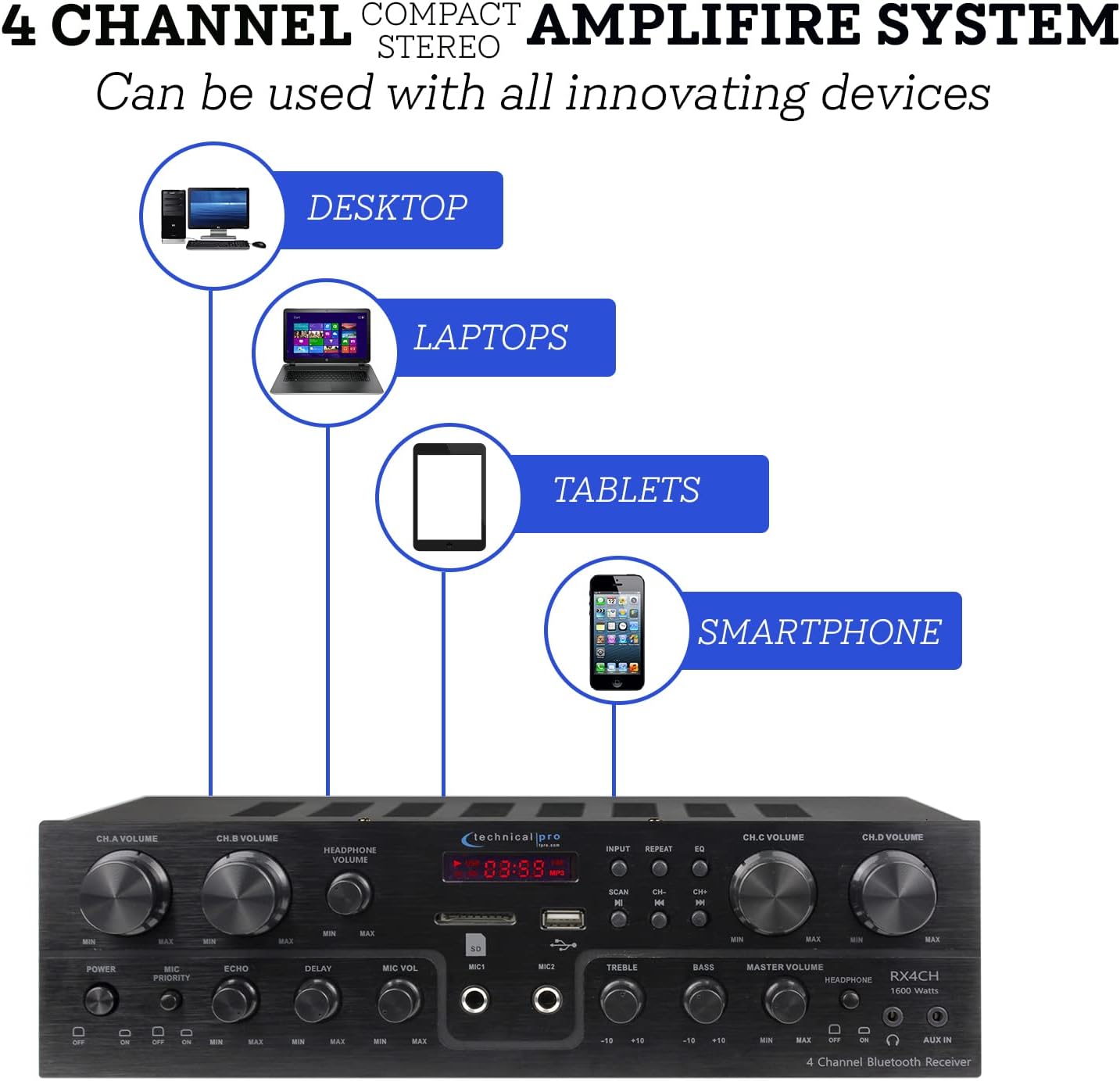
Figure 4.2: Device Connectivity Options
4.4 Connexió de micròfons
Plug 1/4" microphone cables into the 'MIC1' or 'MIC2' jacks on the front panel.
4.5 Connexió d'alimentació
Assegureu-vos que el voltagEl selector del panell posterior està ajustat al volum correctetage for your region (110V/60Hz or 230V/50Hz). Connect the power cord to the AC inlet on the rear panel and then to a suitable power outlet.
5. Instruccions de funcionament
5.1 Engegada/apagada
Press the 'POWER' button on the front panel to turn the unit on or off. The fluorescent display will illuminate when the unit is powered on.
5.2 Selecció d'entrada
Use the 'INPUT' button on the front panel to cycle through available audio sources: Bluetooth, USB, SD, AUX, and RCA (DVD/LINE).
5.3 Volume and EQ Controls
- Channel Volume (CH.A, CH.B, CH.C, CH.D): Adjust the individual volume for each speaker channel using the dedicated rotary knobs.
- Volum mestre: Control the overall output volume of the system using the 'MASTER VOLUME' knob.
- Aguts/gravs: Adjust the high and low frequency response using the 'TREBLE' and 'BASS' knobs to fine-tune your sound.
- Volum dels auriculars: Adjust the volume for connected headphones using the 'HEADPHONE VOLUME' knob.
5.4 Vinculació Bluetooth
Select 'Bluetooth' as the input source. On your mobile device (smartphone, tablet, laptop), search for available Bluetooth devices and select 'Technical Pro' or similar from the list. Once paired, you can stream audio wirelessly to the receiver.
5.5 Reproducció des de targeta USB/SD
Inseriu una unitat USB o una targeta SD amb àudio files into the respective slot. The receiver will automatically switch to USB/SD mode. Use the 'PLAY/PAUSE', 'PREVIOUS', and 'NEXT' buttons to control playback.
5.6 Microphone Functions (Karaoke)
- Volum del micròfon: Adjust the volume of the connected microphones using the 'MIC VOL' knob.
- Echo/Delay: Use the 'ECHO' and 'DELAY' knobs to add effects to the microphone audio for a richer vocal performance.
- Prioritat del micròfon: Activate the 'MIC PRIORITY' switch to automatically lower the background music volume when a microphone is in use, ensuring vocals are clear and prominent.

Figure 5.1: Built-in Microphone Talk-Over Function
Ràdio 5.7 AM/FM
Extend the FM antenna connected to the rear panel for better reception. Select 'Tuner' or 'Radio' as the input source. Use the 'SCAN' button to automatically search for and save radio stations. Use the 'CH-' and 'CH+' buttons to navigate through saved stations.
6. Manteniment
- Neteja: Use a soft, dry cloth to clean the exterior of the receiver. Do not use liquid cleaners or aerosols.
- Ventilació: Ensure the receiver is placed in a well-ventilated area to prevent overheating. Do not block the ventilation openings.
- Emmagatzematge: Si guardeu la unitat durant un període prolongat, desconnecteu-la de l'alimentació i guardeu-la en un lloc fresc i sec.
7. Solució De Problemes
| Problema | Causa possible | Solució |
|---|---|---|
| Sense poder | Power cord not connected; Power outlet faulty; Unit fuse blown | Check power cord connection; Try a different outlet; Contact service for fuse replacement |
| Sense sortida de so | Incorrect input selected; Speaker wires loose/incorrectly connected; Volume too low; Mute activated | Select correct input; Check speaker connections and polarity; Increase Master Volume; Deactivate mute if applicable |
| Soroll de brunzit | Ground loop issue; Interference from other electronics; Faulty cable | Ensure proper grounding; Move unit away from other electronics; Try different audio cables |
| Bluetooth no connectat | Device too far; Bluetooth not enabled on device; Receiver not in pairing mode | Move device closer to receiver; Enable Bluetooth on your device; Ensure receiver input is set to Bluetooth |
| Problemes de reproducció amb USB/SD | Sense suport file format; Corromput files; Unitat/targeta no inserida correctament | Assegureu-vos files are in supported format (e.g., MP3); Reformat drive/card; Reinsert drive/card firmly |
8. Especificacions
| Característica | Especificació |
|---|---|
| Número de model | TPRX4CH |
| Potència màxima de sortida | 1600 watts |
| Potència de sortida RMS | 120 watts |
| Canals | 4 Channel (supports 8 speakers) |
| Tecnologia de connectivitat | Bluetooth, RCA, USB 2.0, SD Card, AUX |
| Interval Bluetooth | Fins a 30 peus |
| Entrades de micròfon | 2 x 1/4" Jacks |
| Mode de sortida d'àudio | estèreo |
| Característiques especials | Equalizer, Fluorescent Display, Mic Priority |
| Dimensions del producte | 13 x 7.3 x 3.5 polzades |
| Pes de l'article | 1.54 lliures |
| Color | Negre |
| Fabricant | Tècnic Pro |
| Primera data disponible | 16 de juny de 2022 |

Figura 8.1: Dimensions del producte
9. Garantia i Suport
For warranty information and technical support, please refer to the documentation included with your purchase or visit the official Technical Pro website. You may also contact Technical Pro customer service directly for assistance with product setup, operation, or troubleshooting beyond the scope of this manual.
Technical Pro Store: Visita la botiga Technical Pro a Amazon


