1. Introducció
Welcome to the user manual for your new AJAZZ AK692 Mechanical Wireless Gaming Keyboard. This keyboard is designed for both gaming and office use, offering a compact 60% layout with a hotswap feature, white lighting, and multiple connectivity options. Please read this manual carefully to ensure proper setup, operation, and maintenance of your device.
2. Contingut del paquet
Si us plau, verifiqueu que tots els elements siguin presents al vostre paquet:
- AJAZZ AK692 Mechanical Wireless Gaming Keyboard
- Cable USB-Type C
- Receptor sense fil 2.4G
- Manual d'usuari
3. Producte acabatview
The AJAZZ AK692 features a compact 60% layout with 69 keys, including a dedicated number pad and arrow keys for enhanced functionality in a smaller form factor. It supports three connection modes: 2.4G wireless, Bluetooth 5.0, and wired Type-C.

Image: The AJAZZ AK692 keyboard shown with its detachable USB-C cable and the underside revealing the Bluetooth logo and 2.4G receiver storage.

Imatge: De dalt a baix view of the AJAZZ AK692 keyboard highlighting its compact 69-key layout, mechanical switches, integrated number pad, aesthetic design, and 3-mode hot-swappable capabilities.

Image: A visual comparison demonstrating the compact size of the 69-key AK692 keyboard relative to standard 87-key and 104-key layouts, emphasizing its portability.
4. Configuració
4.1. Càrrega del teclat
The AK692 keyboard features a built-in 4000mAh rechargeable lithium battery. Before first use, it is recommended to fully charge the keyboard.
- Connecteu el cable USB tipus C proporcionat al port tipus C del teclat.
- Connecteu l'altre extrem del cable a una font d'alimentació USB (per exemple, un port USB de l'ordinador o un adaptador de paret USB).
- El llum indicador de càrrega mostrarà l'estat de càrrega.
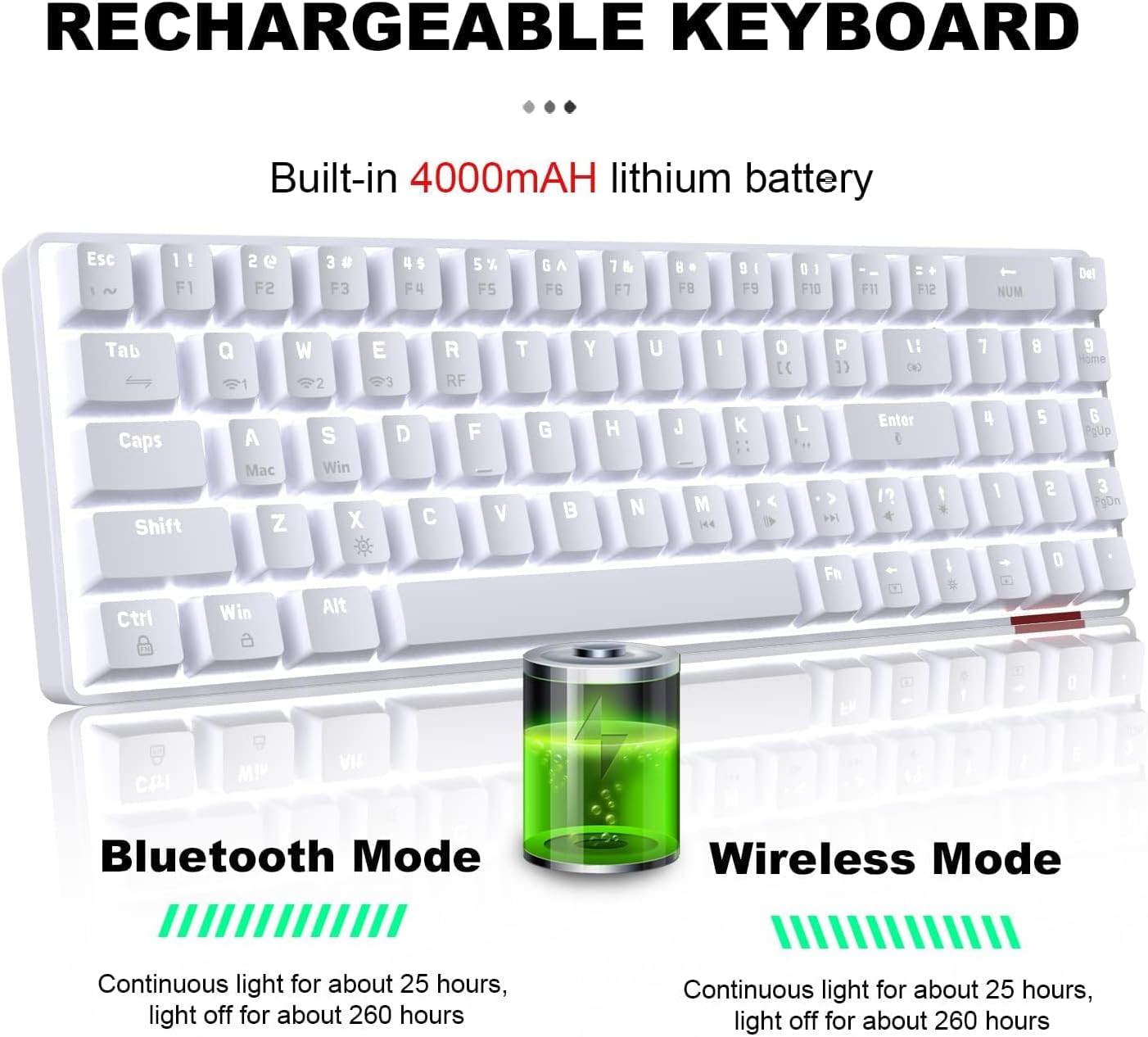
Image: Illustration of the keyboard's rechargeable battery, indicating approximately 25 hours of continuous light usage and 260 hours with light off for both Bluetooth and Wireless modes.
4.2. Modes de connexió
The AK692 supports three versatile connection modes:
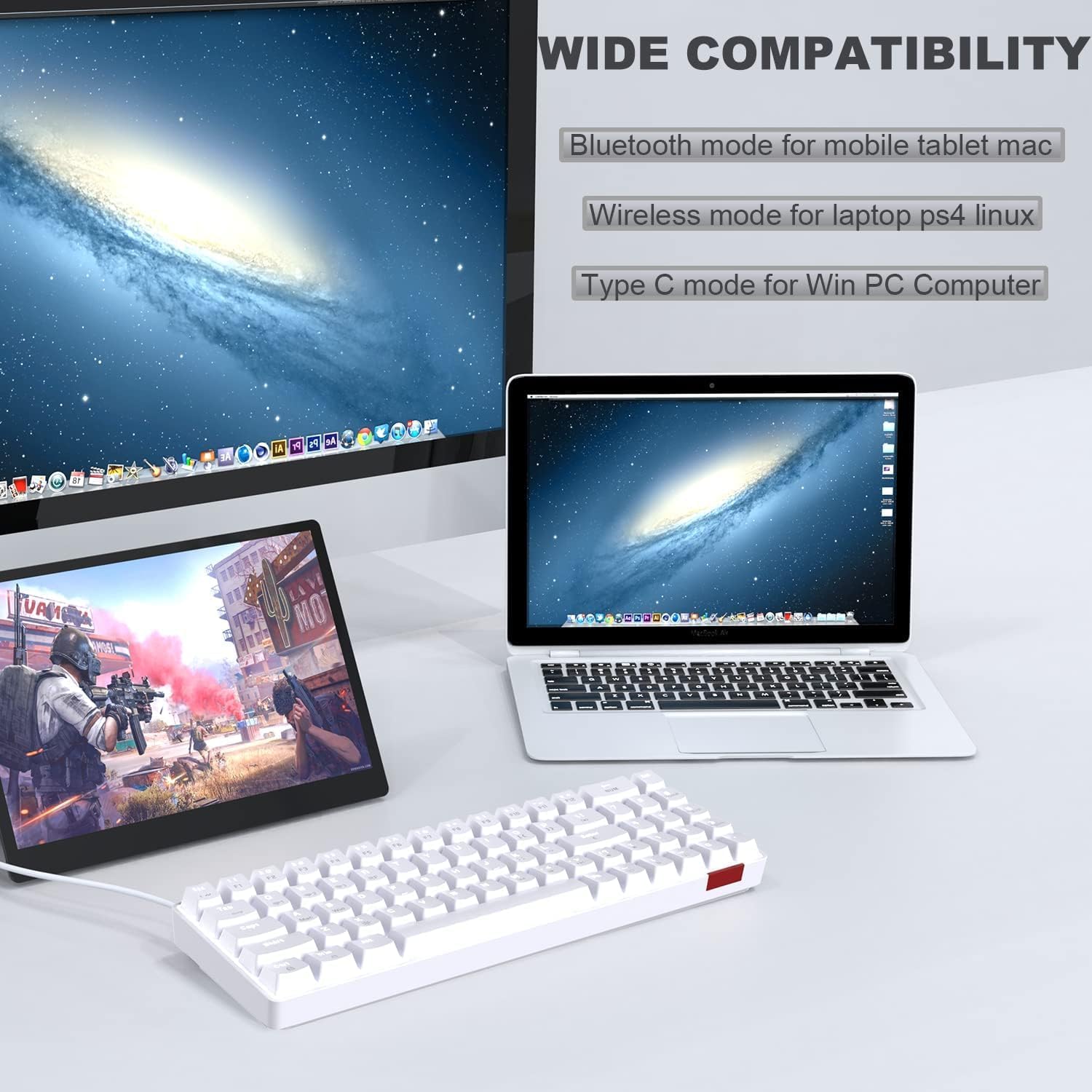
Image: The keyboard connected to a tablet, laptop, and desktop, illustrating its wide compatibility with Bluetooth mode for mobile/tablet/Mac, wireless mode for laptop/PS4/Linux, and Type-C mode for Win PC/Computer.
4.2.1. Mode sense fil 2.4G
- Locate the 2.4G wireless receiver, usually stored in a compartment on the keyboard's underside.
- Plug the 2.4G receiver into an available USB port on your device (PC, laptop, PS4, Linux).
- Premeu FN + R on the keyboard to switch to 2.4G wireless mode. The indicator light will confirm the connection.
4.2.2. Bluetooth Mode (3.0-5.0)
- Premeu FN + Q, FN + W, o FN + E to select one of the three Bluetooth channels. The corresponding indicator light will flash, indicating pairing mode.
- On your device (mobile, tablet, Mac), enable Bluetooth and search for available devices.
- Select "AJAZZ AK692" (or similar) from the list to pair. The indicator light will become solid once connected.
4.2.3. Mode amb cable
- Connecteu el cable USB tipus C proporcionat al port tipus C del teclat.
- Connect the other end of the cable to a USB port on your computer (Windows PC).
- The keyboard will automatically switch to wired mode. This is a plug-and-play connection.
5. Instruccions de funcionament
5.1. Efectes d'il·luminació
The AK692 keyboard features 18 types of white lighting effects to enhance your experience. You can easily control these effects using the FN key combinations.

Image: The keyboard demonstrating its dynamic single white light, with visual cues for adjusting light effects, speed, and brightness using FN key combinations.
- Canvia l'efecte d'il·luminació: Premeu FN + | (backslash key) to cycle through the 18 different lighting modes.
- Ajusta la velocitat de la llum: Premeu FN + ← (left arrow) to decrease speed, and FN + → (right arrow) to increase speed.
- Ajusta la brillantor de la llum: Premeu FN + ↑ (up arrow) to increase brightness, and FN + ↓ (down arrow) to decrease brightness.
- Encendre/apagar la llum: Premeu FN + X to toggle the lighting on or off.
5.2. Key Functions and Combinations
The compact design utilizes the FN key for accessing secondary functions of certain keys.

Imatge: Una imatge detallada view of the integrated number key section and the dedicated arrow keys, highlighting the new design for convenience in gaming and office tasks.
- FN + Q/W/E: Switch between Bluetooth channels 1, 2, and 3.
- FN + R: Canvia al mode sense fil 2.4G.
- FN + X: Toggle backlight on/off.
- FN + ←/→: Ajusta la velocitat de la retroiluminació.
- FN + ↑/↓: Ajusteu la brillantor de la llum de fons.
- FN + GUANYA: Tecla de bloqueig/desbloqueig de Windows.
- FN + F1-F12: Access multimedia functions (specific functions may vary, refer to keycap legends).
5.3. Commutadors intercanviables en calent
The AJAZZ AK692 features hot-swappable mechanical switches, allowing you to easily change switches without soldering. This enables customization of your typing feel and sound. To replace a switch:
- Gently pull the keycap off using a keycap puller (not included).
- Use a switch puller (not included) to carefully remove the switch from the PCB.
- Alineeu els pins del nou interruptor amb els forats de la placa de circuit imprès i premeu fermament fins que encaixi al seu lloc.
- Torneu a col·locar la tapa de les tecles.
6. Manteniment
6.1. Neteja
Per mantenir l'aspecte i la funcionalitat del teclat:
- Desconnecteu el teclat de totes les fonts d'alimentació abans de netejar-lo.
- Utilitzeu un drap suau i sense pelusa lleugerament dampesbandida amb aigua o una solució netejadora suau per netejar la superfície.
- Per a la pols i les restes entre les tecles, feu servir aire comprimit o un raspall petit.
- Eviteu l'ús de productes químics agressius, abrasius o dissolvents.
6.2. Emmagatzematge
When not in use for extended periods, store the keyboard in a cool, dry place away from direct sunlight and extreme temperatures. Ensure the battery is not completely depleted before storage to prolong its lifespan.
7. Solució De Problemes
If you encounter issues with your keyboard, please refer to the following common problems and solutions:
| Problema | Causa possible | Solució |
|---|---|---|
| El teclat no respon en mode sense fil. | Low battery, incorrect mode, receiver not connected. | Charge the keyboard. Ensure 2.4G receiver is plugged in. Press FN + R to select 2.4G mode. |
| L'aparellament de Bluetooth falla. | Keyboard not in pairing mode, device Bluetooth off, interference. | Premeu FN + Q/W/E to enter pairing mode. Ensure device Bluetooth is on. Try pairing in a different environment. |
| La retroiluminació no funciona o és tènue. | Backlight off, low brightness, low battery. | Premeu FN + X per alternar. Premeu FN + ↑ to increase brightness. Charge the keyboard. |
| Les claus no es registren o s'escriuen dues vegades. | Interruptor defectuós, deixalles sota la tapa de la tecla. | Clean under the keycap. If issue persists, replace the switch (due to hot-swappable design). |
8. Especificacions
| Característica | Detall |
|---|---|
| Model | AK692 |
| Marca | Ajazz |
| Connectivitat | Bluetooth 5.0, 2.4G Wireless, USB Type-C Wired |
| Capacitat de la bateria | 4000 mAh |
| Disposició del teclat | 60% (69 Keys) with Numberpad |
| Interruptors | Hot-swappable Mechanical Switches (Red Switch variant) |
| Taps de claus | PBT |
| Llum de fons | White Lighting (18 effects) |
| Sistema operatiu compatible | Windows, macOS, Android, Linux |
| Dimensions | 34.79 x 14.9 x 4.4 cm |
| Pes | 840 g |
9. Garantia i Suport
Your AJAZZ AK692 Mechanical Wireless Gaming Keyboard comes with a standard manufacturer's warranty. Please retain your proof of purchase for warranty claims. For technical support, troubleshooting assistance, or warranty inquiries, please contact your retailer or the official AJAZZ customer service channel.
For more information, visit the official AJAZZ weblloc web o contacteu directament amb el seu equip d'assistència.


