Producte acabatview
The HOCO EW11 Melody TWS Wireless Headset provides a dynamic and crystal-clear sound experience with Bluetooth v5.1 connectivity. This manual will guide you through the setup, operation, and maintenance of your new headset.

Image: The HOCO EW11 Melody TWS Wireless Headset, showing both earbuds and the open charging case with a digital battery display.
Contingut del paquet
Assegureu-vos que tots els elements siguin presents al paquet:
- HOCO EW11 Melody TWS Wireless Headset (Left and Right Earbuds)
- Estoig de càrrega
- Cable de càrrega (tipus C)
- Coixins per a les orelles (diverses mides)
- Manual d'usuari (aquest document)
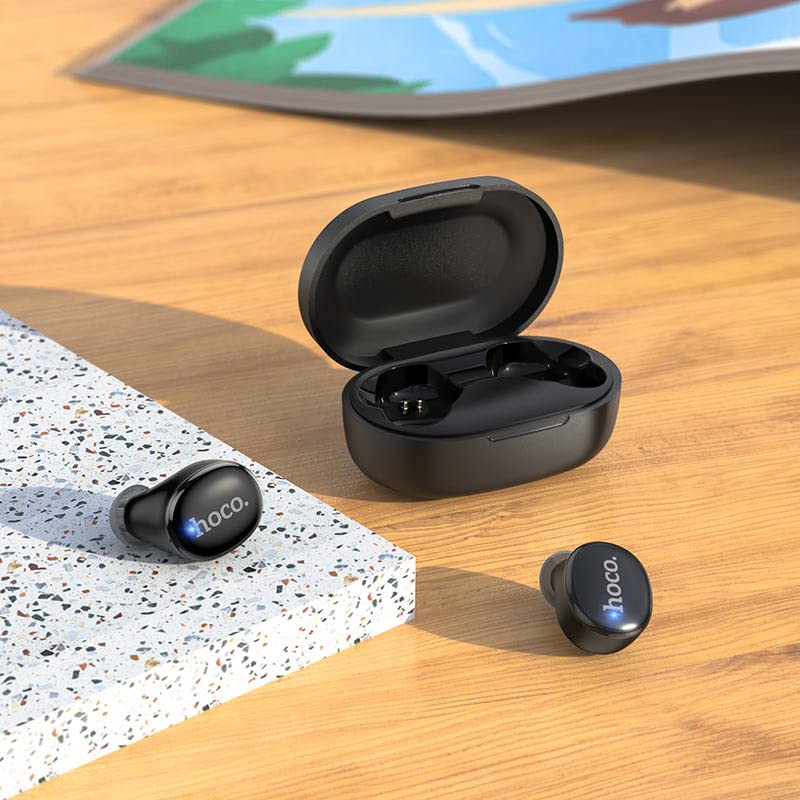
Image: The HOCO EW11 Melody earbuds placed next to the open charging case on a textured surface, illustrating the main components.
Instruccions de configuració
1. Càrrega inicial
- Col·loqueu els dos auriculars a la caixa de càrrega.
- Connect the provided Type-C charging cable to the charging port on the case and to a USB power adapter (not included).
- The digital display on the charging case will show the battery level. Charge the case and earbuds fully before first use. A full charge typically takes approximately 1.5 hours.
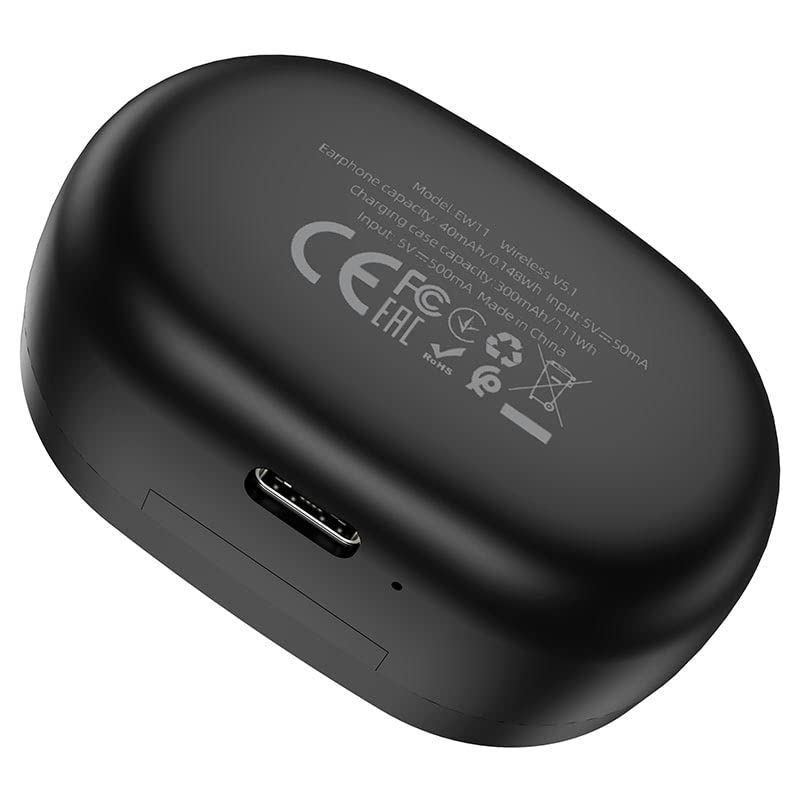
Image: The bottom of the HOCO EW11 Melody charging case, highlighting the Type-C charging port and product information.
2. Vinculació amb un dispositiu
- Assegureu-vos que els auriculars estiguin carregats i col·locats dins de l'estoig de càrrega.
- Obre l'estoig de càrrega. Els auriculars s'encendran automàticament i entraran en mode d'emparellament.
- Al dispositiu (telèfon intel·ligent, tauleta, etc.), activeu el Bluetooth i cerqueu els dispositius disponibles.
- Select "HOCO EW11 Melody" from the list of found devices.
- Once connected, a voice prompt will confirm successful pairing. The earbuds will automatically reconnect to the last paired device when taken out of the case.
Instruccions de funcionament
Encès/Apagat
- Encès: Obriu la funda de càrrega i els auriculars s'encendran automàticament.
- Apagar: Place the earbuds back into the charging case and close the lid. They will power off and begin charging.
Reproducció de música
- Reproduir/pausa: Toqueu qualsevol dels auriculars una vegada.
- Pista següent: Fes doble toc a l'auricular dret.
- Pista anterior: Fes doble toc a l'auricular esquerre.
- Control de volum: Ajusta el volum directament des del dispositiu connectat.
Gestió de trucades
- Respondre/Finalitzar la trucada: Toqueu qualsevol dels auriculars una vegada.
- Rebutja la trucada: Manteniu premut qualsevol dels auriculars durant 2 segons.
Assistent de veu
- Activa l'Assistent de veu: Toqueu tres vegades qualsevol dels auriculars.
Manteniment
Proper maintenance ensures the longevity and optimal performance of your headset.
- Neteja: Feu servir un drap suau, sec i sense borrissol per netejar els auriculars i l'estoig de càrrega. No utilitzeu productes químics agressius ni materials abrasius.
- Resistència a l'aigua: The earbuds feature water resistance. However, they are not waterproof. Avoid submerging them in water or exposing them to heavy rain. Dry them thoroughly if they get wet.
- Emmagatzematge: Quan no els utilitzeu, guardeu els auriculars a la seva funda de càrrega per protegir-los i mantenir-los carregats. Guardeu-los en un lloc fresc i sec, allunyat de temperatures extremes.
- Càrrega: Carregueu el dispositiu regularment, fins i tot si no l'utilitzeu amb freqüència, per mantenir la bateria en bon estat.
Resolució de problemes
Si teniu problemes, consulteu les solucions habituals següents:
- Auriculars que no s'aparellen amb el dispositiu:
- Assegureu-vos que el Bluetooth estigui habilitat al vostre dispositiu.
- Make sure the earbuds are charged and out of the case.
- Forget "HOCO EW11 Melody" from your device's Bluetooth list and attempt to pair again.
- Reinicieu el vostre dispositiu.
- Només funciona un auricular:
- Torneu a col·locar els dos auriculars a l'estoig de càrrega, tanqueu la tapa, espereu uns segons i torneu-la a obrir.
- Assegureu-vos que els dos auriculars estiguin carregats.
- Sense so:
- Comproveu el nivell de volum del dispositiu connectat.
- Assegureu-vos que els auriculars estiguin connectats correctament al dispositiu.
- Prova de reproduir àudio des d'una altra aplicació o font.
- La caixa de càrrega no es carrega:
- Verify the Type-C cable is securely connected to both the case and the power source.
- Prova un cable de càrrega o un adaptador de corrent diferent.
Especificacions
| Nom del model | EW11 Melody |
| Número de model | PQ-LS12-MG7Q |
| Versió Bluetooth | v5.1 |
| Xip Bluetooth | JL AC6973 |
| Capacitat de la bateria dels auriculars | 40 mAh |
| Caixa de càrrega Capacitat de la bateria | 300 mAh |
| Música/Temps de trucada | Aproximadament 5 hores |
| Temps d'espera | Aproximadament 200 hores |
| Port de càrrega | Tipus-C |
| Material | Plàstic |
| Resistència a l'aigua | Sweatproof (not waterproof) |
| Pes de l'article | 250 grams (pes total del paquet) |
Garantia i Suport
This HOCO EW11 Melody TWS Wireless Headset comes with a 365 dies de garantia des de la data de compra, cobrint defectes de fabricació.
For technical support or warranty claims, please contact your retailer or the HOCO customer service department. Refer to the product packaging or HOCO's official weblloc per obtenir dades de contacte.


