1. Introducció
This manual provides detailed instructions for the setup, operation, and maintenance of your AUN ET30S Android 9.0 Smart LED Full HD 1080p Projector. Please read this manual thoroughly before using the projector to ensure optimal performance and longevity.
The AUN ET30S projector offers a large, 1080P Full HD viewing experience with 4000 lumens brightness. It features Android 9.0, 1GB RAM, 8GB memory, built-in Playstore for applications, 2.4G Wi-Fi, and Bluetooth 4.0. Its wide compatibility allows connection to various devices including TV boxes, PCs, laptops, tablets, and smartphones.

Image 1.1: AUN ET30S Projector with its Android 9.0 interface projected, showing various applications.
2. Què hi ha a la caixa
Carefully unpack your AUN ET30S projector and verify that all items listed below are included and in good condition:
- 1x AUN ET30S Projector
- 1x Remote Control (AAA batteries not included)
- 1x cable d'alimentació
- 1 x manual d'usuari
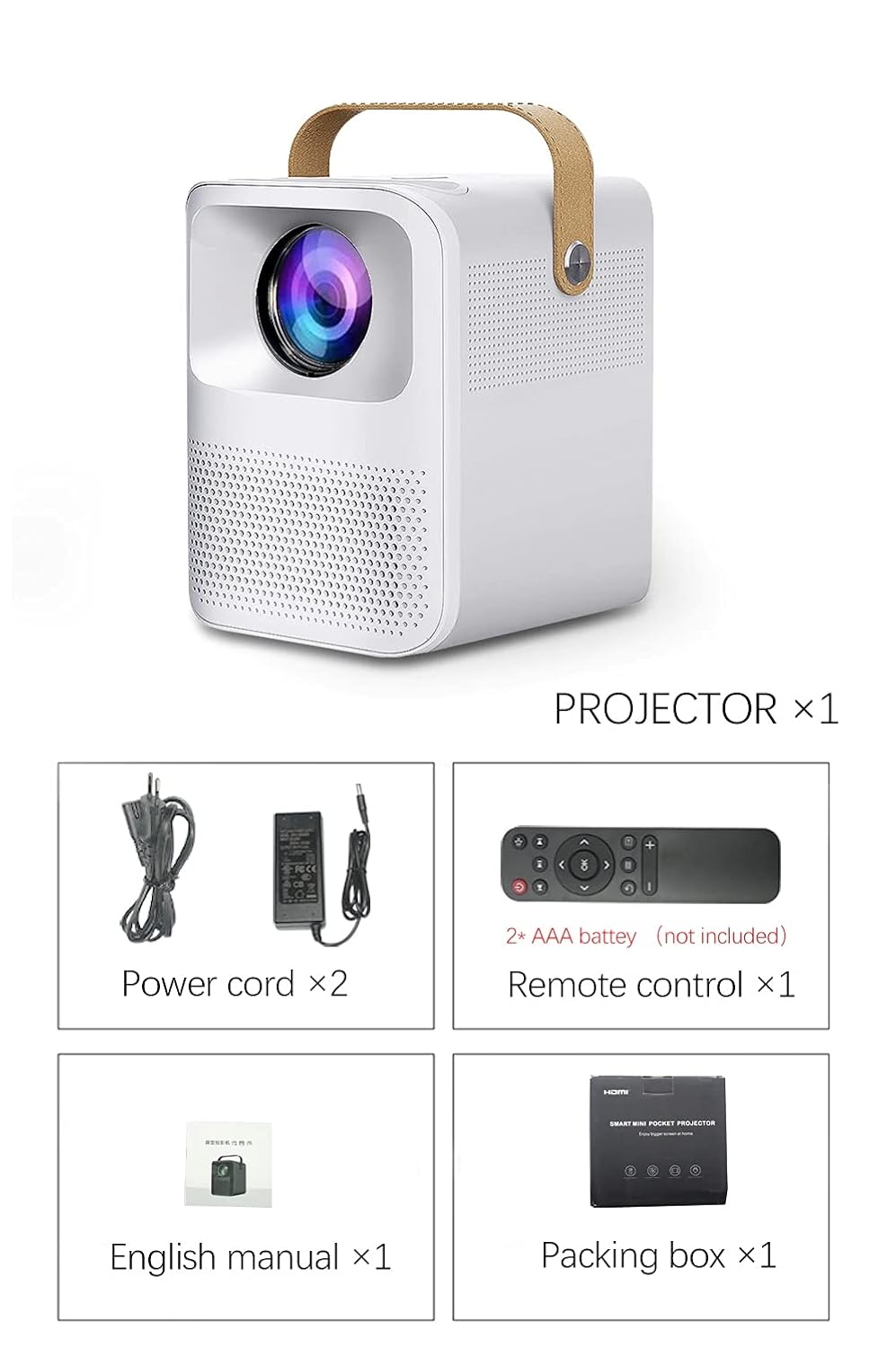
Image 2.1: Packaging contents of the AUN ET30S Projector.
3. Producte acabatview
The AUN ET30S projector is designed for ease of use and versatility. Familiarize yourself with its physical components and dimensions.
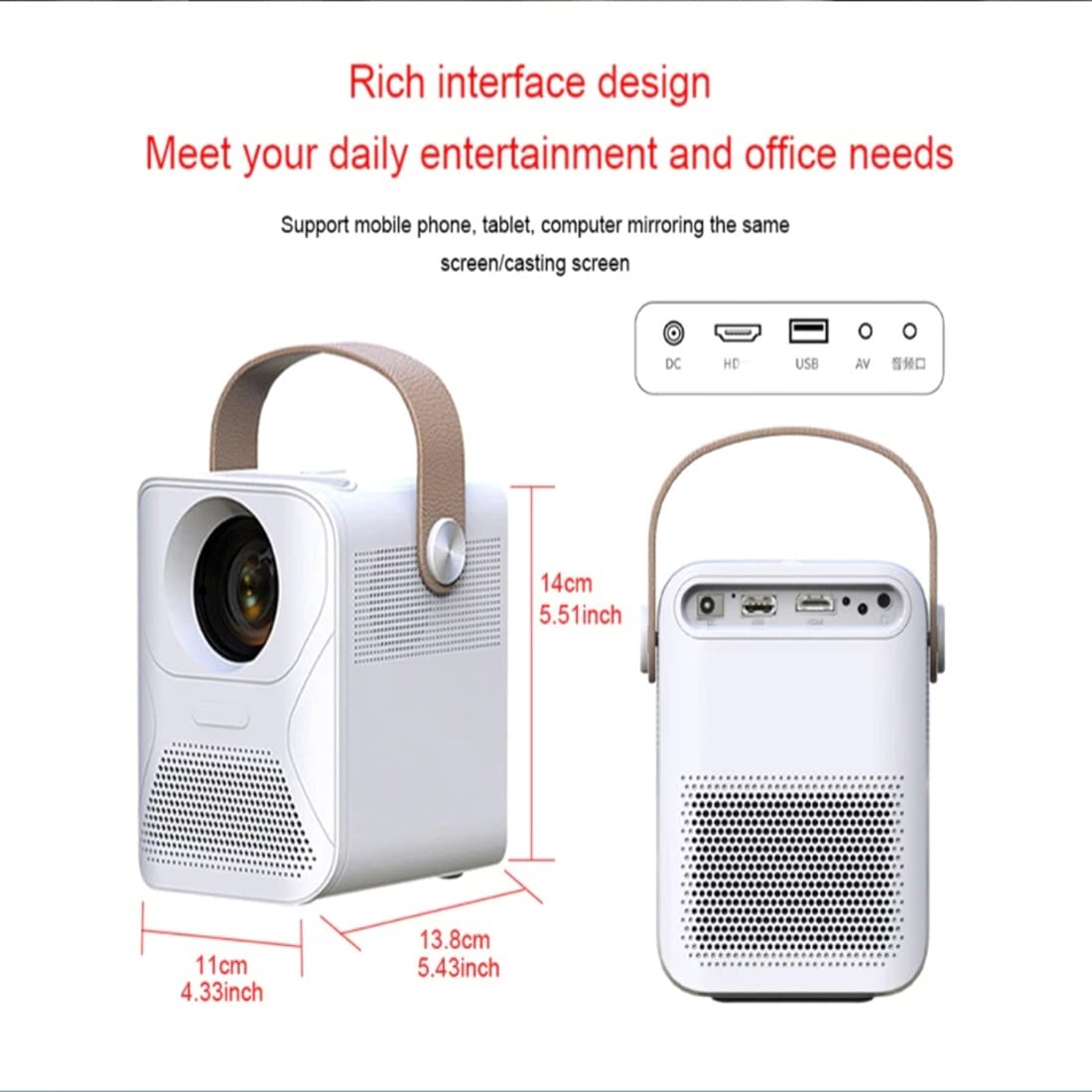
Image 3.1: AUN ET30S Projector dimensions and interface ports.
3.1 Interface Ports
The projector features a variety of ports for connecting external devices:
- Entrada DC: Per a la connexió de l'adaptador de corrent.
- Alta definició (HDMI): Connects to devices like laptops, gaming consoles, or TV boxes.
- USB: Per connectar unitats USB per reproduir contingut multimèdia files.
- DE: Per connectar dispositius antics amb sortida de vídeo compost.
- Sortida d'àudio: Per connectar altaveus externs o auriculars.
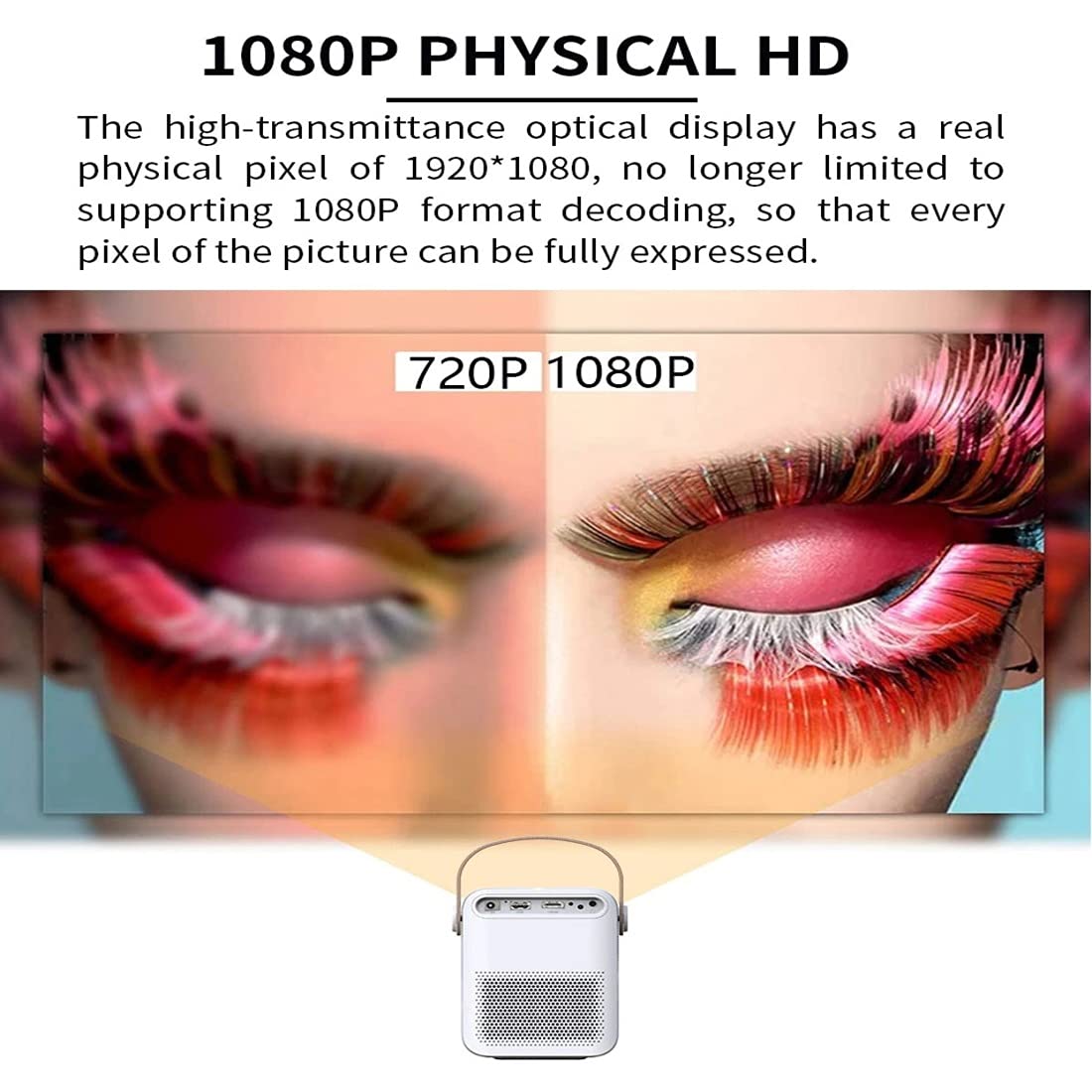
Image 3.2: Multi-media connections and controls on the AUN ET30S Projector.
4. Configuració
4.1 Connexió d'alimentació
- Connect the power cord to the projector's DC In port.
- Connecteu l'altre extrem del cable d'alimentació a una presa de corrent.
4.2 Initial Placement and Focus
- Place the projector on a stable, flat surface, or mount it according to your preference. Ensure adequate ventilation around the projector.
- Enceneu el projector.
- Adjust the focus ring (labeled 'Focus' in Image 3.2) on the projector until the projected image is clear and sharp.
4.3 Correcció Keystone
The AUN ET30S features automatic keystone correction for both up and down adjustments, and four-corner keystone correction for Android mode, ensuring a rectangular image even when the projector is not perfectly aligned with the screen.

Image 4.1: Automatic Keystone Correction in action.
5. Instruccions de funcionament
5.1 Engegada/apagada
- Encès: Premeu el botó d'encesa del projector o del comandament a distància.
- Apagar: Press the power button again. A confirmation prompt may appear on screen.
5.2 Navegació per la interfície d'Android
The projector runs on Android 9.0, providing a smart TV-like experience. Use the remote control to navigate the interface.

Image 5.1: Android 9.0 User Interface.
- Pantalla d'inici: Access pre-installed apps like YouTube, Google Play, and a browser.
- Totes les aplicacions: View totes les aplicacions instal·lades.
- Font: Select input sources (HDMI, USB, AV).
- Configuració: Adjust network, display, sound, and system settings.
- App Store: Baixeu i instal·leu aplicacions addicionals.
5.3 Connectivitat Wi-Fi i Bluetooth
- Vés a Configuració a la pantalla d'inici.
- Seleccioneu Xarxa to configure Wi-Fi. Choose your network and enter the password.
- Seleccioneu Bluetooth to pair with external Bluetooth speakers or other devices.
6. Connectivitat
The AUN ET30S offers versatile connectivity options for various devices.
6.1 Connexions per cable
- HDMI: Connect a laptop, Blu-ray player, gaming console, or TV box using an HDMI cable. Select 'HD' as the input source.
- USB: Insert a USB flash drive to play videos, music, or view photos directly. Select 'USB' as the input source or navigate through the file manager in Android.
- DE: Connect older devices using an AV cable. Select 'AV' as the input source.
- Sortida d'àudio: Connect external speakers or headphones via the 3.5mm audio jack for enhanced sound.
6.2 Connexions sense fil
- Wi-Fi: Connect to your home network for internet access, streaming, and app downloads.
- Bluetooth: Pair with Bluetooth-enabled audio devices for wireless sound.
- Miracast/Airplay (HappyCast): Use the pre-installed HappyCast app or similar functionality to mirror your Android smartphone or Apple device screen wirelessly to the projector.
7. Image Quality and Projection
The AUN ET30S delivers a high-quality viewing experience with its advanced projection capabilities.
7.1 Full HD 1080p Resolution
Experience crisp and clear images with a native resolution of 1920 x 1080 pixels. The projector supports 1080p format decoding, ensuring every pixel of the picture is fully expressed.
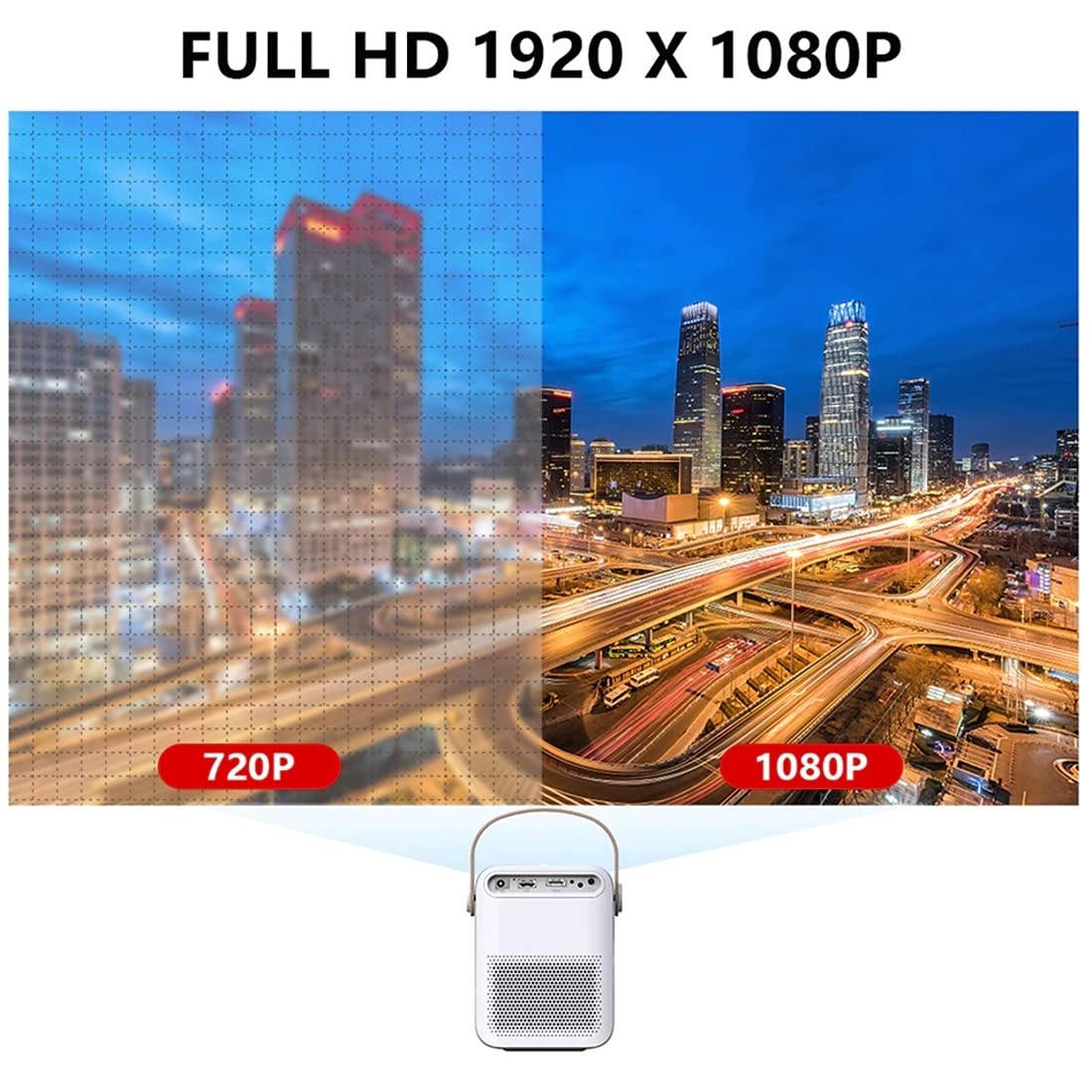
Image 7.1: 720P vs. 1080P Resolution Comparison.
7.2 Brillantor i contrast
- Brillantor: 4000 lumens LED brightness ensures strong, vibrant colors.
- Relació de contrast: A 3000:1 contrast ratio provides deeper blacks and brighter whites, resulting in vivid and immersive images with almost 100% color accuracy.
7.3 Projection Ratio and Distance
The projector features a 1.18:1 projection ratio, allowing for a large picture from a relatively short distance.

Image 7.2: Projection Ratio and Distance Guide.
Refer to the table below for approximate projection distances for various screen sizes:
| Mida de la pantalla | Distància de projecció |
|---|---|
| 50 polzades | 1.27 metres |
| 60 polzades | 1.57 metres |
| 80 polzades | 2.09 metres |
| 100 polzades | 2.60 metres |
8. Manteniment
Un manteniment adequat garanteix la longevitat i el rendiment òptim del vostre projector.
- Neteja: Use a soft, dry cloth to clean the projector's exterior. For the lens, use a specialized lens cleaning cloth and solution.
- Ventilació: Ensure the projector has good airflow. Do not block the ventilation openings. High temperatures can damage internal components, especially the LCD panel.
- Prevenció de pols: Keep the projector in a clean, dust-free environment. Dust accumulation can impede airflow and affect performance.
- Emmagatzematge: When not in use for extended periods, store the projector in a cool, dry place, preferably in its original packaging or a protective case.
9. Solució De Problemes
If you encounter issues with your AUN ET30S projector, refer to the following common problems and solutions:
| Problema | Causa possible | Solució |
|---|---|---|
| Sense poder | Power cord not connected, power outlet faulty | Comproveu la connexió del cable d'alimentació. Proveu una altra presa de corrent. |
| Cap imatge | Incorrect input source, device not connected, blank screen mode | Select correct input source (HDMI, USB, AV). Ensure external device is powered on and connected. Press 'Mute' or 'Blank' button on remote if applicable. |
| Imatge borrosa | Focus not adjusted, keystone not corrected | Adjust the focus ring. Use keystone correction in settings. |
| Sense so | Volume too low, external speakers not connected, audio settings incorrect | Increase volume. Check external speaker connection. Verify audio output settings. |
| El comandament a distància no funciona | Batteries low/dead, obstruction, remote sensor blocked | Replace batteries. Ensure no obstruction between remote and projector. |
10. Especificacions
Detailed technical specifications for the AUN ET30S Projector:
| Característica | Especificació |
|---|---|
| Marca | AUN |
| Model | AUN ET30S Android Projector |
| Sistema operatiu | Android 9.0 |
| RAM / Memory | 1GB RAM / 8GB Internal Memory |
| Tecnologia de visualització | LED |
| Tipus de visualització | LCD |
| Resolució nativa | 1920 x 1080 píxels (Full HD) |
| Brillantor de la imatge | 4000 lúmens |
| Relació de contrast de la imatge | 3000:1 |
| Tecnologia de connectivitat | Bluetooth, HDMI, USB, Wi-Fi |
| Interfície del maquinari | Bluetooth, HDMI, USB |
| Característiques especials | Built-In Wi-Fi, Portable, Wireless |
| Altaveu incorporat | HIFI Stereo Speaker (3 Watts) |
| Dimensions del producte | 25 x 20 x 6 cm |
| Pes de l'article | 1.8 kg |
| Tipus de muntatge | Muntatge de taula |
| Control remot | IR Remote Included |
11. Garantia i Suport
11.1 Informació de la garantia
The AUN ET30S Projector comes with a 6 mesos de garantia covering manufacturing defects, technical defects, and software defects.
Exclusions de la garantia:
- LCD panel damage or burns (due to insufficient ventilation).
- Dust-related issues inside the projector.
- Damage from misuse, including broken parts, burns, or physical damage.
- Repairs performed by unauthorized third parties.
11.2 Atenció al client
For support or warranty claims, please contact Megaa Electronics:
- Correu electrònic: suport@megaaelectronics.com or megaaelectronics@gmail.com
- WhatsApp: 8328671337