1. Introducció
This manual provides essential information for the proper setup, operation, and maintenance of your RunCam 5 4K Action Camera. Please read this manual thoroughly before using the device to ensure optimal performance and longevity.
2. Producte acabatview
The RunCam 5 is a compact and lightweight 4K action camera designed for various applications, including FPV drones, airsoft, motorcycles, and helmet mounting. It features a high-performance image sensor and electronic image stabilization for smooth, high-quality video capture.
2.1. Components de la càmera
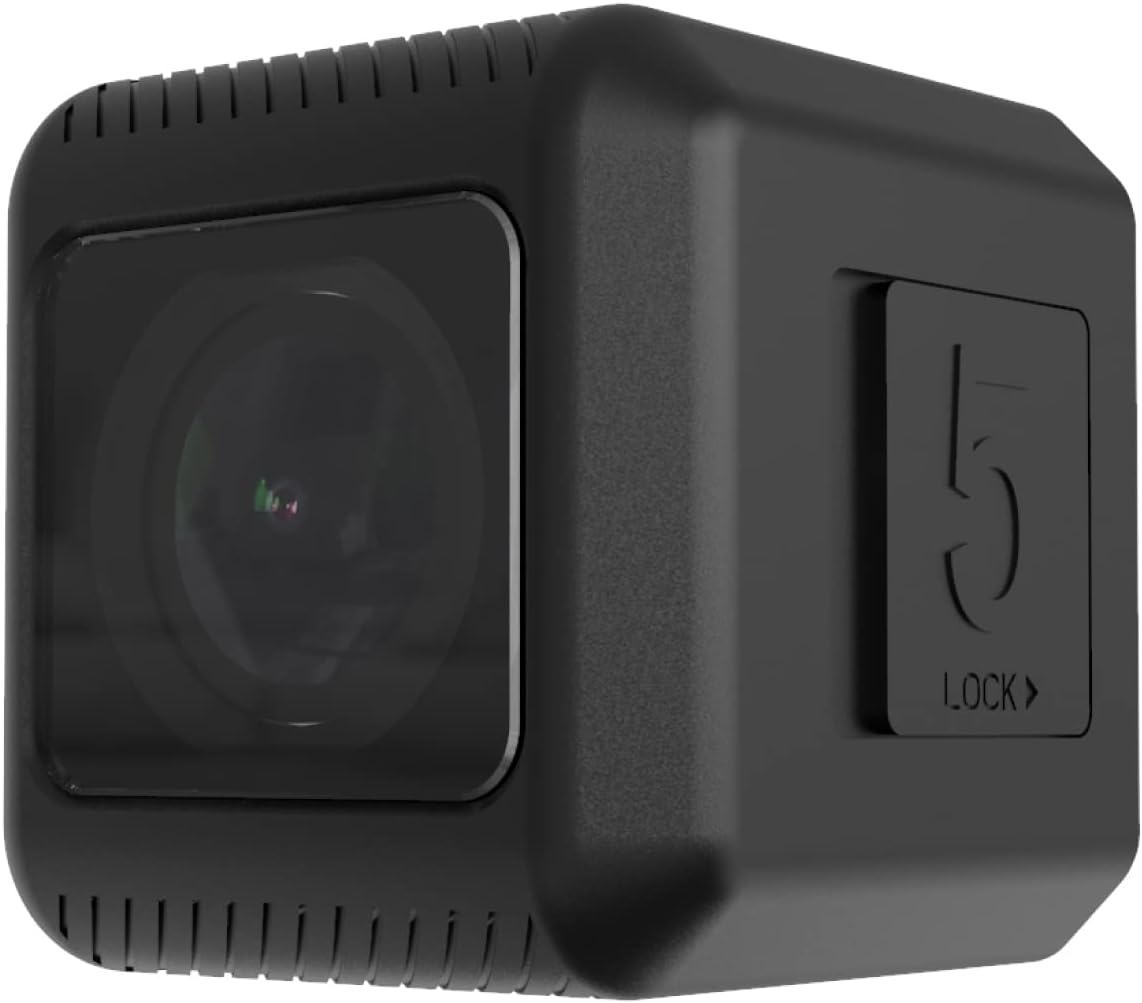
Figura 1: Davant view of the RunCam 5 4K Action Camera, showing the lens.
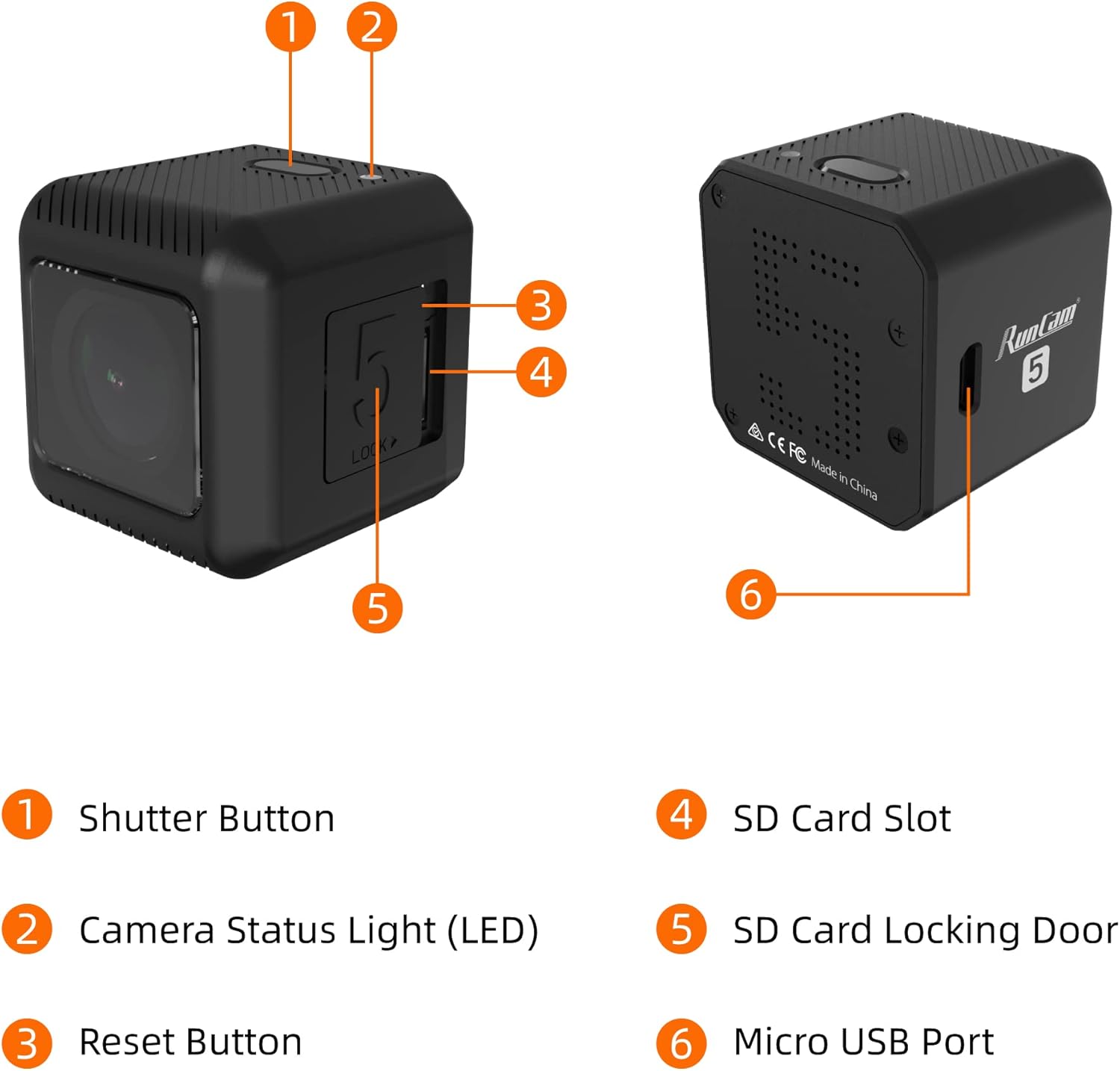
Figura 2: Labeled components of the RunCam 5, including Shutter Button, Camera Status Light (LED), Reset Button, SD Card Slot, SD Card Locking Door, and Micro USB Port.

Figura 3: Enrere view of the RunCam 5 4K Action Camera.

Figura 4: En angle view of the RunCam 5 4K Action Camera.
3. Configuració
3.1. Carregant la bateria
Before initial use, fully charge the camera's internal 900mAh battery. Connect the camera to a DC 5-15V power source using the provided Micro USB cable. The Camera Status Light (LED) will indicate charging status.
3.2. Inserció de la targeta MicroSD
- Locate the SD Card Locking Door on the side of the camera.
- Open the door to access the SD Card Slot.
- Insert a compatible MicroSD card (up to 128GB). For optimal performance, especially with 2.7K@50/60fps or 1080P@120fps, a U3 or higher speed card is recommended. For other resolutions, a U1 card is sufficient.
- Ensure the MicroSD card is formatted to FAT32 to prevent errors.
- Close the SD Card Locking Door securely.
4. Instruccions de funcionament
4.1. Encendre/apagar
- Encès: Press and hold the Shutter Button until the Camera Status Light illuminates.
- Apagar: Press and hold the Shutter Button until the Camera Status Light turns off.
4.2. Gravació de vídeo
The RunCam 5 supports various video resolutions and frame rates:
- 4K @ 30fps
- 2.7K @ 60fps / 50fps
- 1080P @ 120fps / 60fps
- 1440P @ 60fps (native 4:3 recording)
To start recording, briefly press the Shutter Button. The Camera Status Light will change to indicate recording is in progress. Press the Shutter Button again to stop recording.
4.3. Fer fotos
The camera captures 12MP photos. To take a photo, ensure the camera is in photo mode (if applicable via QR code settings) and briefly press the Shutter Button.
4.4. Quick Capture
The Quick Capture feature allows the camera to start recording immediately upon power-on. This setting can be enabled or disabled via the camera's configuration settings (typically through a QR code or app).
5. Configuració avançada
Advanced settings for the RunCam 5 are typically configured using a mobile application or by scanning QR codes generated by the manufacturer's software. These settings allow customization of video resolution, frame rate, and other features.
5.1. Estabilització electrònica d'imatge (EIS)
The RunCam 5 features Electronic Image Stabilization (EIS) for smoother video. EIS is effective at 4K@30fps and 1080P@60fps. Ensure this feature is enabled in your settings for stabilized footage.
5.2. Regional Format (PAL/NTSC)
You can select your regional video format (PAL or NTSC) through the camera's settings. This choice affects available frame rates (e.g., 30fps for NTSC, 25fps for PAL).
5.3. Mode d'estalvi de bateria
To extend battery life, a battery saving mode can be activated. This mode typically reduces the video recording resolution to 1080P instead of 4K.
6. Manteniment
6.1. Neteja
- Feu servir un drap suau i sec per netejar el cos de la càmera.
- Per a la lent, feu servir un drap i una solució especials per netejar lents per evitar ratllades.
- No utilitzeu productes químics o materials abrasius.
6.2. Emmagatzematge
Store the camera in a cool, dry place away from direct sunlight and extreme temperatures. If storing for extended periods, ensure the battery is partially charged (around 50%) to maintain battery health.
7. Solució De Problemes
7.1. La càmera no s'encén
- Ensure the battery is sufficiently charged. Connect to a power source and check the charging indicator.
- If the camera is unresponsive, try performing a reset by pressing the Reset Button (if available, often a small pinhole).
7.2. Recording Issues (Frame Drops, Errors)
- Verify that the MicroSD card meets the recommended specifications (U3 for high-resolution video).
- Ensure the MicroSD card is formatted to FAT32. Reformat if necessary (this will erase all data on the card).
- Check for available storage space on the MicroSD card.
7.3. Mala qualitat d'imatge
- Netegeu la lent de la càmera amb cura.
- Ensure adequate lighting conditions for recording.
- Verify that the correct resolution and frame rate settings are selected for your intended use.
8. Especificacions
| Característica | Especificació |
|---|---|
| Sensor d'imatge | IMX 377 (12MP) |
| Resolució de vídeo | 4K @ 30fps / 2.7K@60fps / 2.7K@50fps / 1080P @ 120fps / 1080P @ 60fps / 1440P @ 60fps |
| Camp de View (FOV) | 145° |
| Vídeo File Format | MP4 |
| TV-OUT | Suport |
| Interfície de comunicació | Micro USB |
| WiFi | No suport |
| Obturador | Auto 1/30 1/60 1/120 1/240 |
| MAJOR | Auto/100/200/400/800/1600/3200 |
| EIS Supported | Only effective at 4K@30fps, 1080P@60fps |
| Native 4:3 Recording | Support 1440P 60fps native 4:3 recording |
| Entrada d'alimentació USB | DC 5-15V |
| Capacitat de la bateria | 900 mAh |
| Consum d'energia | Màxim 620 mA a 5 V |
| Dimensió | 38 * 38 * 36 mm (1.5 x 1.42 x 1.5 polzades) |
| Pes net | 56 g (1.98 unces) |
| Compatibilitat amb targetes MicroSD | Up to 128G (FAT32 format required) |
9. Garantia i Suport
The RunCam 5 4K Action Camera typically comes with a manufacturer's warranty. Please refer to your purchase documentation for specific warranty terms, which may include a 90-day replacement period and a one-year repair service. For technical support or further assistance, please contact RunCam customer service through their official weblloc o distribuïdors autoritzats.


