Introducció
This manual provides comprehensive instructions for the Dell UltraSharp U3223QZ 31.5-inch 4K UHD Video Conferencing Monitor. Designed for enhanced productivity and seamless collaboration, this monitor integrates a high-resolution display with advanced conferencing features. Please read this manual thoroughly to ensure proper setup, operation, and maintenance of your device.
The Dell UltraSharp U3223QZ features a 31.5-inch 4K UHD (3840x2160) display with a 16:9 aspect ratio, offering extensive screen real estate and sharp visuals. Its IPS Black technology delivers superior contrast and color accuracy. Integrated conferencing capabilities include an intelligent 4K webcam, dual echo-cancelling microphones, and 14W speakers, providing a complete solution for virtual meetings.
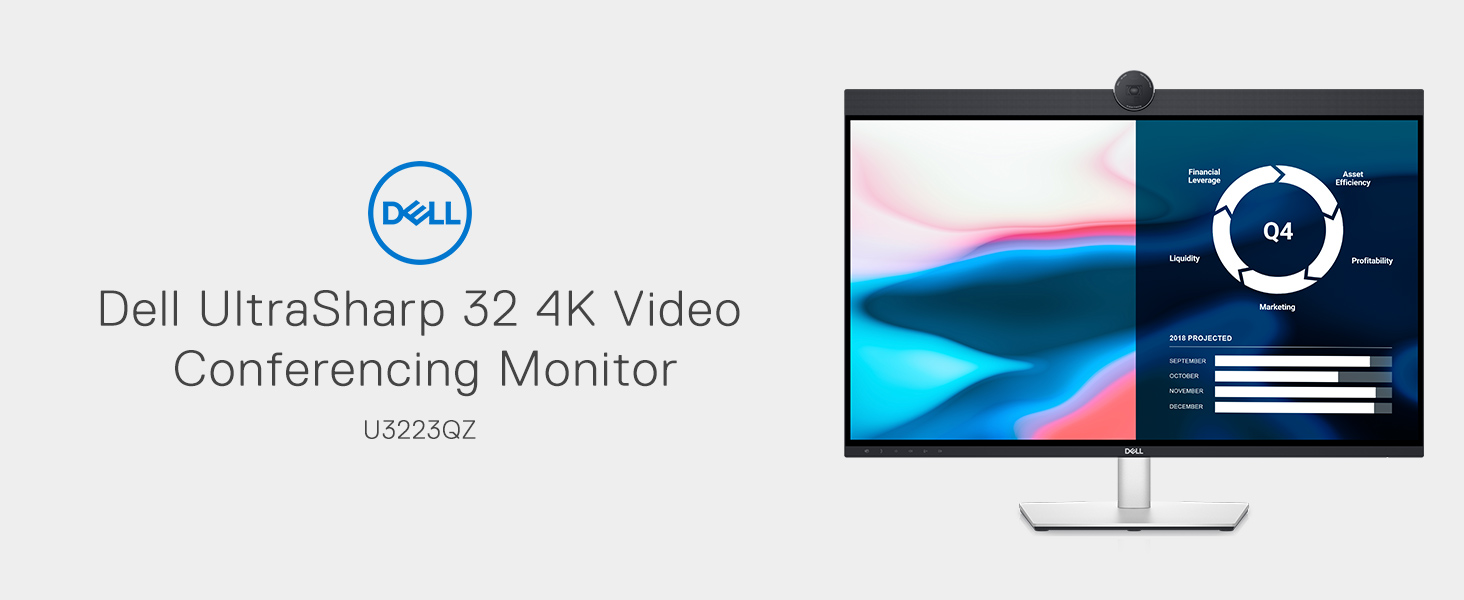
Figure 1: Dell UltraSharp U3223QZ Monitor Overview
Configuració
1. Desembalatge i muntatge
Traieu amb cura tots els components de l'embalatge. Assegureu-vos que hi hagi totes les peces abans de continuar amb el muntatge.

Figure 2: Monitor Rear View amb Stand
2. Connexió del monitor
The U3223QZ offers versatile connectivity options. For a streamlined setup, use the USB-C cable to connect your laptop, which provides video, data, and up to 90W power delivery through a single cable.

Figure 3: USB-C Connectivity to Laptop
Additional ports are available for various peripherals. Refer to the diagram below for port identification.
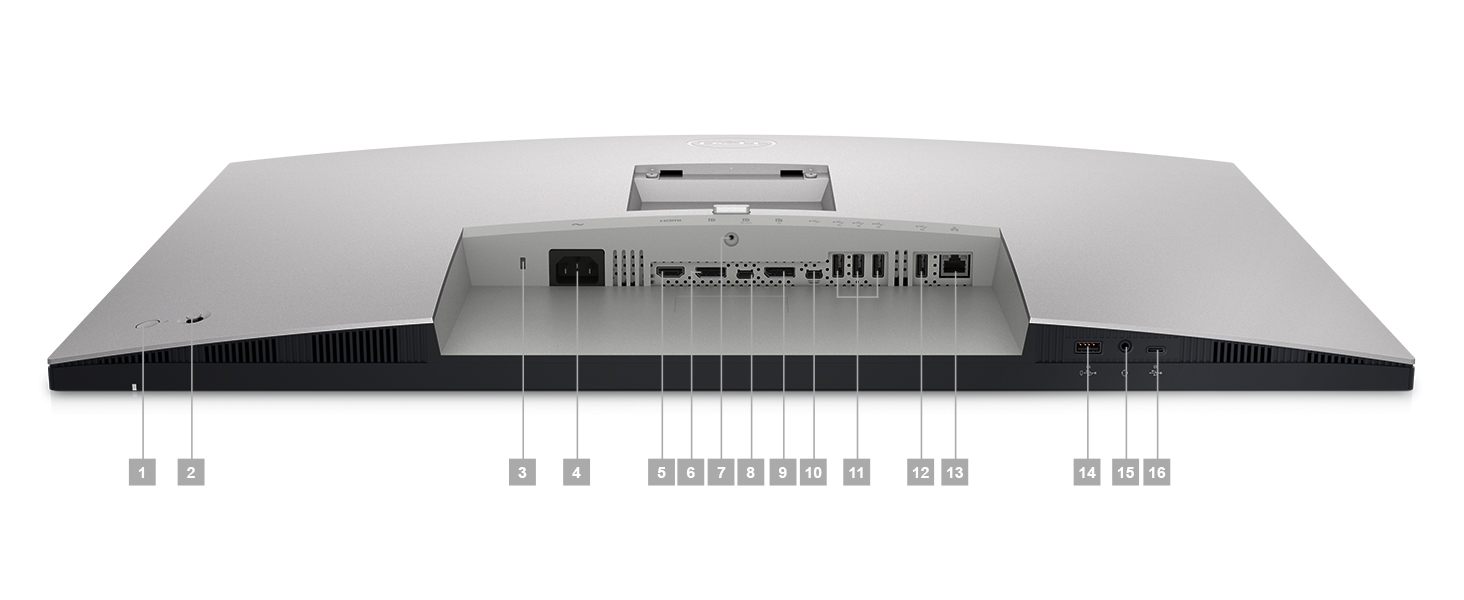
Figure 4: Rear Port Configuration
3. Ajust de la posició del monitor
The monitor stand allows for height, tilt, and swivel adjustments to optimize your viewcomoditat.
- Ajust d'alçada: Empenyeu o estireu suaument el monitor amunt o avall.
- Ajust d'inclinació: Tilt the screen forward or backward to your preferred angle.
- Ajust de gir: Gireu el monitor cap a l'esquerra o la dreta sobre la base.

Figure 5: Monitor Tilt Adjustment

Figure 6: Monitor Swivel Adjustment
Instruccions de funcionament
1. Encendre/apagar
Press the power button located on the monitor to turn it on or off. A blue LED indicator will illuminate when the monitor is active.
2. Configuració de la pantalla
Access the On-Screen Display (OSD) menu using the buttons on the monitor to adjust settings such as brightness, contrast, color modes, and input source. The 4K UHD resolution provides a vast workspace, and IPS Black technology ensures deep blacks and vibrant colors.

Figure 7: IPS Black Technology for Enhanced Contrast
3. Video Conferencing Features
The integrated 4K webcam offers high-quality video for virtual meetings. Features like SafeShutter and ExpressSign-in enhance privacy and convenience. AI Auto Framing keeps you centered during calls.

Figure 8: Integrated 4K Weblleva

Figura 9: Webcam Control Interface
The monitor also includes dual echo-cancelling microphones and ear-level 14W speakers for clear audio during calls.
4. USB Hub Functionality
Utilize the integrated USB hub for connecting peripherals such as keyboards, mice, and external storage devices. The quick access ports on the side provide convenient connectivity for frequently used devices.
Video 1: Dell UltraSharp 32 4K Video Conferencing Monitor Overview. This video demonstrates the key features and benefits of the Dell UltraSharp U3223QZ monitor, including its 4K webcam, audio capabilities, and connectivity options.
Manteniment
1. Neteja del monitor
- Desendolleu sempre el monitor de la presa de corrent abans de netejar-lo.
- Utilitzeu un drap suau i sense pelusa dampRenteu-ho amb aigua o un netejador de pantalles no abrasiu.
- No ruixeu el netejador directament sobre la pantalla.
- Eviteu utilitzar benzè, diluent, netejadors a base d'amoníac o agents de neteja abrasius.
2. Atenció general
- Keep the monitor in a well-ventilated area.
- Avoid exposing the monitor to direct sunlight or excessive heat.
- No bloquegeu les obertures de ventilació del monitor.
Resolució de problemes
Problemes comuns i solucions
| Problema | Causa possible | Solució |
|---|---|---|
| No hi ha imatge a la pantalla | Power cable disconnected; incorrect input source; computer in sleep mode. | Ensure power cable is securely connected. Select correct input source via OSD menu. Wake up computer. |
| La imatge és borrosa o distorsionada | Incorrect resolution setting; loose video cable. | Set display resolution to 3840x2160. Reconnect video cable securely. |
| USB-C connection issues (e.g., not recognized after inactivity) | Temporary communication glitch; power cycle needed. | Unplug the monitor's power cable from the wall outlet, wait 5 minutes, then plug it back in. This often resets the USB-C connection. |
| Webcam or microphone not working | Privacy shutter closed; software settings; driver issues. | Ensure SafeShutter is open. Check privacy settings in your operating system and conferencing software. Update monitor drivers if necessary. |
Especificacions
| Característica | Detall |
|---|---|
| Mida de la pantalla | 31.5 polzades |
| Resolució | 4K UHD (3840 x 2160) |
| Relació d'aspecte | 16:9 |
| Tipus de panell | IPS Negre |
| Temps de resposta | 5 ms GTG (Fast) |
| Weblleva | Integrated 4K Webcam with SafeShutter, ExpressSign-in, AI Auto Framing |
| Àudio | Dual Echo-Cancelling Microphones, 14W Speakers |
| Connectivitat | USB-C (90W Power Delivery), HDMI, DisplayPort, Super Speed USB 10Gbps, RJ45 Ethernet |
| Ajustabilitat | Alçada, inclinació, gir |
| Color | Negre |
| Pes de l'article | 25.4 lliures |
| Dimensions del producte | 6.89 x 21.26 x 36.48 polzades |

Figura 10: Certificacions ambientals
Garantia i Suport
For warranty information, technical support, or service requests, please visit the official Dell support website. You will need your monitor's service tag or express service code, typically found on a label on the back of the monitor or in the packaging.
Dell provides comprehensive support resources, including drivers, manuals, and troubleshooting guides online. Regular updates to drivers and firmware are recommended for optimal performance and security.