1. Introducció
This manual provides essential information for the safe and effective operation of your GROVIEW RD881 Mini Projector. Please read it thoroughly before using the device and retain it for future reference.
The GROVIEW RD881 is a versatile mini projector featuring Android TV 9.0, Wi-Fi, and Bluetooth connectivity. It supports 1080P Full HD resolution and 4K video input, offering a bright display suitable for various entertainment and presentation needs.
2. Contingut del paquet
Verifiqueu que tots els elements que s'enumeren a continuació s'inclouen al vostre paquet. Si falta algun element o hi ha algun malmès, poseu-vos en contacte amb l'atenció al client.
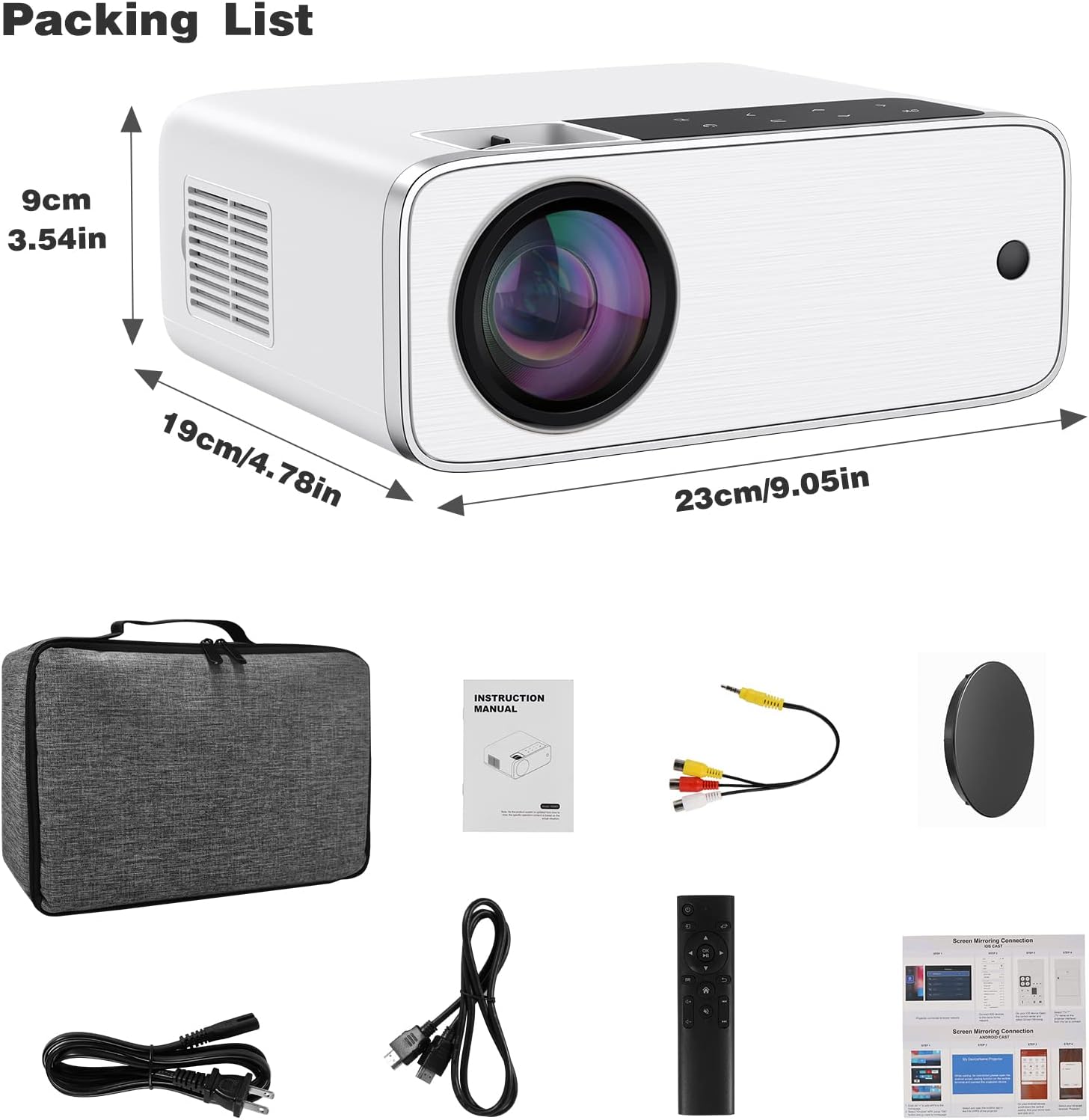
Image: The GROVIEW RD881 projector and its included accessories, such as power cables, remote control, AV cable, and instruction manual, neatly arranged.
- GROVIEW RD881 Mini Projector
- Control remot
- Cable d'alimentació
- Cable AV
- Manual d'instruccions
- Estoig de transport (opcional, segons el paquet)
3. Característiques del producte
- Resolució nativa de 1080p Full HD: Ofereix imatges clares i detallades.
- Compatibilitat amb vídeo 4K: Compatible with 4K video sources for enhanced viewing.
- Android TV 9.0 Operating System: Access streaming apps directly from the projector.
- Connectivitat Wi-Fi: Supports 2.4G/5G Wi-Fi for seamless streaming and online access.
- Funcionalitat Bluetooth: Connect external audio devices wirelessly.
- Correcció trapezoidal digital: Adjust image shape for optimal viewdes de diversos angles.
- Ports d'entrada múltiples: HDMI, USB, AV for connecting various devices.
- Altaveu integrat: Àudio integrat per a més comoditat.
4. Configuració
4.1 Col·locació
Position the projector on a stable, flat surface or mount it securely. Ensure there is adequate ventilation around the projector to prevent overheating. The optimal projection distance varies, but generally, a larger screen requires a greater distance.
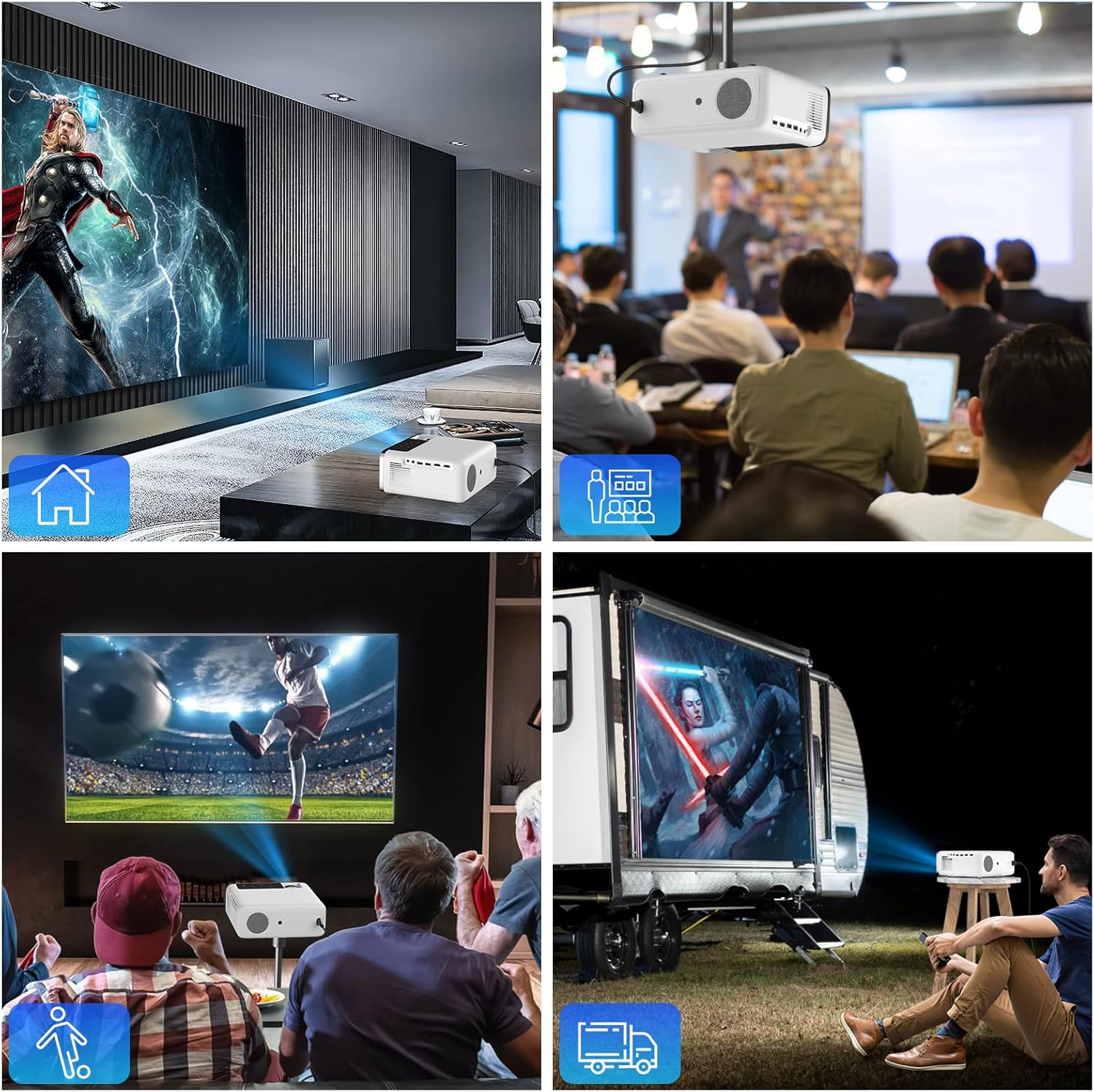
Image: A collage showing the projector used in different environments: a home theater, a business meeting, watching sports, and an outdoor campconfiguració.
4.2 Connexió d'alimentació
- Connecteu el cable d'alimentació al port d'entrada d'alimentació del projector.
- Connecteu l'altre extrem del cable d'alimentació a una presa de corrent.
- Premeu el botó d'engegada del projector o del comandament a distància per encendre'l.
4.3 Ajust inicial de l'enfocament
Once powered on, adjust the focus ring on the projector lens until the projected image is clear and sharp.
5. Instruccions de funcionament
5.1 Navegació per la interfície d'Android TV
The GROVIEW RD881 runs on Android TV 9.0, providing access to a variety of applications. Use the remote control to navigate the interface.

Image: The projector displaying the Android TV 9.0 home screen with various streaming applications like HBO Now, Netflix, YouTube, and Amazon Prime Video.
- Pantalla d'inici: Displays installed apps, recommended content, and settings.
- App Store: Baixeu i instal·leu aplicacions addicionals.
- Configuració: Configure network, display, sound, and system preferences.
5.2 Selecció de la font d'entrada
To switch between different input sources (HDMI, USB, AV, or internal Android TV), press the 'Source' button on the remote control and select the desired input.
5.3 Connexió de dispositius externs
- HDMI: Connect Blu-ray players, game consoles, laptops, or TV sticks.
- USB: Reprodueix contingut multimèdia files directly from a USB drive or connect a USB keyboard/mouse.
- DE: Connecteu els dispositius més antics amb el cable AV inclòs.
6. Connectivitat
6.1 Connexió Wi-Fi
- Vés a Configuració > Xarxa i Internet.
- Seleccioneu la vostra xarxa Wi-Fi de la llista.
- Introduïu la contrasenya i connecteu-vos.
6.2 Connexió Bluetooth
- Vés a Configuració > Dispositius connectats > Vincula un dispositiu nou.
- Ensure your Bluetooth audio device (e.g., speaker, headphones) is in pairing mode.
- Seleccioneu el dispositiu de la llista per emparellar-lo.
6.3 Wireless Mirroring (AirPlay/Chromecast)
The projector supports wireless screen mirroring from compatible Android, iOS, Mac, and Windows devices.

Image: The projector displaying a mirrored screen from a laptop, tablet, and smartphone, illustrating AirPlay and Chromecast compatibility.
- Ensure both the projector and your device are connected to the same Wi-Fi network.
- Select the mirroring function on the projector's interface (e.g., 'Screen Mirroring', 'AirPlay', or 'Chromecast').
- On your mobile device or computer, initiate screen mirroring and select the projector from the available devices.
7. Correcció Keystone
Keystone correction adjusts the image shape to be rectangular when the projector is not perfectly perpendicular to the screen.

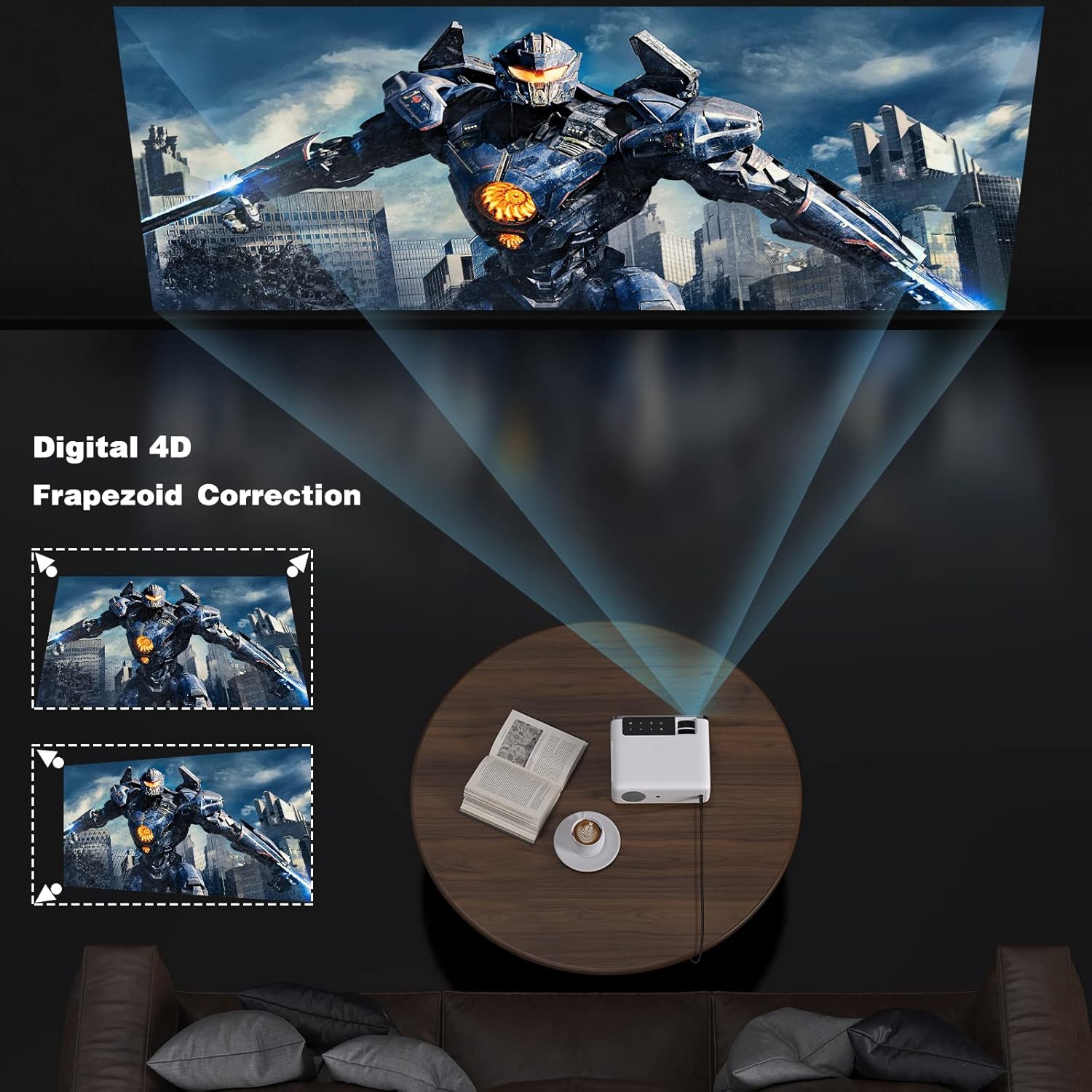
Image: A diagram showing how 4D keystone correction adjusts the corners of a projected image to achieve a perfect rectangle, alongside an image of the projector demonstrating this feature.
- Access the keystone correction settings via the projector menu or remote control.
- Adjust the horizontal and vertical parameters until the image appears rectangular.
8. Manteniment
8.1 Neteja de la lent
Feu servir un drap suau i sense borrissol dissenyat específicament per a lents òptiques per netejar suaument la lent del projector. Eviteu utilitzar productes de neteja abrasius ni força excessiva.
8.2 Neteja del cos del projector
Netegeu l'exterior del projector amb un drap suau i sec. No utilitzeu productes de neteja líquids directament sobre el dispositiu.
8.3 Ventilació
Ensure the ventilation vents are clear of dust and obstructions to maintain proper airflow and prevent overheating. Do not block the vents during operation.
9. Solució De Problemes
| Problema | Causa possible | Solució |
|---|---|---|
| No es projecta cap imatge | Alimentació no connectada; Font d'entrada incorrecta; Tapa de l'objectiu posada | Comproveu la connexió d'alimentació; seleccioneu la font d'entrada correcta; traieu la tapa de l'objectiu |
| Imatge borrosa | Enfocament no ajustat; Trapezoidal no corregida | Adjust focus ring; Perform keystone correction |
| Sense so | Volume too low; Muted; External audio device not connected/paired | Increase volume; Unmute; Check Bluetooth connection or external audio cable |
| El comandament a distància no funciona | Piles baixes/descarregades; Obstrucció entre el comandament a distància i el projector | Replace batteries; Remove obstructions; Point remote directly at projector sensor |
| Problemes de connexió Wi-Fi | Incorrect password; Router too far; Network interference | Verify password; Move projector closer to router; Restart router and projector |
10. Especificacions
| Característica | Especificació |
|---|---|
| Model | RD881 |
| Marca | Groview |
| Tecnologia de visualització | LCD |
| Resolució nativa | 1920 x 1080 (1080p Full HD) |
| Resolució suportada | Fins a 4K |
| Sistema operatiu | Android TV 9.0 |
| Brillantor | 12000 Lux (Manufacturer's rating) |
| Connectivitat | Wi-Fi (2.4G/5G), Bluetooth, HDMI, USB, AV |
| Altaveu | Integrat |
| Dimensions | 13.35 x 6.5 x 9.69 polzades (aprox.) |
| Pes | 5.57 lliures (aprox.) |
11. Informació de seguretat
- No mireu directament a la lent del projector quan estigui encès.amp està activat.
- Assegureu-vos una ventilació adequada per evitar el sobreescalfament.
- Mantingueu el projector allunyat de l'aigua o altres líquids.
- No intenteu desmuntar ni reparar el projector vosaltres mateixos. Poseu-vos en contacte amb personal de servei qualificat.
- Feu servir només l'adaptador de corrent que s'inclou amb el projector.
12. Garantia i Suport
Your GROVIEW RD881 Mini Projector comes with a standard manufacturer's warranty. Please refer to the warranty card included in your package for specific terms and conditions.
For technical support, troubleshooting assistance, or warranty claims, please contact GROVIEW customer service through the retailer where you purchased the product or visit the official GROVIEW suport weblloc.
13. Vídeos de productes
13.1 Producte acabatview
Vídeo: Un general acabatview of the GROVIEW RD881 Mini Projector, showcasing its design and key features. (Duration: 3:40)
13.2 Setup and Connectivity Guide
Video: A guide demonstrating how to set up the GROVIEW RD881 projector and connect it to various devices, including Wi-Fi and Bluetooth. (Duration: 1:33)


