1. Introducció
This manual provides instructions for the installation, operation, and maintenance of the Tongou Smart WiFi DIN Rail Switch (Model: With Power Monitoring 16A). This device allows you to convert conventional small appliances into smart, remotely controllable objects via the Tuya or Smart Life application, and offers comprehensive energy consumption monitoring.
2. Informació de seguretat
ADVERTIMENT: Electrical installation should only be performed by a qualified electrician. Ensure power is disconnected before installation to prevent electric shock.
- Vol. Operatiutage: AC 90-240V, 50/60Hz. Ensure your electrical system matches these specifications.
- The device is designed for 1-way circuits and a maximum current rating of 16 Amps. No supereu aquesta qualificació.
- This switch is not a circuit breaker. It does not provide short-circuit or overload protection. Install it after a differential switch for proper protection.
- The product is made from flame-retardant PA66 material with good conductivity copper contacts (Silver Relay Contacts) for enhanced safety and high-temperature resistance.
- International Protection Rating: IP20. This device is not waterproof and should not be exposed to moisture.
3. Producte acabatview
The Tongou Smart WiFi DIN Rail Switch is a compact device designed for integration into your electrical panel. It enables smart control and energy monitoring for connected appliances.
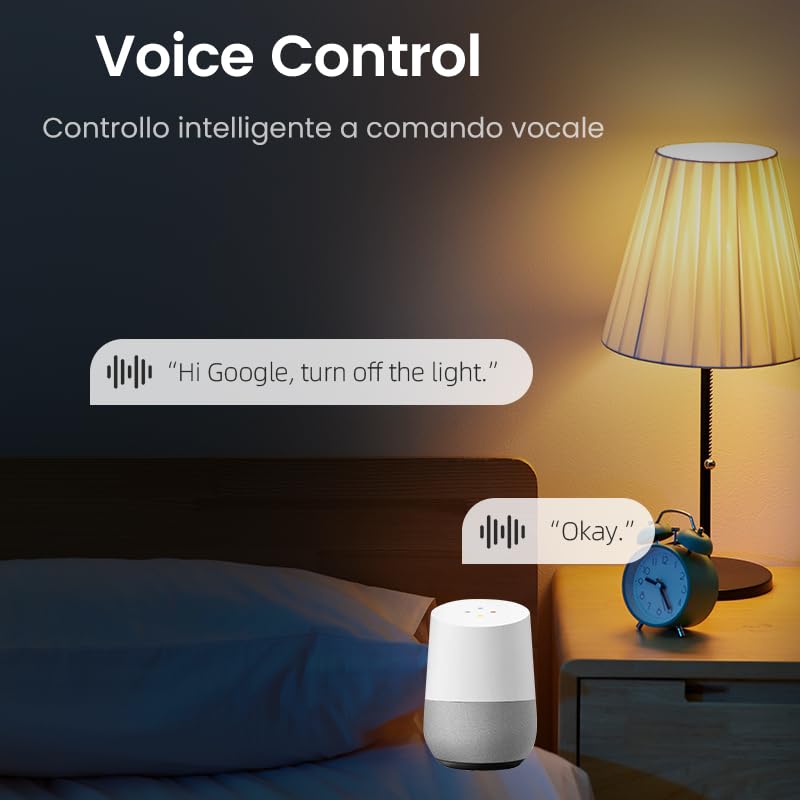
Figura 3.1: Frontal view of the Tongou Smart WiFi DIN Rail Switch.
Característiques principals:
- Comandament a distància: Control appliances via the Tuya or Smart Life app from anywhere.
- Monitorització energètica: Real-time display and historical recording of current, voltage, power, and total energy consumption.
- Control de veu: Compatible amb Amazon Alexa i Google Assistant per a un funcionament amb mans lliures.
- Multiple Timer Modes: Includes timer, countdown, cycle timing, and astronomical timing functions.
- Fàcil instal·lació: Designed for quick wiring and DIN rail mounting.
4. Especificacions
| Paràmetre | Valor |
|---|---|
| Número de model | With Power Monitoring 16A |
| Vol. Operatiutage | CA 90-240V, 50/60Hz |
| Valoració actual | 16 Amps |
| Wattage | 3840 watts (màx.) |
| Mode d'operació | ON-OFF |
| Protocol de connectivitat | Wi-Fi (2.4 GHz) |
| Mètode de control | App (Tuya/Smart Life), Voice (Alexa/Google Assistant) |
| Dimensions (L x A x A) | 9 x 2 x 8 cm |
| Pes de l'article | 110 g |
| Tipus de terminal | Cargol |
| Tipus de circuit | 1 vies |
| Classificació de protecció internacional | IP20 |
| Classificació de temperatura superior | 80 graus centígrads |
| Material de contacte | Silver Relay Contacts |
| Color | Gris |
5. Configuració
5.1. Instal·lació
The Tongou Smart WiFi Switch is designed for DIN rail mounting. Follow these steps for safe installation:
- Desconnecteu l'alimentació: Before starting any electrical work, ensure the main power supply to the circuit is turned off at the circuit breaker. Verify with a voltage provador.
- Muntar l'interruptor: Clip the smart switch onto a standard DIN rail within your electrical panel.
- Cablejat: Connect the live (L) and neutral (N) wires to the designated terminals on the switch. The switch is a 1P (single pole) device, meaning it switches only the phase (live) wire. It requires a permanent neutral connection. This device should be installed after a differential switch for proper protection against short circuits, overloads, and leakage. Use a screwdriver to easily tighten and loosen the screw terminals.
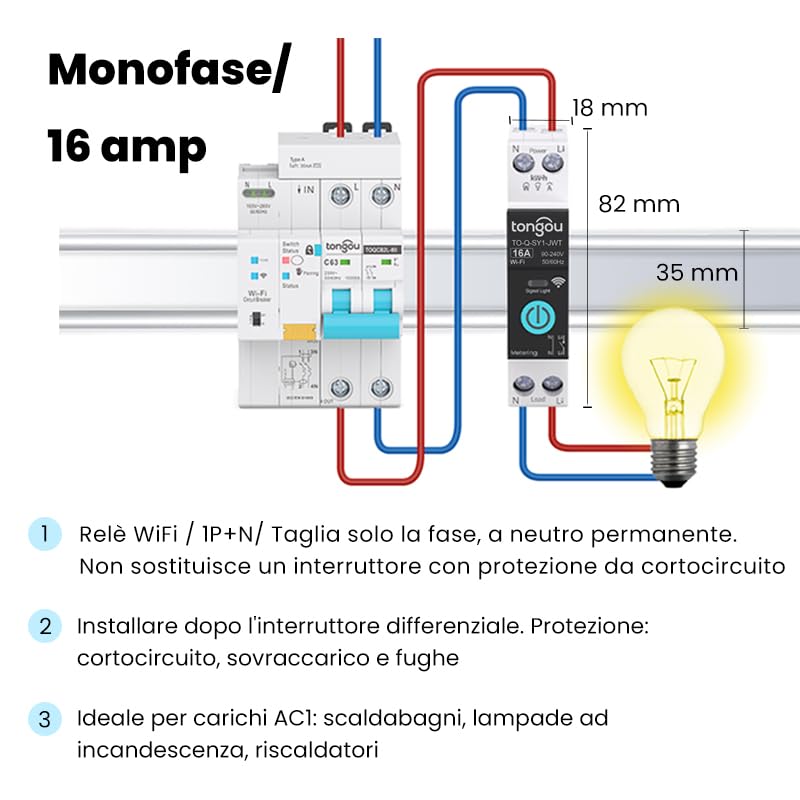
Figure 5.1: Wiring diagram for the Tongou Smart WiFi DIN Rail Switch. Connect the phase (L) and neutral (N) wires as indicated. This switch is for single-phase systems and handles up to 16 Amps. It should be installed after a differential switch for safety.
Nota: This switch is ideal for AC loads such as water heaters, incandescent lamps, and heaters.
5.2. Emparellament d'aplicacions
To control the switch remotely, you need to pair it with the Tuya Smart or Smart Life app.
- Descarrega l'aplicació: Download the "Smart Life" or "Tuya Smart" app from the App Store (iOS) or Google Play Store (Android).
- Registra't/Iniciar sessió: Obre l'aplicació i registra't per obtenir un compte nou o inicia la sessió si ja en tens un.
- Afegeix un dispositiu: Ensure your smartphone is connected to a 2.4 GHz Wi-Fi network. Power on the smart switch. The Wi-Fi indicator on the switch should be blinking rapidly (refer to the switch's LED indicator guide for pairing mode). In the app, tap "+" or "Add Device" and select the appropriate device type (e.g., "Switch (Wi-Fi)").
- Confirm Pairing Mode: Confirma que l'indicador lluminós parpelleja ràpidament a l'aplicació.
- Introduïu els detalls del Wi-Fi: Enter your 2.4 GHz Wi-Fi network password.
- Connectar: The app will begin connecting to the device. Once connected, you can rename the switch and assign it to a room.
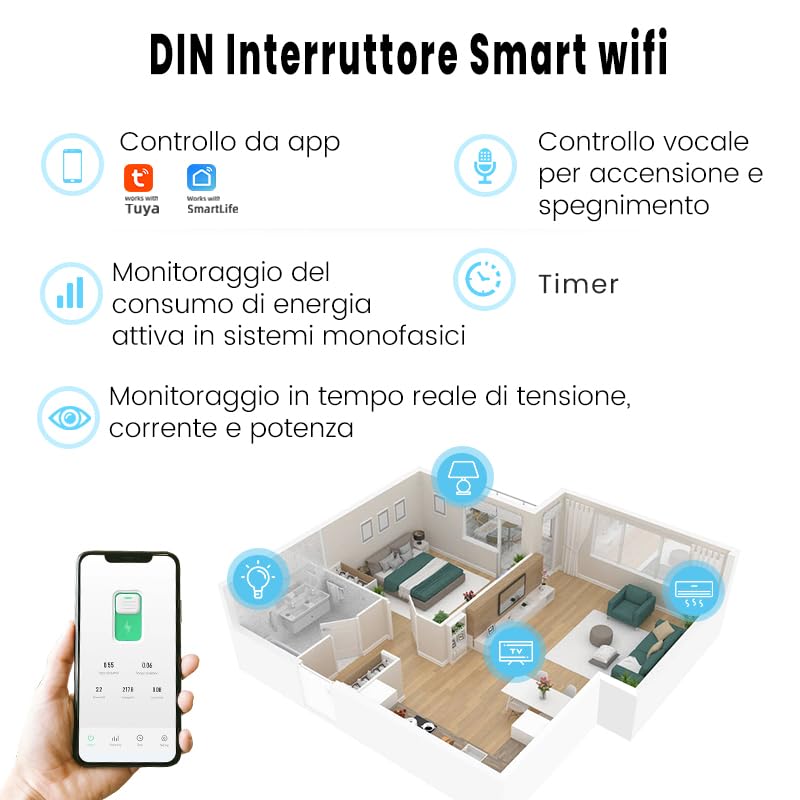
Figura 5.2: Mésview of the smart switch features, including control via Tuya/Smart Life app, voice control, energy monitoring, and timer functions.
6. Instruccions de funcionament
6.1. Control manual
The switch features a physical button on its front panel. Press this button once to manually turn the connected appliance ON or OFF.
6.2. Control d'aplicacions
After successful pairing, open the Tuya Smart or Smart Life app. Select your switch from the device list. You can then:
- Toggle the switch ON/OFF remotely.
- Access energy consumption data.
- Set up schedules and timers.
- Configure automation rules.
6.3. Control per veu
The switch is compatible with Amazon Alexa and Google Assistant. To enable voice control:
- Link your Tuya Smart or Smart Life account to your Amazon Alexa or Google Home app.
- Descobreix dispositius a l'aplicació d'assistent de veu.
- Use voice commands such as: "Alexa, turn on [Device Name]" or "Hey Google, turn off [Device Name]".

Figura 6.1: Example of using voice commands with a smart assistant to control the switch.
6.4. Funcions del temporitzador
The app provides various timer modes to automate your appliances:
- Schedule Timer: Set specific ON/OFF times for different days of the week.
- Temporitzador de compte enrere: Set a duration after which the switch will turn ON or OFF.
- Temps de cicle: Configure repetitive ON/OFF cycles.
- Astronomical Timing: Automate based on sunrise and sunset times in your location.
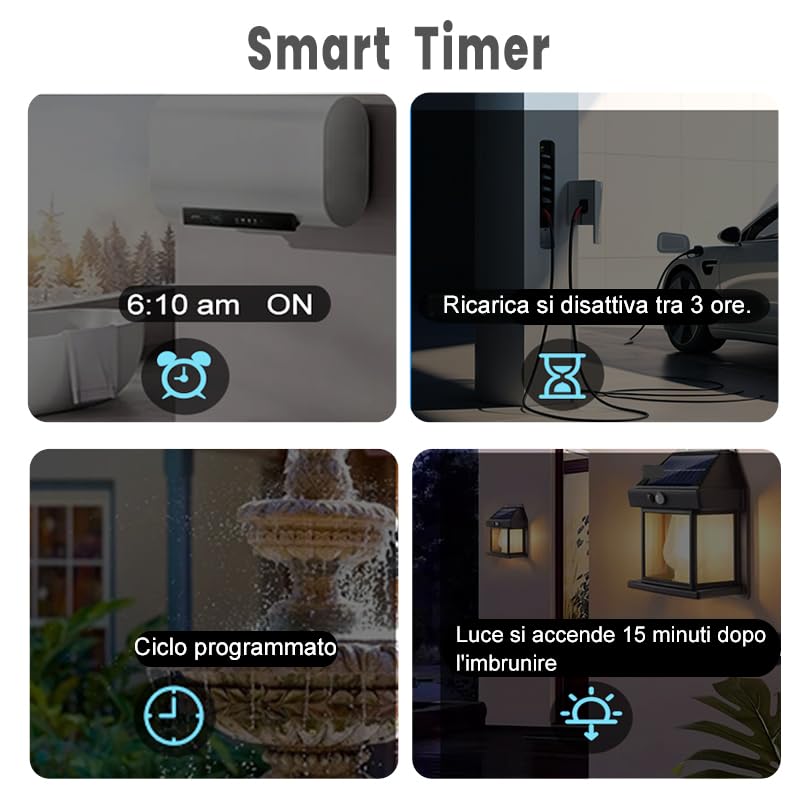
Figure 6.2: Visual representation of various smart timer functions available in the app.
6.5. Monitorització energètica
The switch provides real-time and historical energy consumption data. Access this feature within the app to:
- View real-time load current, voltage, i poder.
- Review historical power consumption records by hour, day, month, and year.
- Analyze energy usage patterns to optimize consumption.
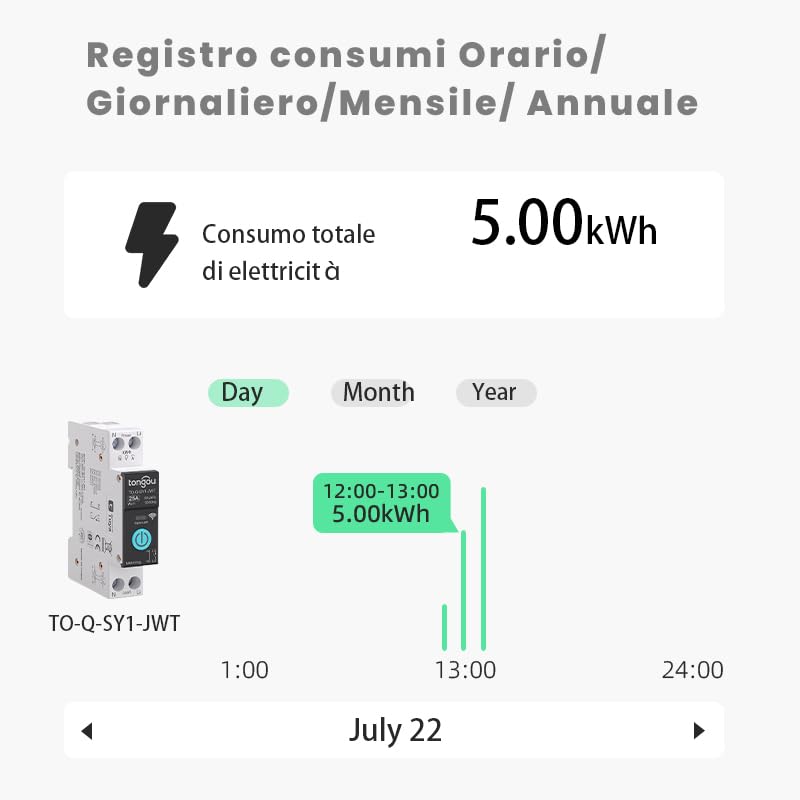
Figura 6.3: Example of the energy consumption log interface, displaying total electricity consumption over various time periods.
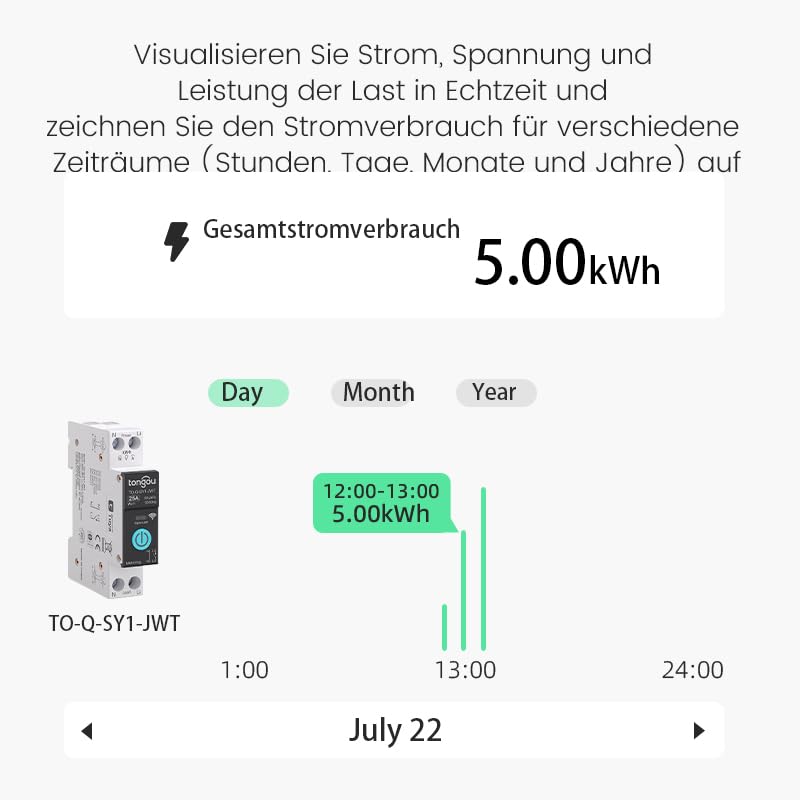
Figure 6.4: Real-time visualization of current, voltage, and power load, with historical consumption records.
7. Manteniment
The Tongou Smart WiFi Switch requires minimal maintenance. Follow these guidelines:
- Neteja: Ensure the device is powered off before cleaning. Use a dry, soft cloth to wipe the exterior. Do not use liquid cleaners or solvents.
- Actualitzacions de firmware: Consulteu periòdicament l'aplicació Tuya Smart o Smart Life per veure si hi ha actualitzacions de firmware disponibles per al vostre dispositiu. Les actualitzacions poden millorar el rendiment i afegir noves funcions.
- Condicions ambientals: Operate the device within its specified temperature range (up to 80°C) and avoid humid environments.
8. Solució De Problemes
| Problema | Causa possible | Solució |
|---|---|---|
| El dispositiu no es connecta a la Wi-Fi. | Incorrect Wi-Fi password, 5GHz Wi-Fi network, device too far from router, Wi-Fi signal interference. |
|
| El control de l'aplicació no respon. | No internet connection on phone or switch, app glitch. |
|
| El control per veu no funciona. | Account not linked, device not discovered, incorrect commands. |
|
| Energy monitoring data is inaccurate or missing. | Improper wiring, device malfunction. |
|
9. Garantia i Suport
For warranty information, please refer to the documentation provided with your purchase or contact your retailer. For technical support or further assistance, please contact HIVAGI INTERNATIONAL, the importer and packer of this product.
- Importador/Empacador: HIVAGI INTERNATIONAL
- Weblloc: www.hivagi.in
- Atenció al client: +91 90232 97428


