Introducció
Thank you for choosing the HTC True Wireless Earbuds 7. This manual provides essential information for setting up, operating, maintaining, and troubleshooting your new earbuds. Please read it thoroughly before use to ensure optimal performance and longevity of your device.
Contingut del paquet
Assegureu-vos que tots els elements siguin presents al paquet:
- 2 x HTC Wireless Earbuds (Left and Right)
- 1 x funda de càrrega
- 1 x cable USB-C
- 2 Pairs x Silicone Earplugs (S, L) - Note: Medium size earplugs are pre-installed on the earbuds.
- 1 x English Manual (This document)

Image: HTC True Wireless Earbuds 7, charging case, and USB-C cable.
Guia de configuració
1. Càrrega inicial
Abans del primer ús, carregueu completament els auriculars i l'estoig de càrrega.
- Col·loqueu els dos auriculars a la caixa de càrrega.
- Connect the provided USB-C cable to the charging port on the case and a power source (e.g., USB wall adapter, computer USB port).
- The indicator lights on the charging case will illuminate to show charging status. All three indicator lights will show blue when fully charged.
Temps de càrrega:
- Auriculars: aproximadament 40 minuts
- Caixa de càrrega: aproximadament 1.5 hores

Image: HTC True Wireless Earbuds 7 charging case showing battery indicator lights.
Video: Demonstrates charging the HTC True Wireless Earbuds 7 charging case using the USB-C cable.
2. Emparellament amb el dispositiu (emparellament en un sol pas)
The earbuds utilize advanced Bluetooth 5.3 technology for fast and stable connection.
- Obre l'estoig de càrrega. Els auriculars entraran automàticament en mode d'emparellament.
- Al dispositiu (telèfon intel·ligent, tauleta, ordinador), activeu el Bluetooth.
- Cerca "HTC TWS7" in the list of available Bluetooth devices.
- Select "HTC TWS7" to connect. Once paired, the earbuds will automatically connect to your device in the future when taken out of the case.
Important Tip: When pairing for the first time, please take both earbuds out of the charging box for pairing.

Image: Illustrates the one-step pairing process with a smartphone.
3. Adjusting Earplugs for Best Fit
For optimal sound quality and comfort, choose the silicone earplugs that best fit your ears. The earbuds come with medium-sized earplugs pre-installed, and S/L sizes are included in the package.
- Gently remove the pre-installed earplug from the earbud.
- Select a different size (S or L) and carefully attach it to the earbud's nozzle, ensuring it is securely fastened.
- Test the fit and sound quality. A good seal will provide better bass and noise isolation.

Image: Close-up of an earbud highlighting the soft silicone eartips for a comfortable fit.
Instruccions de funcionament
Controls tàctils intel·ligents
The HTC True Wireless Earbuds 7 feature intuitive touch controls on each earbud. The touch-sensitive area is located on the outer surface of each earbud.
| Funció | Acció |
|---|---|
| Reproduir/Pausa | Toqueu qualsevol dels auriculars una vegada. |
| Respondre/penjar la trucada | Toqueu qualsevol dels auriculars una vegada. |
| Cançó anterior | Toca dues vegades l'auricular esquerre. |
| Següent Cançó | Toca dues vegades l'auricular dret. |
| Assistent de veu | Toqueu tres vegades qualsevol dels auriculars. |
| Rebutja la trucada | Toqueu i manteniu premut durant 2 segons. |
| Mode de joc activat/desactivat | Toqueu i manteniu premut durant 2 segons. |
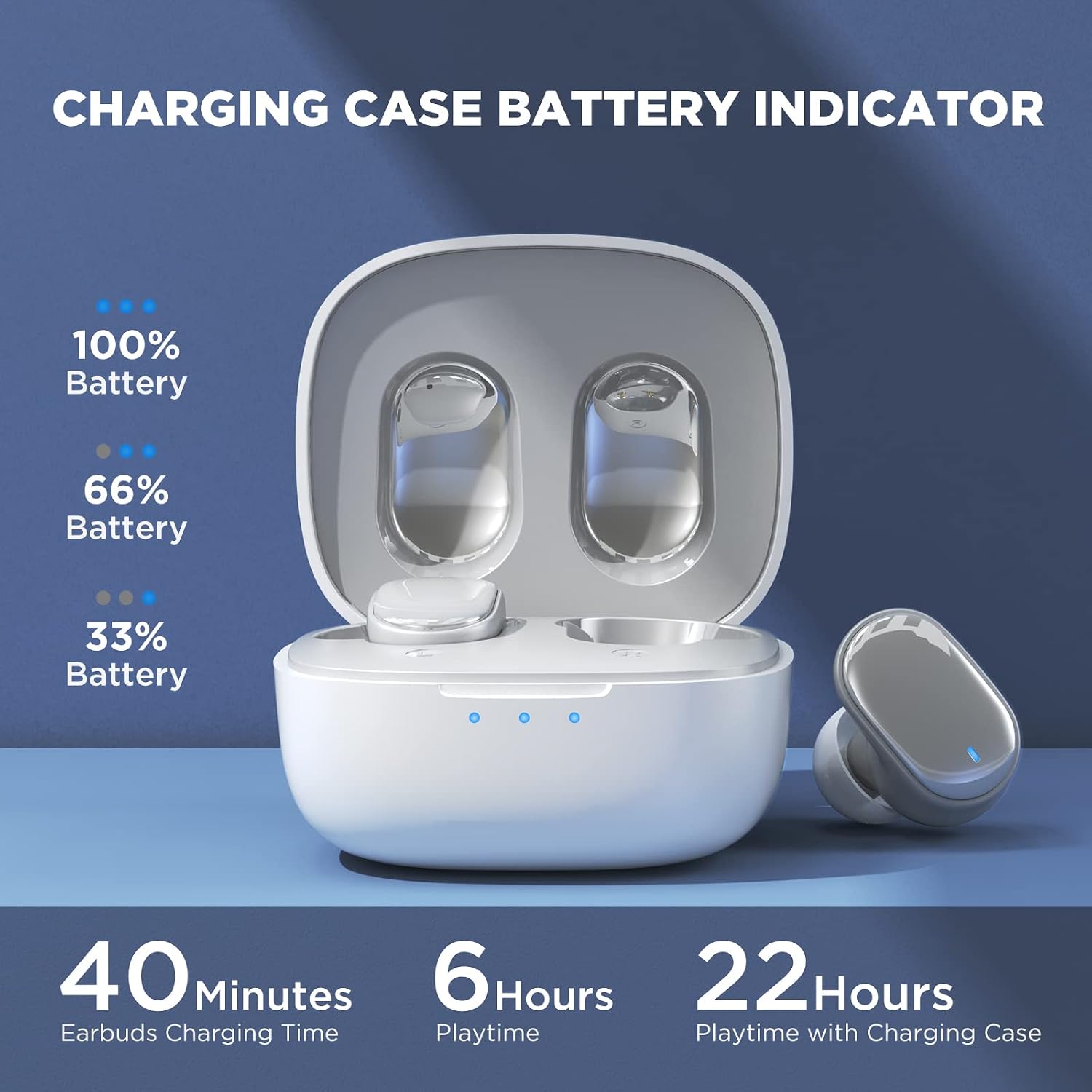
Image: Visual guide to the smart touch controls on the earbud.
Mode de joc
Designed specifically for gaming, Game Mode provides an ultra-low latency of 45ms, ensuring audio and video remain synchronized for a smoother gaming experience. To activate or deactivate Game Mode, tap and hold either earbud for 2 seconds.
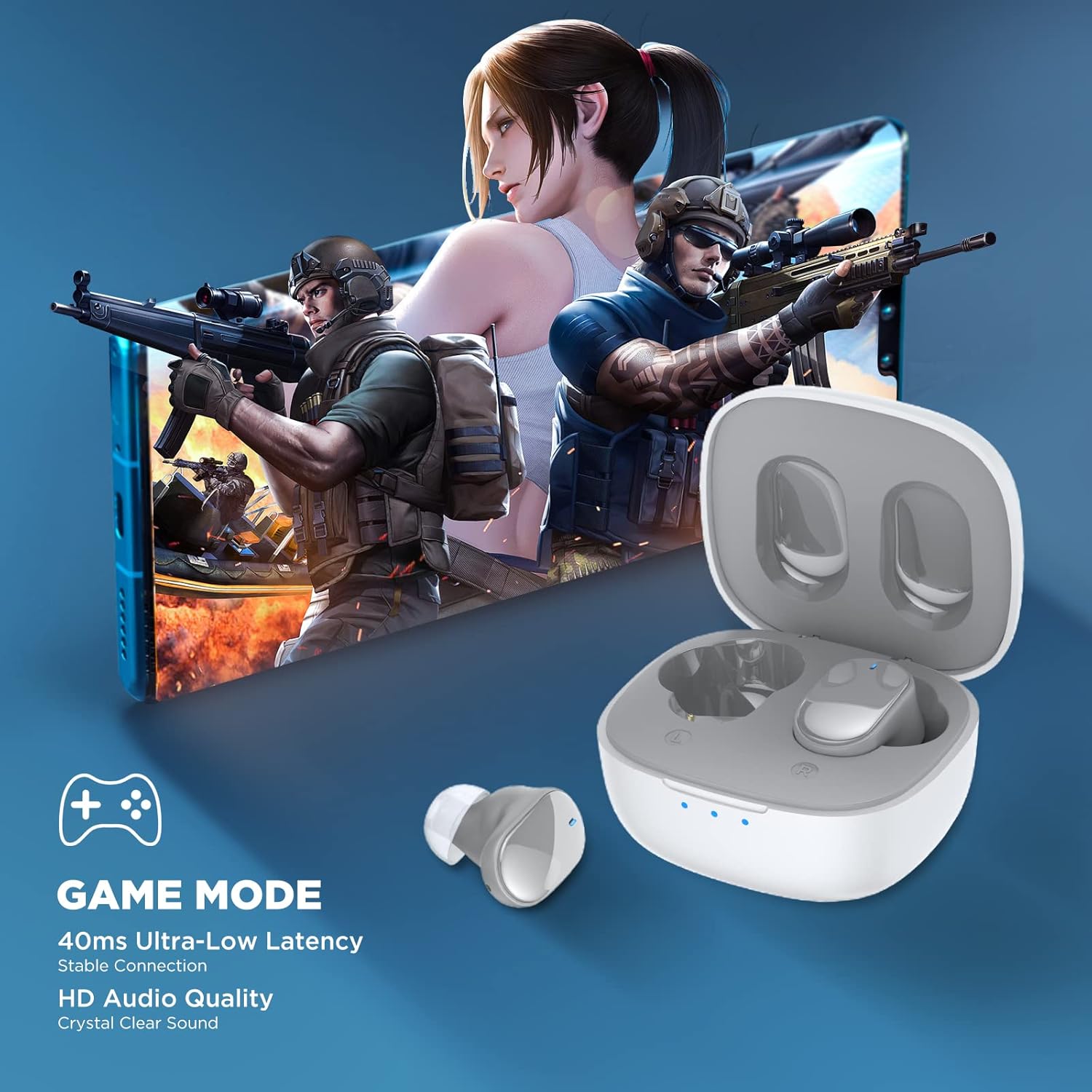
Image: Earbuds shown in a gaming context, highlighting the 40ms ultra-low latency Game Mode.
Qualitat d'àudio
The earbuds are equipped with 10mm drivers, producing powerful bass and stunning treble for a rich audio experience.

Imatge: Explosió view diagram illustrating the 10mm speaker driver components.
Manteniment i cura
- Neteja: Netegeu regularment els auriculars i l'estoig de càrrega amb un drap suau, sec i sense borrissol. No utilitzeu productes químics agressius ni materials abrasius.
- Earplug Care: Remove the silicone earplugs periodically and clean them with mild soap and water. Ensure they are completely dry before reattaching.
- Resistència a l'aigua: The earbuds are IPX4 waterproof, meaning they are resistant to sweat and splashing water. Do not submerge them in water or expose them to heavy rain.
- Emmagatzematge: Quan no els utilitzeu, guardeu els auriculars a la seva funda de càrrega per protegir-los i mantenir-los carregats. Guardeu-los en un lloc fresc i sec, allunyat de temperatures extremes.
- Durada de la bateria: Per allargar la durada de la bateria, evita descarregar completament els auriculars i l'estoig de càrrega amb freqüència. Carrega'ls regularment, fins i tot si no els fas servir durant períodes prolongats.
Resolució de problemes
| Problema | Possible solució |
|---|---|
| Els auriculars no s'emparellan amb el dispositiu. |
|
| Només funciona un auricular. |
|
| Volum baix o mala qualitat de so. |
|
| Els auriculars no es carreguen. |
|
| Els controls tàctils no responen. |
|
Especificacions
| Característica | Detall |
|---|---|
| Nom del model | TWS7 |
| Versió Bluetooth | 5.3 |
| Tecnologia de connectivitat | Sense fil (Bluetooth) |
| Latència d'àudio | 45 mil·lisegons (mode de joc) |
| Temps de reproducció (càrrega única) | Més de 6 hores |
| Temps de reproducció total (amb estoig de càrrega) | Fins a 22 hores |
| Temps de càrrega dels auriculars | 40 minuts |
| Temps de càrrega de la caixa de càrrega | 1.5 hores |
| Mida del controlador | Controlador dinàmic de 10 mm |
| Resistència a l'aigua | IPX4 (resistent a la suor) |
| Tipus de control | Control tàctil, control per veu |
| Interval Bluetooth | Fins a 10 metres (32.8 peus) |
| Interval de freqüència | 20 Hz - 20,000 Hz |
| Dispositius compatibles | dispositius iOS, Android i Windows |
Informació de la garantia
Your HTC True Wireless Earbuds 7 come with a 360 Days Warranty Extension. Please retain your proof of purchase for warranty claims.
This warranty covers manufacturing defects and issues arising from normal use. It does not cover damage caused by misuse, accidents, unauthorized modifications, or improper maintenance.
Atenció al client
For any questions, concerns, or technical assistance, please contact HTC customer support:
- Suport de xat en directe: Available 7 days a week, 24 hours a day. Refer to the product packaging or official HTC weblloc web per obtenir dades de contacte específiques.
- Recursos en línia: Visit the official HTC website for FAQs, updated manuals, and additional support resources.
We are committed to ensuring your satisfaction with our in-ear headphones.


