Introducció
The InfiRay T2 Pro Thermal Monocular is a compact and advanced thermal imaging device designed for various outdoor activities, including hunting, wildlife observation, and security. It connects to your Android smartphone or tablet, providing clear thermal images with its 256x192 resolution and advanced image processing algorithms. This manual provides essential information for setting up, operating, and maintaining your InfiRay T2 Pro.
This device features ultra-far night vision with a viewing distance of up to 1300m, dynamic hot spot tracking, and multiple viewing modes to enhance target identification in challenging environments.
Contingut del paquet
En desembalar, comproveu que hi hagi tots els components:
- InfiRay T2 Pro Thermal Monocular
- Smartphone/Tablet Mount
- Cable USB-Type C
- Drap de neteja
- Manual d'usuari (aquest document)

Image: InfiRay T2 Pro Thermal Monocular, showing the device, smartphone holder, and grip.
Configuració
1. Instal·lació de l'aplicació
The InfiRay T2 Pro requires the dedicated "Xinfrared" application to function. Please ensure your Android device meets the compatibility requirements (Android 6.0+ for phones, Android 9.0+ for tablets and newer phones).
- Scan the QR code below with your smartphone or tablet camera, or visit the provided link to download the "Xinfrared" application.
- Seguiu les instruccions a la pantalla per instal·lar l'aplicació.
- Grant necessary permissions when prompted by the application.

Image: QR code for downloading the T2Pro Android application. The application can also be downloaded from aquest enllaç.
2. Connexió del dispositiu
- Attach your Android smartphone or tablet to the provided mount.
- Connect the InfiRay T2 Pro monocular to your device's USB Type-C port. Ensure a secure connection.
- The device is battery-free and draws minimal power (0.35W) directly from your smartphone.
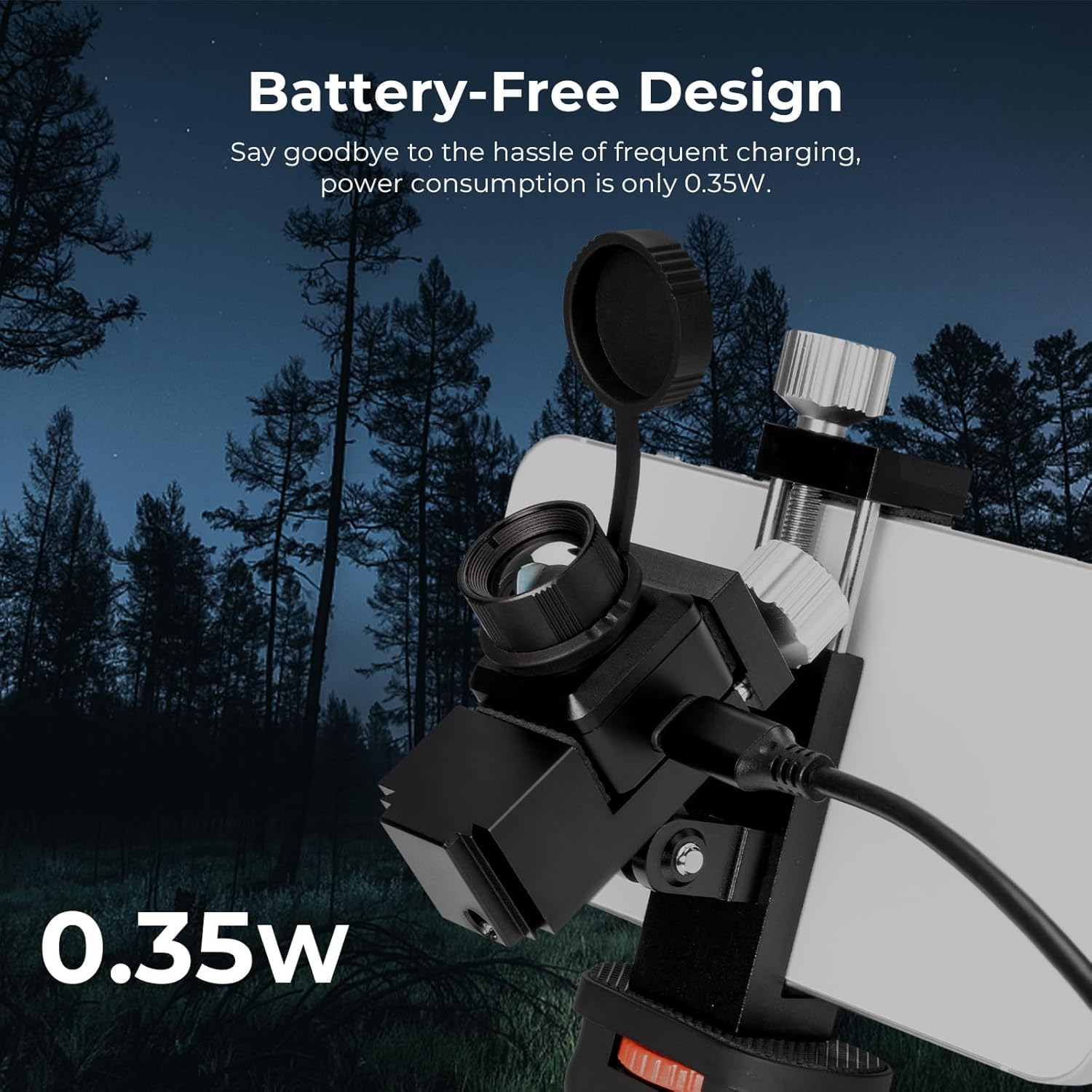
Image: The InfiRay T2 Pro connected to a smartphone, highlighting its battery-free design and low power consumption.
3. Initial Launch
Once connected, open the "Xinfrared" application. The thermal image from the monocular should appear on your screen. If not, check the connection and ensure the app has all necessary permissions.
Instruccions de funcionament
Thermal Imaging and Resolution
The InfiRay T2 Pro features a 256x192 IR resolution and a 25Hz refresh rate, providing clear and smooth thermal imagery. The Matrix III exclusive Image algorithm enhances image clarity, allowing for better target detection.

Image: Comparison of thermal image smoothness at 8Hz, 15Hz, and 25Hz refresh rates, demonstrating the clarity of 25Hz.
Funcionalitat de zoom
The monocular offers a 2X to 15X zoom capability. You can adjust the zoom level within the application using a two-finger swipe gesture on your smartphone screen. The 13mm adjustable lens allows for clear viewing of objects up to 660 yards away.

Image: A smartphone screen displaying the 2X to 15X zoom feature, with a thermal image of an animal.
Dynamic Hot Spot Tracking
The device features dynamic hot spot tracking, which automatically identifies and highlights the hottest point in the field of view. This function is useful for quickly locating targets, such as animals or heat leaks.

Image: A smartphone screen demonstrating the dynamic hot spot tracking feature, highlighting a warm object.
Viewing Modes (Dual-Mode Tap to Switch)
The InfiRay T2 Pro offers different viewing modes to optimize visibility based on environmental conditions:
- Full HD Mode (Green Eye): Provides ultra-clear and sharp thermal images, ideal for general observation.
- Highlight Mode (Red Eye): Emphasizes targets, particularly useful when prey is obscured by dense foliage or bushes.

Image: Side-by-side comparison of Full HD mode (green eye) and Highlight mode (red eye) displaying a peacock, illustrating the differences in thermal image presentation.
Mode Ninja
This exclusive non-exposure technology ensures complete stealth during outdoor use by minimizing any light emission from the device or screen, preventing detection by others.
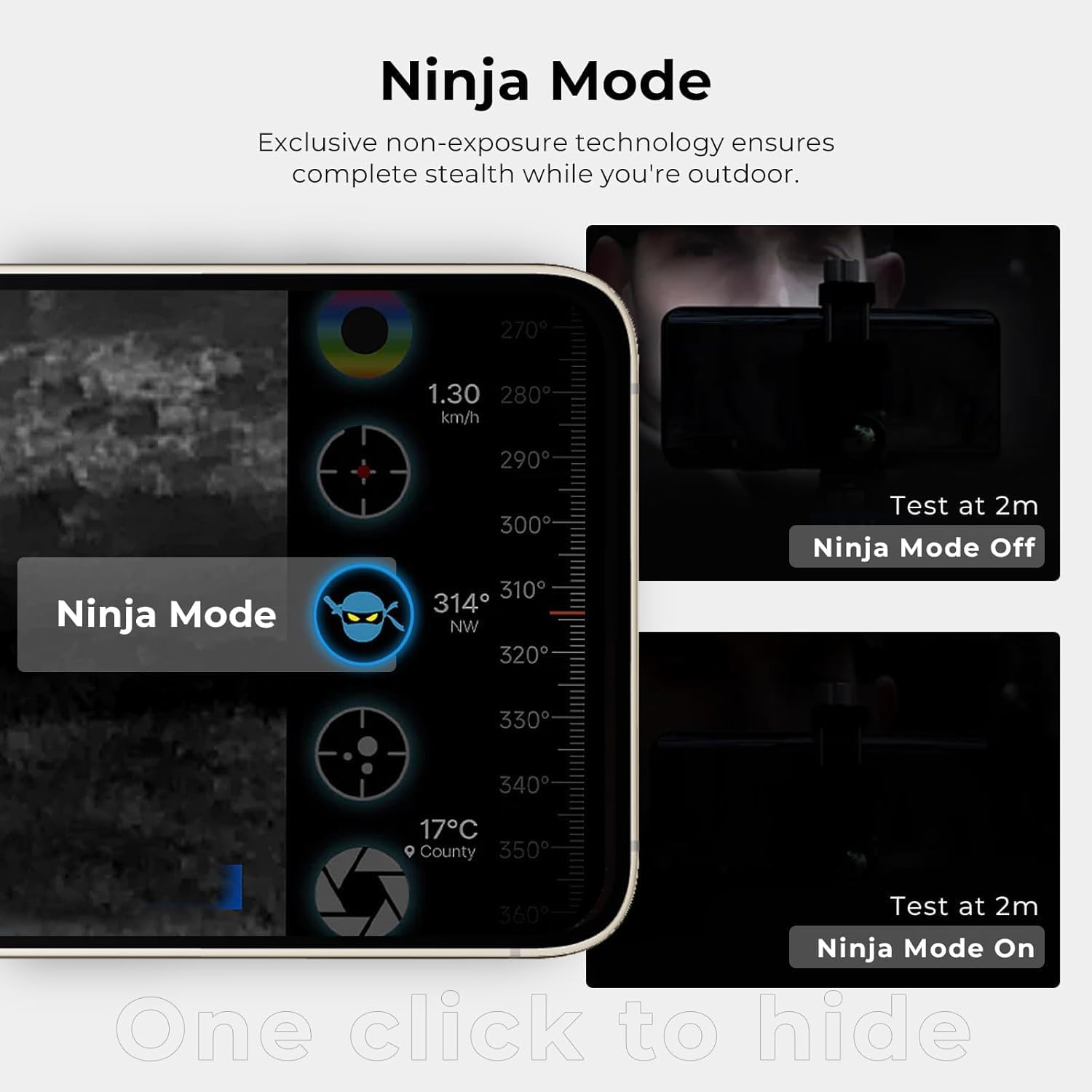
Image: A smartphone screen demonstrating the "Ninja Mode" feature, showing the difference between the mode being off and on, for stealth operation.
Manteniment
- Neteja: Use the provided cleaning cloth or a soft, lint-free cloth to gently wipe the lens and device body. Avoid abrasive materials or harsh chemicals.
- Emmagatzematge: Store the monocular in its protective case when not in use to prevent dust and damage. Keep it in a cool, dry place away from direct sunlight and extreme temperatures.
- Manipulació: Manipuleu el dispositiu amb cura. Eviteu deixar-lo caure ni sotmetre'l a impactes forts.
- Resistència a l'aigua: While designed for outdoor use, avoid submerging the device in water. Refer to product specifications for any stated water resistance ratings.
Resolució de problemes
| Problema | Causa possible | Solució |
|---|---|---|
| Device not recognized by phone / No image on screen. |
|
|
| La imatge està borrosa o desenfocada. |
|
|
| L'aplicació es bloqueja o es bloqueja. |
|
|
Especificacions
| Característica | Detall |
|---|---|
| Model | T2 Pro |
| Marca | InfiRay |
| Resolució | 256x192 IR |
| Distància focal | 13 mm |
| Camp de View (FOV) | 13.6° x 10.2° |
| Freqüència d'actualització | 25 Hz |
| Zoom | 2X - 15X |
| Interval de detecció | Fins a 1300 m |
| Consum d'energia | 0.35W (Battery-Free) |
| Dispositius compatibles | Android 6.0+ smartphones, Android 9.0+ mobile devices and tablets (Type-C port) |
| Pes de l'article | 1.76 lliures (uns 800 grams) |
| Color | Negre |

Image: Visual representation of the 13.6° x 10.2° Field of View (FOV).

Image: Illustration of supported Android smartphones and tablets, along with a schematic of the application interface.
Garantia i Suport
For warranty information and technical support, please refer to the official InfiRay weblloc web o contacteu directament amb el servei d'atenció al client. Conserveu el rebut de compra com a comprovant de compra per a reclamacions de garantia.
Fabricant: InfiRay
Model: T2 Pro
Per obtenir més ajuda, visiteu el InfiRay Store on Amazon o contactar amb els seus canals d'assistència.
Aplicacions
The InfiRay T2 Pro is versatile and can be used in a variety of scenarios:
- Hunting and Wildlife Exploration
- Patrolling and Security
- DIY Home Inspections (e.g., identifying insulation gaps)
- Car Repair (e.g., detecting overheating components)
- Mountaineering and Outdoor Navigation
- Observació d'animals
- Camping and Nighttime Exploration

Imatge: Examples of diverse applications for the InfiRay T2 Pro, including hunting, wildlife observation, and home inspections.