Introducció
This manual provides essential instructions for the ZdalaMit L5B83H voice replacement remote control. Please read this guide carefully to ensure proper setup and operation of your new remote with compatible Amazon Fire TV devices.
Compatibilitat
The ZdalaMit L5B83H remote is designed to be compatible with the following Amazon Fire TV devices:
- Fire TV Stick Lite
- Fire TV Stick (2nd Generation)
- Fire TV Stick 4K
- Fire TV Cube (1st Generation, 2nd Generation)
Nota: Aquest comandament a distància és no compatible with Amazon Fire TV (1st and 2nd Generation), Amazon Fire TV Smart TV, or Fire TV Stick (1st Generation).
Configuració i aparellament
Follow these steps to pair your ZdalaMit L5B83H remote with your Amazon Fire TV device:
- Prepare your Fire Stick: Disconnect your Fire Stick from your TV and remove its power source. After a few minutes, plug the Fire Stick back into your TV and reconnect its power.
- Inicia l'aparellament: Manteniu premut el botó Casa button on the new remote for 10 to 30 seconds. Release the button when the LED light on the remote begins to flash rapidly.
- Emparellament automàtic: Wait approximately 60 seconds. The remote will enter pairing mode (indicated by the LED flash) and should automatically pair with your device.
If the LED light turns off and the remote does not successfully pair, remove and reinsert the batteries from the remote, then repeat the pairing procedure starting from step 1.
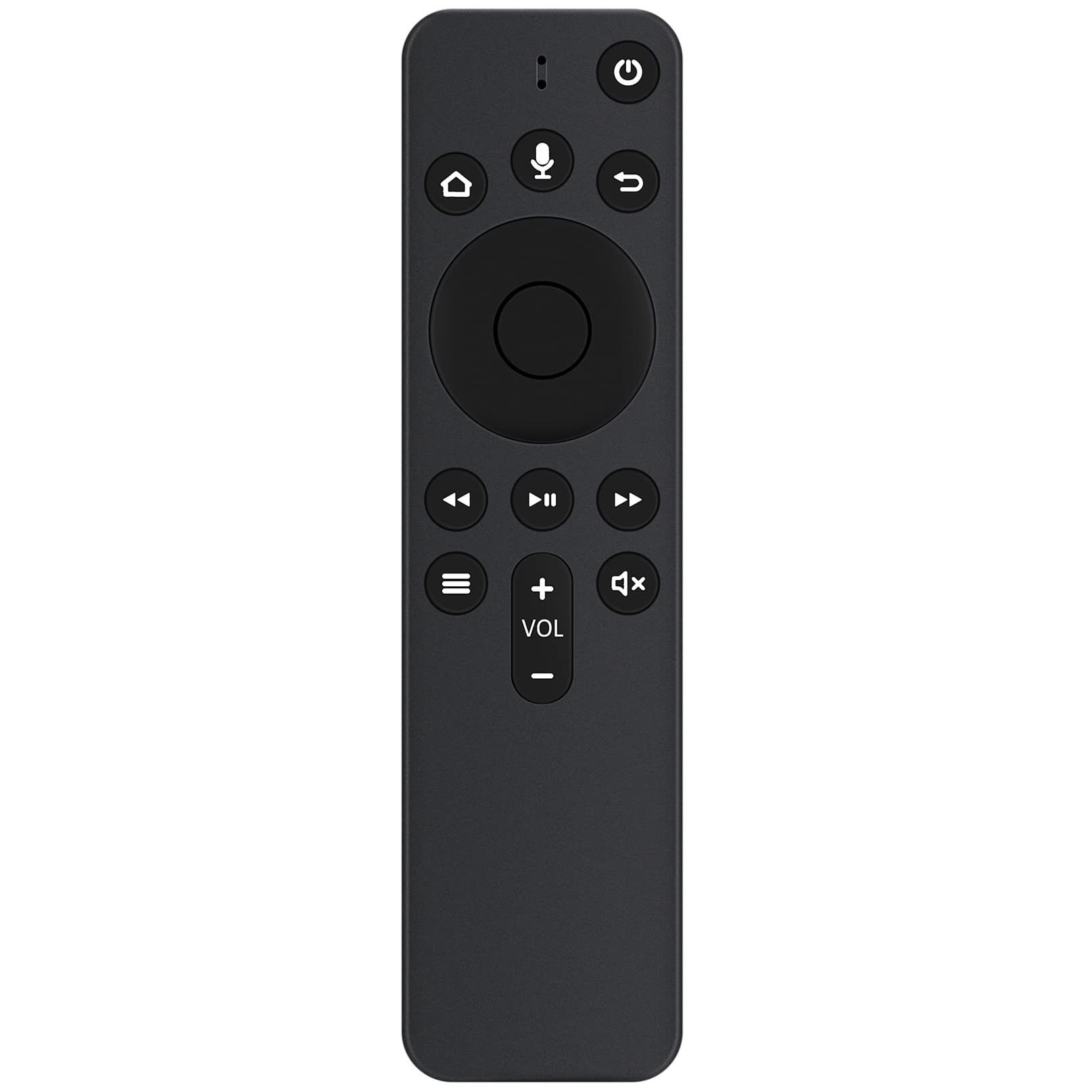
Imatge: Frontal view of the ZdalaMit L5B83H voice replacement remote. This image displays the layout of the buttons, including the power, home, back, and voice control buttons, as well as the directional pad and media playback controls.
Instruccions de funcionament
Once paired, the remote functions similarly to your original Amazon Fire TV remote. Key functions include:
- Navegació: Use the circular directional pad to move through menus and select items.
- Control de veu: Manteniu premut el botó veu button (microphone icon) to activate voice commands for searching content, launching apps, and more.
- Inici: Premeu el botó Casa button (house icon) to return to the main Fire TV interface.
- Enrere: Utilitza el Enrere button (curved arrow) to go back to the previous screen.
- Menú: El Menú button (three horizontal lines) provides additional options within applications.
- Control de volum: Utilitza el VOL + / - buttons to adjust the volume of your TV or sound system.
- Silenciar: Premeu el botó Silenciar button (speaker with 'x' icon) to silence the audio.
- Reproducció multimèdia: Control playback with the Reproduir/Pausa, Avança ràpida, i Rebobinar botons.
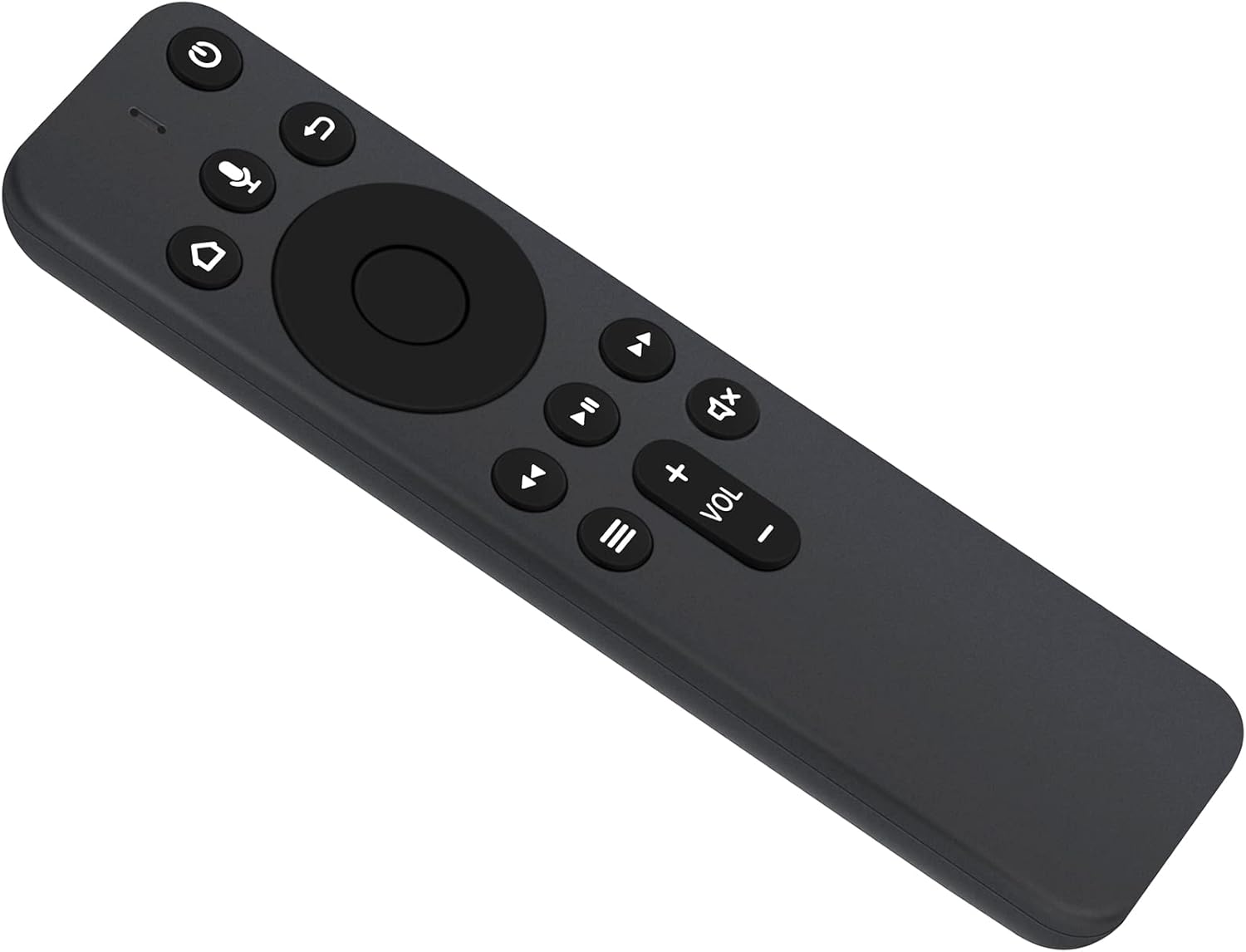
Imatge: Anglesa view of the ZdalaMit L5B83H remote. This perspective highlights the remote's shape and the tactile feel of its buttons.
Instal·lació i manteniment de la bateria
The ZdalaMit L5B83H remote requires two (2) AAA alkaline batteries for operation. Batteries are not included with the remote.
Instal·lació de la bateria:
- Localitza la tapa del compartiment de les piles a la part posterior del comandament a distància.
- Slide the cover down or press the latch to open it.
- Insert two AAA alkaline batteries, ensuring the positive (+) and negative (-) terminals match the diagrams inside the compartment.
- Torneu a col·locar la tapa del compartiment de la bateria fins que sentiu un clic i quedi ben fixada al seu lloc.
Manteniment de la bateria:
- Replace batteries when the remote's performance degrades or the LED indicator for pairing no longer functions as expected.
- No barregeu piles velles i noves, o diferents tipus de piles.
- Traieu les piles si no heu d'utilitzar el comandament a distància durant un període prolongat per evitar fuites.
Resolució de problemes
If you experience issues with your ZdalaMit L5B83H remote, try the following troubleshooting steps:
- El comandament a distància no respon: Assegureu-vos que les piles estiguin correctament instal·lades i que tinguin prou càrrega. Canvieu les piles si cal.
- Problemes d'aparellament: If the remote fails to pair after following the initial setup steps, remove the batteries from the remote, wait a few seconds, reinsert them, and then repeat the pairing process from step 1 in the "Setup and Pairing" section.
- Interferència: Ensure there are no obstructions between the remote and your Fire TV device. Other electronic devices might cause interference; try moving them further away.
- Fire TV Device Restart: Sometimes, restarting your Fire TV device can resolve connectivity issues. Unplug the power adapter from your Fire TV device for a few seconds, then plug it back in.
Especificacions
| Marca | ZdalaMit |
| Número de model | L5B83H |
| Tecnologia de connectivitat | Bluetooth |
| Color | Negre |
| Font d'alimentació | 2 piles alcalines AAA (no incloses) |
| Dimensions del producte | 15.24 x 5.08 x 1.27 cm (6 x 2 x 0.5 polzades) |
| Pes de l'article | 56.7 g (2 unces) |
Contingut del paquet
El paquet inclou:
- 1 x ZdalaMit L5B83H Voice Replacement Remote Control
Nota: Les piles no estan incloses i s'han de comprar per separat.
Suport
If you have any questions or require further assistance with your ZdalaMit L5B83H remote, please contact the manufacturer or your retailer for support.


