Introducció
This manual provides detailed instructions for the installation, operation, and maintenance of your Walfront Water Timer. This smart irrigation controller is designed to simplify your garden watering tasks, offering flexible scheduling and remote control via the Smart Life application. Please read this manual thoroughly before use to ensure proper functionality and longevity of the product.
Informació de seguretat
- Do not expose the device to extreme temperatures outside its operating range (2.9psi-116psi).
- Assegureu-vos que totes les connexions estiguin ben fixades per evitar fuites.
- Do not immerse the device in water. While it is IP55 rated for water resistance, it is not designed for submersion.
- Mantenir fora de l'abast dels nens.
- Utilitzeu només els tipus de bateries recomanats.
Contingut del paquet
- Walfront Water Timer Unit
- 3/4in Male Thread Adapter
- Cinta de tefló
- Manual d'usuari (aquest document)
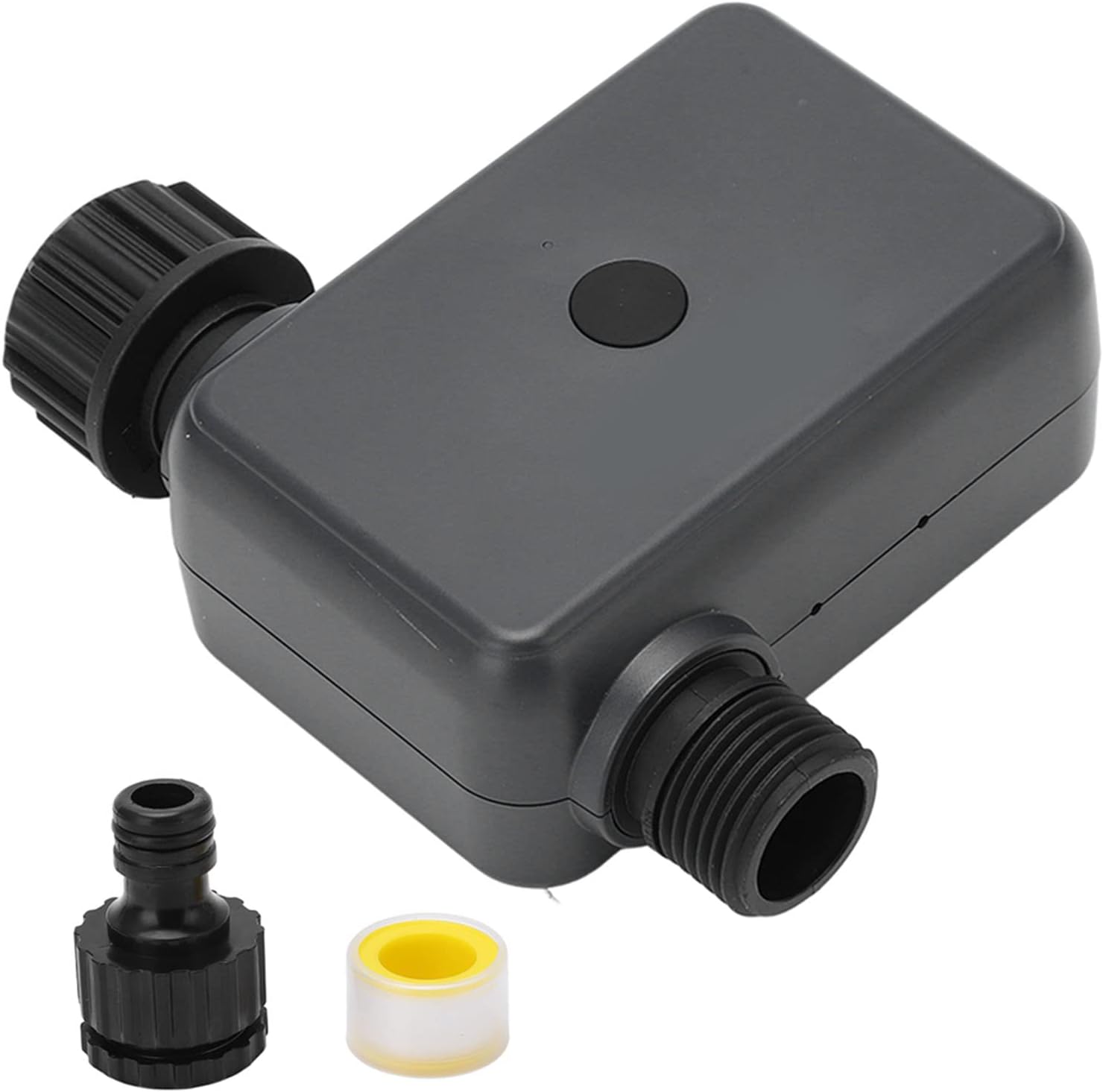
Image: The Walfront Water Timer unit, along with a black threaded adapter and a roll of yellow Teflon tape.
Producte acabatview
The Walfront Water Timer features a robust design for outdoor use, with a simple button for manual operation and connectivity indicators. It includes a 3/4-inch male thread for connection to standard garden hoses or faucets.

Imatge: Un primer pla view of the 3/4-inch male threaded outlet on the Walfront Water Timer.

Imatge: Un primer pla view of the female threaded inlet with an integrated filter screen on the Walfront Water Timer.
Configuració
1. Instal·lació de la bateria
The water timer requires batteries for operation. Locate the battery compartment, typically on the back or side of the unit. Insert the required batteries, ensuring correct polarity. Securely close the compartment.

Image: A diagram illustrating the IP55 water resistance rating and the location of the battery compartment on the Walfront Water Timer.
2. Instal·lació física
- Apply Teflon tape to the threads of your outdoor faucet for a watertight seal.
- Screw the Walfront Water Timer onto the faucet. Ensure it is hand-tightened securely.
- Connecteu la mànega del jardí o el sistema de reg a la sortida del temporitzador d'aigua.
3. App Connection (Smart Life APP)
- Download the 'Smart Life' application from your mobile device's app store (iOS or Android).
- Registra't o inicia la sessió al teu compte de Smart Life.
- Assegureu-vos que el Bluetooth del telèfon estigui activat.
- In the Smart Life app, tap 'Add Device' or the '+' icon. The app should automatically detect the water timer via Bluetooth.
- Follow the on-screen prompts to pair the device. You may need a Bluetooth hub for remote control functionality beyond local Bluetooth range.

Image: A smartphone displaying the Smart Life app interface, showing a Bluetooth hub connected to the watering timer, with the timer physically attached to a faucet in the background.
Instruccions de funcionament
The Walfront Water Timer offers three primary working modes: Automatic, Manual, and Delay Watering.
1. Reg automàtic
Set up your watering schedule through the Smart Life APP. You can configure start times, duration, and frequency for automated irrigation.

Image: A split image showing the water timer connected to a faucet and a sprinkler watering a garden, alongside a person using the Smart Life app on a laptop and phone to control the irrigation.
2. Reg manual
For immediate watering needs, you can activate manual watering via the app or the button on the device. In the app, select 'Manual Duration' and set the desired watering time.

Image: A smartphone screen displaying the Smart Life app with a 'Manual Duration' setting of 10 minutes for the watering timer, with the physical timer and a watering hose in the background.
3. Delay Watering (Rain Delay)
To conserve water during rainy periods, you can set a delay for your watering schedule. The Smart Life app allows you to postpone watering for 24, 48, or 72 hours.
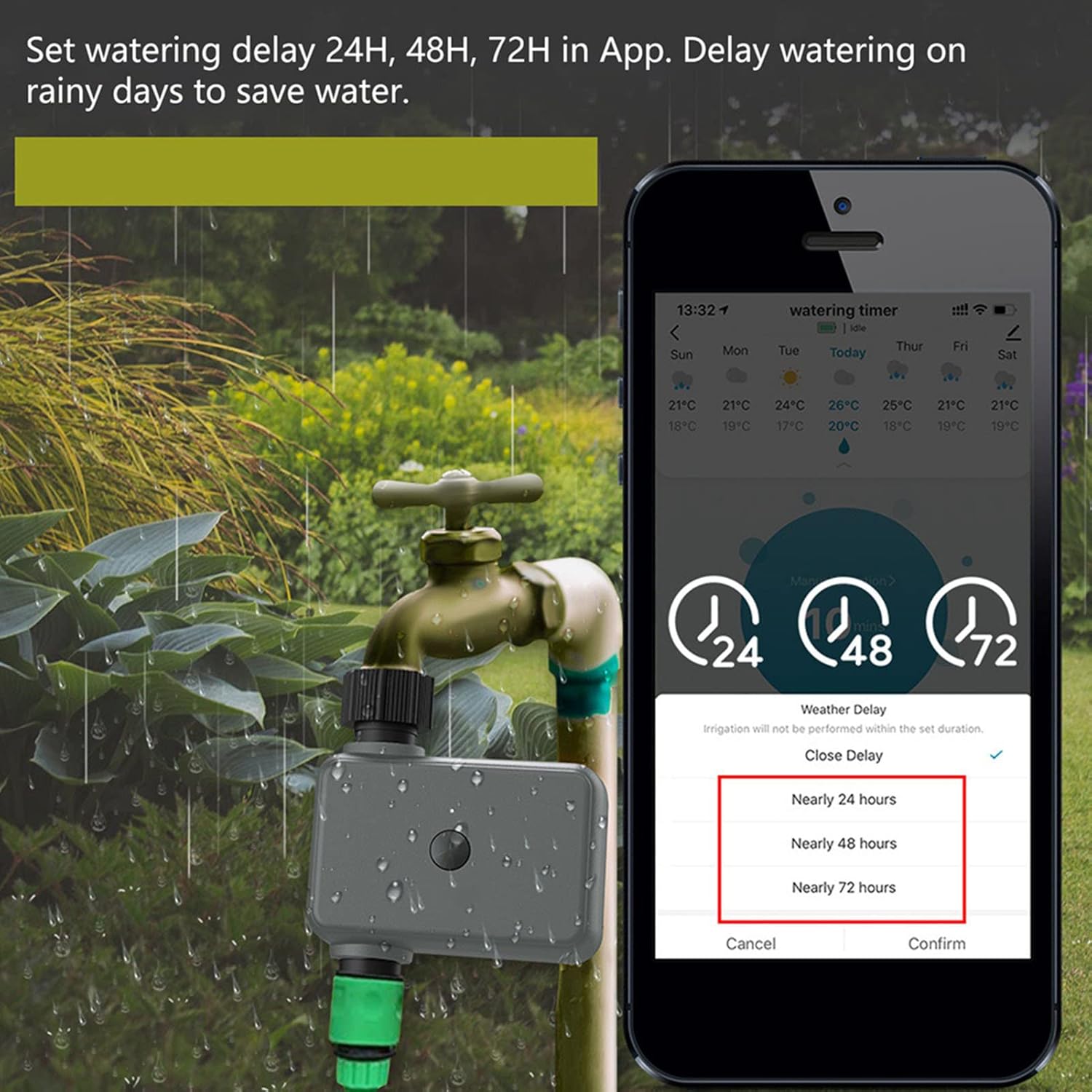
Image: A smartphone screen showing the Smart Life app with options to set a watering delay for 24, 48, or 72 hours, with the water timer connected to a faucet in a garden setting.
4. Remote Control and History
With the Smart Life app and a connected Bluetooth hub, you can remotely control your water timer, check irrigation history, and pre-set schedules from anywhere.
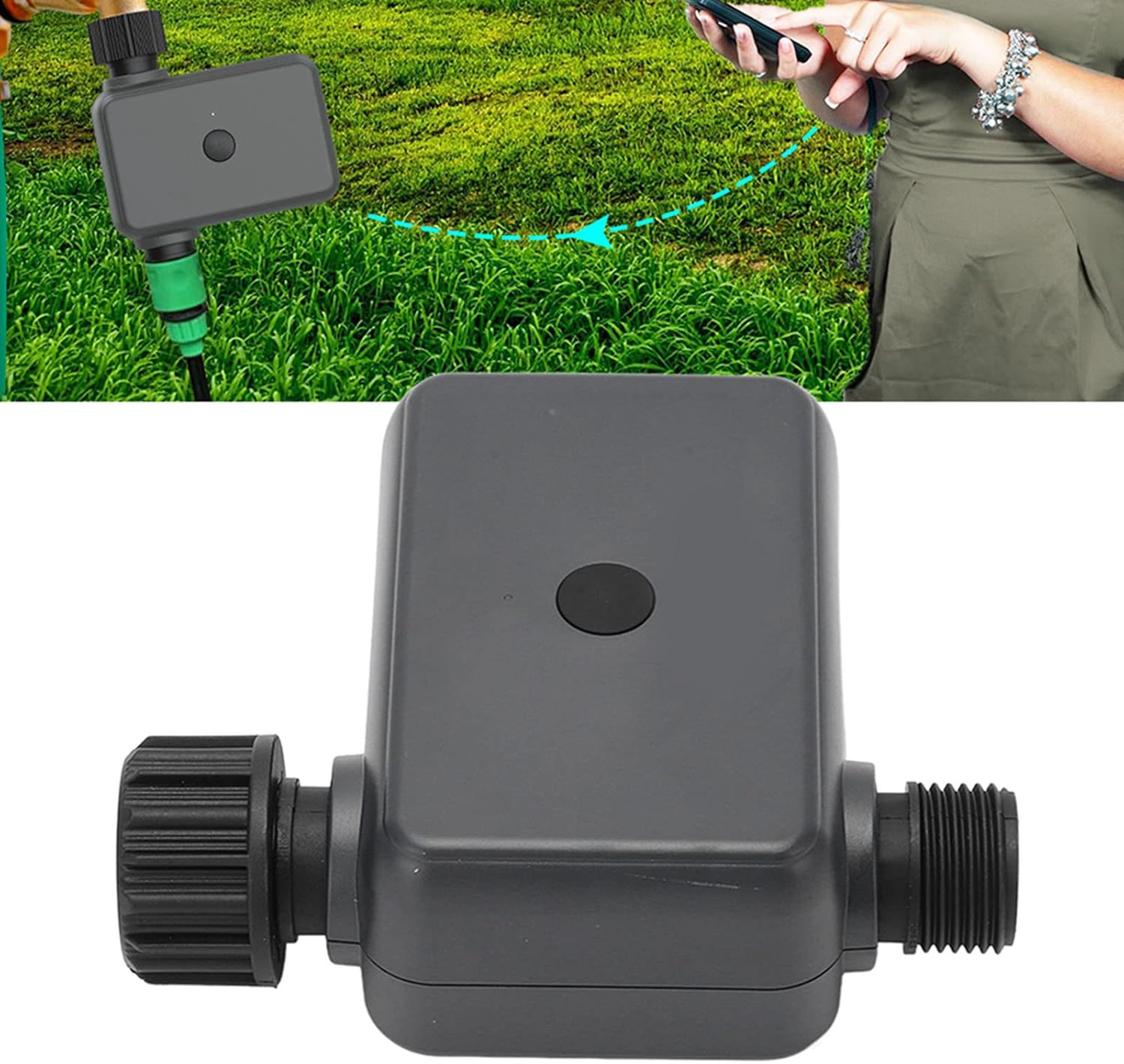
Image: A person using a smartphone to interact with the Smart Life app, with the Walfront Water Timer connected to a hose in a grassy area, illustrating remote control capabilities.
Manteniment
- Neteja: Periodically clean the exterior of the timer with a damp tela. No utilitzeu netejadors abrasius.
- Manteniment del filtre: The inlet connection has a filter screen. Regularly check and clean this filter to prevent debris from clogging the timer and affecting water flow.
- Substitució de la bateria: Replace batteries when the low battery indicator appears in the app or on the device, or if the device stops responding.
- Hivernització: Before the first frost, disconnect the water timer from the faucet and hose. Remove batteries and store the unit indoors in a dry, protected area to prevent damage from freezing temperatures.
Resolució de problemes
| Problema | Causa possible | Solució |
|---|---|---|
| Water timer not turning on/off | Low batteries; Valve obstruction; App communication issue. | Replace batteries; Check for debris in the valve/filter; Re-pair with app; Ensure Bluetooth hub is online. |
| Sense flux d'aigua o baixa pressió | Faucet not fully open; Clogged filter; Hose kinked. | Ensure faucet is fully open; Clean the inlet filter; Straighten the hose. |
| Cannot connect to Smart Life APP | Bluetooth off; Device out of range; App not updated. | Enable Bluetooth on phone; Move closer to the device; Update Smart Life app; Restart phone and device. |
| Timer leaks at connections | Loose connection; Missing/damaged washer; Insufficient Teflon tape. | Tighten connections; Check for and replace missing/damaged washers; Reapply Teflon tape. |
Especificacions
- Marca: Walfront
- Número de model: Walfront6t21dbvp3i6420
- Color: Negre
- Material: Strengthened ABS
- Dimensions del producte: 4.41 x 1.03 x 4.47 polzades
- Pes de l'article: 12.6 unces (0.36 quilograms)
- Pressió de treball: 2.9psi - 116psi
- Classificació de resistència a l'aigua: IP55
- Nombre de configuracions: 3 (Automatic, Manual, Delay)
- Connectivitat: Bluetooth (requires Bluetooth hub for remote access)
- Primera data disponible: 19 d'agost de 2022
Garantia i Suport
For warranty information and technical support, please refer to the documentation included with your purchase or contact Walfront customer service through their official website or the retailer where the product was purchased. Please have your model number (Walfront6t21dbvp3i6420) ready when contacting support.
