1. Introducció
This manual provides detailed instructions for the BINNUNE BG02 Wired Gaming Headset. Please read this manual thoroughly before using the product to ensure proper operation and to maximize your gaming experience. This headset is designed for immersive audio and clear communication across multiple gaming platforms.
2. Contingut del paquet
Verifiqueu que tots els elements que s'enumeren a continuació s'inclouen al vostre paquet:
- BINNUNE BG02 Wired Gaming Headset
- Cable d'àudio de 3.5 mm amb controls en línia
- PC Splitter Cable (for separate audio/mic ports)
- Guia d'inici ràpid

Image: The BINNUNE BG02 headset, its braided cable with in-line controls, a PC splitter cable, and a quick start guide, laid out on a dark background.
3. Característiques del producte
- Àudio immersiu: High-precision 50mm drivers with titanium-coated diaphragms deliver clear audio and enhanced acoustics for an immersive gaming experience.
- Comunicació clara: Unidirectional boom microphone with noise-cancellation technology ensures effective communication with teammates by suppressing background noise.
- Àmplia compatibilitat: Compatible with PC, PS4, PS5, Xbox One, Xbox Series X|S, Nintendo Switch, laptops, tablets, and smartphones via a 3.5mm interface.
- Disseny còmode: Features memory foam ear cushions and a soft headband for extended comfort during long gaming sessions.
- Controles convenients: In-line audio controls on the braided cable include a volume slider and a microphone mute button for quick adjustments.
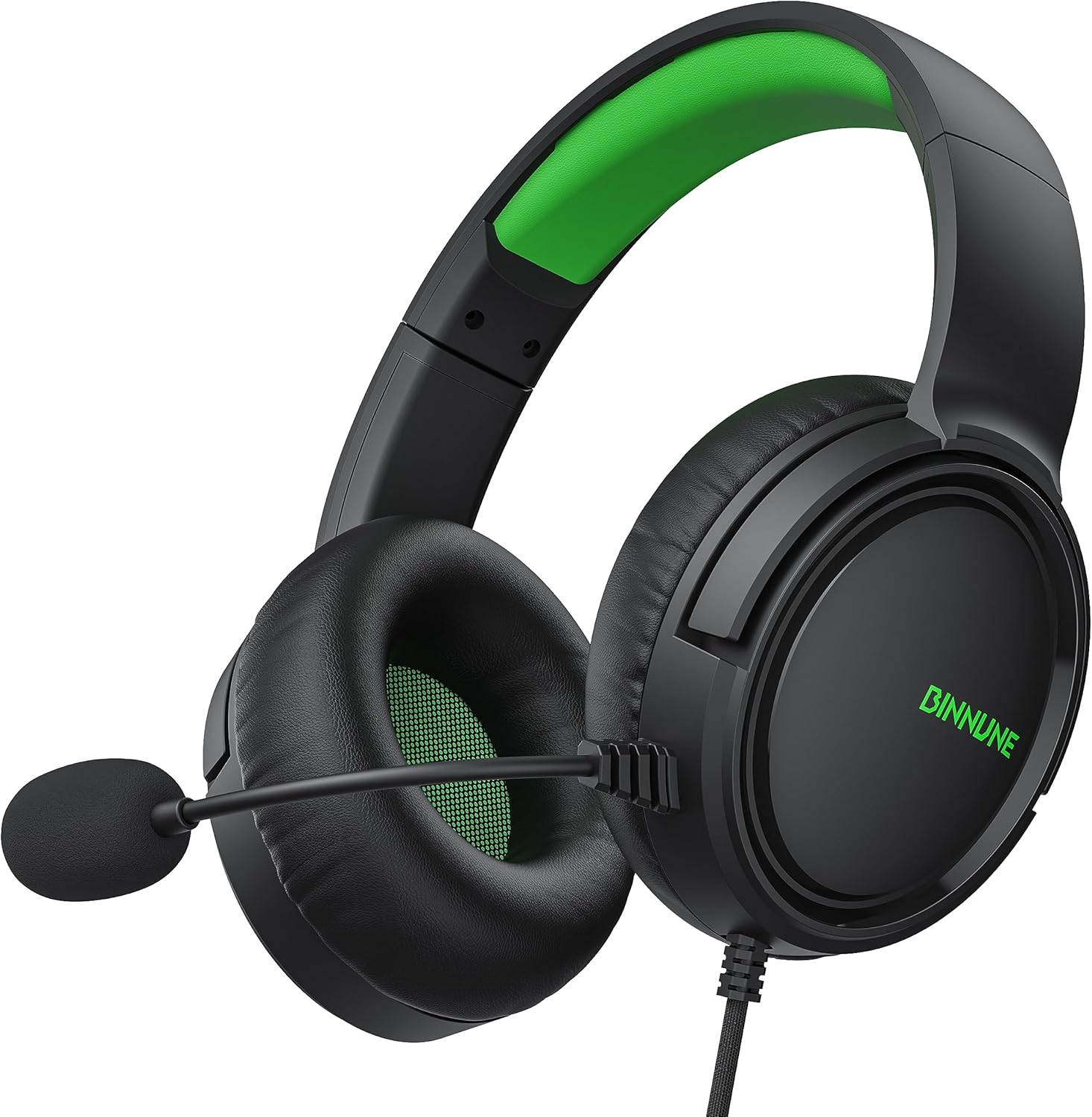
Imatge: Un primer pla view of the BINNUNE BG02 Wired Gaming Headset, showcasing its black and green design, earcups, and adjustable microphone.
4. Instruccions de configuració
4.1 Connecting to Gaming Consoles (PS4, PS5, Xbox One, Xbox Series X|S, Nintendo Switch)
- Locate the 3.5mm audio jack on your console's controller (or console itself for some Switch setups).
- Plug the 3.5mm connector from the headset's braided cable directly into the audio jack.
- Adjust audio settings on your console as needed to ensure the headset is recognized and audio output/input levels are correct.

Image: The BINNUNE BG02 headset connected to an Xbox Series X controller, with an Xbox Series X console in the background, illustrating console compatibility.
4.2 Connecting to PC/Laptops with Separate Audio/Mic Ports
- Connect the headset's 3.5mm connector to the female end of the included PC splitter cable.
- Plug the green-colored male connector of the splitter cable into your PC's audio output (headphone) jack.
- Plug the pink-colored male connector of the splitter cable into your PC's microphone input jack.
- Ensure your PC's sound settings are configured to use the connected headset for both playback and recording.
4.3 Connecting to Laptops/Tablets/Smartphones with a Single 3.5mm Port
- Plug the headset's 3.5mm connector directly into the device's combined audio/mic jack.
- The device should automatically detect the headset for both audio output and microphone input.

Image: The BINNUNE BG02 headset positioned among various compatible devices including a Nintendo Switch, PlayStation 5, Xbox console, laptop, and smartphone, demonstrating cross-platform compatibility.
5. Instruccions de funcionament
5.1 Ús del micròfon
- The microphone is flexible and can be adjusted to your preferred position for optimal voice pickup.
- Ensure the microphone is positioned close to your mouth for clear communication.

Image: A person wearing the BINNUNE BG02 headset, with the flexible unidirectional boom microphone positioned near their mouth, highlighting its voice capture capabilities.
5.2 In-line Audio Controls
The braided cable features an in-line control unit for quick adjustments:
- Deslizador de volum: Slide up or down to increase or decrease the headset's audio volume.
- Botó de silenci del micròfon: Press the button to mute or unmute the microphone. An indicator (if present) will show the microphone status.

Image: A close-up of the in-line audio control unit on the headset's braided cable, showing the volume slider and microphone mute button, along with the 3.5mm jack.
6. Manteniment i cura
- Neteja: Use a soft, dry cloth to clean the headset. Do not use liquid cleaners or abrasive materials.
- Emmagatzematge: Guardeu els auriculars en un lloc fresc i sec, allunyat de la llum solar directa i de temperatures extremes.
- Cura del cable: Eviteu doblegar el cable bruscament o estirar-lo massa per evitar danys.
- Coixinets per a les orelles: Reviseu periòdicament els coixins de les orelles per detectar possibles danys o deterioraments. El fabricant pot oferir coixins de recanvi.
7. Solució De Problemes
| Problema | Causa possible | Solució |
|---|---|---|
| No hi ha so dels auriculars. |
|
|
| El micròfon no funciona. |
|
|
| La qualitat del so és deficient. |
|
|
8. Especificacions
| Nom del model | BG02 |
| Tecnologia de connectivitat | Cablejat (connector de 3.5 mm) |
| Mida del controlador d'àudio | 50 mil·límetres |
| Interval de freqüència | 20 Hz - 20,000 Hz |
| Sensibilitat | 97 dB |
| Impedància | 32 ohms |
| Control de soroll | Aïllament acústic |
| Micròfon | Unidirectional, Noise-Cancellation |
| Controls | In-line Volume Control, Microphone Mute Button |
| Característica del cable | Cable trenat |
| Dispositius compatibles | PC, PS4, PS5, Xbox One, Xbox Series X|S, NS, Laptops, Tablets, Smartphones |
| Material | Plàstic |
| Dimensions del producte | 7.48 x 7.87 x 3.94 polzades |
| Pes de l'article | 9 unces |

Image: An exploded diagram showing the internal components of the headset's earcup, highlighting the 50mm titanium-coated audio drivers.
9. Garantia i Suport
BINNUNE products are designed for reliability and performance. For warranty information, technical support, or customer service inquiries, please refer to the contact information provided in your product packaging or visit the official BINNUNE weblloc.
Conserveu el vostre comprovant de compra per a reclamacions de garantia.


