Introducció
The Anderic RRCM7500 remote control is designed as a direct replacement for the Channel Master CM7500XRC2 Digital TV Tuner DVR Converter Remote Control. This remote offers 100% compatibility and functions identically to the original Channel Master remote, providing a seamless user experience.
Key features include backlit keys for improved visibility in low light conditions, and comprehensive programmability to control various devices. It is pre-programmed for Channel Master DVRs and Samsung TVs, and supports programming for secondary devices like other TVs and audio equipment.

Image: Comparison of the Anderic RRCM7500 remote (right) and the original Channel Master remote (left), highlighting the similar layout and design.
Configuració i ús inicial
1. Instal·lació de la bateria
The Anderic RRCM7500 remote requires two (2) AAA batteries (not included). To install the batteries:
- Localitzeu el compartiment de la bateria a la part posterior del comandament a distància.
- Feu lliscar la tapa de la bateria cap avall per obrir-la.
- Introduïu dues piles AAA, assegurant-vos que els terminals positiu (+) i negatiu (-) s'alineïn correctament amb els indicadors de l'interior del compartiment.
- Feu lliscar la coberta de la bateria al seu lloc fins que faci un clic de manera segura.
For added security and to prevent battery theft or loss of the battery cover in high-traffic environments, an optional security cable attachment (PN: CBL01, sold separately) can be used with the provided screw.

Image: The battery compartment of the Anderic RRCM7500, illustrating the placement of AAA batteries and the screw for the optional security cable.
2. Initial Programming (for non-Channel Master devices)
While the RRCM7500 is pre-programmed for Channel Master DVRs and Samsung TVs, it can be programmed to control other televisions and audio equipment. A complete database of codes and detailed instructions are included with the product for various programming methods, including code search and quick code entry.
For simple 3-step modification:
- Turn on the device (e.g., TV) manually.
- Manteniu premut el botó CONFIGURACIÓ key on the remote for 3 seconds until the light remains on; then release the key.
- Enter the specific code provided in the code book for your device.
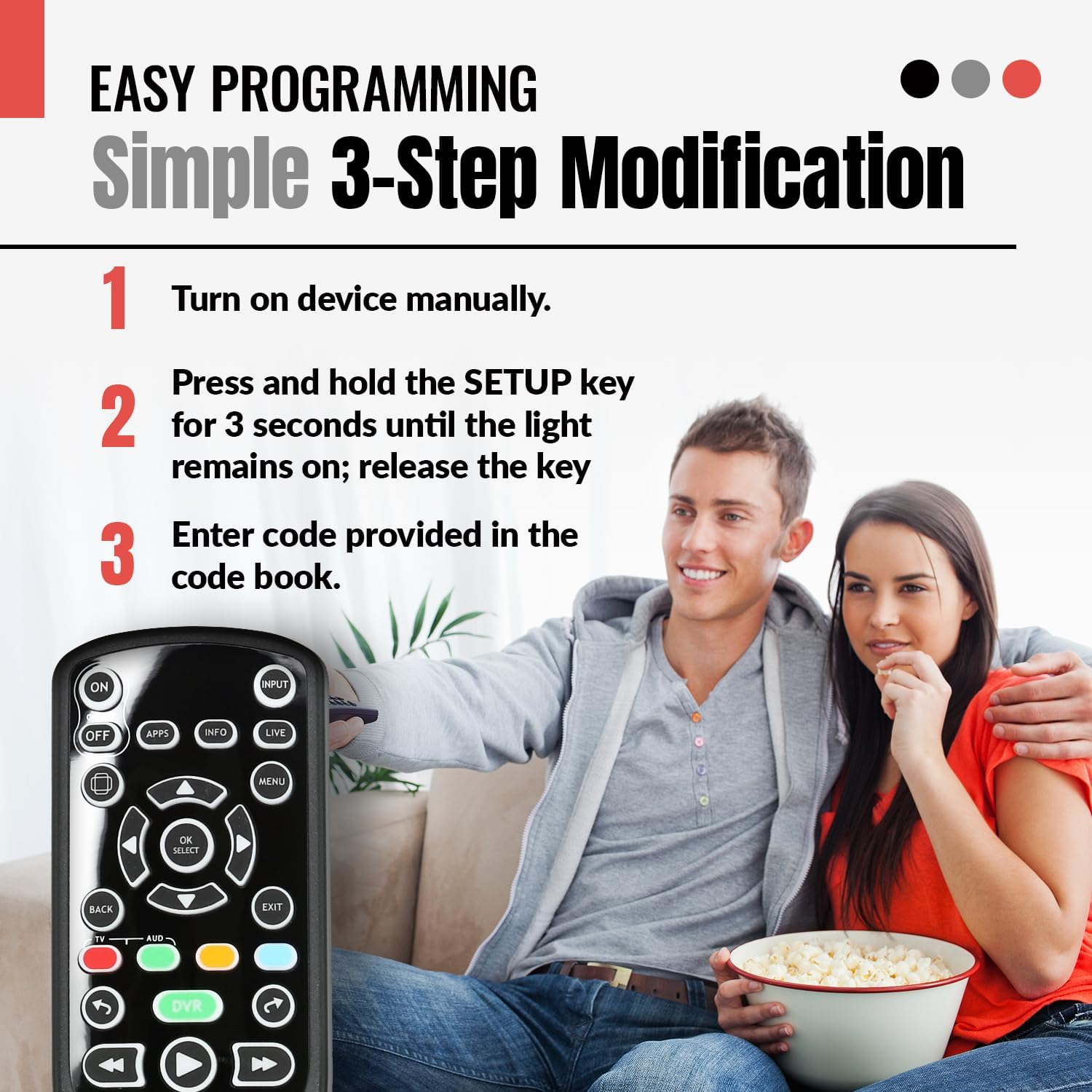
Image: Visual guide to the simple 3-step programming process for the remote, demonstrating how to set it up for other devices.
Instruccions de funcionament
The Anderic RRCM7500 remote is designed with a simplified layout for ease of use, replicating the functionality of the original Channel Master CM7500XRC2 remote. It offers intuitive control over your Channel Master DVR and connected television.
Funcions clau:
- Encès/Apagat: Controls the power of your Channel Master device and programmed TV.
- Entrada: Switches video inputs on your television.
- APPS, INFO, LIVE, MENU: Accesses specific functions and menus on your Channel Master DVR.
- Navigation Pad (OK/SELECT, UP/DOWN/LEFT/RIGHT): S'utilitza per a la navegació i selecció de menús.
- BACK, EXIT: Torna a la pantalla anterior o surt d'un menú.
- DVR Controls (Record, Play, Pause, Stop, Fast Forward, Rewind, Skip): Standard controls for DVR playback and recording.
- VOL+/-, MUTE: Adjusts television volume and mutes audio.
- CH PAGE+/-, Number Pad (0-9): Changes channels and allows direct channel entry.
- Tecles retroil·luminades: All keys are backlit, making it easy to operate the remote in dark environments.

Image: The remote's backlit keys glowing green, illustrating its ease of use in low-light conditions.
The remote is designed to auto-toggle between TV and set-top box control, and is pre-configured to work immediately with Channel Master boxes, simplifying your entertainment setup.

Image: Illustration of the remote's ability to control both a TV and a Channel Master box seamlessly.
Manteniment
Substitució de la bateria:
When the remote's performance degrades or it stops responding, it is likely time to replace the batteries. Follow the battery installation steps outlined in the "Setup and Initial Use" section. Always replace both AAA batteries simultaneously with new ones.
Neteja:
To clean the remote control, use a soft, dry cloth. For stubborn dirt, a slightly damp cloth can be used, but ensure no moisture enters the remote. Avoid using harsh chemicals or abrasive cleaners, as these can damage the remote's surface or internal components.
Resolució de problemes
| Problema | Causa possible | Solució |
|---|---|---|
| El comandament a distància no respon. | Dead or incorrectly installed batteries. Obstruction between remote and device. Device not powered on. | Replace batteries, ensuring correct polarity. Remove any obstructions. Ensure device is powered on. |
| Certs botons no funcionen. | Remote not programmed correctly for the specific device function. | Refer to the included programming instructions to re-program the remote for the specific device or function. Ensure the correct code is used. |
| La retroiluminació no funciona. | Potència de bateria baixa. | Substituïu les piles. |
| Remote does not control TV/Audio device. | Incorrect programming code or programming not completed. | Re-attempt programming using the 3-step method or code search. Try alternative codes for your TV/Audio device from the code database. |
If you encounter persistent issues or require further assistance, please contact Anderic customer support.
Especificacions
- Número de model: RRCM7500
- Dimensions del producte: 7.75 x 2 x 1 inches (Length x Width x Thickness)
- Pes de l'article: 4.5 unces
- Bateries necessàries: 2 x AAA (sold separately)
- Característiques especials: Ergonomic design, Backlit keys
- Nombre màxim de dispositius admesos: 2 (Channel Master DVR + 1 other device like TV/Audio)
- Dispositius compatibles: Channel Master DVRs (CM7001, CM7004, CM7500GB16, CM7500TB1, CM7500XRC2), Cable, Converter Box, Antenna, various TVs.

Image: Dimensions of the Anderic RRCM7500 remote control and a visual representation of the required AAA batteries.
Garantia i Suport
Anderic is committed to providing high-quality products and outstanding customer support. For any inquiries, technical assistance, or warranty information, please contact Anderic customer support directly.
You can reach Anderic support by calling 1-855-ANDERIC.
Anderic is a registered trademark of Dan's Electronics Etc., Inc. Anderic and Dan's Electronics Etc., Inc. are not affiliated with any other brands. All rights reserved.


