1. Producte acabatview
The ECHTPower T-50 is a wired vertical ergonomic mouse designed for right-handed users, aiming to provide a comfortable computing experience and reduce wrist strain. It features 9 programmable buttons, 6 adjustable DPI levels, and customizable RGB lighting, making it suitable for both general use and gaming on PC computers.
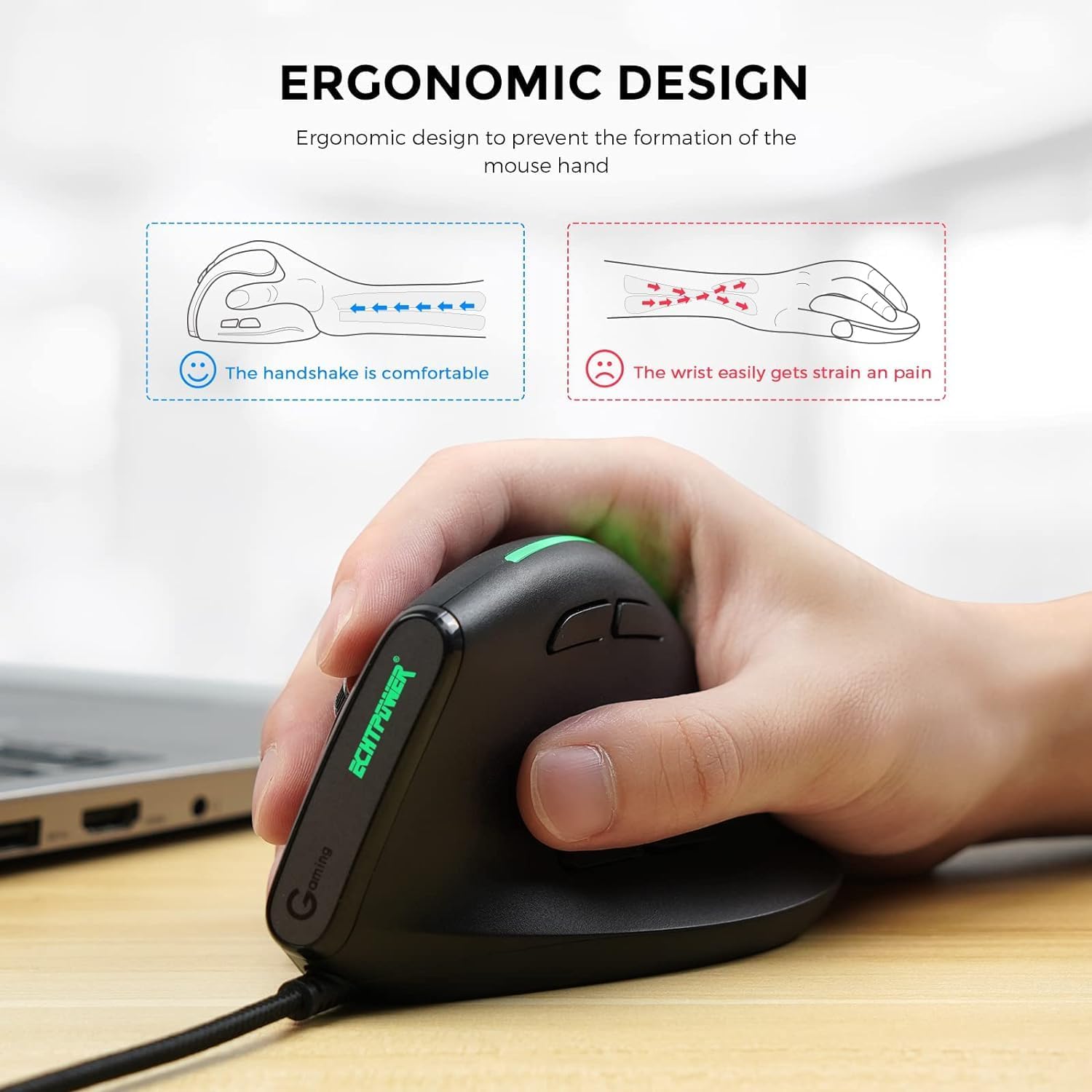
Figure 1: Ergonomic Design Principle. This image illustrates how the vertical design promotes a natural 'handshake' grip, which can help prevent wrist strain compared to the flat grip of a conventional mouse.

Figure 2: Mouse Button Layout and Dimensions. This diagram labels the Left, Right, Scroll Wheel, DPI Switch, LED Light Switch, Light Button, Forward, and Back buttons. It also indicates the mouse dimensions as 12 cm (height) and 6.5 cm (width) with a base height of 7.3 cm.
2. Instruccions de configuració
The ECHTPower T-50 vertical ergonomic mouse is a plug-and-play device, requiring no additional drivers for basic functionality on most operating systems.
2.1 Connexió del ratolí
- Localitzeu un port USB disponible al vostre ordinador.
- Insert the USB connector of the ECHTPower T-50 mouse into the USB port.
- L'ordinador detectarà i instal·larà automàticament els controladors necessaris. Aquest procés pot trigar uns instants.
- Un cop instal·lat, el ratolí estarà llest per al seu ús.
For advanced customization of programmable buttons, specific software may be required. Please refer to the manufacturer's weblloc web per a qualsevol descàrrega de programari disponible.
3. Instruccions de funcionament
Familiarize yourself with the various buttons and features of your ECHTPower T-50 mouse to optimize your user experience.
3.1 Funcions dels botons
- Botó esquerre: Funció estàndard del clic esquerre.
- Botó dret: Funció estàndard del clic dret.
- Roda de desplaçament: Desplaça't amunt/avall pels documents i web pàgines. També es pot prémer per a la funcionalitat de clic central.
- Botó de commutació de DPI: Canvia ciclísticament pels nivells de sensibilitat de DPI.
- Botó Endavant: Navega cap endavant web navegadors o file exploradors.
- Botó enrere: Navega cap enrere web navegadors o file exploradors.
- Botó de llum: Controls RGB lighting modes or turns the lighting on/off.
- Interruptor de llum LED: An additional switch to control the LED lighting.
3.2 Ajust de DPI
The mouse features 6 adjustable DPI (Dots Per Inch) levels, allowing you to change cursor speed and precision on the fly. Press the Botó de commutador DPI to cycle through the following settings:
- 1000 DPI
- 1600 DPI
- 2400 DPI
- 3200 DPI
- 4800 DPI
- 12800 DPI
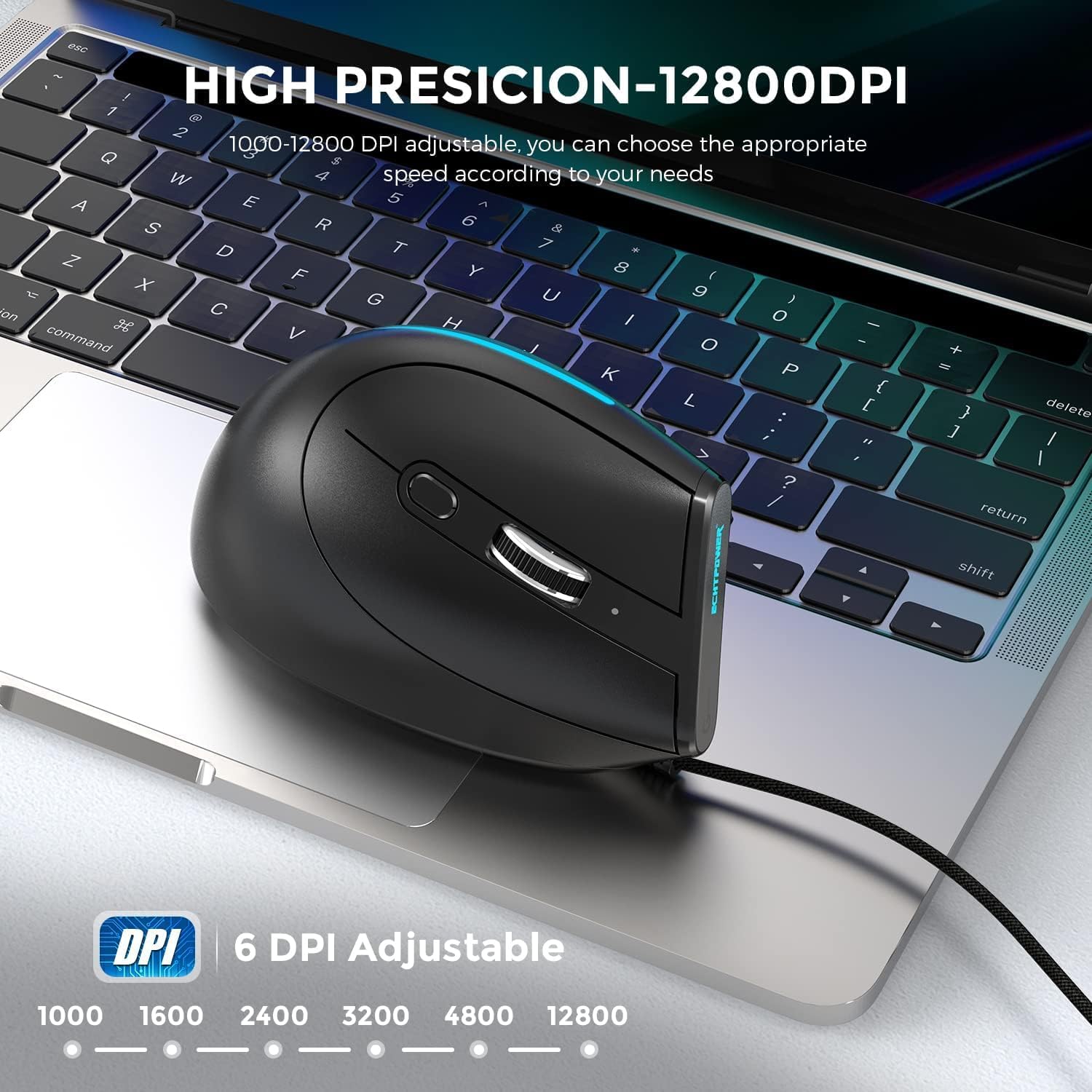
Figure 3: High Precision DPI Adjustment. This image shows the mouse in use and highlights the 6 available DPI settings (1000, 1600, 2400, 3200, 4800, 12800) for precise control.
Il·luminació RGB 3.3
The ECHTPower T-50 mouse features a programmable RGB lighting strip. Use the Botó de llum or Interruptor de llum LED to change lighting modes or turn the lighting on/off according to your preference. The lighting can be customized from 16 million colors.

Figure 4: Programmable RGB Lighting Strip. This image showcases the vibrant, customizable RGB lighting integrated into the mouse design.
4. Manteniment
Proper maintenance ensures the longevity and optimal performance of your ECHTPower T-50 mouse.
4.1 Neteja
- Desconnecteu el ratolí de l'ordinador abans de netejar-lo.
- Feu servir un drap suau, sec i sense borrissol per netejar la superfície del ratolí.
- Per a la brutícia persistent, lleugerament dampNetegeu el drap amb aigua o un netejador suau i no abrasiu. Eviteu la humitat excessiva.
- Do not use harsh chemicals, solvents, or abrasive cleaners, as these can damage the mouse's finish.
- Use a can of compressed air to clear dust from around buttons and the optical sensor.
4.2 Emmagatzematge
- Guardeu el ratolí en un lloc fresc i sec, allunyat de la llum solar directa i de temperatures extremes.
- Avoid placing heavy objects on the mouse or its cable.
5. Solució De Problemes
If you encounter issues with your ECHTPower T-50 mouse, refer to the following common troubleshooting steps.
5.1 El ratolí no respon
- Comprova la connexió USB: Assegureu-vos que el cable USB estigui ben connectat a un port USB que funcioni de l'ordinador. Proveu-ho amb un altre port USB.
- Reinicieu l'ordinador: De vegades, un simple reinici de l'ordinador pot resoldre els problemes de connectivitat.
- Prova en un altre ordinador: If possible, test the mouse on another computer to determine if the issue is with the mouse or your computer's setup.
5.2 DPI sense canvis
- Press DPI Button Firmly: Ensure you are pressing the DPI switch button firmly.
- Cycle Through All Settings: Continue pressing the DPI button to cycle through all 6 settings to confirm if any change occurs.
5.3 RGB Lights Not Working
- Check Light Button/Switch: Press the dedicated Light Button or toggle the LED Light Switch on the mouse to ensure the lighting is not simply turned off.
- Potència USB: Ensure the mouse is receiving sufficient power from the USB port. Try a different USB port.
6. Especificacions
Detailed technical specifications for the ECHTPower T-50 Wired Vertical Ergonomic Mouse.
| Característica | Especificació |
|---|---|
| Marca | ECHTPower |
| Número de model | T-50 |
| Tecnologia de connectivitat | Amb cable (USB) |
| Tecnologia de detecció de moviment | Òptic |
| Nombre de botons | 9 |
| Nivells de DPI | 1000, 1600, 2400, 3200, 4800, 12800 |
| Orientació de la mà | D'acord |
| Dispositius compatibles | Ordinador personal |
| Dimensions del producte | 7 x 6.7 x 12 cm |
| Pes de l'article | 190 g |
7. Garantia i Suport
For warranty information and technical support, please refer to the documentation included with your purchase or visit the official ECHTPower weblloc web. Conserveu el comprovant de compra per a reclamacions de garantia.
If you experience any issues not covered in this manual, please contact ECHTPower customer support for assistance.


