1. Introducció
This manual provides comprehensive instructions for the setup, operation, and maintenance of your APIO Smart Mini DLP Pocket Projector. Designed for portability and versatility, this projector delivers a large screen experience for home cinema, presentations, and outdoor entertainment. Please read this manual thoroughly before using the device to ensure optimal performance and safety.

Image 1.1: The APIO Smart Mini DLP Pocket Projector.
2. Què hi ha a la caixa
En obrir el paquet, comproveu que hi hagi tots els elements següents:
- APIO Smart Mini DLP Pocket Projector
- Cable HDMI
- Cable de càrrega micro USB
- Guia d'inici ràpid
3. Característiques del producte
The APIO Smart Mini DLP Pocket Projector offers a range of features designed for convenience and performance:
- Big Screen Experience: Supports 640x360 native resolution, with 1080P input compatibility for home cinema, presentations, or outdoor entertainment. Delivers 20 lumens of brightness for vivid images in dark environments.
- So estèreo: Equipped with two 1W speakers for integrated audio. Can be connected to external sound systems for enhanced audio.
- Disseny compacte: Small size (3.46 x 3.46 x 1.69 inches) and lightweight (13.4 ounces) for easy portability.
- Bateria incorporada: Features a 2600mAh rechargeable Li-polymer battery providing up to 2 hours of continuous projection time.
- Multiple Devices Connection: Compatible with Laptops, DVD Players, Tablets, Phones, TV Boxes, and Game Consoles.
- Funció de banc d'energia USB: The USB port allows the projector to act as a battery backup for mobile and streaming devices.
- Control tàctil: Controls tàctils intuïtius per a un funcionament fàcil.

Image 3.1: Compact design, easily held in one hand.

Image 3.2: Portability allows it to fit into a pocket.

Image 3.3: Enjoying a big screen experience at home.
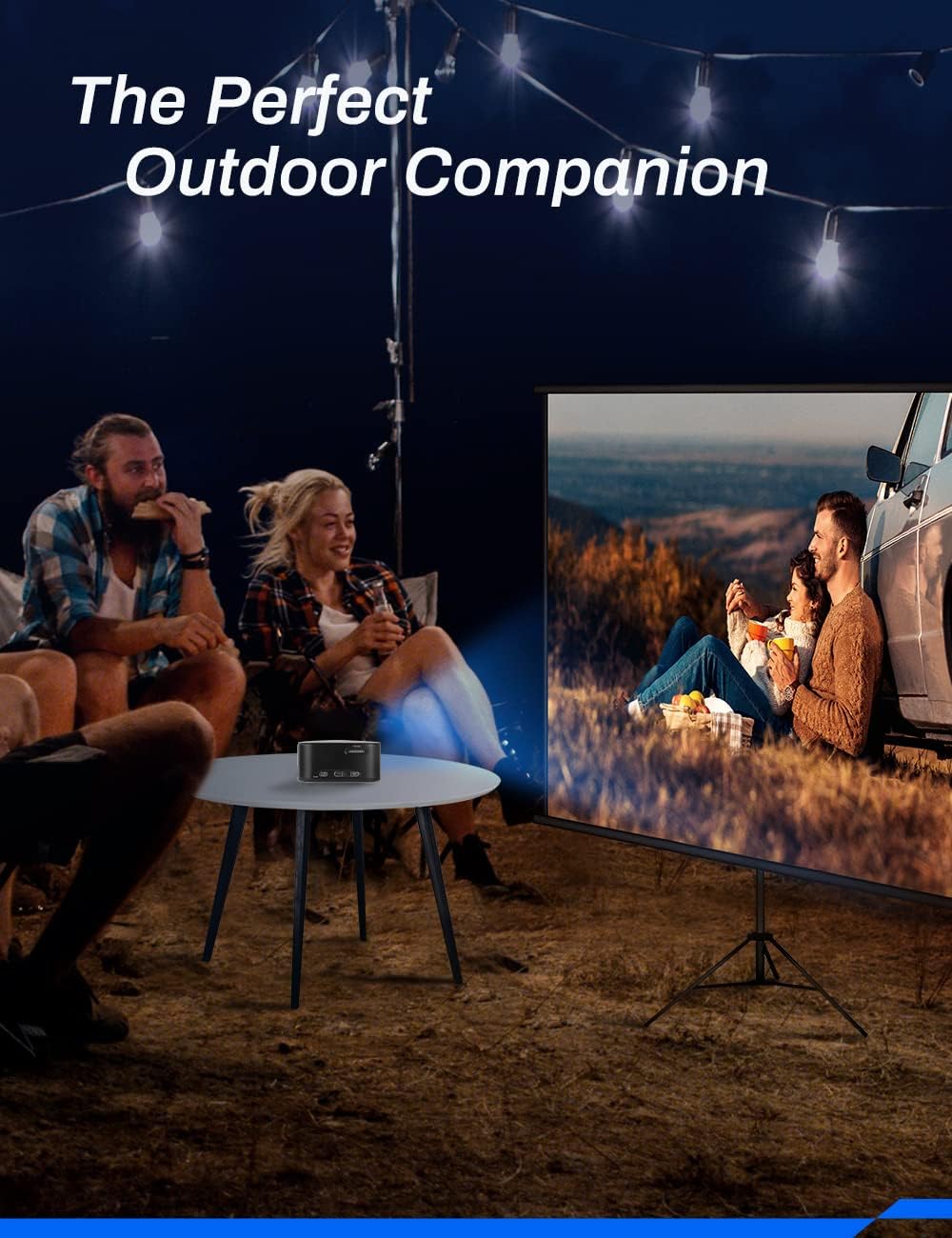
Image 3.4: Ideal for outdoor entertainment.
4. Configuració
- Charging the Projector: Before first use, fully charge the projector using the provided Micro USB Charging Cable and a compatible USB power adapter (not included). The charging indicator light will show the charging status.
- Col·locació: Place the projector on a stable, flat surface. Ensure there are no obstructions in front of the lens or around the ventilation openings. For optimal image quality, project onto a smooth, light-colored wall or a projector screen.
- Encès: Press and hold the Power button (location may vary, refer to device diagram) for a few seconds until the projector powers on.
- Ajust del focus: Locate the focus wheel (typically on the side or top of the projector). Rotate the wheel until the projected image appears clear and sharp.
5. Instruccions de funcionament
5.1 Encès/Apagat
- Per encendre: Press and hold the Power button until the indicator light illuminates and the projector starts.
- Per apagar: Press and hold the Power button until the projector shuts down. Always power off correctly to prevent damage.
5.2 Navegació i control
The projector features intuitive touch controls on its surface. Use gentle taps and swipes to navigate menus and select options. Specific functions of each touch area are detailed in the Quick Start Guide.
5.3 Selecció de la font
After powering on, the projector will typically display its main interface. Use the touch controls to navigate to the input source selection. Select the appropriate input (e.g., HDMI) based on the device you wish to connect.
6. Connectivitat
The APIO projector offers various connectivity options:
- Port HDMI: Connect external devices such as laptops, DVD players, TV boxes, or game consoles using an HDMI cable. Note: For Apple products, an Apple Digital AV adapter (sold separately) is required for HDMI connection.
- Port USB: This port serves two primary functions: it can be used to power the projector (if not running on battery) or to charge external mobile and streaming devices, acting as a power bank.
- Presa d'auriculars de 3.5 mm: Connect external headphones or speakers for private listening or enhanced audio output.

Image 6.1: The projector supports connection to multiple device types.
7. Manteniment
Proper maintenance ensures the longevity and optimal performance of your projector:
- Neteja de la lent: Feu servir un drap suau i sense borrissol dissenyat específicament per a lents òptiques per netejar suaument la lent del projector. No utilitzeu productes de neteja abrasius ni força excessiva.
- Neteja de la Casing: Netegeu l'exterior del projector amb un drap suau i sec. Per a marques difícils, feu un drap lleugerament sec.amp Es pot fer servir un drap, però assegureu-vos que no entri líquid al dispositiu.
- Cura de la bateria: To prolong battery life, avoid completely draining the battery frequently. Recharge the projector regularly, even if not in use for extended periods. Store in a cool, dry place.
- Ventilació: Assegureu-vos que les obertures de ventilació del projector no estiguin bloquejades durant el funcionament per evitar el sobreescalfament.
- Emmagatzematge: When not in use, store the projector in a protective case or a clean, dry environment away from direct sunlight, dust, and extreme temperatures.
8. Solució De Problemes
If you encounter issues with your APIO projector, refer to the following common problems and solutions:
| Problema | Causa possible | Solució |
|---|---|---|
| No es projecta cap imatge | Projector not powered on; Input source not selected; Cable not connected properly. | Ensure projector is on; Select correct input source; Check HDMI/USB cable connections. |
| La imatge és borrosa | Enfocament no ajustat; Projector massa lluny/massa a prop de la pantalla. | Adjust the focus wheel; Reposition the projector for optimal distance. |
| Sense so | Volume too low; External speakers not connected properly; Source device volume low. | Increase projector volume; Check external speaker connection; Increase volume on source device. |
| El projector no es carrega | Charging cable faulty; USB power adapter insufficient. | Try a different Micro USB cable; Use a certified USB power adapter (e.g., 5V/2A). |
| El projector es sobreescalfa | Ventilació bloquejada. | Assegureu-vos que les obertures de ventilació estiguin clares i sense obstruccions. |
Si el problema persisteix després de provar aquestes solucions, poseu-vos en contacte amb l'atenció al client.
9. Especificacions
Key technical specifications for the APIO Smart Mini DLP Pocket Projector:
| Característica | Especificació |
|---|---|
| Marca | API |
| Número de model | AP106 |
| Resolució de visualització | 640 x 360 (Natiu) |
| Resolució suportada | Fins a 1080P |
| Pes de l'article | 12.8 unces |
| Dimensions del producte | 3.46 x 3.46 x 1.69 polzades |
| Tipus de bateria | Ió de liti (2600 mAh) |
| Durada de la bateria | Fins a 2 hores |
| Tipus d'altaveu | Built-In (2 x 1W) |
| Tecnologia de connectivitat | HDMI, USB |
| Característica especial | Lleuger, portàtil |
| Usos recomanats | Home Cinema, Presentations, Outdoor Entertainment |
10. Garantia i Suport
For information regarding product warranty, please refer to the warranty card included with your purchase or visit the official APIO weblloc web. Conserveu el rebut de compra com a comprovant de compra per a qualsevol reclamació de garantia.
If you require further assistance, technical support, or have questions not covered in this manual, please contact APIO customer service through the contact information provided on the product packaging or the official weblloc.


