1. Introducció
The ThermoPro TP410 Infrared Thermometer Gun is a non-contact laser thermometer designed for quick and accurate temperature measurements of surfaces. It is ideal for various applications including cooking, pizza ovens, griddles, grills, HVAC systems, and engine diagnostics. This device is not intended for human body temperature measurement.
Key features include a wide temperature range, adjustable emissivity for improved accuracy, a 12:1 distance-to-spot ratio for safe measurements from a distance, and a multi-temperature display showing maximum, minimum, and average readings.

Image 1.1: The ThermoPro TP410 Infrared Thermometer Gun, showing its compact design and laser pointer in action.
2. Característiques del producte
- Disseny de butxaca: Small, light-weight, convenient, and portable for both home and industrial use.
- Alta precisió: Utilizes a Thermopile Sensor for quick and precise measurements.
- Emissivitat ajustable: Allows customization (0.1 to 1.0) to match different surface textures for improved accuracy.
- Safe Non-Contact Measurement: 12:1 distance-to-spot ratio and 0.5-second response time enable safe temperature readings from a distance.
- Multi-Temperature Display: Shows maximum, minimum, and average temperatures for comprehensive analysis.
- Ampli rang de mesura: De -58 ° F a 1022 ° F (-50 ° C a 550 ° C).
- Pantalla de retroil·luminació: Garanteix la llegibilitat en diverses condicions d'il·luminació.
- Funció d'apagat automàtic: Automatically shuts off after 90 seconds of inactivity to conserve battery.
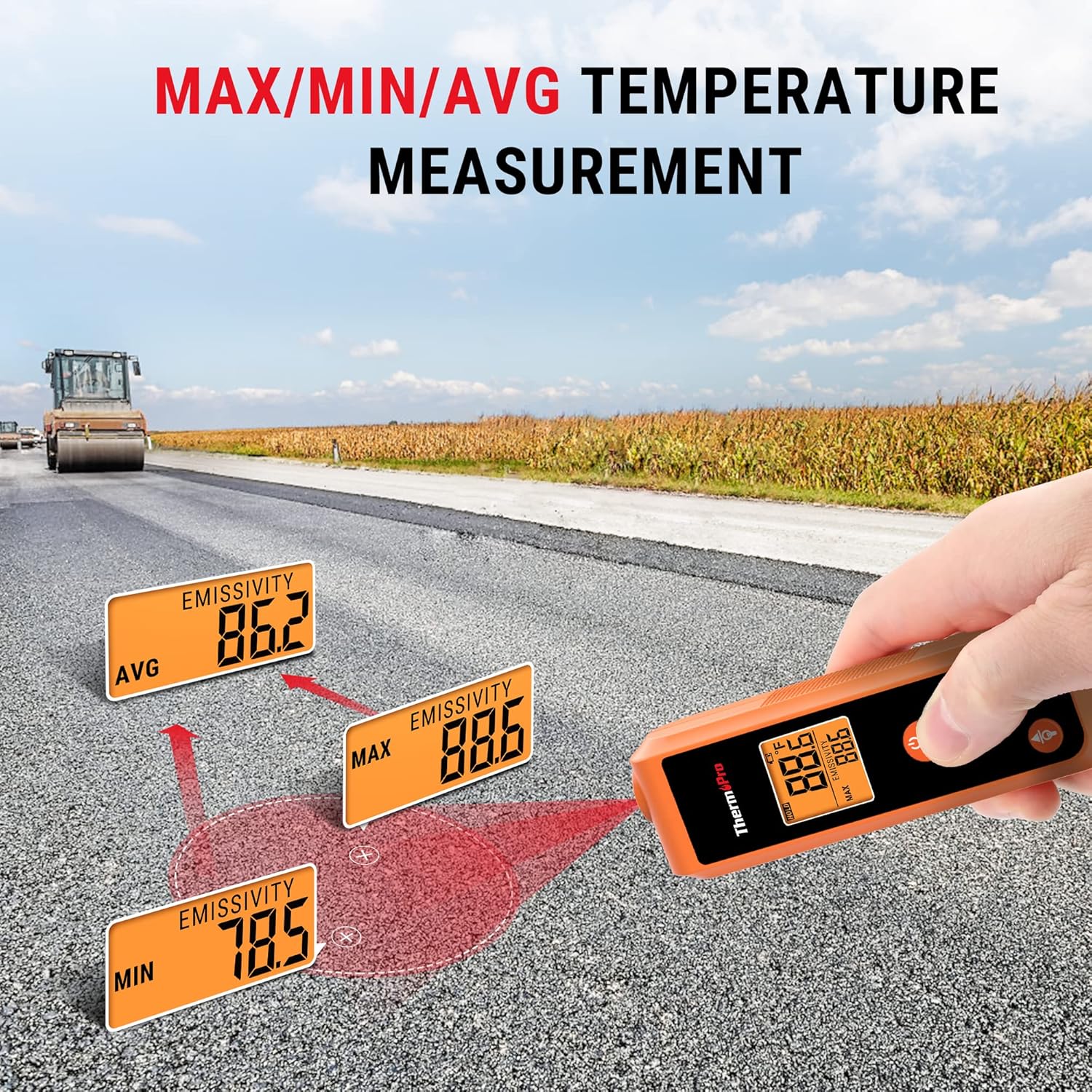
Image 2.1: Size comparison illustrating the compact, pocket-sized design of the ThermoPro TP410 compared to other larger thermometer guns.
3. Configuració
3.1. Instal·lació de la bateria
The ThermoPro TP410 requires 2 AAA batteries (included). To install the batteries:
- Localitzeu la tapa del compartiment de la bateria a la part posterior del dispositiu.
- Feu lliscar la coberta oberta.
- Insert the 2 AAA batteries, ensuring correct polarity (+ and -).
- Tanqueu bé la tapa del compartiment de la bateria.
3.2. Engegada inicial
After installing batteries, press the ESCANEAR button to power on the device. The display will light up, and the current temperature reading will be shown.
4. Instruccions de funcionament
4.1. Prendre una lectura de temperatura
To measure the temperature of a surface:
- Point the laser pointer at the center of the surface you wish to measure.
- Manteniu premut el botó ESCANEAR button. The temperature reading will appear on the display instantly.
- Allibera el ESCANEAR button to hold the current temperature reading on the display.

Image 4.1: Demonstrating non-contact temperature measurement using the laser pointer to target a hot surface, such as inside a pizza oven.
4.2. Understanding Distance-to-Spot Ratio (D:S)
The TP410 has a 12:1 D:S ratio. This means that at a distance of 12 inches, the measurement spot size will be 1 inch. As you move further away, the spot size increases. For accurate readings, ensure the target area is larger than the spot size.
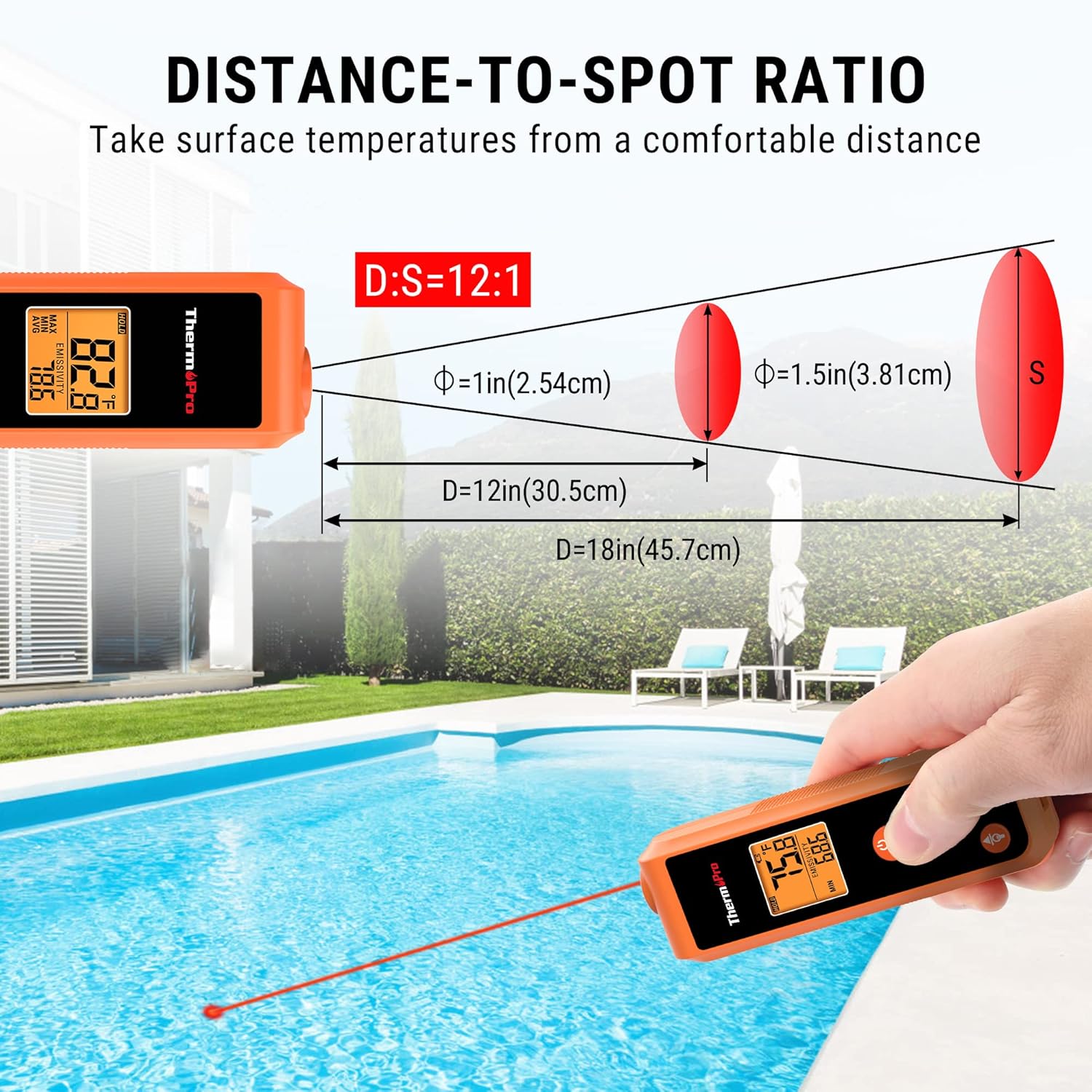
Image 4.2: Diagram illustrating the 12:1 distance-to-spot ratio, showing how the measurement area expands with increased distance from the target.
4.3. Ajust de l'emissivitat
Emissivity is the ability of a material to emit energy by radiation. Different materials have different emissivity values. For the most accurate readings, adjust the emissivity setting to match the surface being measured. The TP410 allows adjustment from 0.1 to 1.0.
- Premeu el botó MODE button to cycle through display modes until "EMISSIVITY" is shown.
- Utilitza el Up i Avall botons de fletxa per ajustar el valor d'emissivitat.
- Refer to common emissivity values for various materials (e.g., wood: 0.94, ice: 0.98, concrete: 0.95, oil: 0.94).
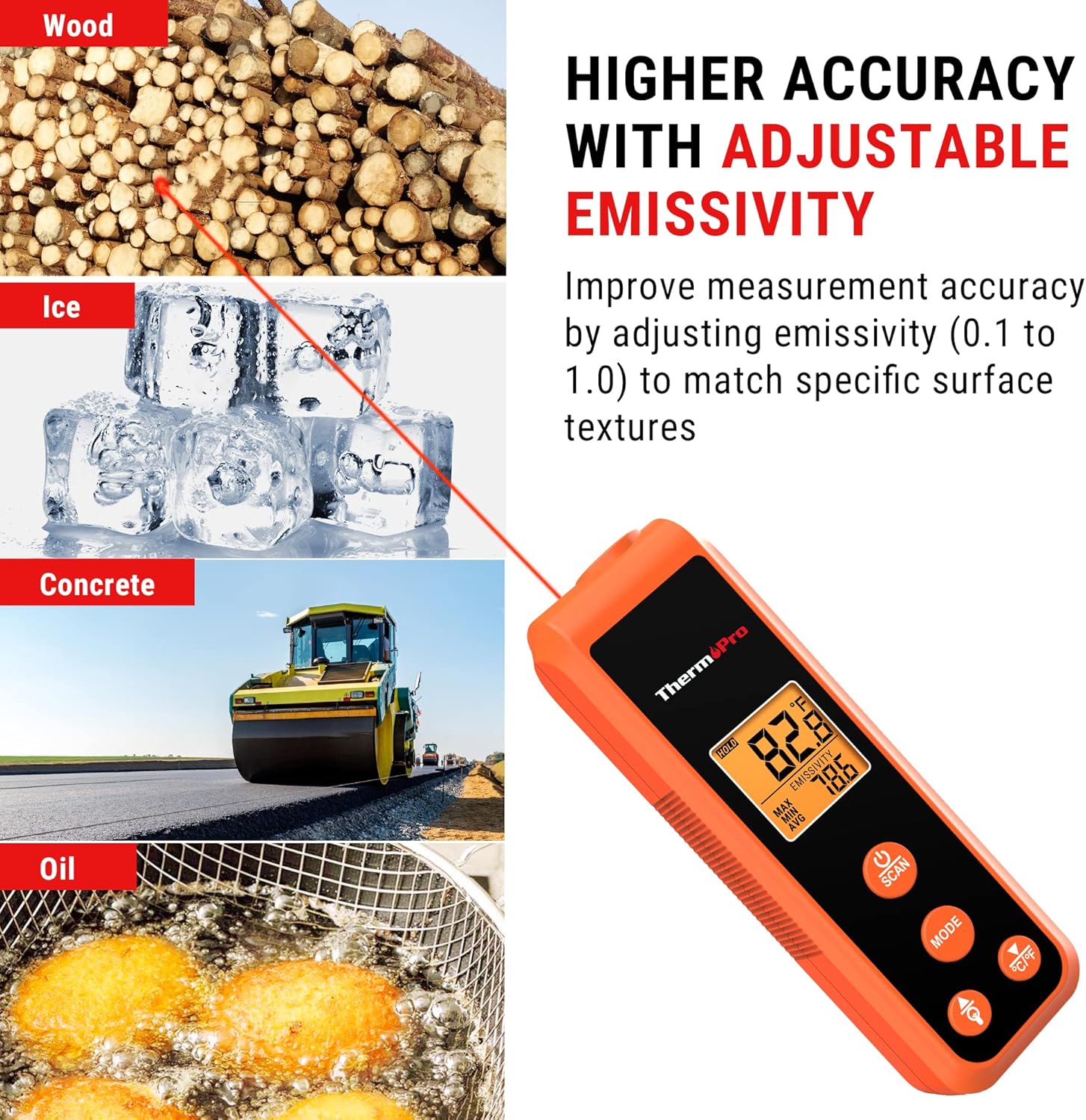
Image 4.3: Visual representation of how adjustable emissivity improves measurement accuracy across different surface types like wood, ice, concrete, and oil.
4.4. Multi-Temperature Display Modes
The TP410 can display various temperature readings:
- MÀXIM: Displays the maximum temperature recorded during a scan.
- MIN: Displays the minimum temperature recorded during a scan.
- AVG: Displays the average temperature recorded during a scan.
Premeu el botó MODE button repeatedly to cycle through these display options.
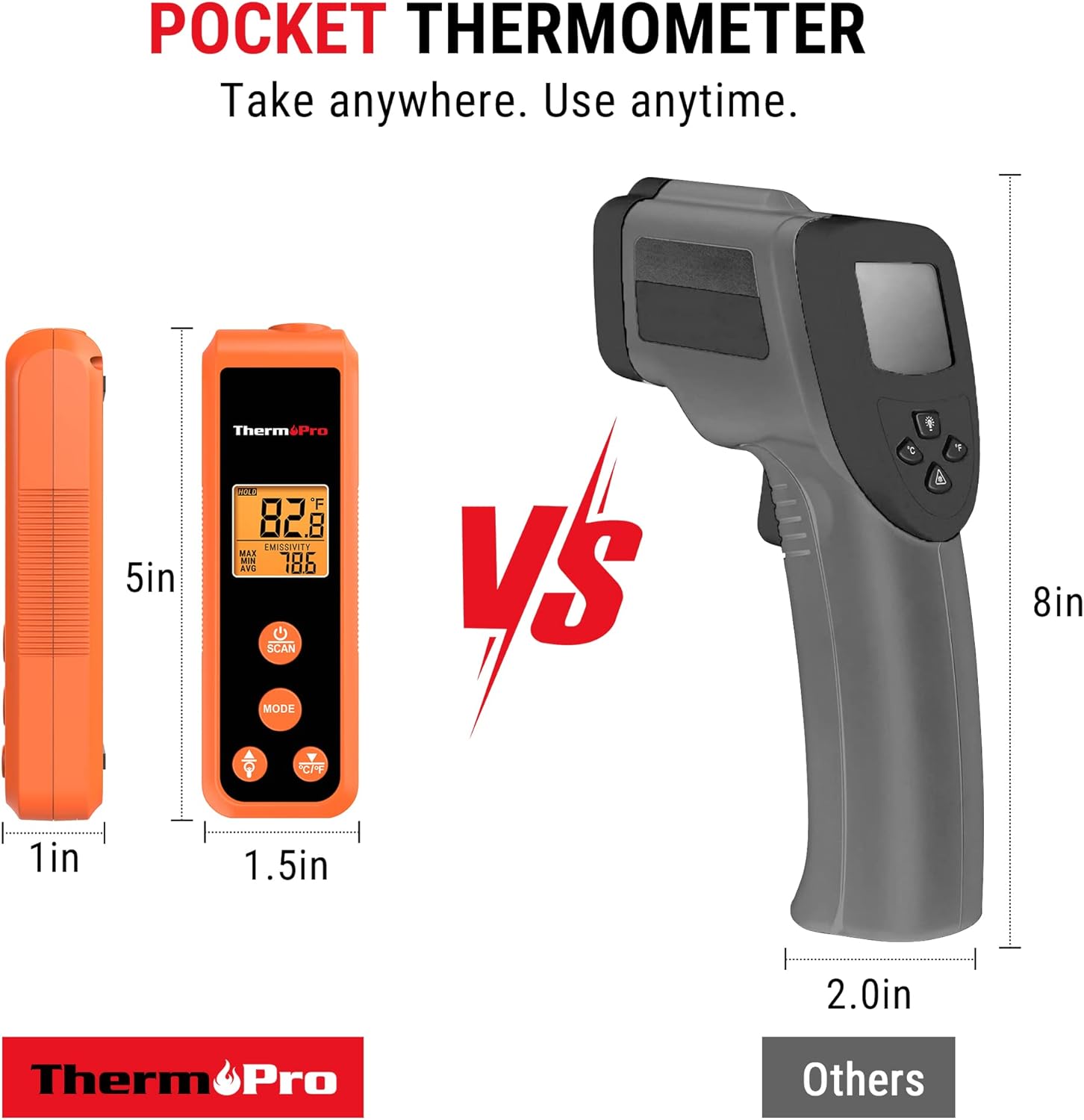
Image 4.4: The thermometer displaying maximum, minimum, and average temperature readings, useful for diagnosing temperature fluctuations across a surface.
4.5. Switching Temperature Units (°C/°F)
Per canviar entre Celsius (°C) i Fahrenheit (°F), premeu la tecla ° C / ° F button located on the device.
4.6. Control de la llum de fons
To turn the display backlight on or off, press the Bombeta botó.
4.7. Apagat automàtic
The device will automatically turn off after 90 seconds of inactivity to conserve battery life.
5. Multiple Applications
The ThermoPro TP410 is versatile and can be used for a wide range of home and industrial applications, including but not limited to:
- Food preparation (e.g., checking surface temperature of griddles, pizza ovens, oil for frying).
- HVAC system diagnostics (e.g., checking vent temperatures).
- Automotive maintenance (e.g., engine temperature checks).
- Home repairs and general temperature monitoring.

Imatge 5.1: Ex.amples of the thermometer's diverse applications, including measuring temperatures for oil-fried foods, griddles, HVAC systems, and car engines.
5.1. Official Product Video: ThermoPro TP410 IR Pocket Infrared Thermometer
Video 5.1: An official product video from ThermoPro US showcasing the features and various uses of the TP410 Infrared Thermometer.
6. Manteniment
6.1. Neteja
To clean the thermometer, wipe it with a damp cloth. Do not immerse the device in water or use abrasive cleaners. Ensure the lens is clean for accurate readings.
6.2. Emmagatzematge
Guardeu el termòmetre en un lloc fresc i sec quan no l'utilitzeu. Traieu les piles si l'emmagatzemeu durant períodes prolongats per evitar fuites.
7. Solució De Problemes
| Problema | Causa possible | Solució |
|---|---|---|
| La pantalla està en blanc o tènue. | Piles baixes o instal·lació incorrecta de les piles. | Canvieu les piles per piles AAA noves, assegurant-vos de la polaritat correcta. |
| Lectures inexactes. | Incorrect emissivity setting, dirty lens, or target too small/far. | Adjust emissivity to match material, clean the lens, ensure target is within D:S ratio. |
| Laser not visible. | Operating in bright light or laser malfunction. | Use in lower light conditions if possible. If persistent, contact support. |
8. Especificacions
- Nom del model: TP410
- Marca: ThermoPro
- Interval de mesura: -58 °F a 1022 °F (-50 °C a 550 °C)
- Precisió: ±3 °F
- Relació distància-punt (D:S): 12:1
- Temps de resposta: 0.5 segons
- Emissivitat: Ajustable (0.1 a 1.0)
- Tipus de visualització: Digital amb retroiluminació
- Font d'alimentació: 2 piles AAA (incloses)
- Pes de l'article: 5 unces
- Dimensions (aprox.): 4.9 polzades (longitud)
- Característica especial: Sense contacte
- Certificacions: CE, FCC
9. Garantia i Suport
ThermoPro products come with a warranty. For specific warranty details and to register your product, please visit the official ThermoPro weblloc web o consulteu la targeta de garantia inclosa a l'embalatge del producte.
For technical support, troubleshooting assistance, or any inquiries regarding your ThermoPro TP410, please contact ThermoPro Customer Service. Contact information can typically be found on the product packaging, the official ThermoPro weblloc web o dins de la documentació inclosa.
Official ThermoPro Store: Visita la botiga


