1. Introducció
Thank you for choosing the Oakcastle CD100 Portable Bluetooth CD Player. This manual provides essential information for setting up, operating, and maintaining your device. Please read it thoroughly before use and keep it for future reference.
Informació de seguretat
- No exposeu el dispositiu a la pluja, la humitat ni a temperatures extremes.
- Eviteu deixar caure o sotmetre el dispositiu a forts impactes.
- No desmunteu la unitat. Encarregueu tot el manteniment a personal qualificat.
- Mantingueu el dispositiu allunyat de camps magnètics forts.
- Feu servir només el cable de càrrega especificat.
2. Què hi ha a la caixa
Carefully unpack your Oakcastle CD100 and ensure all items are present:
- 1x Oakcastle CD100 Portable CD Player
- 1x Wired Headphones
- 1x cable de càrrega micro USB
- 1x 3.5mm to 3.5mm AUX Cable
- 1x Manual d'usuari (aquest document)
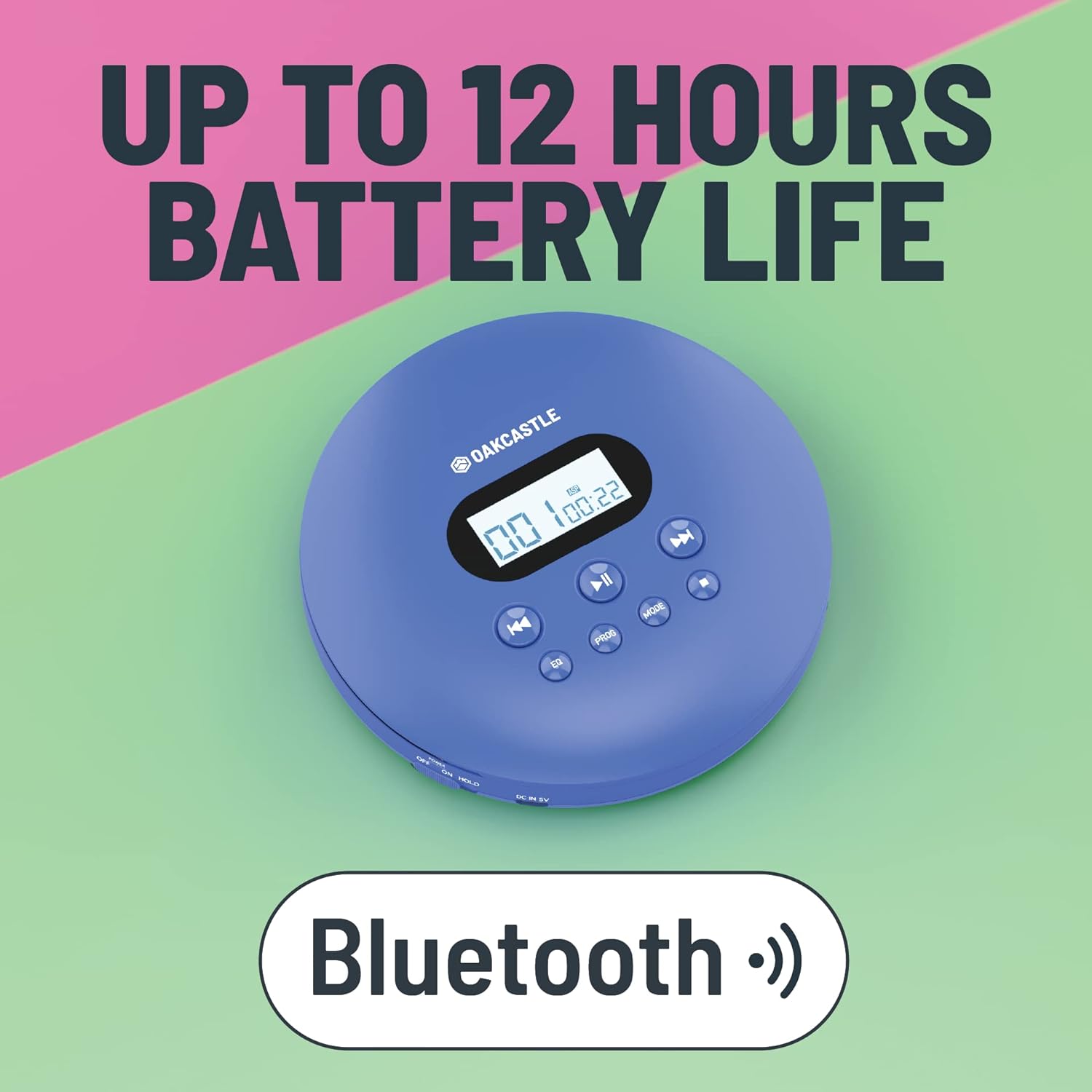
3. Producte acabatview
Familiarize yourself with the controls and ports of your Oakcastle CD100:

Controls i ports:
- Pantalla de visualització: Shows track number, time, and mode.
- Reprodueix/Pausa (►►): Inicia o posa en pausa la reproducció de CD.
- Atura (■): Atura la reproducció de CD.
- Previous/Rewind (◀◀): Skips to the previous track or rewinds the current track.
- Next/Fast Forward (►►): Skips to the next track or fast forwards the current track.
- EQ: Cycles through equalizer presets (e.g., Bass, Pop, Jazz, Rock, Classic).
- PROG: Enters program mode to create a custom playlist.
- Mode: Passa ciclònicament pels modes de reproducció (per exemple, Repeteix-ne un, Repeteix-ho tot, Aleatori).
- DC IN 5V (Charge Port): Entrada micro USB per a la càrrega.
- Presa d'auriculars (3.5 mm): Per connectar auriculars amb cable.
- AUX Out (3.5mm): Per connectar altaveus externs o sistemes d'àudio per a cotxes.
- OPEN Slider: Slides to open the CD compartment.
- Interruptor HOLD: Locks buttons to prevent accidental presses.
4. Configuració
4.1 Càrrega del dispositiu
The Oakcastle CD100 has a built-in rechargeable battery. Before first use, fully charge the device.
- Connect the Micro USB charging cable to the 'DC IN 5V' port on the CD player.
- Connecteu l'altre extrem del cable USB a un adaptador de corrent USB (no inclòs) o al port USB d'un ordinador.
- El llum indicador de càrrega s'il·luminarà. S'apagarà o canviarà de color quan estigui completament carregat.
Una càrrega completa proporciona fins a 12 hores de reproducció.

4.2 Encès inicial
After charging, slide the 'HOLD' switch to the 'OFF' position (if it's on 'HOLD'). Press and hold the Play/Pause button to power on the device.
5. Instruccions de funcionament
5.1 Reproducció d'un CD
- Feu lliscar l'interruptor "OPEN" per obrir la tapa del compartiment del CD.
- Carefully place a CD onto the spindle, label side up, and gently press down until it clicks into place.
- Tanqueu fermament la tapa del compartiment del CD.
- Press the Play/Pause (►►) button to start playback. The display will show the track number and elapsed time.
- Use the Previous/Rewind (◀◀) and Next/Fast Forward (►►) buttons to navigate tracks. Press and hold to fast forward or rewind.
- Press the Stop (■) button to stop playback.
The CD100 features anti-skip technology to ensure smooth playback even during movement.
5.2 Connexió Bluetooth
The CD100 can connect wirelessly to Bluetooth headphones or speakers.
- Ensure the CD player is powered on.
- Activate Bluetooth pairing mode on your external Bluetooth device (headphones/speaker).
- The CD100 will automatically enter Bluetooth pairing mode when a CD is playing and no wired headphones are connected. The Bluetooth icon on the display will flash.
- Un cop connectat, la icona de Bluetooth es mantindrà fixa.
5.3 Connexió AUX
Connect your CD100 to external audio systems like car stereos or home speakers using the included 3.5mm AUX cable.
- Connect one end of the 3.5mm AUX cable to the 'AUX Out' port on the CD player.
- Connect the other end to the 'AUX In' port on your external audio system.
- Ensure your external audio system is set to the AUX input.

5.4 EQ Settings
Press the 'EQ' button repeatedly to cycle through different equalizer presets (e.g., Bass, Pop, Jazz, Rock, Classic, Off) to customize your audio experience.
5.5 Reproducció de programes
To create a custom playback order:
- While the CD is stopped, press the 'PROG' button.
- Use the Previous/Next buttons to select the desired track number.
- Press 'PROG' again to add the track to the program list.
- Repeat steps 2-3 for up to 20 tracks.
- Press Play/Pause to start programmed playback.
Botó de mode 5.6
Press the 'MODE' button to cycle through playback modes such as Repeat One (repeats current track), Repeat All (repeats all tracks on the CD), and Random (plays tracks in a random order).
6. Manteniment
6.1 Neteja del dispositiu
- Netegeu l'exterior del reproductor amb un drap suau i sec.
- For the optical lens, use a specialized CD lens cleaning kit. Do not touch the lens directly.
- No utilitzeu netejadors abrasius ni dissolvents.
6.2 Cura de la bateria
- Per allargar la durada de la bateria, eviteu descarregar-la completament amb freqüència.
- Carregueu el dispositiu regularment, fins i tot si no l'utilitzeu durant períodes prolongats.
- Guardeu el dispositiu en un lloc fresc i sec.
7. Solució De Problemes
Si teniu problemes amb el vostre Oakcastle CD100, consulteu els següents problemes i solucions habituals:
| Problema | Causa possible | Solució |
|---|---|---|
| El dispositiu no s'encén. | Low battery; HOLD switch is on. | Charge the device; Slide HOLD switch to OFF. |
| El CD no es reprodueix. | CD inserted incorrectly; CD is dirty/scratched; Lid not closed properly. | Reinsert CD correctly; Clean or try another CD; Ensure lid is fully closed. |
| No se sent so dels auriculars/altaveus. | Headphones/AUX cable not fully plugged in; Volume too low; Incorrect input selected on external device. | Check connections; Increase volume; Select correct AUX input on external device. |
| El Bluetooth no es connecta. | External device not in pairing mode; Too far from device. | Ensure external device is in pairing mode; Move closer to the CD player. |
8. Especificacions
- Marca: Oakcastle
- Model: CD100
- Color: Blau
- Tecnologia de connectivitat: Auxiliar, Bluetooth
- Característiques especials: Portable, Rechargeable, Anti-skip
- Dispositius compatibles: Speakers, Headphones, Car Audio Systems
- Bateria recarregable: Sí
- Format d'àudio compatible: WMA (and standard CD audio)
- Nombre de discos: 1
- Nombre de canals: 2
- Dimensions del producte: 14.2 L x 14.2 W x 3 H centímetres
- Tipus de connector: Jack de 3.5 mm
9. Garantia i Suport
Your Oakcastle CD100 comes with a standard manufacturer's warranty. Please refer to the warranty card included in your packaging for specific terms and conditions.
For technical support, troubleshooting, or warranty claims, please contact Oakcastle customer service through their official weblloc web o el venedor on vau comprar el producte.
Si us plau, conserveu el comprovant de compra per motius de garantia.


