Introducció
The SmartCoolous F31 2nd Gen Smart Lock provides advanced security and convenient access to your property. This fully automatic smart lock integrates multiple unlocking methods including fingerprint recognition, a touch screen keypad, Bluetooth app control, and traditional mechanical keys. Designed for ease of use and installation, it offers a modern and secure solution for home and office environments.
Informació de seguretat
- Llegiu atentament totes les instruccions abans de la instal·lació i l'ús.
- Do not expose the lock to extreme temperatures or direct water immersion. The lock has an IP54 rating, indicating resistance to dust and splashing water, but it is not fully waterproof.
- Use only recommended battery types (not included).
- Keep mechanical keys in a safe location outside the property to ensure emergency access.
- Ensure proper installation to prevent damage to the lock or door.
Contingut del paquet
Verifiqueu que tots els components siguin presents abans de començar la instal·lació:
- Smart Lock Assembly (Front and Rear Panels)
- Lock Body/Mortise
- Mounting Hardware (screws, spindle)
- Claus mecàniques (2)
- Manual d'instal·lació
- Diagrama de perforació
Producte acabatview
The SmartCoolous F31 Smart Lock consists of an exterior panel with a fingerprint reader, touch keypad, and mechanical keyhole, and an interior panel with a thumb-turn for manual locking/unlocking.

Imatge: Front panel of the SmartCoolous F31 Smart Lock showing the fingerprint reader, touch keypad, and mechanical keyhole. Below are icons illustrating unlocking via physical key, app, touchscreen keypad, and fingerprint.

Imatge: Un costat al costat view of the SmartCoolous F31 Smart Lock, displaying both the exterior panel with its keypad and fingerprint sensor, and the interior panel with its manual thumb-turn.
Instal·lació
The SmartCoolous F31 Smart Lock is designed for easy DIY installation. A detailed installation video and a drilling diagram are included to guide you through the process. Professional assistance is available if needed.
- Prepara la porta: Use the provided drilling diagram to prepare your door for the lock body and panels. Ensure the door thickness and backset are compatible with the lock's specifications.
- Install the Mortise/Lock Body: Introduïu el cos del pany a la vora de la porta i fixeu-lo amb cargols.
- Instal·leu el panell exterior: Route the cable from the exterior panel through the door. Position the exterior panel and secure it.
- Install the Interior Panel: Connect the cable from the exterior panel to the interior panel. Ensure the spindle is correctly aligned. Secure the interior panel to the door using the provided screws.
- Adjust Handing Switch: Locate the R/L switch on the interior panel. Adjust it according to your door's handing (left or right). If the lock is confused about its open/locked state, this switch may be incorrectly set.
- Instal·leu les bateries: Insert the required batteries (not included) into the battery compartment on the interior panel.
- Prova de funcionament: Manually test the lock/unlock mechanism using the thumb-turn and mechanical key to ensure smooth operation before proceeding to smart features setup.
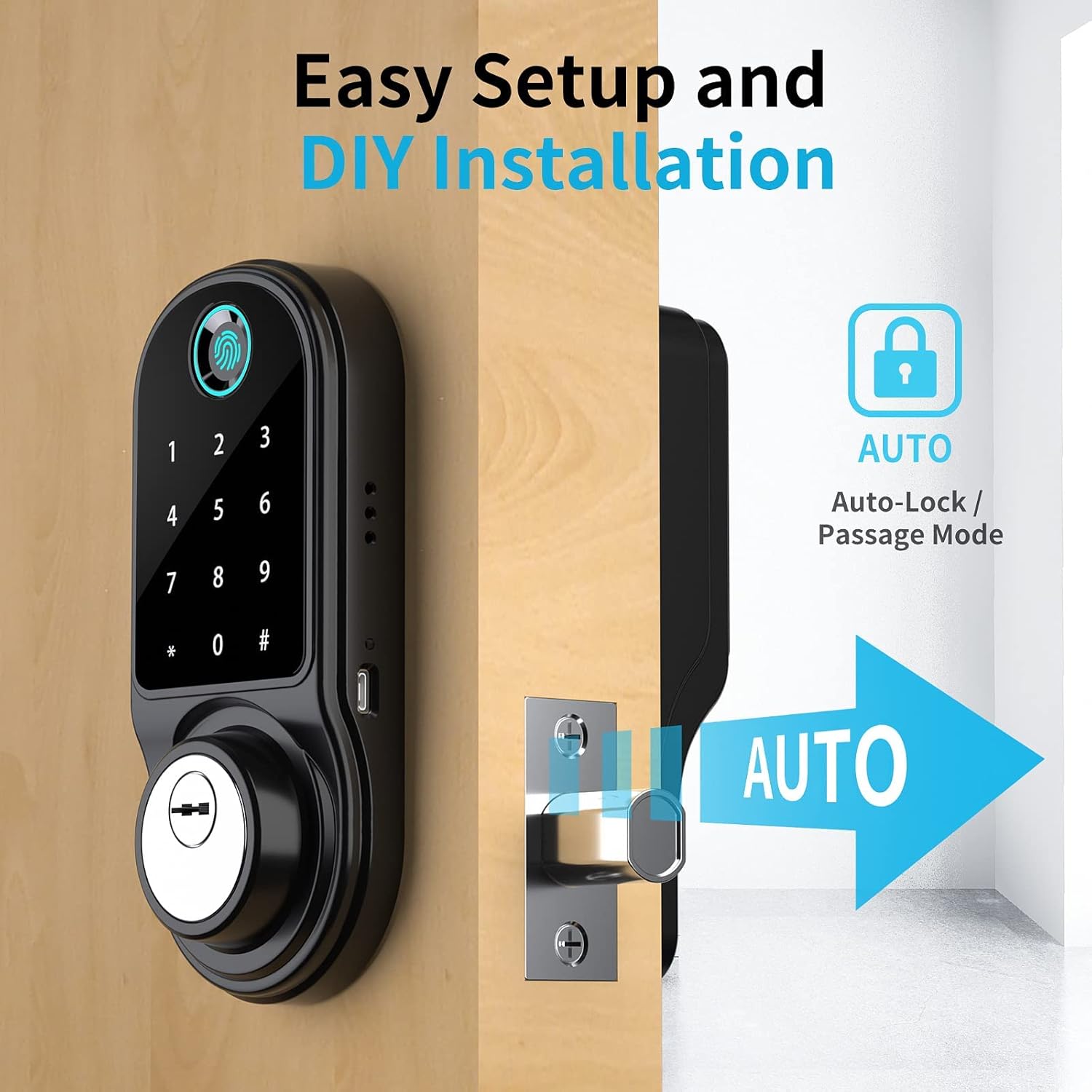
Imatge: The SmartCoolous F31 Smart Lock installed on a door, highlighting its easy setup and the automatic locking feature.
Configuració i configuració inicials
1. Instal·lació i emparellament de l'aplicació
- Baixeu l'aplicació Tuya Smart des de la botiga d'aplicacions del vostre dispositiu.
- Creeu un compte o inicieu sessió.
- Enable Bluetooth and precise location services on your smartphone.
- In the Tuya App, tap the '+' icon to 'Add a device'.
- Select the 'Camera & Lock' category, then choose 'Lock (BLE)'.
- Follow the on-screen prompts to pair the lock via Bluetooth.
2. Adding Fingerprints
The lock supports up to 200 fingerprints.
- Access the lock settings within the Tuya App.
- Select the option to 'Add Fingerprint'.
- Follow the app's instructions to register your fingerprint by placing your finger on the sensor multiple times from different angles.

Imatge: A hand demonstrating the use of the 360-degree fingerprint ID sensor on the SmartCoolous F31 Smart Lock for quick and accurate recognition.
3. Configuració de codis d'accés
Multiple types of passcodes can be generated via the Tuya App:
- Permanent Passcodes: For regular users.
- Codis d'accés temporals: Valid for a limited duration.
- Codis d'accés d'un sol ús: Vàlid per a un sol ús.
- Periodic Passcodes: Valid during specific recurring timeframes.
- Cyclic Passcodes: Repeatable for a set number of times within a period.
Per establir una contrasenya:
- In the Tuya App, navigate to the 'Passcodes' section.
- Select the desired passcode type and set the parameters (e.g., validity period).
- Generate the passcode and share it with the intended user.
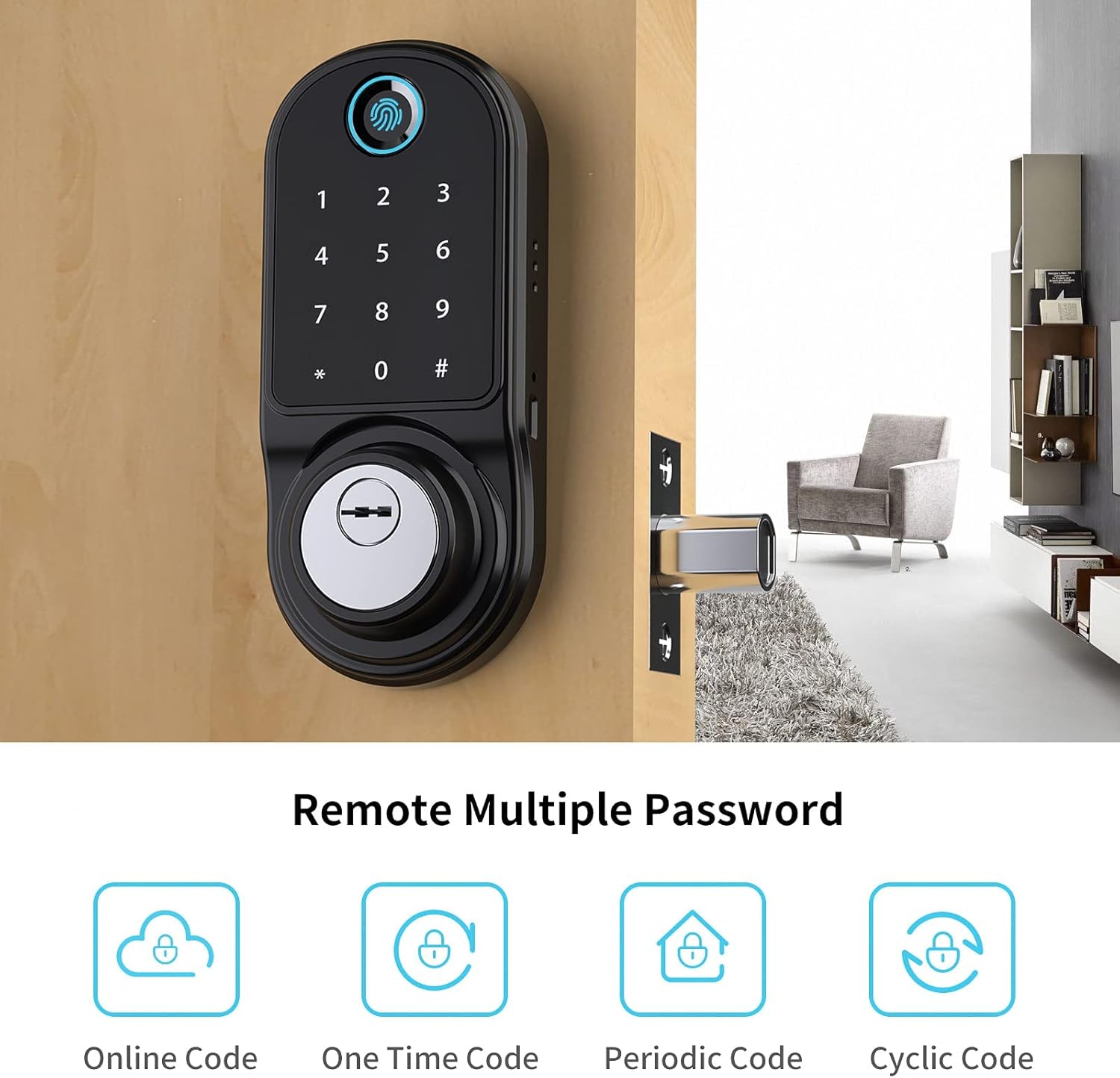
Imatge: An illustration showing the various remote password options available for the SmartCoolous F31 Smart Lock, including Online Code, One Time Code, Periodic Code, and Cyclic Code.
4. Alexa Compatibility (Optional)
For remote control and voice commands via Alexa, an additional gateway device is required (sold separately). This gateway connects your smart lock to your home Wi-Fi network. Refer to the gateway's manual for pairing instructions.
Instruccions de funcionament
Mètodes de desbloqueig
- Empremta digital: Place a registered finger on the fingerprint reader. The lock will unlock upon successful verification.
- Teclat: Enter a valid passcode on the touch screen keypad, then press '#'. The lock will unlock.
- Aplicació Tuya: Open the Tuya App on your smartphone. If within Bluetooth range, tap the unlock icon. If connected via a gateway, you can unlock remotely.
- Clau mecànica: Insert the mechanical key into the keyhole and turn to unlock. This is for emergency access or when batteries are depleted.
Locking Methods
- Bloqueig automàtic: The lock can be configured via the Tuya App to automatically lock after a set period once the door is closed.
- Bloqueig manual: From the interior, turn the thumb-turn to lock the door. From the exterior, if auto-lock is disabled, you may need to press '#' on the keypad or use the app to lock.
Mode de pas
Passage mode allows the door to remain unlocked for continuous access during specific times. This can be configured through the Tuya App.
Manteniment
- Substitució de la bateria: The lock will provide a low battery alert via the app. Replace all batteries simultaneously with new ones of the same type. Do not mix old and new batteries.
- Neteja: Netegeu la superfície del pany amb un drap suau i sec. Eviteu utilitzar productes de neteja abrasius o dissolvents que puguin danyar l'acabat o els components electrònics.
- Comprovacions periòdiques: Comproveu periòdicament que tots els cargols estiguin ben ajustats i que el pany funcioni correctament.
Resolució de problemes
- El pany no respon: Check battery levels. Replace batteries if low. Ensure the lock is properly installed and not jammed.
- Empremta digital no reconeguda: Assegura't que el dit estigui net i sec. Prova de tornar a registrar l'empremta digital si els problemes persisteixen.
- El teclat no respon: Ensure the screen is clean. Re-enter the passcode carefully.
- Problemes de connexió de l'aplicació: Ensure Bluetooth is enabled on your phone and you are within range. If using a gateway, check its connection to Wi-Fi and the lock.
- Lock confused about open/locked state: Verify the R/L handing switch on the interior panel is set correctly for your door's orientation.
- Clau mecànica no funciona: Assegureu-vos que la clau estigui completament inserida i girada correctament. No forceu la clau.
Especificacions
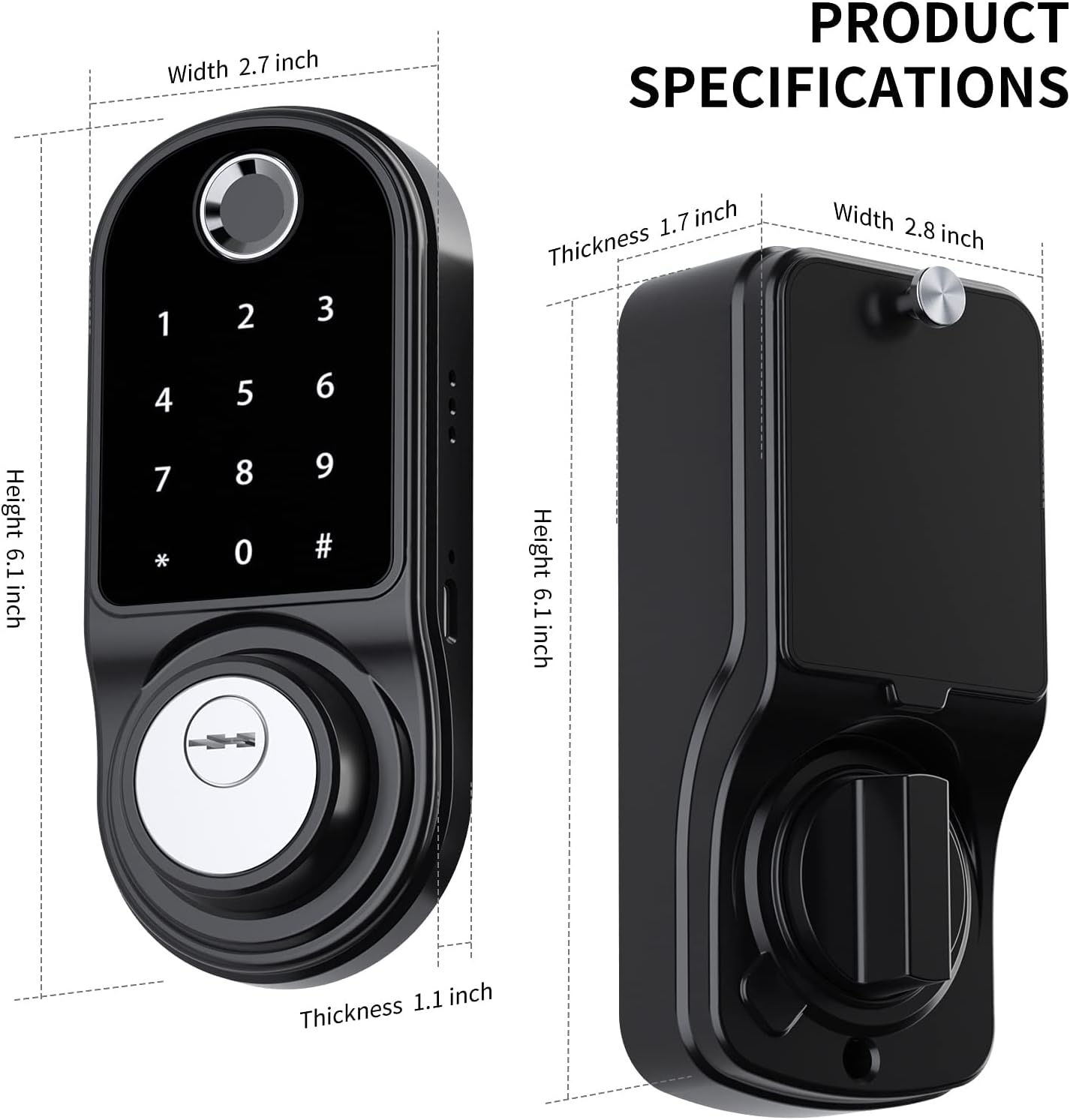
Imatge: Diagram illustrating the dimensions of the SmartCoolous F31 Smart Lock, including height, width, and thickness of both the exterior and interior panels.
| Característica | Detall |
|---|---|
| Fabricant | SmartCoolous |
| Número de model | SCNF31US |
| Material | Aluminium, Zinc Alloy |
| Tipus d'acabat | Polit |
| Color | ZINC Black |
| Estil | Modern |
| Tipus de bloqueig | Pany electrònic |
| Característiques especials | Keyless Entry (Fingerprint, Keypad, App), Auto-Lock |
| Dimensions del producte (L x A x A) | 7.62 x 5.08 x 2.54 cm (3 x 2 x 1 polzades) |
| Pes de l'article | 1.55 kg |
| Piles necessàries | Sí (no inclòs) |
| Classificació IP | IP54 Level Waterproof |
Garantia i Suport
SmartCoolous provides customer support for its products. If you encounter any issues during installation or operation, please contact our 24/7 customer service for assistance. Refer to your purchase documentation for specific warranty details.
For further assistance, please visit the official SmartCoolous weblloc web o poseu-vos en contacte amb el distribuïdor on es va comprar el producte.