Introducció
The Linsoul KZ ZS10 PRO X In-Ear Monitors (IEMs) are designed to deliver high-fidelity audio performance for audiophiles, musicians, and DJs. Featuring an upgraded 1DD+4BA hybrid driver system, an alloy faceplate, and a detachable silver-plated 2-pin cable, these earphones offer a balanced and detailed sound experience. This manual provides essential information for the proper setup, operation, and maintenance of your KZ ZS10 PRO X IEMs.
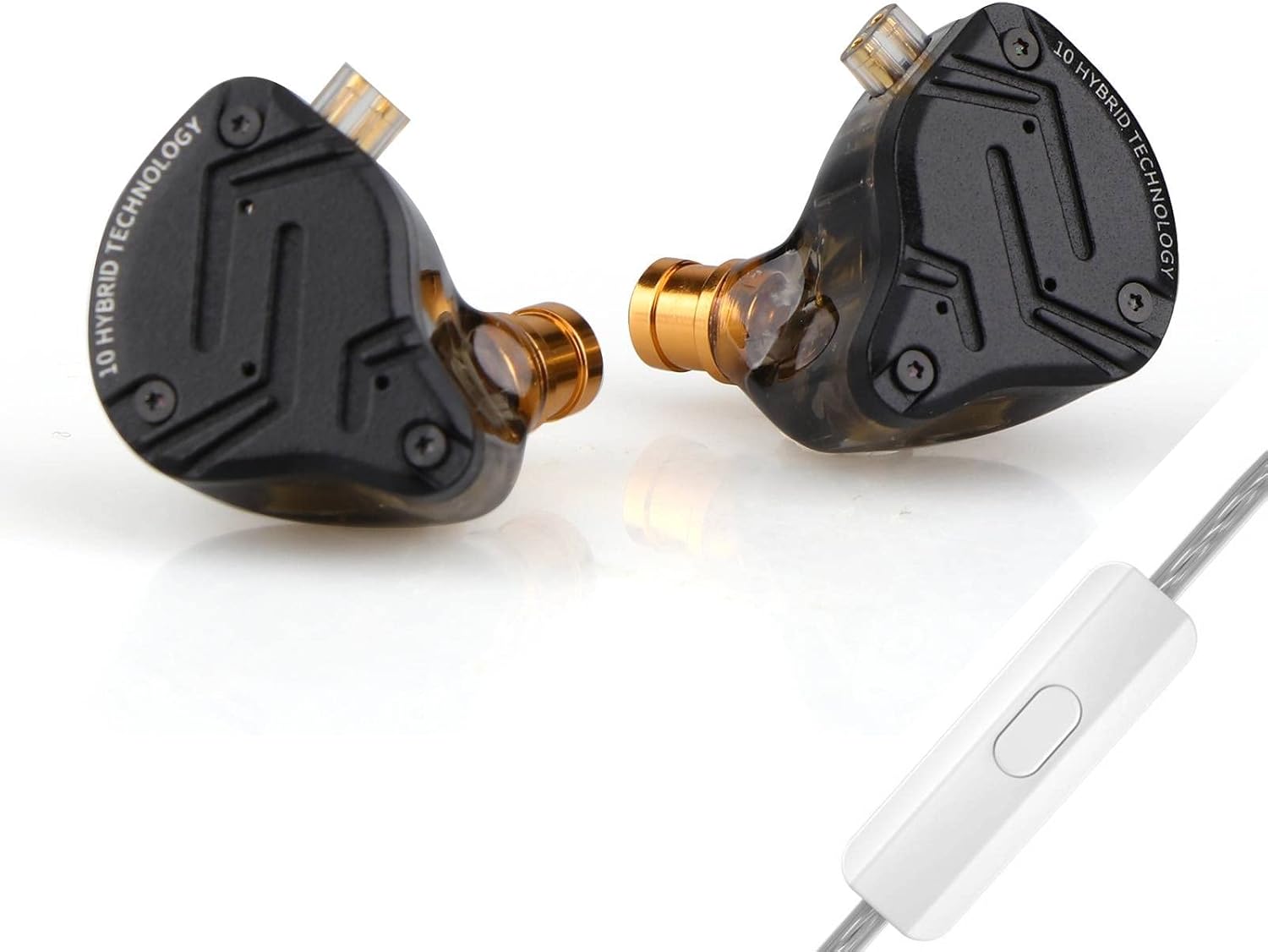
Image: Linsoul KZ ZS10 PRO X In-Ear Monitors with detachable cable.
Contingut del paquet
Si us plau, verifiqueu que tots els elements que s'enumeren a continuació estiguin inclosos al vostre paquet:
- KZ ZS10 PRO X In-Ear Monitors (Left and Right)
- Detachable Silver-Plated 2-Pin Cable (with microphone for 'With Mic' variant)
- Three (3) Pairs of Silicone Eartips (Sizes: Small, Medium, Large)
- Manual d'usuari (Aquest document)
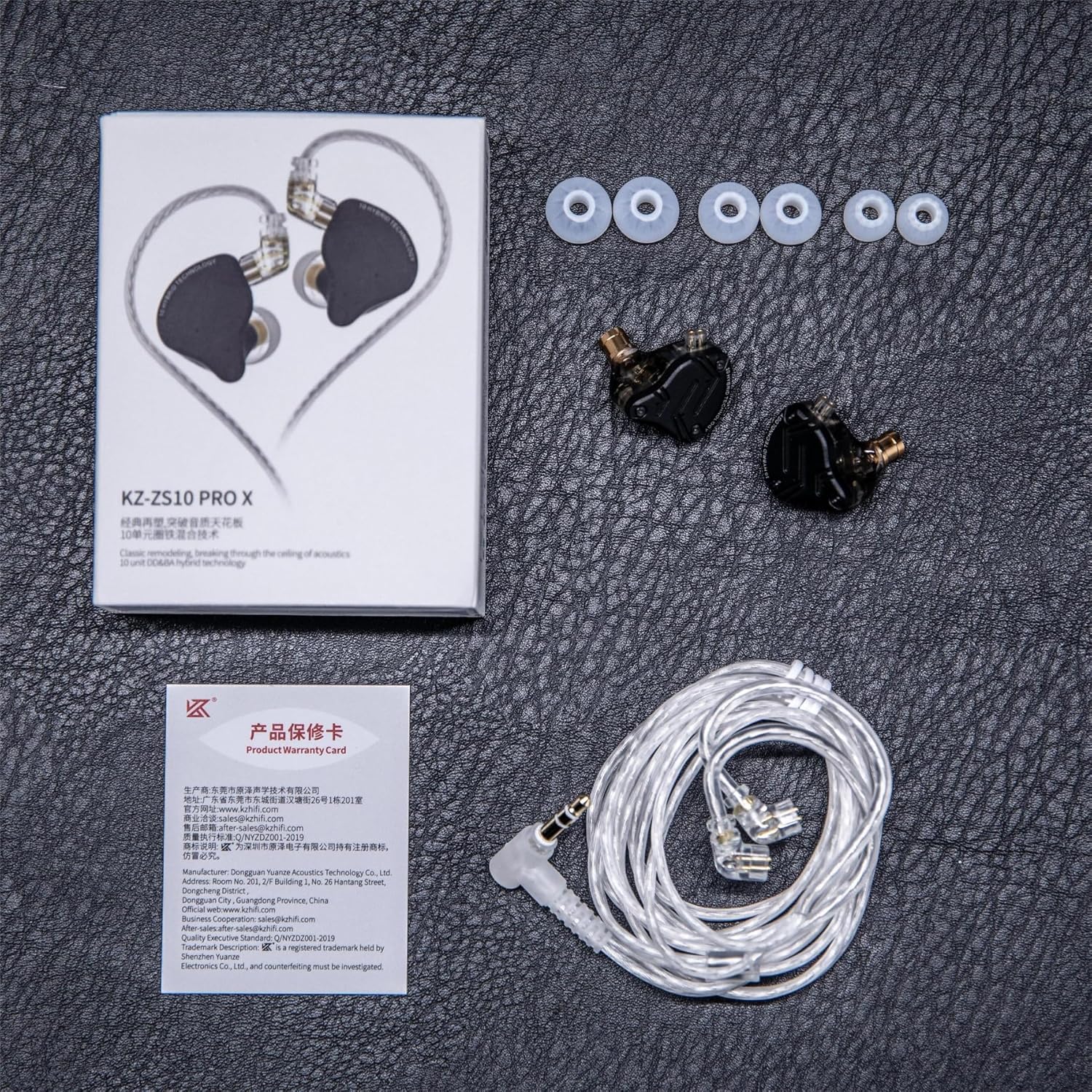
Image: Contents of the KZ ZS10 PRO X package, including earphones, cable, eartips, and user manual.
Configuració
1. Connectar el cable
- Identify the left (L) and right (R) earpieces and the corresponding connectors on the cable. The cable connectors are typically marked with 'L' and 'R'.
- Align the 2-pin connector on the cable with the recessed socket on the earpiece. Ensure the pins are correctly oriented.
- Gently push the cable connector into the earpiece socket until it is firmly seated. Do not force the connection.
- Repetiu el procés per a l'altre auricular.

Image: Diagram showing the internal components and the 2-pin cable connection point on the KZ ZS10 PRO X.
2. Triar i col·locar les puntes d'orella
Selecting the correct eartip size is crucial for optimal sound quality and comfort. Experiment with the included small, medium, and large silicone eartips.
- Un bon segellat proporciona una millor resposta de greus i un aïllament passiu del soroll.
- Gently twist and pull to remove existing eartips.
- Push the desired eartip onto the nozzle of the earpiece until it is securely attached.
3. Com posar-se els auriculars
- Insert the earpieces into your ears, ensuring a comfortable and secure fit.
- Route the cable over your ears to minimize microphonics (cable noise) and provide a stable fit. The pre-formed ear hooks on the cable should rest comfortably over your outer ear.

Image: Illustration of the ergonomic design and proper wearing technique for the KZ ZS10 PRO X, showing the cable routed over the ear.
4. Connexió a un dispositiu
Plug the 3.5mm gold-plated jack of the cable into the headphone output of your audio source (e.g., smartphone, digital audio player, computer, audio interface).
Instruccions de funcionament
The KZ ZS10 PRO X (with mic variant) features an in-line remote for convenient control of music playback and calls.

Image: Diagram illustrating the functions of the single-button in-line remote control.
Control de reproducció de música
- Reproduir/pausa: Premeu el botó una vegada.
- Següent cançó: Premeu el botó dues vegades ràpidament.
- Cançó anterior: Premeu el botó tres vegades ràpidament.
Gestió de trucades
- Respondre/Finalitzar la trucada: Premeu el botó una vegada.
- Rebutja la trucada: Manteniu premut el botó.
Manteniment
Cleaning the Earphones
- Regularly remove the eartips and clean them with a soft, damp drap. Deixeu-les assecar completament abans de tornar-les a enganxar.
- Gently wipe the earpiece shells and cable with a dry, soft cloth.
- If earwax accumulates in the nozzle, carefully remove it using a small, soft brush or a specialized cleaning tool. Avoid using sharp objects that could damage the drivers.
Cura de cables
- Eviteu doblegar bruscament o estirar excessivament el cable.
- When detaching the cable, grasp the connector firmly, not the cable itself, and pull straight out.
Emmagatzematge
When not in use, store your KZ ZS10 PRO X IEMs in a clean, dry place, preferably in a protective case, to prevent damage and tangling.
Resolució de problemes
| Problema | Causa possible | Solució |
|---|---|---|
| Sense so o so intermitent |
|
|
| Mala qualitat de so (per exemple, greus febles, so apagat) |
|
|
| El micròfon no funciona |
|
|
Especificacions

Image: Visual representation of key specifications for the KZ ZS10 PRO X.
| Característica | Detall |
|---|---|
| Nom del model | KZ ZS10 PRO X |
| Configuració del controlador | 1x 10mm Dynamic Driver + 4x Balanced Armature Drivers (2x 50024s, 2x 30019s) |
| Impedància | 29 ohms |
| Sensibilitat | 112 dB |
| Resposta de freqüència | 20 Hz - 40 kHz |
| Tipus de connector | 0.75 mm 2 pins |
| Connector per cable | 3.5 mm Jack (Gold-plated) |
| Característica del cable | Detachable, Silver-Plated |
| Longitud del cable | 120 ± 5 cm |
| Control de soroll | Cancel·lació passiva de soroll |
| Material | Alloy Faceplate, Resin Shell |
| Pes de l'article | 2.11 unces |
| Dimensions del producte | 3.74 x 2.76 x 1.18 polzades |
Garantia i Suport
Linsoul products typically come with a standard manufacturer's warranty. Please refer to the warranty card included in your package or visit the official Linsoul weblloc web per obtenir informació detallada sobre els termes i condicions de la garantia.
For technical support, troubleshooting assistance, or warranty claims, please contact Linsoul customer service through their official website or the retailer where you purchased the product. Provide your product model (KZ ZS10 PRO X) and proof of purchase for efficient service.
Podeu visitar la botiga Linsoul per a més informació: Linsoul Store on Amazon


