Introducció
This manual provides detailed instructions for the setup, operation, and maintenance of your Eyoyo Bluetooth 2D QR Barcode Scanner. This device is designed for efficient barcode scanning, offering both standalone Bluetooth functionality and a convenient back-clip design for smartphones. It is compatible with Android, iOS, iPad, and iPhone devices, making it suitable for various applications such as warehouse inventory and book management.
Contingut del paquet
Si us plau, verifiqueu que tots els elements siguin presents al paquet:
- Eyoyo Bluetooth 2D QR Barcode Scanner
- Cable de càrrega USB
- Manual d'usuari (aquest document)
- (Optional: Lanyard, if included)
Configuració
1. Càrrega de l'escàner
Before initial use, fully charge the scanner. Connect the provided USB charging cable to the scanner's charging port and to a standard USB power adapter (not included) or a computer's USB port.

Imatge: The scanner features a 1600mAh rechargeable battery, providing approximately 10 hours of working time and 720 hours of standby time. A full charge takes about 1.5 hours.
- Capacitat de la bateria: 1600 mAh
- Temps de càrrega: Aproximadament 1.5 hores
- Temps de treball: Aproximadament 10 hores
- Temps d'espera: Aproximadament 720 hores
2. Connexió Bluetooth
The scanner connects to your smartphone or tablet via Bluetooth.
- Enceneu l'escàner prement el botó d'encesa.
- Activeu el Bluetooth al telèfon intel·ligent o a la tauleta.
- Cerca available Bluetooth devices. The scanner should appear as "Eyoyo Scanner" or similar.
- Select the scanner from the list to pair. A successful connection will typically be indicated by an LED light on the scanner.
3. Attaching to a Phone (Back-Clip Mode)
The scanner features a retractable holder designed to attach to smartphones with lengths between 5.4 and 6.5 inches.

Imatge: Installation and removal process for attaching the scanner to a smartphone.
- Mantingueu el telèfon contra la part superior de l'escàner.
- Gently pull down the scanner's retractable holder to secure the phone.
- Ensure the phone is firmly seated in the holder.
- To remove, pull the scanner's holder downwards to release the phone.
Instruccions de funcionament
1. Escaneig de codis de barres
The Eyoyo scanner is equipped with a 2D scan engine capable of decoding various 1D and 2D barcodes quickly and efficiently.

Imatge: The scanner's powerful capability to read various barcode types, including those on screens, curved surfaces, or poorly printed.
- Supported 1D Barcodes: ISBN/UPC/EAN, UPC/EAN with supplements, Code39, Interleaved 2 of 5, Code93, Code 128, Codabar.
- Supported 2D Barcodes: QR Code, Data Matrix, PDF417.
- The scanner can read barcodes from mobile phone, tablet, and computer displays, as well as curved, wide, poorly printed, or damaged barcodes.
2. Scan Button Design
The scanner features three scan buttons for ergonomic use, allowing for convenient scanning from various positions.

Imatge: The three scan buttons located on the top, left, and right sides of the device for versatile operation.
- Press any of the three scan buttons (top, left, or right) to activate the scanner and read a barcode.
3. Two Usage Modes
The Eyoyo scanner offers flexibility in how it can be used.
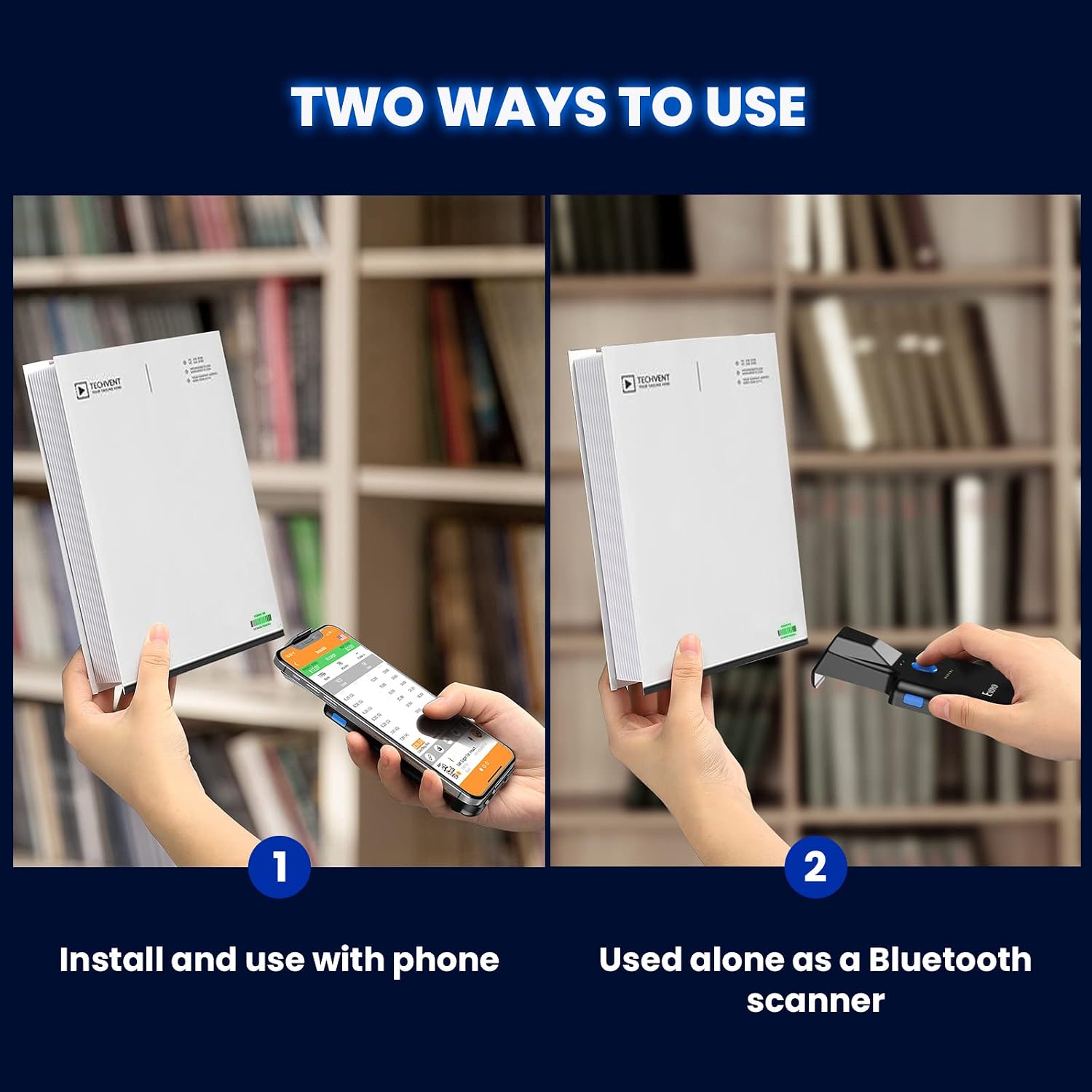
Imatge: The scanner can be used either attached to a smartphone or as a standalone Bluetooth scanner.
- Back-Clip Mode: Attach the scanner to your smartphone. This allows you to view scanned data directly on your phone's screen while scanning.
- Standalone Bluetooth Scanner: Use the scanner independently, connecting it via Bluetooth to a compatible device (e.g., computer, tablet) for data transmission.

Imatge: The scanner integrated with a smartphone, demonstrating its use for checking prices and quantities.
Manteniment
Un manteniment adequat garanteix la longevitat i el rendiment òptim del vostre escàner.
- Neteja: Use a soft, dry, lint-free cloth to clean the scanner's exterior. For the scanning window, use a lens cleaning cloth and a mild cleaning solution if necessary. Avoid abrasive materials or harsh chemicals.
- Emmagatzematge: Guardeu l'escàner en un lloc fresc i sec, allunyat de la llum solar directa i de temperatures extremes.
- Cura de la bateria: Per allargar la durada de la bateria, eviteu descarregar-la completament amb freqüència. Si la guardeu durant un període prolongat, carregueu-la fins a un 50% aproximadament i torneu-la a carregar cada pocs mesos.
- Protecció física: While robust, avoid dropping the scanner or subjecting it to strong impacts.
Resolució de problemes
If you encounter issues with your Eyoyo barcode scanner, refer to the following common problems and solutions:
| Problema | Possible causa/solució |
|---|---|
| L'escàner no s'encén. | Battery may be depleted. Charge the scanner for at least 1.5 hours. |
| No s'ha pogut emparellar per Bluetooth. |
|
| L'escàner no llegeix codis de barres. |
|
| Les dades escanejades són incorrectes o incompletes. |
|
Especificacions
| Característica | Detall |
|---|---|
| Marca | Eyoyo |
| Número de model | B0BCGQBPF6 |
| Tecnologia de connectivitat | Bluetooth |
| Dispositius compatibles | Smartphone, Tablet (Android, iOS, iPad, iPhone) |
| Font d'alimentació | Battery Powered (Wired for charging) |
| Tipus de bateria | 1 bateria no estàndard (inclosa) |
| Capacitat de la bateria | 1600 mAh |
| Dimensions del paquet | 17.1 x 9.3 x 4.2 cm |
| Pes de l'article | 170 g (approx. 90g/3.1oz for the scanner itself) |
| Rendiment de descodificació | 1D & 2D barcodes (ISBN/UPC/EAN, Code39, QR, Data Matrix, PDF417, etc.) |
| Phone Compatibility (Back-Clip) | Smartphones with length 5.4-6.5 inches |
Informació de la garantia
Eyoyo products typically come with a limited manufacturer's warranty. For specific details regarding the warranty period and terms for your Eyoyo Bluetooth 2D QR Barcode Scanner, please refer to the warranty card included in your product packaging or visit the official Eyoyo weblloc web. Conserveu el rebut de compra com a comprovant de compra per a reclamacions de garantia.
Atenció al client
If you require further assistance, technical support, or have questions not covered in this manual, please contact Eyoyo customer service. Contact information can usually be found on the official Eyoyo weblloc web o a l'embalatge del producte.
Weblloc: www.eyoyo.com (Please verify the official weblloc per obtenir la informació més actualitzada.)


