Introducció
This manual provides essential information for setting up, operating, maintaining, and troubleshooting your Apple Watch Series 8 GPS 45mm. Designed for health monitoring, fitness tracking, and seamless connectivity, this smart watch integrates advanced technology to enhance your daily life. Please read this guide thoroughly to ensure proper use and to maximize your device's capabilities.

Image: The Apple Watch Series 8, featuring a Starlight Aluminum Case and a matching Starlight Sport Band. The always-on Retina display shows a classic watch face with additional information such as UV index, temperature, and activity rings.
Què hi ha a la caixa
Upon unboxing your Apple Watch Series 8, verify that all the following components are present:
- Apple Watch Series 8 Case (45mm Starlight Aluminum)
- Starlight Sport Band (M/L size, fits 160–210mm wrists)
- Cable de càrrega magnètic d'1 m (USB-C)

Image: A visual representation of the Apple Watch Series 8 packaging contents, showing the watch case, the sport band, and the USB-C magnetic fast charging cable.
Configuració
1. Carregant el teu Apple Watch
Before initial use, fully charge your Apple Watch. Connect the magnetic charging cable to the back of your watch and plug the USB-C end into a compatible power adapter (sold separately) or a USB-C port. The watch will display a charging indicator.
2. Fixació de la banda
Slide the band pieces into the slots on the top and bottom of the Apple Watch case until you feel and hear a click. Ensure the band is securely fastened before wearing.
3. Emparellament amb iPhone
- Ensure your iPhone is running the latest iOS version and has Bluetooth and Wi-Fi enabled.
- Enceneu el vostre Apple Watch mantenint premut el botó lateral fins que aparegui el logotip d'Apple.
- Apropa l'iPhone a l'Apple Watch. Apareixerà una pantalla d'emparellament a l'iPhone. Toca "Continua".
- Col·loca l'iPhone de manera que l'Apple Watch aparegui a la viewcercador de l'aplicació Apple Watch.
- Seguiu les instruccions que apareixen a la pantalla dels dos dispositius per completar el procés d'emparellament, inclosa la configuració d'un codi d'accés i l'elecció de la configuració preferida.
Funcionament del teu Apple Watch
Navegació i controls
- Corona digital: Rotate to scroll, zoom, or adjust values. Press once to go to the watch face or app launcher. Double-press to switch between recently used apps. Press and hold to activate Siri.
- Botó lateral: Press once to open the Dock (recently used apps). Press and hold to access Emergency SOS, Medical ID, and power options. Double-press for Apple Pay.
- Pantalla tàctil: Tap to select, swipe to navigate, force touch for additional options (on supported apps).
Característiques de salut
- Blood Oxygen App: Mesura els nivells d'oxigen a la sang a demanda.
- Aplicació d'ECG: Generate an electrocardiogram similar to a single-lead ECG.
- Detecció de temperatura: Provides retrospective ovulation estimates and advanced cycle tracking features.
- Seguiment del son: Monitoritza el teu sontages (REM, Core, Deep) and overall sleep patterns.
- Monitorització de la freqüència cardíaca: Track your heart rate throughout the day and receive notifications for high, low, or irregular rhythms.
Característiques de seguretat
- Detecció de xocs: Automatically detects severe car crashes and connects you with emergency services.
- Detecció de caigudes: Detecta caigudes fortes i pot iniciar una trucada d'emergència si no respons.
- SOS d'emergència: Premeu i manteniu premut el botó lateral per trucar ràpidament als serveis d'emergència i notificar-ho als vostres contactes d'emergència.
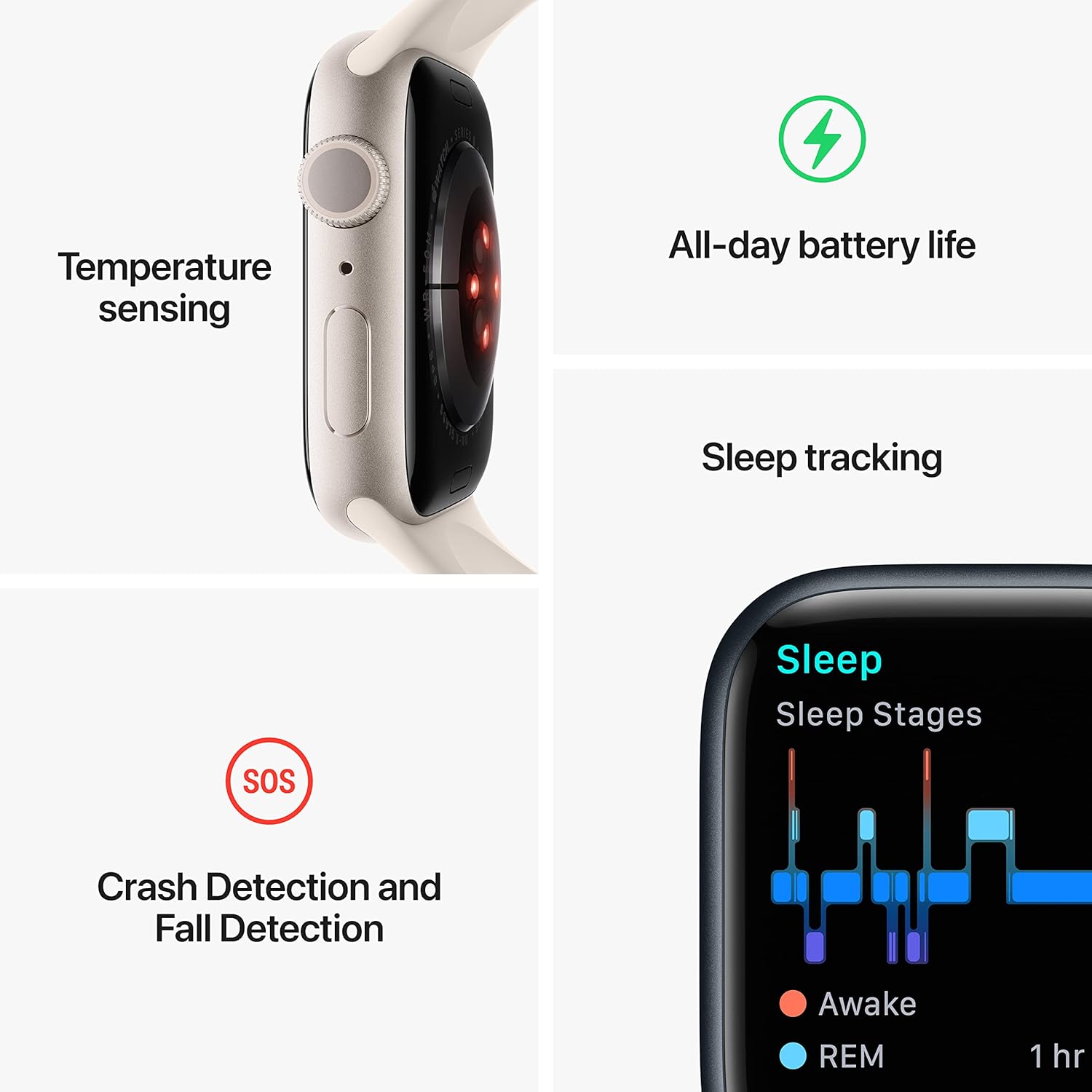
Image: A graphic illustrating key features of the Apple Watch Series 8: temperature sensing, all-day battery life, sleep tracking with sleep stages, and crash detection with fall detection.
Seguiment de la forma física
- Aplicació d'entrenament: Track various workouts with advanced metrics.
- Anells d'activitat: Monitor your daily Move, Exercise, and Stand goals.
- GPS: Built-in GPS for accurate tracking of outdoor activities without your iPhone.
Connectivitat i comunicació
- Trucades i textos: Make and receive calls and send messages directly from your wrist when connected to your iPhone or Wi-Fi.
- Siri: Utilitzeu ordres de veu per a diverses tasques.
- Apple Pay: Make secure payments with a double-press of the side button.
- App Store: Access and download thousands of apps directly on your watch.
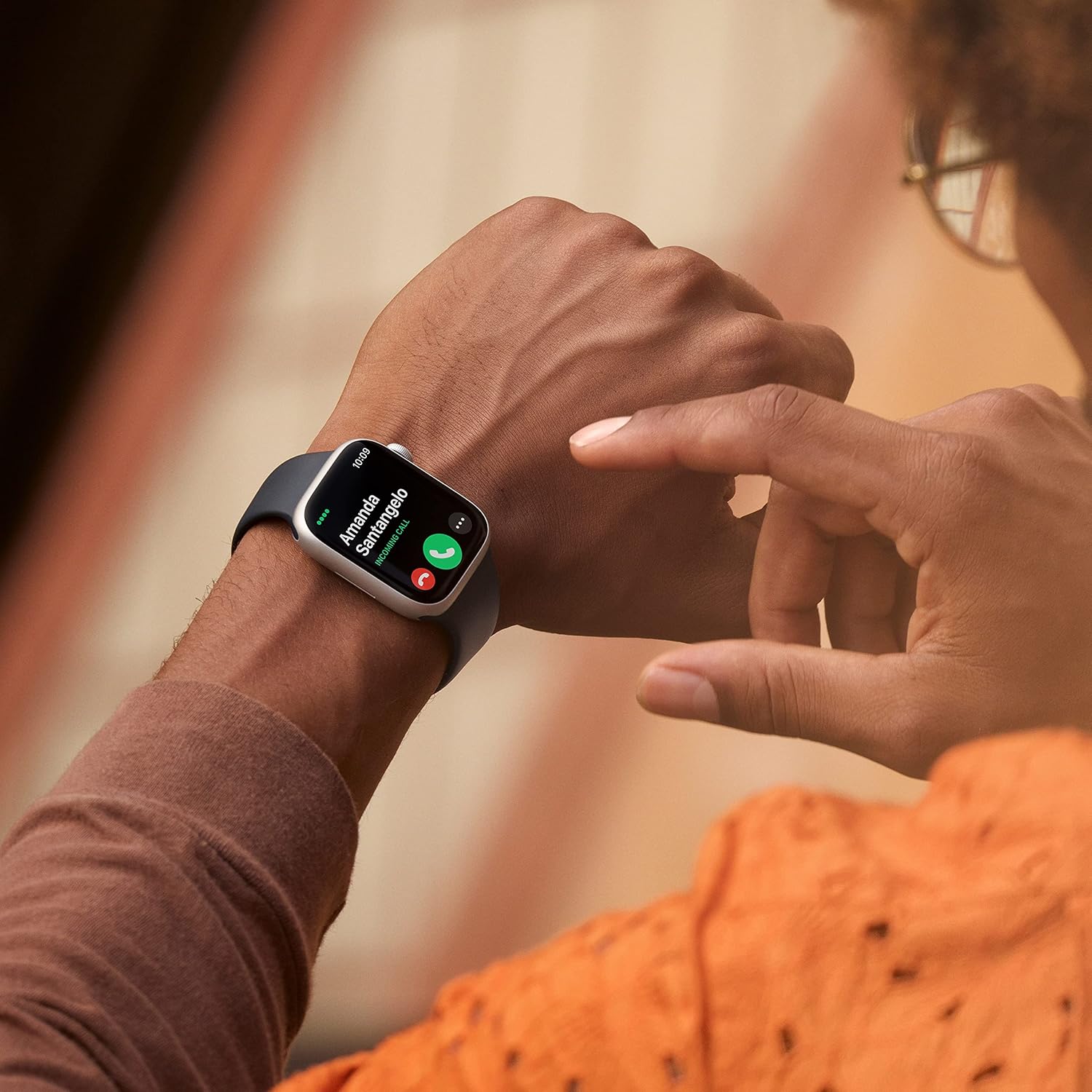
Image: A close-up of a person's wrist wearing an Apple Watch Series 8, displaying an incoming call from 'Amanda Santangelo' with options to accept or decline.
Manteniment
Neteja del teu Apple Watch
Regularly clean your Apple Watch to maintain its appearance and functionality. Use a soft, lint-free cloth. If necessary, lightly dampen the cloth with fresh water. Avoid using soaps, cleaning products, abrasive materials, or compressed air. Ensure the watch is dry before charging or wearing.
Cura de la banda
Clean your sport band with a non-abrasive, lint-free cloth. For deeper cleaning, you can use a mild, hypoallergenic hand soap and rinse thoroughly with fresh water. Allow the band to air dry completely before reattaching it to your watch.
Actualitzacions de programari
Keep your Apple Watch software updated to the latest version of watchOS for optimal performance, new features, and security enhancements. Updates can be managed through the Apple Watch app on your iPhone.
Resolució de problemes
El rellotge no s'encén ni respon
- Carregueu el rellotge: Ensure the watch is charged. Connect it to the magnetic charging cable and a power source for at least 30 minutes.
- Força el reinici: Press and hold both the side button and the Digital Crown for at least 10 seconds, until you see the Apple logo.
Problemes d'aparellament
- Check iPhone Settings: Assegura't que el Bluetooth i el Wi-Fi estiguin activats al teu iPhone.
- Reinicieu els dispositius: Restart both your iPhone and Apple Watch.
- Reset Apple Watch: If pairing fails repeatedly, you may need to erase your Apple Watch and try pairing again. (Go to Settings > General > Reset > Erase All Content and Settings on the watch).
La bateria s'esgota ràpidament
- Check Battery Usage: In the Apple Watch app on your iPhone, go to My Watch > Battery to see which apps are consuming the most power.
- Ajustar la configuració: Reduce screen brightness, turn off Always-On Display if not needed, limit background app refresh, and disable unnecessary notifications.
- Actualització de programari: Ensure your watchOS is up to date.
Especificacions
| Número de model | MNUQ3LL/A |
| Marca | Apple |
| Mida de la pantalla | 45 mil·límetres |
| Forma | Plaçada |
| GPS | GPS integrat |
| Tipus de bateria | Ió de liti |
| Comunicació sense fils estàndard | 802.11n |
| Tecnologia de connectivitat | USB |
| Característiques especials | Seguiment d'activitat, monitor de freqüència cardíaca, monitor de son, oxigen en sang |
| Capacitat d'emmagatzematge de memòria | 32 GB |
| Sistema operatiu | WatchOS |
| Dimensions del producte | 1.73 x 0.42 x 1.5 polzades |
| Pes de l'article | 1.28 unces |
Garantia i Suport
Your Apple Watch Series 8 is covered by Apple's standard limited warranty. For detailed warranty information, please refer to the documentation included with your product or visit the official Apple support website. Apple also provides extensive online support resources, including user guides, troubleshooting articles, and community forums. For technical assistance, contact Apple Support directly.
Per obtenir la informació i l'assistència més actualitzades, visiteu: support.apple.com/watch


