Introducció
The Apple Watch Series 8 is an advanced smartwatch designed to be an essential companion for a healthy and connected life. It integrates powerful sensors and features to provide insights into your health, enhance safety, and keep you connected. This manual provides instructions for setting up, operating, maintaining, and troubleshooting your device.

Image: The Apple Watch Series 8, featuring a vibrant (PRODUCT)RED aluminum case and a matching Sport Band. The watch face displays time, temperature, and activity rings.
Què hi ha a la caixa
En desembalar l'Apple Watch Series 8, comproveu que hi hagi tots els components:
- Apple Watch Series 8 Case (45mm, (PRODUCT)RED Aluminum)
- (PRODUCT)RED Sport Band (S/M size)
- Cable de càrrega magnètic d'1 m (USB-C)

Image: A visual representation of the items included in the Apple Watch Series 8 packaging: the watch case, the Sport Band, and the USB-C Magnetic Fast Charging Cable.
Configuració
1. Càrrega inicial
Before first use, fully charge your Apple Watch. Connect the magnetic charging cable to the back of your watch and plug the USB-C end into a compatible power adapter (sold separately) or a USB-C port. The watch will display a charging indicator.
2. Emparellament amb iPhone
The Apple Watch Series 8 requires an iPhone 8 or later running the latest iOS version for full functionality. To pair:
- Assegura't que el Bluetooth del teu iPhone estigui activat i que estigui connectat a la xarxa Wi-Fi o a les dades mòbils.
- Enceneu el vostre Apple Watch mantenint premut el botó lateral fins que aparegui el logotip d'Apple.
- Bring your iPhone near your Apple Watch. A pairing prompt will appear on your iPhone. Tap "Continue".
- Col·loca l'iPhone de manera que l'Apple Watch aparegui a la viewcercador a la pantalla del teu iPhone.
- Follow the on-screen instructions on both devices to complete the pairing process, including setting up a passcode and choosing preferences.
3. Band Attachment
To attach the Sport Band, slide each band piece into the slots on the Apple Watch case until you hear a click. Ensure they are securely fastened before wearing.
Funcionament del teu Apple Watch Sèrie 8
Visualització i navegació
The Apple Watch Series 8 features a bright, Always-On Retina display, making it easy to view information at a glance. Navigation is primarily done through touch gestures, the Digital Crown, and the Side Button.
- Corona digital: Rotate to scroll, zoom, or adjust values. Press to go to the watch face or Home Screen. Double-press to switch between recent apps.
- Botó lateral: Prem per obrir el Dock (aplicacions recents) o accedir a l'Apple Pay. Mantén premut per a l'emergència SOS o per apagar el dispositiu.
- Gestos tàctils: Toca per seleccionar, llisca per navegar entre pantalles i força el toc (prem fermament) per obtenir opcions addicionals dins de les aplicacions.

Imatge: Un front clar view of the Apple Watch Series 8 display, showcasing the Always-On Retina screen with a classic watch face.

Image: A close-up shot highlighting the textured Digital Crown and the flat Side Button on the right side of the Apple Watch Series 8 case, used for navigation and controls.
Connectivitat cel·lular
With GPS + Cellular models, you can send texts, make calls, and stream music directly from your watch, even without your iPhone nearby. This feature requires an active cellular plan for your Apple Watch, typically an extension of your iPhone's plan. Family Setup allows managing watches for family members without an iPhone.
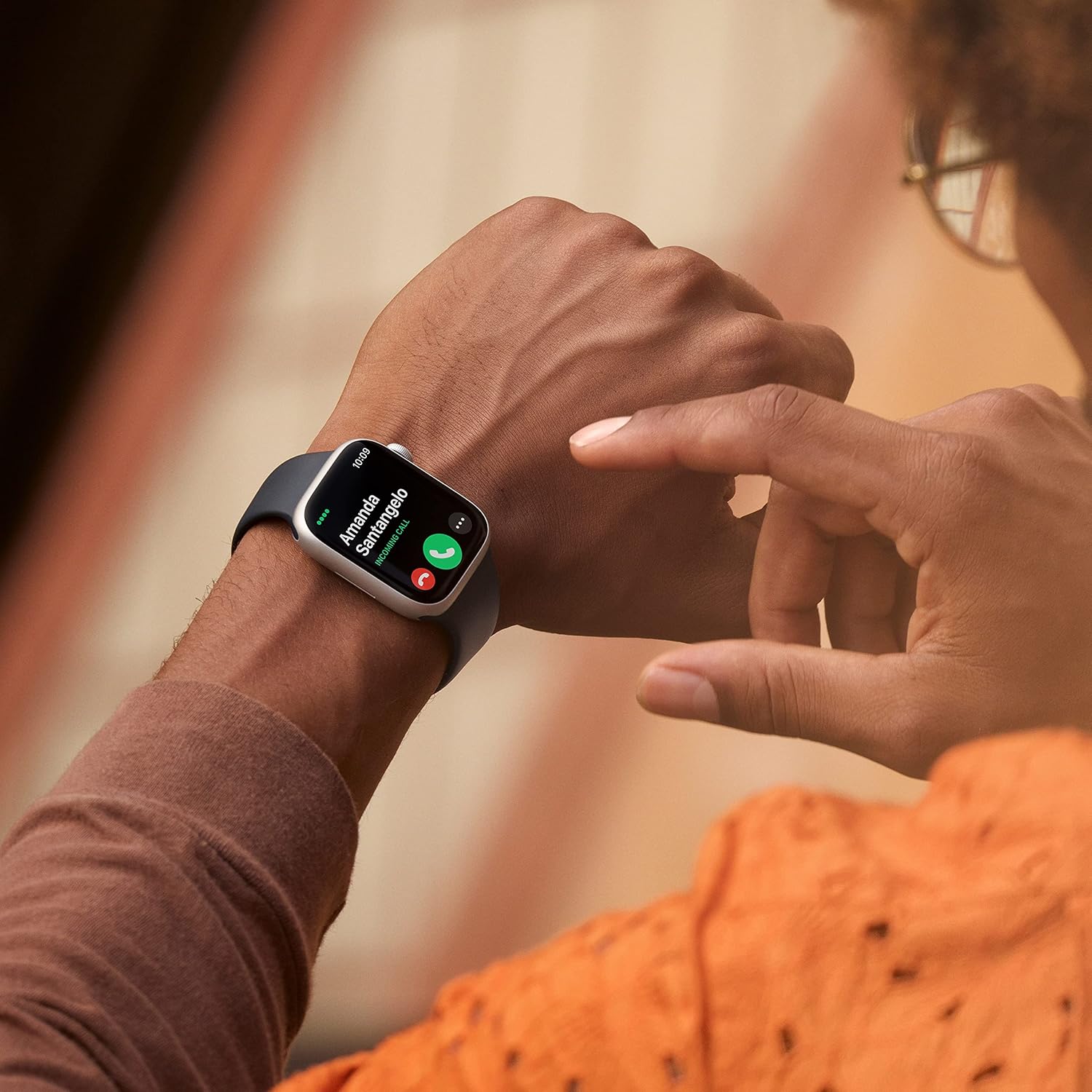
Image: A person's wrist displaying the Apple Watch Series 8 with an incoming call notification on its screen, demonstrating cellular communication capabilities.
Funcions de salut avançades
The Series 8 includes advanced sensors for comprehensive health monitoring:
- Detecció de temperatura: Provides insights into women's health, including retrospective ovulation estimates.
- Blood Oxygen App: Mesura els nivells d'oxigen a la sang a demanda.
- Aplicació d'ECG: Feu un electrocardiograma per comprovar si hi ha signes de fibril·lació auricular (FA).
- Notificacions de ritme irregular: Rep alertes si el teu ritme cardíac sembla irregular.
- Dormir Stages: Monitor your sleep patterns, showing time spent in REM, Core, and Deep sleep.
Característiques de seguretat innovadores
For your safety, the Apple Watch Series 8 includes:
- Detecció de xocs: Detecta automàticament accidents de cotxe greus i et pot connectar amb els serveis d'emergència.
- Detecció de caigudes: Detects hard falls and can initiate a call to emergency services if you are unresponsive.
- SOS d'emergència: Mantingueu premut el botó lateral per trucar ràpidament als serveis d'emergència.
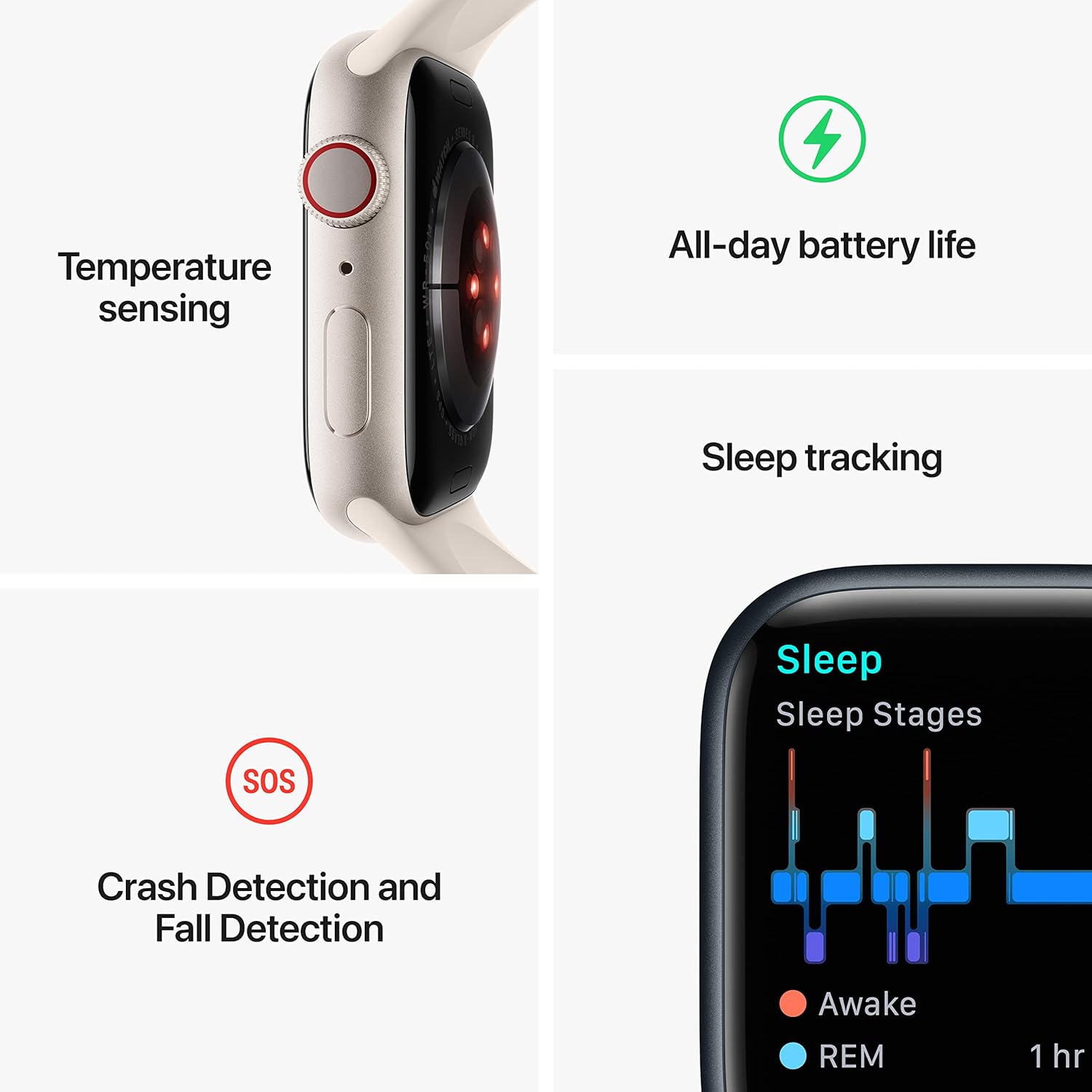
Image: An infographic illustrating key features of the Apple Watch Series 8, including temperature sensing, all-day battery life, sleep tracking, Crash Detection, Fall Detection, and Emergency SOS.
Fitness Tracking and Apps
The enhanced Workout app offers new ways to train and advanced metrics. Access tens of thousands of apps directly from the App Store on your wrist, covering various categories from productivity to entertainment.
Durabilitat
The Apple Watch Series 8 is built for durability, featuring crack resistance, IP6X-certified dust resistance, and WR50 water resistance, making it suitable for swimming.
Manteniment
Neteja del teu Apple Watch
Per netejar el teu Apple Watch, neteja'l amb un drap no abrasiu i sense borrissol. Si cal, frega'l lleugerament.ampen the cloth with fresh water. Do not use soaps, cleaning products, abrasive materials, or compressed air. Ensure the watch is dry before charging or wearing.
Resistència a l'aigua
The Apple Watch Series 8 has a water resistance rating of 50 meters (WR50) under ISO standard 22810:2010. This means it can be used for shallow-water activities like swimming in a pool or ocean. However, it should not be used for scuba diving, waterskiing, or other activities involving high-velocity water or submersion below shallow depth. Water resistance is not a permanent condition and may diminish over time.
Cura de la bateria
For optimal battery life, avoid exposing your watch to extreme temperatures. Charge your watch regularly, but avoid leaving it fully charged or fully discharged for extended periods.
Resolució de problemes
If you encounter issues with your Apple Watch Series 8, consider the following common solutions:
- El rellotge no s'encén: Ensure the watch is sufficiently charged. Connect it to the magnetic charging cable and a power source for at least 30 minutes.
- Problemes d'aparellament: Confirm your iPhone is updated to the latest iOS, Bluetooth is on, and both devices are near each other. Try restarting both the iPhone and Apple Watch.
- L'aplicació no respon: Force quit the app by pressing the side button, then rotating the Digital Crown to the app, swiping left, and tapping the 'X'. Restart the app.
- Poca durada de la bateria: Check for background app refresh settings, disable unnecessary notifications, and ensure your watchOS is up to date.
- Problemes de connectivitat (Wi-Fi/Mòbil): Verify your iPhone's network connection. For cellular, ensure your plan is active and configured correctly for your watch.
Per a una resolució de problemes més detallada o per a problemes persistents, consulteu el suport oficial d'Apple. weblloc web o poseu-vos en contacte amb el servei d'atenció al client d'Apple.
Especificacions
| Característica | Detall |
|---|---|
| Nom del model | Apple Watch Sèrie 8 |
| Número de model | MNVR3LL/A |
| Marca | Apple |
| Mida de la pantalla | 45 mil·límetres |
| Forma | Plaçada |
| GPS | GPS integrat |
| Composició de les cèl·lules de la bateria | Ió de liti |
| Tecnologia de connectivitat | USB (per carregar) |
| Característiques especials | Activity Tracker, Heart Rate Monitor, Sleep Monitor, Blood Oxygen, Temperature Sensing, ECG |
| Capacitat d'emmagatzematge de memòria | 32 GB |
| Sistema operatiu | WatchOS |
| Data de primera disponibilitat | 7 de setembre de 2022 |
| Pes de l'article | 13.4 unces |
| Dimensions del producte | 10 x 2 x 2.7 polzades |
| Resistència a l'aigua | WR50 (50 meters) |
Garantia i Suport
Informació de la garantia
Apple products typically come with a one-year limited warranty covering manufacturing defects. For specific warranty terms and conditions, please refer to the official Apple warranty documentation provided with your purchase or visit the Apple website. This manual does not constitute a warranty.
Atenció al client
For further assistance, technical support, or service inquiries, please contact Apple Support directly. You can find comprehensive support resources, FAQs, and contact information on the official Apple Support weblloc.
Recursos addicionals:


