1. Introducció
The Cisco Bang & Olufsen Cisco 980 is a premium over-ear wireless headset designed for business communication, hybrid work, and entertainment. It integrates Cisco's communication expertise with Bang & Olufsen's audio quality and design. This manual provides instructions for setting up, operating, maintaining, and troubleshooting your headset.

Image 1.1: The Cisco Bang & Olufsen Cisco 980 headset in First Light color.
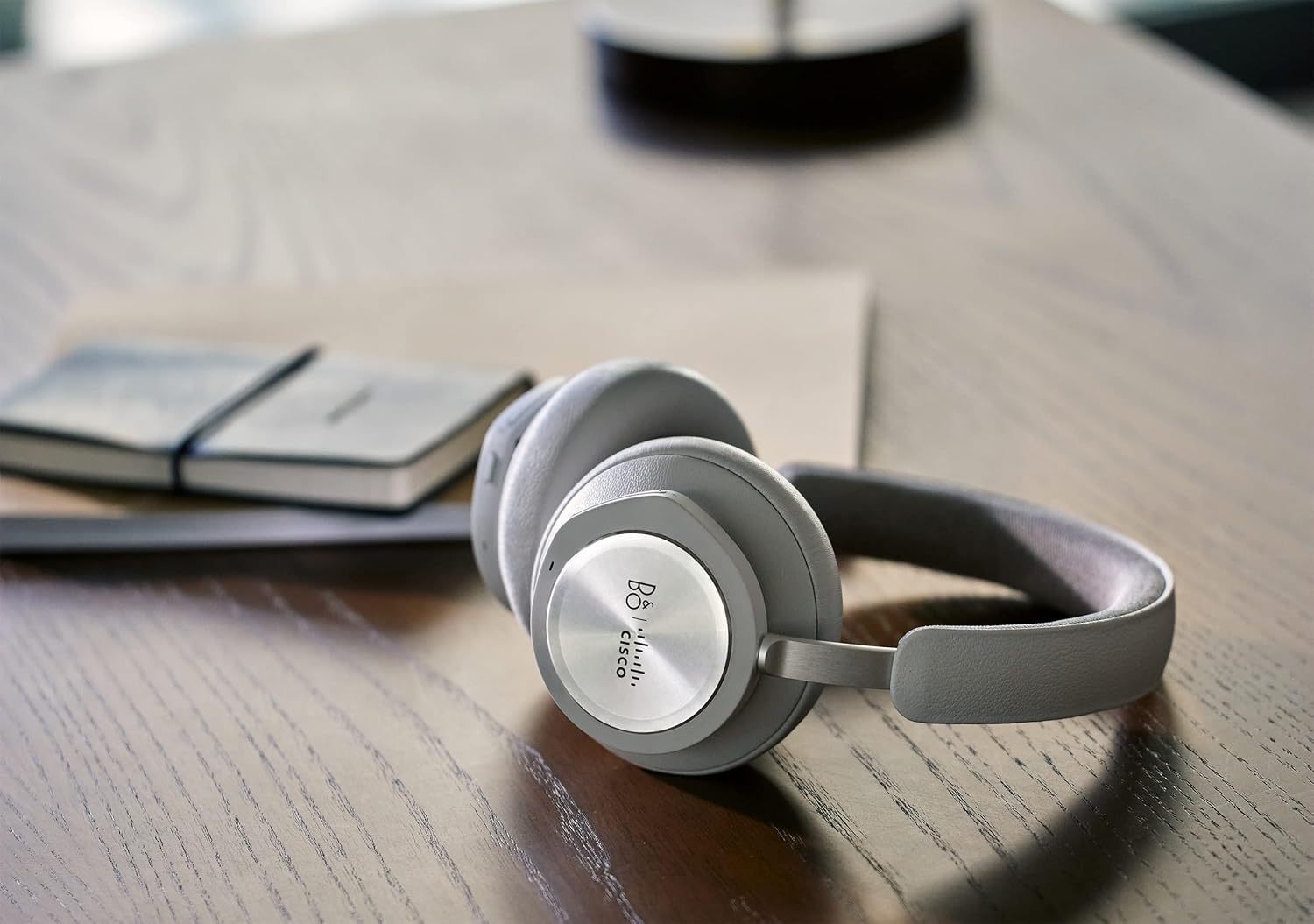
Image 1.2: The Cisco Bang & Olufsen Cisco 980 headset positioned on a wooden desk, showcasing el seu disseny.
2. Què hi ha a la caixa
Verifiqueu que tots els components siguin presents a l'embalatge del producte:
- Cisco Bang & Olufsen Cisco 980 Headset
- Diadema
- Ear Cushions (pre-installed or spare)
- USB-A HD Adapter
- Cable USB-A a USB-C
- Cable d'àudio de 3.5 mm
- Funda protectora
3. Configuració
3.1. Càrrega dels auriculars
Before first use, fully charge your headset. The headset is powered by a Lithium Ion battery. Connect the USB-A to USB-C cable to the headset's charging port and to a compatible USB power source. The charging time is approximately 4.4 Watt Hours.
3.2. Opcions de connectivitat
The Cisco 980 headset offers versatile connectivity:
- Bluetooth 5.1: For wireless pairing with Bluetooth-capable devices such as cellphones, laptops, and tablets.
- USB-A HD Adapter: Included for enhanced wireless connectivity, especially with desktops and Cisco devices.
- Cable USB-A a USB-C: Per a connexió amb cable i càrrega.
- Cable d'àudio de 3.5 mm: For wired audio connection to devices with a 3.5mm jack.
The headset supports simultaneous connection to up to 3 devices (two wireless and one wired).
3.3. Configuració de l'aplicació mòbil
Download the Bang & Olufsen mobile app to easily configure and customize your headset settings, troubleshoot issues, and access Cisco support.

Image 3.1: The Bang & Olufsen mobile app interface for customizing sound settings.
3.4. Cisco Application Integration
The headset is optimized for Webex and other Cisco applications and devices, providing an intuitive user experience and intelligent IT headset management within the Cisco ecosystem.
4. Instruccions de funcionament
4.1. Encendre/apagar
Refer to the headset's physical controls for power on/off functionality. Typically, this involves pressing and holding a designated button.
4.2. Controls supraaurals
The headset features on-ear controls for quick access to various functions:
- Control de trucades: Respondre, finalitzar o rebutjar trucades.
- Reproducció multimèdia: Reprodueix, pausa, salta pistes.
- Ajust de volum: Augmenta o disminueix el volum d'àudio.
- Active Noise Cancellation (ANC) Control: Toggle ANC modes.
4.3. Cancel·lació activa de soroll (ANC)
The Adaptive Active Noise Cancellation feature allows you to block out surrounding noise or adjust to hear more of your environment as needed. This helps maintain focus in various work settings.

Image 4.1: A user demonstrating the headset's ability to provide focus in a busy outdoor environment with ANC.
4.4. Audio Quality and Microphones
The headset features 40mm electro-dynamic Neodymium speakers and leverages advanced audio codecs like aptX™ Adaptive and AAC for Bang & Olufsen's Signature Sound. Six integrated beamforming microphones ensure clear voice pickup, with a specialized sound mode for meetings. You can also design your own sound mode using Bang & Olufsen Beosonic via the mobile app.

Imatge 4.2: Un primer pla view of the headset on a user, emphasizing the immersive audio experience.
5. Manteniment
5.1. Neteja i cura
The headset is constructed with premium materials such as pearl-blasted aluminum, natural leather, and memory foam. To maintain its appearance and functionality:
- Wipe surfaces gently with a soft, dry cloth.
- Eviteu utilitzar productes químics o materials abrasius.
- Keep the headset dry; it has a water resistance level but is not fully waterproof.
5.2. Emmagatzematge
Quan no els feu servir, guardeu els auriculars a la seva funda protectora per evitar que es facin malbé i manteniu-los nets.
5.3. Coixinets per a les orelles
Spare ear cushions are available for replacement to ensure continued comfort and hygiene.

Image 5.1: The headset's earcups, emphasizing the memory foam for highest comfort.

Image 5.2: The headset in black, illustrating its minimalist design and use of treated leather, stainless steel, and anodized aluminum.
6. Solució De Problemes
If you encounter issues with your Cisco 980 headset, consider the following:
- Sense energia: Assegureu-vos que els auriculars estiguin completament carregats.
- Sense àudio/Mala qualitat d'àudio: Check Bluetooth connection, ensure correct audio output device is selected on your computer/phone. For wired connections, ensure cables are securely plugged in.
- Problemes amb el micròfon: Verify microphone is not muted. Check privacy settings on your device.
- Problemes de connectivitat: Try re-pairing Bluetooth devices. Ensure the USB-A HD Adapter is correctly installed and recognized.
- Problemes amb l'aplicació: Ensure the Bang & Olufsen mobile app is updated to the latest version.
For more detailed troubleshooting, refer to the Bang & Olufsen mobile app or contact Cisco support.
7. Especificacions
| Característica | Especificació |
|---|---|
| Nom del model | Bang & Olufsen Cisco 980 |
| Número de model de l'article | Cisco HS-WL-980-BUNA-L |
| Tecnologia de connectivitat | Wireless (Bluetooth 5.1), Wired (USB-A, 3.5mm Jack) |
| Control de soroll | Cancel·lació de soroll activa adaptativa |
| Sensibilitat | 95 dB |
| Impedància | 24 ohms |
| Pes de l'article | 9.9 unces (0.62 lliures) |
| Dimensions del producte | 21.27 x 10.05 x 13.39 polzades |
| Font d'alimentació | Battery-Powered (1 Lithium Ion battery included) |
| Temps de càrrega | 4.4 watts-hora |
| Material | Aluminum, Leather, Plastic |
| Nivell de resistència a l'aigua | Resistent a l'aigua |
| Característiques especials | Càrrega ràpida, micròfon inclòs, resistent a la suor |
| UPC | 889728468060 |
8. Informació de la garantia
The Cisco Bang & Olufsen Cisco 980 headset comes with a 1-year limited liability warranty. This warranty covers manufacturing defects and ensures peace of mind regarding your product's quality and performance.
9. Suport
For further assistance, technical support, or warranty claims, please utilize the following resources:
- Bang & Olufsen Mobile App: Access troubleshooting guides and support contacts directly through the app.
- Webex Support: For issues related to Webex integration and general support.
- Cisco's TAC Team: For advanced technical assistance.


