1. Introducció
This manual provides essential information for the proper setup, operation, and maintenance of your Sharp 32FG6EA 32-inch HD Android TV. The Sharp 32FG6EA offers a wide range of connection options and features the Android TV operating system, providing a modern and intuitive television experience. It functions as an all-in-one entertainment hub, integrating Google Assistant for a smarter viewing experience. Users can quickly access entertainment, control smart devices, and obtain on-screen information using voice commands.
2. Informació de seguretat
Please read all safety instructions carefully before using the television. Keep this manual for future reference.
- Font d'alimentació: Assegureu-vos que el televisor estigui connectat a una font d'alimentació amb el volum correctetage. No sobrecarregueu les preses de corrent.
- Ventilació: No bloquegeu les obertures de ventilació. Deixeu prou espai al voltant del televisor per a un flux d'aire adequat per evitar el sobreescalfament.
- Aigua i humitat: Do not expose the TV to rain, moisture, or excessive humidity. Avoid placing objects filled with liquids on or near the TV.
- Neteja: Desendolleu el televisor abans de netejar-lo. Feu servir un drap suau i sec. No utilitzeu netejadors líquids ni aerosols.
- Col·locació: Col·loqueu el televisor sobre una superfície estable i plana. Si el munteu a la paret, assegureu-vos que el suport estigui ben instal·lat i que pugui suportar el pes del televisor.
- Manteniment: No intenteu fer la reparació del televisor vosaltres mateixos. Envieu totes les tasques de manteniment a personal de servei qualificat.
3. Contingut del paquet
Verifiqueu que tots els elements estiguin presents a l'embalatge:
- Sharp 32FG6EA 32-inch HD Android TV
- Control remot (amb 2 piles AAA)
- Stand Type Base
- Manual d'instruccions
- Cable d'alimentació
4. Configuració
4.1 Desembalatge
Traieu amb cura el televisor i tots els accessoris de l'embalatge. Conserveu els materials d'embalatge per a futurs transports o reparacions.
4.2 Col·locació del suport
If you are not wall-mounting the TV, attach the included stand base:
- Col·loqueu la pantalla del televisor amb la pantalla cap avall sobre una superfície suau i plana per evitar que es faci malbé.
- Alineeu la base del suport amb els forats de muntatge de la part inferior del televisor.
- Fixeu el suport amb els cargols proporcionats. Assegureu-vos que el suport estigui ben fixat.
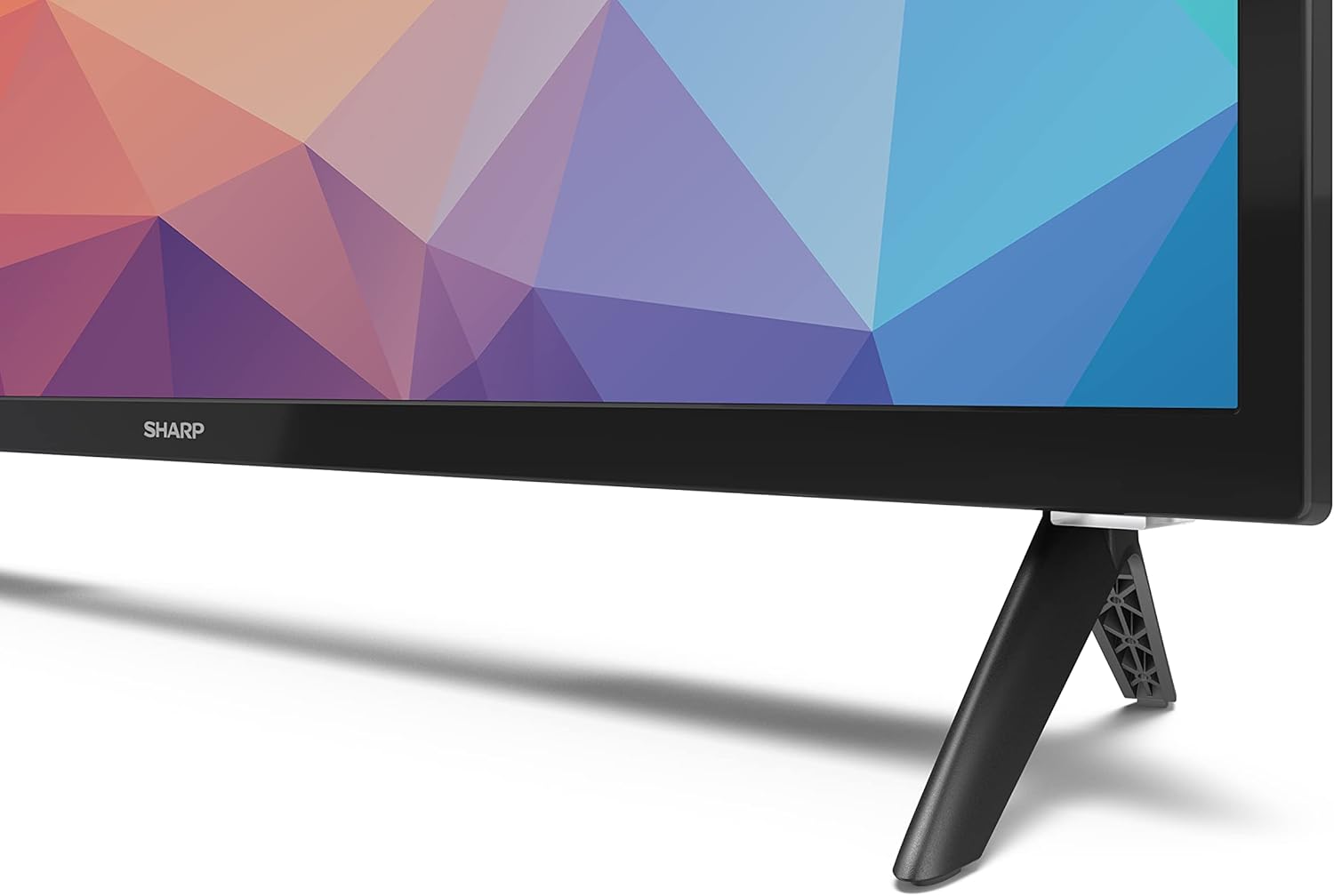
Image: Close-up of the TV stand attachment.
4.3 Muntatge a la paret
The Sharp 32FG6EA supports VESA wall mounts with dimensions of 75 x 75 mm. Wall mount hardware is not included. Follow the instructions provided with your wall mount kit.
4.4 Connexió de dispositius externs
El televisor té diversos ports per connectar diversos dispositius:
- HDMI: Connect Blu-ray players, game consoles, or set-top boxes to the 2 HDMI ports.
- USB: Connect USB storage devices for media playback to the 2 USB ports.
- Antena/cable: Connecteu una antena o una font de televisió per cable per als canals de difusió.
- Ethernet: Per a una connexió a Internet per cable.
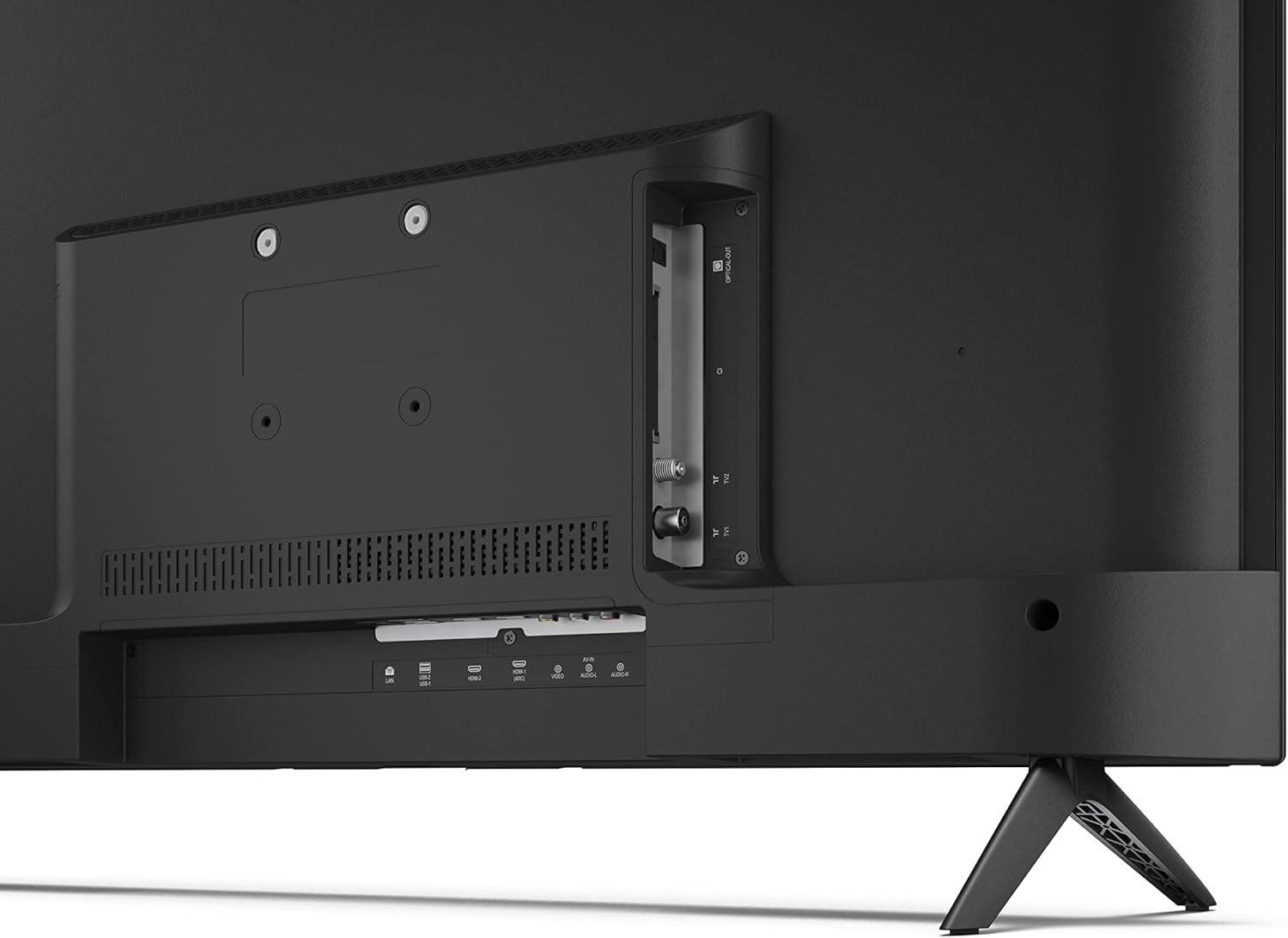
Imatge: Part posterior view del televisor amb ports de connexió.
4.5 Connexió d'alimentació
After connecting all necessary devices, plug the power cable into the TV and then into a wall outlet.
4.6 Assistent de configuració inicial
En engegar-lo per primera vegada, el televisor us guiarà a través d'un procés de configuració inicial. Això inclou:
- Selecció de la llengua.
- Connexió de xarxa (Wi-Fi o Ethernet).
- Google account sign-in (required for full Android TV features).
- Escaneig de canals.
5. Funcionament
5.1 Control remotview
The included remote control allows you to navigate the TV's features. Insert the 2 AAA batteries into the remote control before use.
- Botó d'encesa: Encén o apaga el televisor.
- Directional Pad (D-Pad) & OK Button: Navegar pels menús i confirmar les seleccions.
- Botó enrere: Torna a la pantalla anterior.
- Botó d'inici: Accedeix a la pantalla d'inici d'Android TV.
- Pujar/baixar el volum: Ajusta el volum d'àudio.
- Canal amunt/avall: Canvia els canals de televisió.
- Botó de l'Assistent de Google: Activa el control per veu.
- Botons de drecera d'aplicacions: Dedicated buttons for popular streaming services like Netflix, Prime Video, and YouTube.
5.2 Navegació de la interfície d'Android TV
The Android TV home screen provides access to your installed apps, recommended content, and settings. Use the directional pad on your remote to navigate through the interface.
5.3 Assistent de Google
Prem el botó de l'Assistent de Google del comandament a distància i parla al micròfon per fer el següent:
- Cerca movies, shows, or information.
- Controla els dispositius domèstics intel·ligents.
- Obre les aplicacions.
- Ajusta la configuració del televisor.
5.4 Chromecast integrat
The TV includes Chromecast built-in, allowing you to cast content from compatible apps on your smartphone, tablet, or computer directly to the TV screen.
5.5 Connectivitat Bluetooth
Connect Bluetooth devices such as headphones or speakers to your TV for a personalized audio experience. Navigate to the TV's settings menu to pair new Bluetooth devices.
5.6 Configuració d'àudio
The TV supports Dolby Audio with 2 x 6 W RMS speakers. You can adjust audio settings, including sound modes and equalizer, through the TV's settings menu.
6. Manteniment
6.1 Neteja del televisor
To clean the TV screen and cabinet:
- Desendolleu el cable d'alimentació de la presa de corrent.
- Use a soft, lint-free cloth to gently wipe the screen and surfaces.
- Per a marques difícils, lleugerament dampNetegeu el drap amb aigua o un netejador de pantalles especialitzat (apliqueu-lo al drap, no directament a la pantalla).
- No utilitzeu netejadors abrasius, ceres ni dissolvents.
6.2 Actualitzacions de programari
Your Android TV may receive periodic software updates to improve performance and add new features. Ensure your TV is connected to the internet to receive these updates. You can check for updates manually in the TV's settings menu.
7. Solució De Problemes
Si teniu problemes amb el televisor, consulteu els problemes i solucions més comuns següents:
- Sense energia: Assegureu-vos que el cable d'alimentació estigui ben connectat tant al televisor com a una presa de corrent que funcioni. Proveu una altra presa de corrent.
- Sense imatge/so: Comproveu que s'ha seleccionat la font d'entrada correcta. Verifiqueu que tots els cables (HDMI, antena) estiguin connectats correctament.
- El control remot no funciona: Comproveu les piles i assegureu-vos que estiguin inserides correctament. Apunteu el comandament a distància directament al sensor d'infrarojos del televisor.
- Mala qualitat d'imatge: Check antenna/cable connections. Adjust picture settings in the TV menu. For streaming content, ensure a stable internet connection.
- Sense connexió a Internet: Verify Wi-Fi password or Ethernet cable connection. Restart your router and the TV.
- Apps Not Working: Ensure the TV's software is up to date. Try clearing the app's cache or reinstalling the app.
If problems persist, consult the Sharp support weblloc o contacteu amb el servei d'atenció al client.
8. Especificacions
| Característica | Especificació |
|---|---|
| Número de model | 32FG6EA |
| Marca | Afilat |
| Mida de la pantalla | 32 polzades (81 cm en diagonal) |
| Tecnologia de visualització | LED |
| Resolució | 720p (1366 x 768 píxels) |
| Relació d'aspecte | 16:9 |
| Freqüència d'actualització | 50 Hz |
| Sistema operatiu | Android TV 11 |
| Característiques especials | Android TV, Google Assistant, Chromecast built-in |
| Sortida d'àudio | 2 x 6 W RMS, Dolby Audio |
| Ports HDMI | 2 |
| Ports USB | 2 |
| Connectivitat | Wi-Fi, Bluetooth, Ethernet |
| Muntatge de paret VESA | 75 x 75 mm |
| Dimensions amb suport (A x A x P) | 731 x 486 x 177 mm |
| Dimensions sense suport (A x A x P) | 731 x 433 x 68 mm |
| Dimensions del producte (P x A x A) | 16 x 73 x 46.4 cm (approximate, with stand) |
| Pes | 3.9 kg |
| Classe d'eficiència energètica | E |

Image: TV dimensions diagram.

Image: Energy Label. For more details, visit Base de dades EPREL.
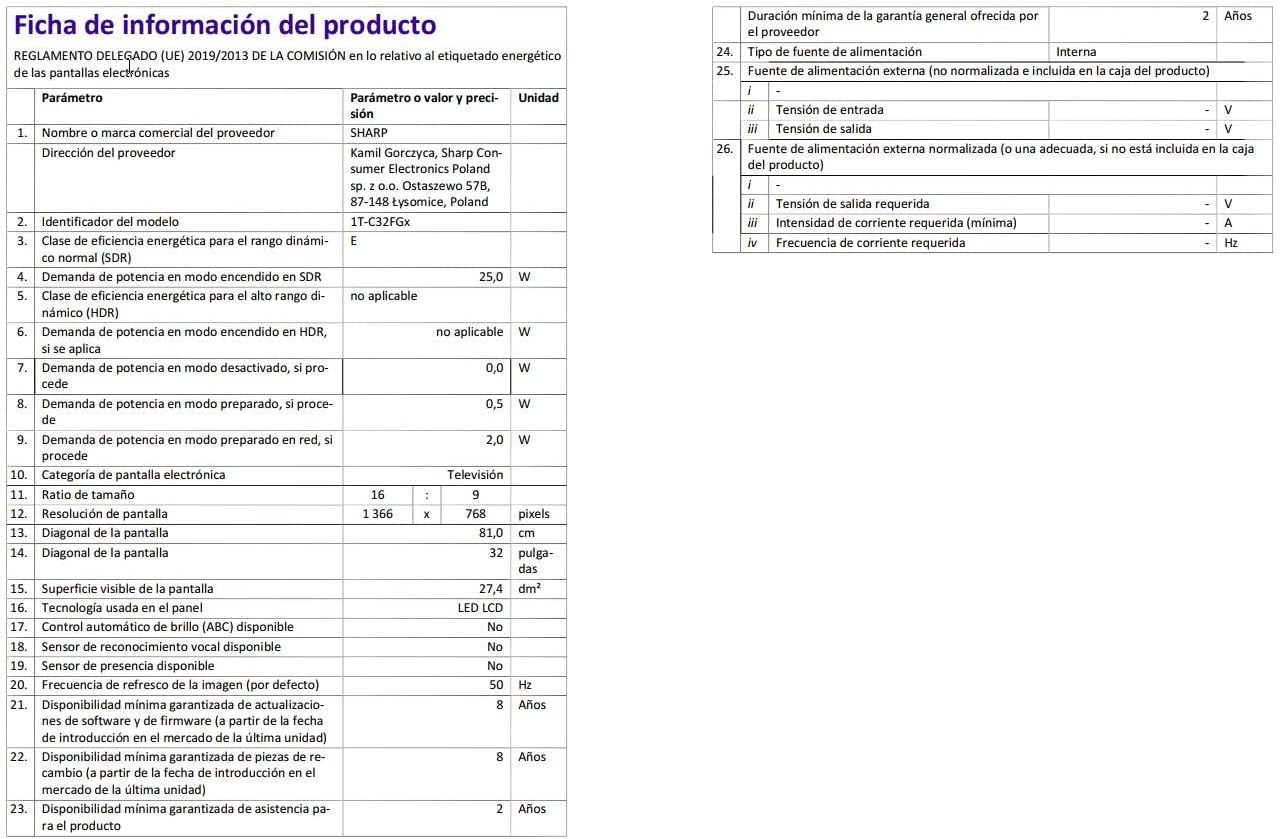
Image: Detailed product information sheet.
9. Garantia i Suport
The Sharp 32FG6EA television comes with a minimum general warranty duration of 2 years from the provider.
For technical support, warranty claims, or further assistance, please refer to the contact information provided with your purchase documentation or visit the official Sharp support weblloc per a la vostra regió.


