
1. Introducció
Thank you for choosing the Jadfezy 4K 30fps Sports Camera J-5000. This camera is designed to capture high-quality videos and photos of your adventures. It features 4K/30fps video recording, 20MP photo resolution, a 170° wide-angle lens, Wi-Fi connectivity, and a waterproof housing for underwater use up to 30 meters (98 feet). Please read this manual carefully to ensure proper operation and to maximize your camera's performance.

Image: The Jadfezy 4K 30fps Action Camera capturing a surfing moment.
2. Què hi ha a la caixa
Verifiqueu que tots els elements que s'enumeren a continuació s'inclouen al vostre paquet:
- 1 x Jadfezy 4K Action Camera
- 2 x Rechargeable Batteries (1350 mAh each)
- 1 x comandament a distància
- 1 x cable USB
- 1 x Manual d'instruccions (aquest document)
- 1 x funda impermeable
- Various Mounting Accessories (e.g., helmet mounts, bicycle mount, straps)
- 1 x Dual Battery Charging Base
- 1 x micròfon extern

Imatge: Una completa view of the Jadfezy 4K Sports Camera and its included accessories.
3. Producte acabatview
3.1 Components de la càmera
Familiaritzeu-vos amb les parts principals de la vostra càmera:
- Lent: 170° wide-angle lens for expansive shots.
- Pantalla HD de 2 polzades: Per a directes view, reproducció i navegació per menús.
- Botó d'alimentació / mode: Encén/apaga la càmera i canvia entre modes.
- Botó de l'obturador/OK: Inicia/atura l'enregistrament, fa fotos i confirma les seleccions.
- Botons amunt / avall: Navega per les opcions del menú.
- Micròfon: Integrat per a la gravació d'àudio.
- Ponent: Per a la reproducció d'àudio.
- Ranura per a targeta MicroSD: For storage (supports up to 64GB, Class 10 or higher recommended).
- Port USB: Per a càrrega i transferència de dades.
- External Microphone Port: For connecting the included external microphone.
4. Configuració
4.1 Instal·lació i càrrega de la bateria
- Obriu la tapa del compartiment de la bateria a la part inferior de la càmera.
- Insert a fully charged 1350 mAh battery, ensuring the contacts align correctly.
- Tanqueu bé la tapa del compartiment de la bateria.
- To charge, place the batteries in the dual charging base and connect the USB cable to a power source. The indicator light will show charging status.

Image: The dual battery charging base with two batteries inserted for charging.
4.2 Instal·lació de la targeta MicroSD
- Localitza la ranura per a targetes microSD al lateral de la càmera.
- Insert a Class 10 or higher microSD card (up to 64GB) with the gold contacts facing the back of the camera until it clicks into place.
- Per treure-la, premeu suaument la targeta fins que surti.
4.3 Ús de la funda impermeable
The waterproof case allows the camera to be used underwater up to 30 meters (98 feet).
- Ensure the camera is dry and clean before placing it in the case.
- Open the latch on the waterproof case and carefully insert the camera.
- Close the latch firmly to create a watertight seal.
- Before first use, test the waterproof case without the camera by submerging it in water for a few minutes to check for leaks.

Image: The Jadfezy 4K Sports Camera enclosed in its waterproof housing, submerged in water.
4.4 Accessoris de muntatge
Various mounts are included to attach your camera to helmets, bicycles, wrists, and other surfaces. Refer to the accessory diagram for specific attachment methods. Ensure all mounts are securely fastened before use.
5. Funcionament de la càmera
5.1 Encès/Apagat
- Per encendre: Premeu i manteniu premut el botó d'engegada/mode durant uns segons.
- Per apagar: Press and hold the Power/Mode button again until the screen turns off.
5.2 Basic Controls and Mode Switching
- Botó d'alimentació / mode: Short press to cycle through Video, Photo, Playback, and Settings modes.
- Botó de l'obturador/OK: In Video mode, press to start/stop recording. In Photo mode, press to take a picture. In menu, press to confirm selection.
- Botons amunt / avall: Used for navigating menu options and zooming (if applicable).
5.3 Enregistrament de vídeo
- Ensure the camera is in Video mode (indicated by an icon on the screen).
- Premeu el botó Obturador/OK per iniciar la gravació. Un indicador lluminós vermell parpellejarà i apareixerà un temporitzador a la pantalla.
- Premeu el botó Obturador/OK de nou per aturar l'enregistrament.
5.4 Captura de fotos
- Switch to Photo mode using the Power/Mode button.
- Enquadra la teva foto utilitzant la pantalla.
- Premeu el botó Obturador/D'acord per fer una foto.
5.5 Navegació i configuració del menú
From any mode, press the Power/Mode button repeatedly until you reach the Settings menu. Use the Up/Down buttons to navigate and the Shutter/OK button to select. Common settings include:
- Video Resolution (e.g., 4K/30fps, 1080P/60fps)
- Resolució de la foto (per exemple, 20MP)
- Enregistrament en bucle
- Time-Lapse
- Exposició
- Balanç de blancs
- Data/Hora
5.6 Wi-Fi Connection (X-Sport Pro App)
Connect your camera to your smartphone via Wi-Fi using the 'X-Sport Pro' app.
- Download and install the 'X-Sport Pro' app from your mobile app store.
- On the camera, enable Wi-Fi (usually found in the settings menu or by a dedicated Wi-Fi button/shortcut). The camera screen will display the Wi-Fi name (SSID) and password.
- On your smartphone, go to Wi-Fi settings and connect to the camera's Wi-Fi network using the provided password.
- Open the 'X-Sport Pro' app. You should now be able to control the camera, view viu footage, i descarregar files.
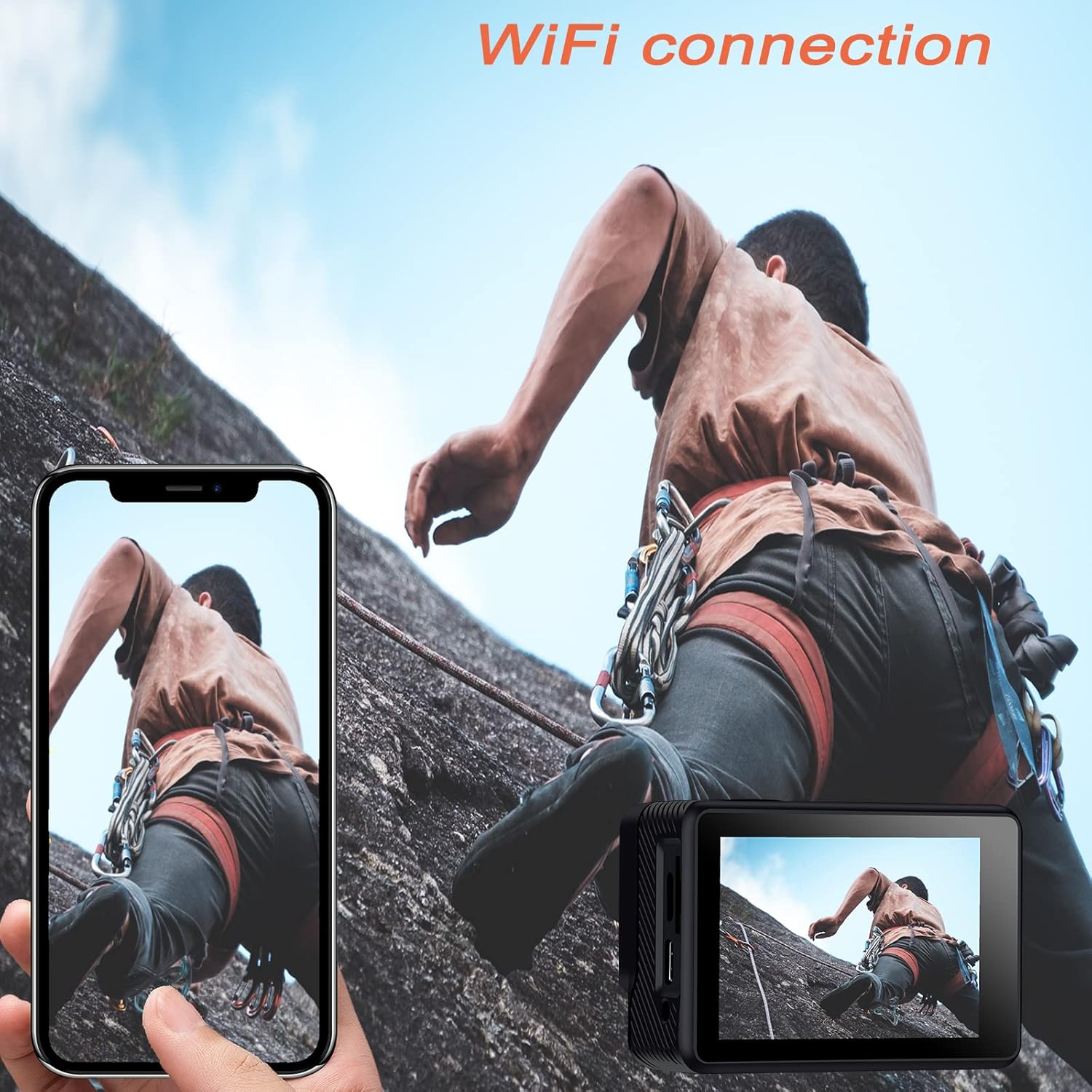
Image: The Jadfezy 4K Sports Camera displaying its screen, with a smartphone showing a live view via Wi-Fi connection.
5.7 Ús del control remot
El comandament a distància sense fil 2.4G permet un funcionament còmode des de la distància.
- Botó de vídeo: Premeu per iniciar/aturar la gravació de vídeo.
- Botó de foto: Premeu per fer una foto.

Image: A person wearing the remote control on their wrist, operating the Jadfezy 4K Sports Camera from a distance.
5.8 lent gran angular
The 170° wide-angle lens captures a broader field of view, ideal for landscapes and action shots. This setting is fixed and provides a comprehensive perspective.

Image: A visual comparison demonstrating the expansive view captured by the 170° wide-angle lens compared to a narrower 140° view.
5.9 External Microphone
For enhanced audio quality, connect the included external microphone to the camera's external microphone port. This is particularly useful in noisy environments or when clearer voice recording is desired.

Image: The Jadfezy 4K Sports Camera with the external microphone plugged into its port.
5.10 Modes d'enregistrament especials
The camera offers several specialized modes:
- Vídeo de lapse de temps: Captures a series of photos at set intervals and stitches them into a video.
- càmera lenta: Grava vídeo a una freqüència d'imatges més alta per a la reproducció a càmera lenta.
- Video de bucle: Records video continuously, overwriting the oldest footage quan la targeta de memòria estigui plena.
- Temporitzador automàtic: Delays photo capture for group shots or self-portraits.

Image: The Jadfezy 4K Sports Camera capturing a skateboarder performing a trick, demonstrating its use in action sports.
6. Manteniment
6.1 Neteja
- Feu servir un drap suau i sense borrissol per netejar el cos i la pantalla de la càmera.
- Per a la lent, feu servir un drap i una solució especials per a la neteja de lents. Eviteu tocar la lent amb els dits.
- After using the waterproof case, rinse it with fresh water and allow it to air dry. Ensure no debris is caught in the seal.
6.2 Emmagatzematge
- Guardeu la càmera en un lloc fresc i sec, allunyat de la llum solar directa i de temperatures extremes.
- Traieu les piles si no fareu servir la càmera durant un període prolongat.
6.3 Cura de la bateria
- Fully charge batteries before each use.
- Avoid completely draining the batteries to prolong their lifespan.
- Elimineu les piles velles d'acord amb la normativa local.
7. Solució De Problemes
| Problema | Causa possible | Solució |
|---|---|---|
| La càmera no s'encén | Low battery; Battery incorrectly installed; Faulty battery | Charge battery; Reinstall battery; Try a different battery |
| No es pot gravar vídeo/fer fotos | No microSD card; MicroSD card full; MicroSD card error | Insert microSD card; Delete files or use new card; Format microSD card (backup data first) |
| La connexió Wi-Fi falla | Incorrect password; Camera Wi-Fi not enabled; App issue | Re-enter password; Enable Wi-Fi on camera; Restart app/phone/camera |
| El comandament a distància no funciona | Remote battery low; Not paired; Out of range | Replace remote battery; Re-pair remote (refer to camera settings); Operate within range |
| Mala qualitat d'àudio | Built-in mic obstructed; No external mic connected; Environmental noise | Ensure mic is clear; Connect external mic; Reduce ambient noise |
8. Especificacions
| Característica | Detall |
|---|---|
| Número de model | J-5000 |
| Resolució de vídeo | 4K/30fps |
| Resolució fotogràfica | 20 MP |
| Lent | Gran angular de 170° |
| Mida de la pantalla | 2 polzades HD |
| Profunditat impermeable | Up to 30m (98ft) with waterproof case |
| Capacitat de la bateria | 2 x 1350 mAh rechargeable batteries |
| Emmagatzematge | MicroSD card (up to 64GB, Class 10+) |
| Connectivitat | Wi-Fi (X-Sport Pro App), USB |
| Característiques especials | Remote Control, Anti-vibration, Time-lapse, Slow Motion, Loop Video, Self-timer |
| Dimensions | 6 x 3 x 3.9 cm |
| Pes | 420 g |
9. Garantia i Suport
For warranty information and technical support, please refer to the contact details provided on the product packaging or the official Jadfezy weblloc web. Conserveu el rebut de compra com a comprovant de compra per a qualsevol reclamació de garantia.


