Introducció
This manual provides detailed instructions for the operation and maintenance of your Aresrora Retro Bluetooth Speaker, Model DW21. Please read this manual thoroughly before use to ensure proper functionality and to extend the product's lifespan.
Què hi ha a la caixa
- 1 x Aresrora Retro Bluetooth Speaker
- 1 x cable de càrrega tipus C
- 1 x línia AUX
- 1 x manual d'instruccions
Producte acabatview
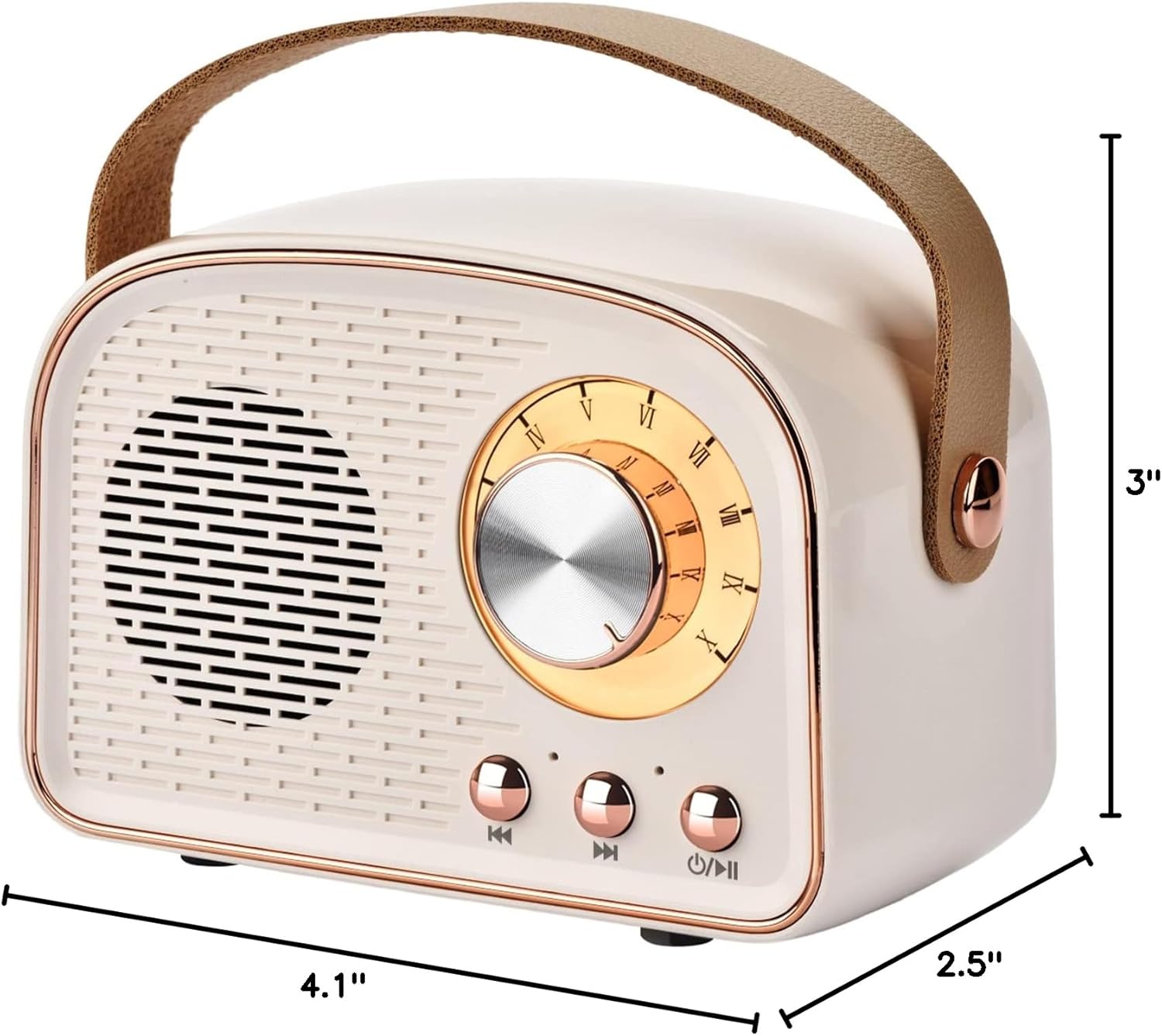
The Aresrora Retro Bluetooth Speaker DW21 combines vintage aesthetics with modern audio technology, offering multiple playback options and a portable design.
Controls i Ports
Imatge: Davant i darrere view of the Aresrora Retro Bluetooth Speaker, Model DW21, highlighting the volume knob, play/pause/power button, next/previous track buttons, TF card slot, Type-C charging port, USB interface, and AUX interface.
- Pom de volum: Rotate to adjust volume. Press to power on/off or play/pause.
- Botó de pista anterior: Premeu breument per a la pista anterior.
- Botó de pista següent: Short press for next track.
- Ranura per a targetes TF: Insert a TF card for music playback.
- Interfície de càrrega tipus C: Connect the Type-C cable for charging.
- Interfície USB: Inseriu una unitat USB per reproduir música.
- Interfície AUX: Connect a 3.5mm audio cable for AUX input.
Configuració
Carregant l'altaveu
Abans del primer ús, carregueu completament l'altaveu.
- Connect the provided Type-C charging cable to the speaker's Type-C charging port.
- Connecteu l'altre extrem del cable a un adaptador de corrent USB (no inclòs) o al port USB d'un ordinador.
- El llum indicador de càrrega s'il·luminarà.
- Una càrrega completa triga aproximadament 1.5 hores. El llum indicador canviarà o s'apagarà un cop finalitzada la càrrega.
Note: Do not charge for more than 2 hours to preserve battery life.
Encès/Apagat
To power on the speaker, press and hold the Volume Knob (which also functions as the Power On/Off button) for a few seconds until you hear a power-on prompt. To power off, press and hold the same button again.
Emparellament Bluetooth
The speaker uses Bluetooth 5.0 technology for stable connections.
- Engegueu l'altaveu. Entrarà automàticament en mode d'emparellament Bluetooth, cosa que s'indicarà amb un llum LED intermitent.
- Al dispositiu (telèfon intel·ligent, tauleta, ordinador portàtil), activeu el Bluetooth i cerqueu els dispositius disponibles.
- Select "DW21" (or similar name) from the list of devices.
- Once connected, you will hear a confirmation sound, and the LED light will stop flashing.

Image: The Aresrora Retro Bluetooth Speaker shown connected wirelessly to a smartphone, tablet, laptop, and PC, demonstrating its compatibility with various Bluetooth-enabled devices.
Emparellament TWS (True Wireless Stereo)
To achieve true stereo sound, you can pair two Aresrora DW21 speakers together.
- Assegureu-vos que tots dos altaveus estiguin apagats.
- Engegueu els dos altaveus simultàniament. Entraran en mode d'emparellament Bluetooth.
- On one of the speakers, double-press the Power On/Off button. The speakers will attempt to pair with each other.
- Once successfully paired, you will hear a confirmation sound, and one speaker will act as the master (left channel) and the other as the slave (right channel).
- Now, connect your device to the master speaker via Bluetooth as described in the "Bluetooth Pairing" section.

Image: Two Aresrora Retro Bluetooth Speakers positioned on either side of a laptop, illustrating the TWS (True Wireless Stereo) technology for enhanced sound experience.
Other Playback Modes (TF Card, USB, AUX)
The speaker supports multiple audio input options.
TF Card / USB Playback
- Insert a TF card or USB drive containing MP3 audio files a la ranura corresponent.
- L'altaveu detectarà automàticament el dispositiu d'emmagatzematge i començarà a reproduir música.
- Use the Previous/Next Track buttons to navigate songs.
Entrada AUX
- Connect one end of the 3.5mm AUX cable to the speaker's AUX interface.
- Connect the other end to the audio output jack of your device (e.g., desktop computer, MP3 player).
- L'altaveu canviarà automàticament al mode AUX.

Image: The rear panel of the Aresrora Retro Bluetooth Speaker, clearly showing the TF card slot, USB port, and AUX input, demonstrating its versatile connectivity options.
Instruccions de funcionament
Control de volum
Rotate the large knob on the front of the speaker clockwise to increase volume and counter-clockwise to decrease volume.
Reproduir/Pausa
Short press the Volume Knob to play or pause the current track.
Navegació per pistes
Short press the "Previous Track" button to go to the beginning of the current track or to the previous track. Short press the "Next Track" button to skip to the next track.
Note: Some functions, like track navigation, may also be controlled directly from your connected Bluetooth device.
Manteniment
- Mantingueu l'altaveu allunyat de l'aigua, la humitat i les temperatures extremes.
- Netegeu l'altaveu amb un drap suau i sec. No utilitzeu productes de neteja abrasius ni dissolvents.
- Eviteu deixar caure o sotmetre l'altaveu a forts impactes.
- Quan no l'utilitzeu durant períodes prolongats, guardeu l'altaveu en un lloc fresc i sec i carregueu-lo periòdicament per mantenir la bateria en bon estat.
Resolució de problemes
L'altaveu no s'encén.
- Ensure the battery is charged. Connect the speaker to a power source using the Type-C cable and try again after a few minutes.
- Mantingueu premut el botó d'engegada durant un període més llarg (3-5 segons).
No es pot emparellar amb un dispositiu Bluetooth.
- Assegureu-vos que l'altaveu estigui en mode d'emparellament Bluetooth (LED parpellejant).
- Make sure Bluetooth is enabled on your device and it is within range (up to 33 feet).
- Forget "DW21" from your device's Bluetooth list and try pairing again.
- Reinicieu tant l'altaveu com el dispositiu Bluetooth.
Sense so o amb un volum baix.
- Comproveu el nivell de volum tant a l'altaveu com al dispositiu connectat.
- Ensure the speaker is correctly connected via Bluetooth, AUX, TF card, or USB.
- Si feu servir AUX, assegureu-vos que el cable estigui completament inserit i que no estigui danyat.
- If using TF card or USB, ensure the audio fileestan en un format compatible (per exemple, MP3).
L'emparellament TWS falla.
- Ensure both speakers are powered off before attempting TWS pairing.
- Make sure both speakers are the same model (DW21).
- Try repeating the TWS pairing steps carefully.
Especificacions
| Característica | Detall |
|---|---|
| Nom del model | DW21 |
| Marca | Aresrora |
| Tecnologia de connectivitat | Bluetooth, AUX, TF Card, USB |
| Versió Bluetooth | 5.0 |
| abast sense fils | Fins a 33 peus (10 metres) |
| Potència de sortida màxima dels altaveus | 5 watts |
| Capacitat de la bateria | Polímer de liti de 500 mAh |
| Hora de joc | Approx. 5 hours (varies by volume) |
| Temps de càrrega | Aprox. 1.5 hores |
| Dimensions del producte | 2.5 "P x 4.1" W x 3" H |
| Pes de l'article | 8 unces |
| Material | Plàstic |
| Característiques especials | TWS Pairing, Bass Boost, Built-in Microphone, Portable |
Garantia i Suport
This product comes with a seller warranty. For any issues or support inquiries, please contact Aresrora customer service through your purchase platform. Please retain your proof of purchase for warranty claims.
Vídeos oficials de productes
Vídeo: Un overview of the Aresrora Retro Bluetooth Speaker, demonstrating its features and design. Titled "What the product is really like" by Aresrora Direct.
