Introducció
This manual provides detailed instructions for the safe and efficient operation of your KLIM Speaker Portable CD Player, Model KLIM Nomad. This device features dual stereo speakers, a rechargeable battery, support for SD/TF cards, and AUX connectivity, making it versatile for various listening environments. Please read this manual thoroughly before use and retain it for future reference.
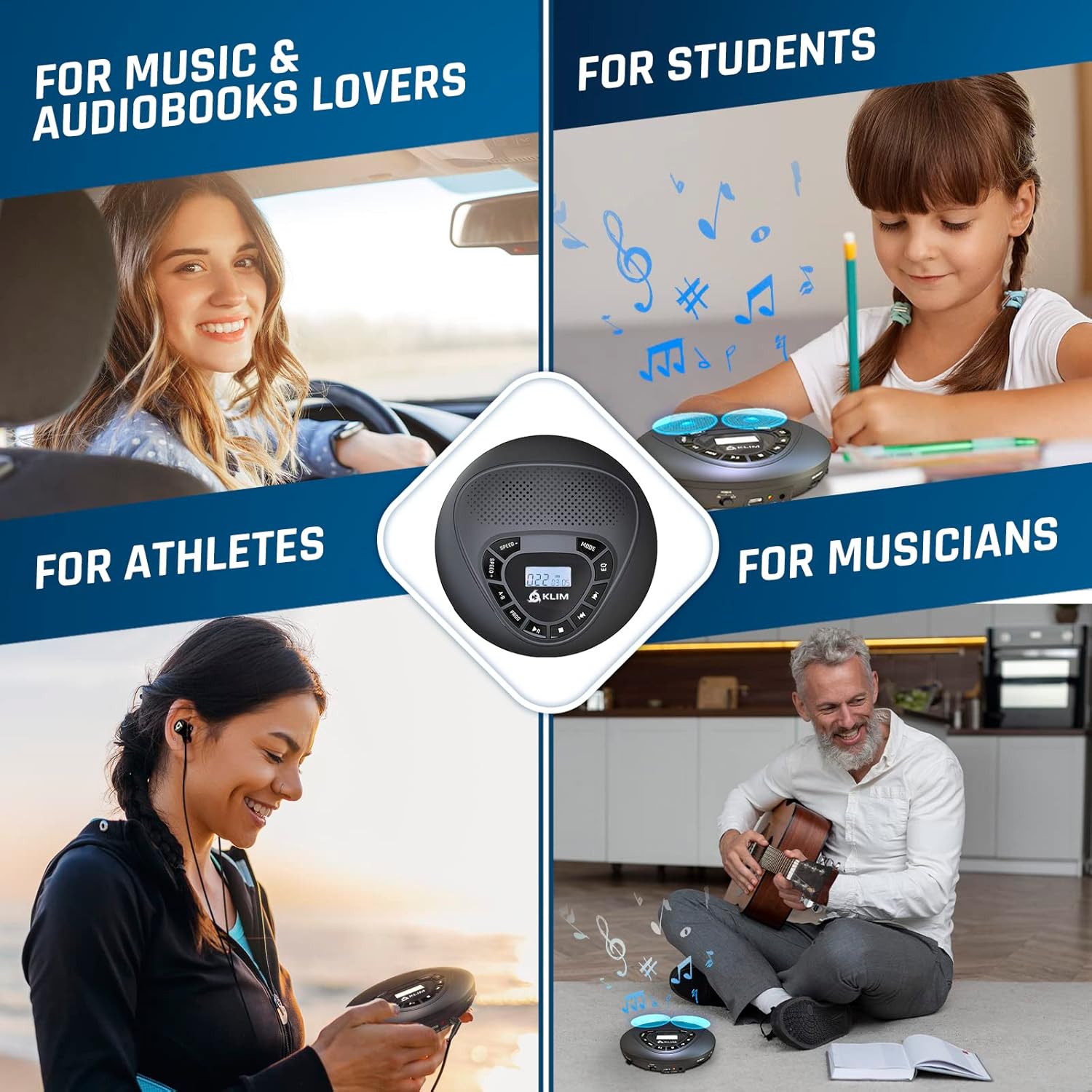
Image: The KLIM Speaker Portable CD Player is shown in various usage scenarios, highlighting its versatility for different users and activities.
Què hi ha a la caixa
Upon unpacking, ensure all items listed below are present:
- KLIM Speaker CD Player
- KLIM Fusion wired earphones
- Earphone Accessories (various earbud sizes)
- Cable de càrrega USB-C
- Bossa de transport
- Cable AUX

Image: The image displays the KLIM Speaker CD Player along with its included accessories: wired earphones, an AUX cable, and a USB-C charging cable.
Producte acabatview
The KLIM Speaker Portable CD Player is designed for high-quality audio playback from CDs, TF/SD cards, and external devices via AUX. It features built-in dual stereo speakers for shared listening and a headphone jack for private audio. The device is equipped with anti-skip/anti-shock protection for uninterrupted playback during movement.

Imatge: Una clara view of the KLIM Speaker Portable CD Player, highlighting its compact design, integrated speakers, and central control panel.
Controls i Funcions
Familiarize yourself with the control buttons on your KLIM Speaker CD Player:

Image: A detailed diagram illustrating the various control buttons on the KLIM Speaker, including Speed, A-B Program, Program Mode, Play/Pause, Repeat/Shuffle/Intro, Equalizer, Previous/Next Track, and Stop.
| Botó | Funció |
|---|---|
| VELOCITAT +/- | Adjust playback speed. |
| AB | Set A-B repeat segment. |
| PROG | Entra en mode de programació per crear una llista de reproducció personalitzada. |
| REPRODUCCIÓ/PAUSA | Inicia o posa en pausa la reproducció. |
| STOP | Atura la reproducció. |
| ANTERIOR / SEGÜENT | Saltar a la pista anterior o següent. |
| MODE | Cycle through repeat (one/all), shuffle, and intro play modes. |
| EQ | Select equalizer presets (Pop, Jazz, Classic, Rock, BBS). |
| VOLUM +/- | Adjust the volume level (located on the side). |
| Interruptor HOLD | Lock buttons to prevent accidental operation (located on the side). |
Configuració
Càrrega del dispositiu
Connect the provided USB-C charging cable to the charging port on the side of the player and plug the other end into a USB power adapter (not included) or a computer USB port. The charging indicator will illuminate. A full charge typically takes 3-4 hours.
Inserció d’un CD
- Slide the OPEN switch on the side of the player to open the CD compartment lid.
- Carefully place a CD onto the spindle, ensuring the label side is facing up. Gently press the center of the CD until it clicks into place.
- Close the CD compartment lid firmly until it clicks shut.
Using a TF/SD Card
Insert a TF (Micro SD) card (up to 32 GB) into the TF card slot on the side of the player. The player will automatically detect the card and switch to TF card playback mode. Ensure music fileestan en un format compatible (per exemple, MP3).
Connexió d'auriculars
Plug the provided KLIM Fusion wired earphones into the 3.5mm headphone jack on the side of the player for private listening. The built-in speakers will automatically mute when headphones are connected.
Connexió mitjançant AUX
Use the included AUX cable to connect the KLIM Speaker to an external audio system, such as car speakers or home stereo. Plug one end into the AUX OUT port on the player and the other end into the AUX IN port of your external device. Ensure the external device is set to AUX input mode.

Image: The KLIM Speaker is shown connected to a car's audio system via an AUX cable, demonstrating its use as a car CD player.
Instruccions de funcionament
Encès/Apagat
Slide the POWER switch on the side of the player to the ON position to power on. To power off, slide the switch to the OFF position.
Reproducció bàsica
- Premeu el botó REPRODUCCIÓ/PAUSA button to start playback. Press again to pause.
- Premeu el botó STOP botó per aturar la reproducció.
- Premeu el botó ANTERIOR / SEGÜENT botons per saltar a la pista anterior o següent.
- Manteniu premut el botó ANTERIOR / SEGÜENT buttons to fast-forward or rewind within a track.
Selecció del mode
Premeu el botó MODE premeu el botó repetidament per anar canviant pels diferents modes de reproducció:
- Repetició 1: Repeteix la pista actual.
- Repetiu-ho tot: Repeats all tracks on the CD/TF card.
- Barreja: Reprodueix les pistes en ordre aleatori.
- Introducció: Reprodueix els primers segons de cada pista.
Configuració de l'equalitzador
Premeu el botó EQ button repeatedly to select different equalizer presets: Pop, Jazz, Classic, Rock, and BBS (Bass Boost System).
Control de velocitat
Premeu el botó VELOCITAT +/- buttons to adjust the playback speed of the audio. This feature is useful for language learning or transcribing audio.
AB Repetiu
Durant la reproducció, premeu AB button once to mark the starting point (A). Press it again to mark the ending point (B). The player will then repeatedly play the segment between A and B. Press AB a third time to cancel.
Reproducció programada
To create a custom playback sequence:
- En el mode d'aturada, premeu el botó PROG button. The display will show '00' and flash.
- Utilitza el ANTERIOR / SEGÜENT buttons to select your desired track.
- Premeu PROG again to confirm the track and move to the next program slot.
- Repetiu els passos 2 i 3 fins que es programin totes les pistes desitjades.
- Premeu REPRODUCCIÓ/PAUSA per iniciar la reproducció programada.
Integració de mitjans
Official Product Video: KLIM Speaker + Portable CD Player with Speakers
Video: This official product video provides a visual overview of the KLIM Speaker Portable CD Player, demonstrating its features, controls, and various uses. It showcases the device's design and functionality, including CD playback and speaker performance.
Manteniment
- Neteja: Feu servir un drap suau i sec per netejar l'exterior del reproductor. Per a la lent de CD, feu servir un kit especialitzat de neteja de lents de CD. No utilitzeu netejadors abrasius ni dissolvents.
- Emmagatzematge: Store the player in a cool, dry place away from direct sunlight and extreme temperatures. When not in use, store it in the provided carry pouch to protect it from dust and scratches.
- Cura de la bateria: Per allargar la durada de la bateria, eviteu descarregar-la completament amb freqüència. Carregueu el dispositiu regularment, fins i tot si no l'utilitzeu constantment.
Resolució de problemes
| Problema | Causa possible | Solució |
|---|---|---|
| El dispositiu no s'encén. | Bateria baixa o l'interruptor d'alimentació està apagat. | Charge the device using the provided USB-C cable. Ensure the POWER switch is in the ON position. |
| El CD no es reprodueix o salta. | CD is dirty, scratched, or incorrectly inserted. Anti-skip protection may be overwhelmed. | Clean the CD with a soft cloth. Ensure the CD is correctly seated. Avoid strong vibrations. |
| No hi ha so dels altaveus/auriculars. | Volume too low, headphones not fully plugged in, or AUX cable issue. | Increase volume. Re-insert headphones firmly. Check AUX cable connections and external device input. |
| Targeta TF no reconeguda. | Card incorrectly inserted, incompatible format, or card capacity too large. | Re-insert TF card. Ensure music files are in MP3 format. Use cards up to 32 GB. |
Especificacions
| Característica | Detall |
|---|---|
| Dimensions del producte | 5.55 x 5.55 x 1.14 polzades |
| Pes de l'article | 8.8 unces |
| Nom del model | KLIM Nòmada |
| Tipus de bateria | 1 bateria de ions de liti (inclosa) |
| Durada de la bateria (auriculars) | Fins a 12 hores |
| Battery Life (Speakers) | Fins a 6 hores |
| Tecnologia de connectivitat | Auxiliar |
| Característica especial | Portable, Built-in Speakers, SD/TF Card Reader |
| Color | Negre |
Garantia i Suport
The KLIM Speaker Portable CD Player comes with a 5-year assurance from KLIM, reflecting our commitment to quality and durability. If you encounter any issues with your product, please contact KLIM customer support for assistance. You can find support information on the KLIM website or through the contact details provided with your purchase.
Additionally, if you are not satisfied with the product upon receipt, you may return it within 30 days for a refund at no extra cost, ensuring a risk-free purchase.


