1. Introducció
This manual provides detailed instructions for the Edifier WH500 Wireless On-Ear Headphones. Please read this guide thoroughly to ensure proper use, optimal performance, and longevity of your device.
2. Contingut del paquet
The Edifier WH500 package includes:
- Edifier WH500 Wireless On-Ear Headphones
- Cable de càrrega
3. Producte acabatview
The Edifier WH500 headphones are designed for comfort and high-quality audio. They feature a lightweight, foldable design and intuitive physical controls. The headphones are equipped with 30mm dynamic drivers for clear sound and enhanced bass.

Un angle frontal view of the black Edifier WH500 wireless on-ear headphones, showcasing their sleek design and earcups.

This image highlights the ergonomic design of the WH500 headphones, emphasizing their foldable nature for portability, comfortable fit, 85dB hearing protection, and lightweight construction at 172 grams.
4. Configuració
4.1. Càrrega dels auriculars
Before first use, fully charge the headphones. Connect the included charging cable to the headphone's charging port and a USB power source. A full charge takes approximately 2 hours and provides up to 40 hours of music playtime. A quick 10-minute charge can provide up to 6 hours of playback.
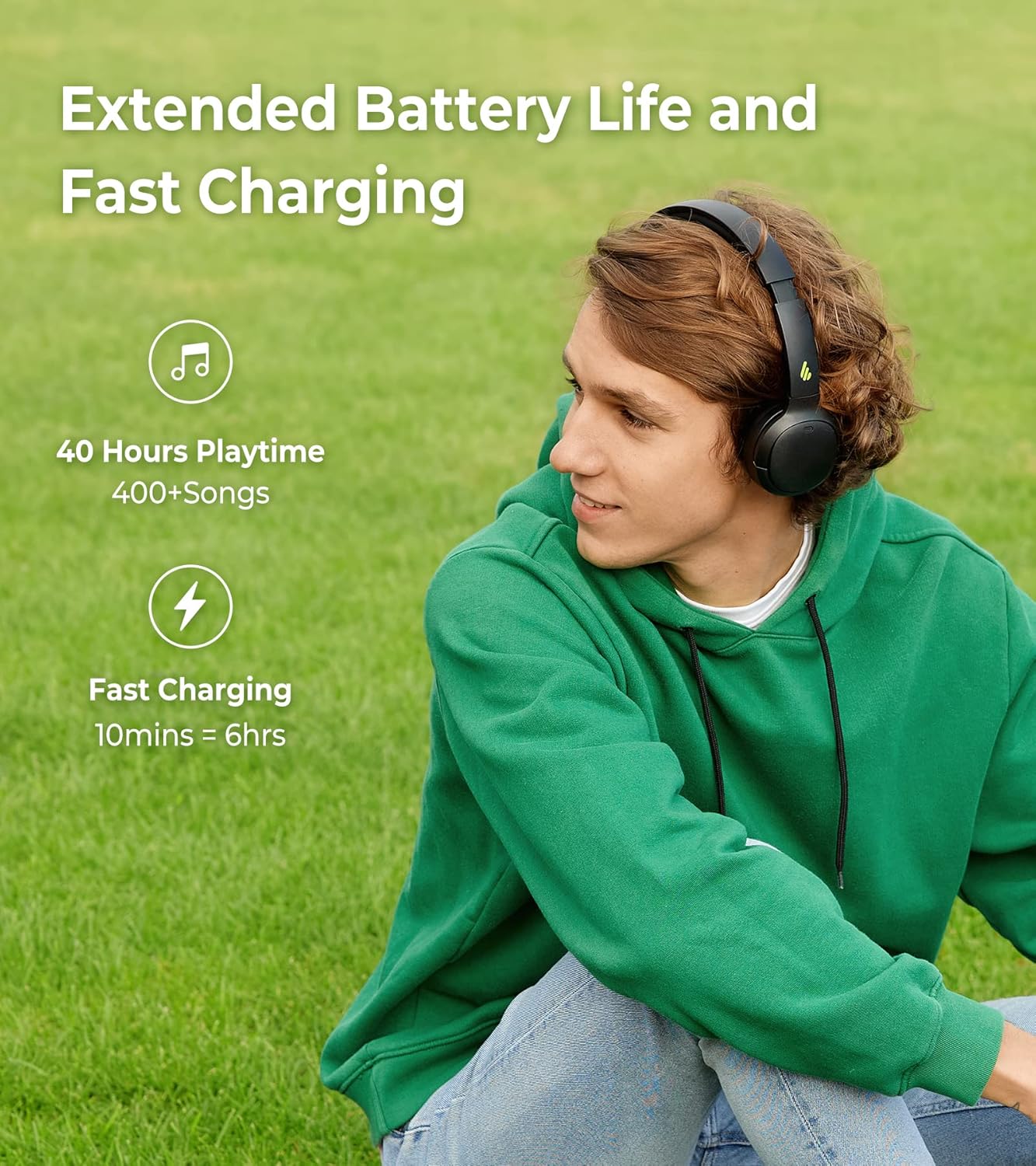
A visual representation of the Edifier WH500's extended battery life, offering 40 hours of playtime, and its fast charging capability, providing 6 hours of use from a 10-minute charge.
4.2. Emparellament Bluetooth
To connect your Edifier WH500 headphones to a device:
- Assegureu-vos que els auriculars estiguin apagats.
- Premeu i manteniu premut el botó d'engegada fins que l'indicador lluminós parpellegi ràpidament, cosa que indica el mode d'emparellament.
- On your device (smartphone, tablet, laptop), enable Bluetooth and search for 'EDIFIER WH500' in the list of available devices.
- Select 'EDIFIER WH500' to connect. The indicator light will turn solid blue once connected.
The headphones support dual device connections, allowing seamless switching between two paired devices.

This image demonstrates the Edifier WH500's Bluetooth 5.2 dual connection feature, allowing the headphones to be simultaneously paired with a laptop and a smartphone for convenient switching.
5. Instruccions de funcionament
5.1. Controls bàsics
The Edifier WH500 headphones feature physical buttons for easy control:
- Botó d'encesa: Premeu i manteniu premut per encendre/apagar. Premeu curtament per reproduir/pausar música o respondre/finalitzar trucades.
- Botó per pujar el volum: Premeu breument per augmentar el volum.
- Botó per baixar el volum: Premeu breument per reduir el volum.
- Multi-function Button (e.g., Power Button): Premeu dues vegades per a la pista següent, premeu tres vegades per a la pista anterior.
5.2. Edifier Connect App Features
Enhance your listening experience by downloading the Edifier Connect app. The app allows for:
- Paràmetres d'EQ personalitzables: Adjust audio frequencies to your preference or choose from preset sound effects.
- Protecció auditiva: Activate an 85dB safe volume limit to protect your hearing.
- Temporitzador d'apagada: Set a timer for the headphones to automatically power off.

Screenshots of the Edifier Connect app interface, illustrating how users can customize equalizer settings to fine-tune their audio experience.

An app screenshot displaying the 'Hearing Protection' feature with an 85dB icon, indicating the option to manage safe volume levels for listening.

An app screenshot displaying the 'Shutdown timer' feature, allowing users to set automatic power-off intervals for the headphones.
5.3. Funcionalitat de trucada
The integrated microphone with call noise cancellation ensures clear communication during phone calls. Use the power button to answer or end calls.

A visual emphasizing the call noise cancellation feature of the Edifier WH500 headphones, promising clear audio during phone conversations.
6. Manteniment
To ensure the longevity of your Edifier WH500 headphones:
- Netegeu els auriculars i la diadema regularment amb un drap suau i sec.
- Eviteu exposar els auriculars a temperatures extremes, humitat o llum solar directa.
- Guardeu els auriculars en un lloc fresc i sec quan no els feu servir, preferiblement plegats per protegir-los.
7. Solució De Problemes
If you encounter issues with your Edifier WH500 headphones, refer to the following common solutions:
- Sense energia: Assegureu-vos que els auriculars estiguin completament carregats.
- No es pot emparellar: Make sure the headphones are in pairing mode (rapidly flashing indicator light) and within range of your device. Turn off and on Bluetooth on your device.
- Sense so: Comproveu els nivells de volum tant dels auriculars com del dispositiu connectat. Assegureu-vos que els auriculars estiguin correctament emparellats.
- Qualitat de so baixa: Move closer to your connected device to reduce interference. Ensure there are no obstructions between the headphones and the device. Try adjusting EQ settings in the Edifier Connect app.
8. Especificacions
Detailed technical specifications for the Edifier WH500 Wireless On-Ear Headphones:
| Característica | Especificació |
|---|---|
| Marca | Edificador |
| Model | WH500 |
| Tecnologia de connectivitat | Sense fil (Bluetooth 5.2) |
| Col·locació de l'orella | A l'orella |
| Mida del controlador | 30 mm |
| Durada de la bateria | 40 hores |
| Temps de càrrega | 2 Hours (10 min fast charge for 6 hrs) |
| Pes de l'article | 172 grams |
| Tipus de control | Physical buttons, App |
| Interval de freqüència | 20Hz-20KHz |
| Impedància | 16 ohms |
| Control de soroll | None (for listening) |
| Conector d'auriculars | Sense Jack |
| Components inclosos | Headphone, Charging Cable |
9. Garantia i Suport
For warranty information and technical support, please refer to the official Edifier website or contact Edifier customer service. Keep your proof of purchase for warranty claims.


