Introducció
Thank you for choosing the PAPIFEED Automatic Cat Feeder. This smart pet food dispenser is designed to provide a convenient and reliable feeding solution for your cats and small dogs. With 2.4GHz WiFi connectivity, app control, and Alexa integration, you can manage your pet's meal schedule and portion sizes from anywhere. This manual provides detailed instructions for setup, operation, and maintenance to ensure optimal performance and the well-being of your pet.

Image: PAPIFEED Automatic Cat Feeder 3L, showcasing its design and the accompanying mobile app interface.
Característiques del producte
- Smart Feeding Technology: Connects to 2.4GHz WiFi (5GHz WiFi not supported) for remote scheduling and control via the "Smart Life" mobile app.
- Programmable Meals: Set up to 10 meals per day, with 1-12 portions (approximately 1/8 cup per portion) per meal.
- Doble font d'alimentació: Operates with a 5V DC adapter and includes a backup option for 4 AA batteries (not included) to ensure uninterrupted feeding during power outages. Battery standby time is approximately 15 hours, but internet connection is not available on battery power.
- Connectivitat sense fil 24/7: Receive app notifications if the feeder disconnects from WiFi for more than 30 minutes. The feeder's memory function ensures scheduled feedings continue even if the network is temporarily unavailable.
- Integració de control de veu: Compatible with Alexa and Siri for convenient voice command feeding.
- Precise Portion Control: Helps prevent overeating and manages pet weight by controlling feeding frequency and portion size.
- Secure Twist-Off Lid: Prevents spills and keeps food fresh, ensuring food safety and accessibility for your pet.
- Gran capacitat: 3L capacity (approximately 12.5 cups) can satisfy a single cat's appetite for up to 30 days.
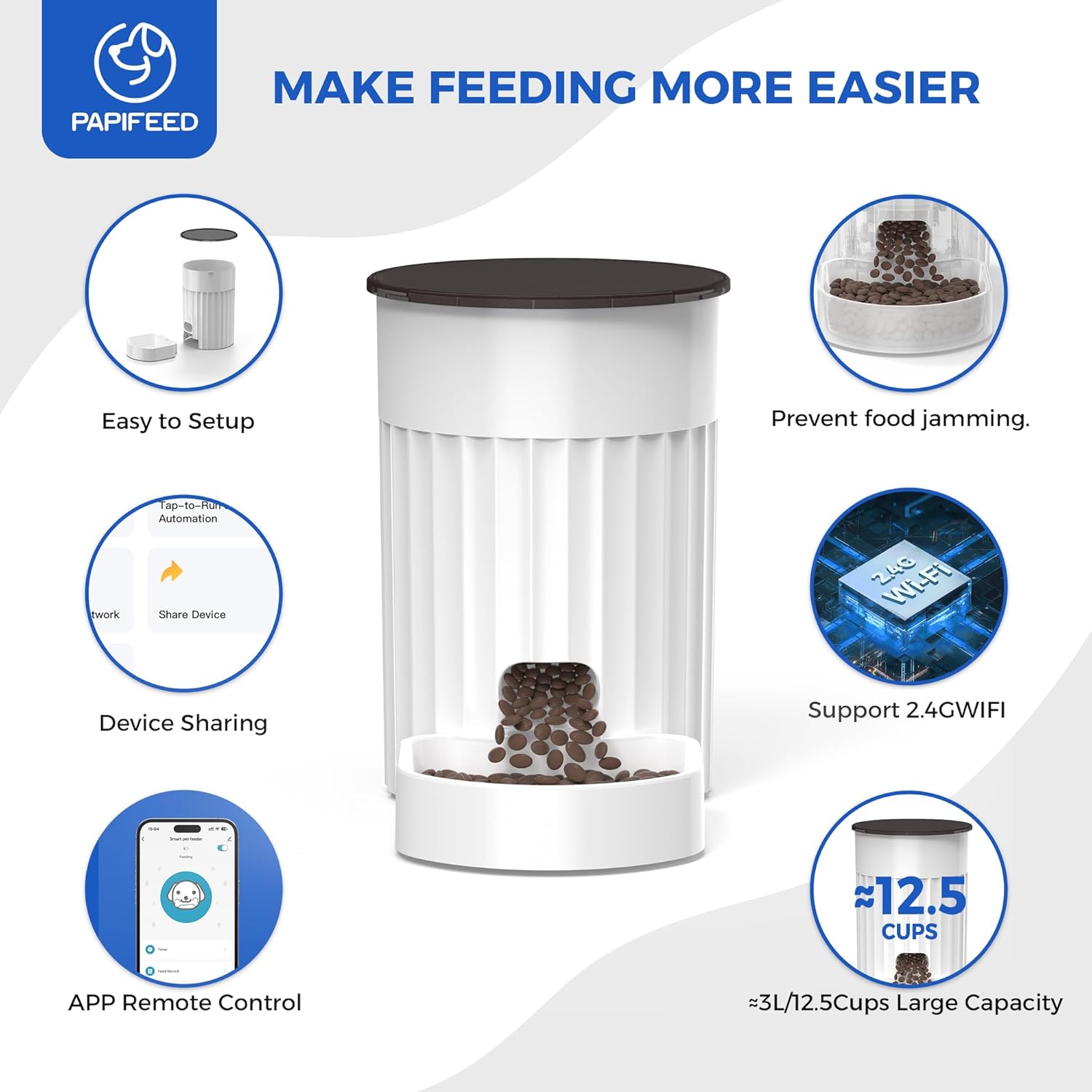
Image: Visual representation of the feeder's key features, including setup ease, anti-jamming design, app control, and capacity.
Què hi ha a la caixa
- PAPIFEED Automatic Cat Feeder Unit
- Adaptador d'alimentació
- Cable de càrrega
- Manual d'usuari

Image: The feeder unit, power adapter, and charging cable included in the package.
Configuració
1. Font d'alimentació
Connect the feeder to a power outlet using the provided 5V DC adapter and charging cable. For emergency backup during power outages, install 4 AA batteries (not included) in the designated compartment at the bottom of the feeder. Note that the feeder cannot connect to the internet when operating solely on battery power.

Image: Dual power supply options for the feeder, highlighting the AC adapter and battery compartment.
2. App Installation & Wi-Fi Connection
- Download the "Smart Life" app from your smartphone's app store or scan the QR code below.
- Obre l'aplicació i registra't/inicia sessió.
- Tap "Add Device" or the "+" icon in the top right corner.
- Select "Small Home Appliances" and then "Pet Feeder (Wi-Fi)".
- Ensure your Wi-Fi network is 2.4GHz. If you have a 5GHz network, you may need to adjust your router settings or connect to a 2.4GHz band. Enter your Wi-Fi password.
- On the feeder, press and hold the RESET button for 5 seconds until the indicator light blinks rapidly. Confirm this in the app.
- Segueix les instruccions que apareixen a la pantalla de l'aplicació per completar el procés de connexió.

Image: QR code for quick download of the Smart Life app.

Image: App screen guiding to select the pet feeder device type.

Image: App screen for selecting 2.4GHz Wi-Fi network and entering password.

Image: Feeder's control panel, showing the reset button and indicator light status.
3. Setting Time and Portions (Manual Controls)
The feeder also allows for manual setting of time and portions directly on the device. This is useful if you prefer not to use the app for basic scheduling or as a backup.
Video: A detailed tutorial on how to manually set the current time and schedule meal times and portion sizes directly on the PAPIFEED Automatic Cat Feeder's control panel.
Funcionament
1. Alimentació manual
You can manually dispense food directly from the feeder or through the app.
- Al dispositiu: Press the "+" button on the feeder's control panel to dispense a single portion.
- Mitjançant l'aplicació: Open the "Smart Life" app, select your feeder, and tap the "Feed" button. You can also adjust the number of portions to dispense manually within the app.
Video: Demonstration of manual feeding using the mobile app, showing how to dispense food instantly.
Video: A short clip demonstrating the feeder dispensing food into the bowl.
2. Scheduled Feeding (App Control)
Use the "Smart Life" app to create a customized feeding schedule for your pet.
- In the app, navigate to the "Timer" section.
- Set desired meal times (up to 10 per day).
- Adjust the portion size for each meal (1-12 portions).
- Desa la teva programació. El menjador dispensarà menjar automàticament a les hores programades.

Image: App screen demonstrating how to customize meal portions and set feeding schedules.
3. Voice Control (Alexa/Siri)
Integrate your PAPIFEED feeder with Amazon Alexa or Apple Siri for hands-free feeding commands.
- Ensure your feeder is connected to the "Smart Life" app and your voice assistant is set up.
- Follow the instructions within the "Smart Life" app to link your account with Alexa or Siri.
- Use commands such as "Alexa, feed my cat!" to dispense food.

Image: The feeder's compatibility with Alexa and Siri for voice-activated feeding.
4. Característiques de connectivitat
- Registre d'alimentació: The app maintains a record of all dispensed meals, allowing you to monitor your pet's feeding history.
- Offline Feeding: The feeder's internal memory stores your feeding schedule, ensuring meals are dispensed even if the Wi-Fi connection is lost.
- Compartició de dispositius: Share control of the feeder with family members through the app.
Manteniment
Instruccions de neteja
- Desendolleu sempre l'alimentador i traieu les piles abans de netejar-lo.
- The food bowl and food container are designed for easy removal and cleaning.
- Hand wash all removable parts with mild soap and water.
- Netegeu la unitat principal amb l'anunciamp tela. No submergiu la unitat principal a l'aigua.
- Assegureu-vos que totes les peces estiguin completament seques abans de tornar-les a muntar i omplir-les amb menjar.
Resolució de problemes
- El dispensador no dispensa menjar: Check power connection and battery level. Ensure the food container is not empty and there are no blockages in the dispenser mechanism. Verify the feeding schedule in the app.
- App not connecting to feeder: Ensure your Wi-Fi network is 2.4GHz. Restart your router and the feeder. Try resetting the feeder and re-pairing it with the app.
- Estat de la llum indicadora: Refer to the LED Indicator Description on the feeder for status meanings (e.g., solid blue for connected, flashing blue for connection attempt, red for low battery).
- Food jamming: Ensure you are using dry kibble within the recommended size range (0.2-0.47 inches / 5-12mm). Avoid wet food, irregularly shaped food, or large-grain dry food.

Image: Recommended kibble size and types of food to avoid for optimal feeder performance.
Especificacions
| Marca | PAPIFEED |
| Número de model | LMZ-WHITE-WIFI |
| Capacitat | 3 litres (aprox. 12.5 tasses) |
| Connectivitat | WiFi de 2.4 GHz (5 GHz no compatible) |
| Font d'alimentació | 5V DC Adapter, 4 AA Batteries (backup, not included) |
| Pes de l'article | 2.64 lliures |
| Dimensions de l'article (LxWxH) | 10 x 10 x 10 polzades |
| Material | Plàstic |
| Instruccions de cura | Rentat només a mà |

Image: Feeder capacity estimates for cats and small dogs.
Garantia i suport
This PAPIFEED Automatic Cat Feeder comes with a Un any de garantia.
For further assistance, troubleshooting, or warranty claims, please refer to the contact information provided in your product packaging or visit the official PAPIFEED weblloc.


