Producte acabatview
The Surge Multi-Function Console Stand is designed to streamline your gaming setup. It features dual controller charge bays, three USB 2.0 ports, integrated LED lighting, and two cooling fans in the base. This stand is compatible with both Xbox Series X and Xbox Series S consoles, providing a centralized solution for charging, organization, and console cooling.

Image: The Surge Multi-Function Console Stand, a black rectangular base with green LED accents, featuring console slot, controller charging docks, and USB ports.
Contingut del paquet
- 1 x Surge Multi-Function Console Stand
- 2 paquets de bateries recarregables de 1,100 mAh
- Cable d’alimentació 1 x USB
Instruccions de configuració
1. Place the Console Stand
Position the Surge Multi-Function Console Stand on a stable, flat surface with adequate ventilation. Ensure there is enough space around the stand for proper airflow.
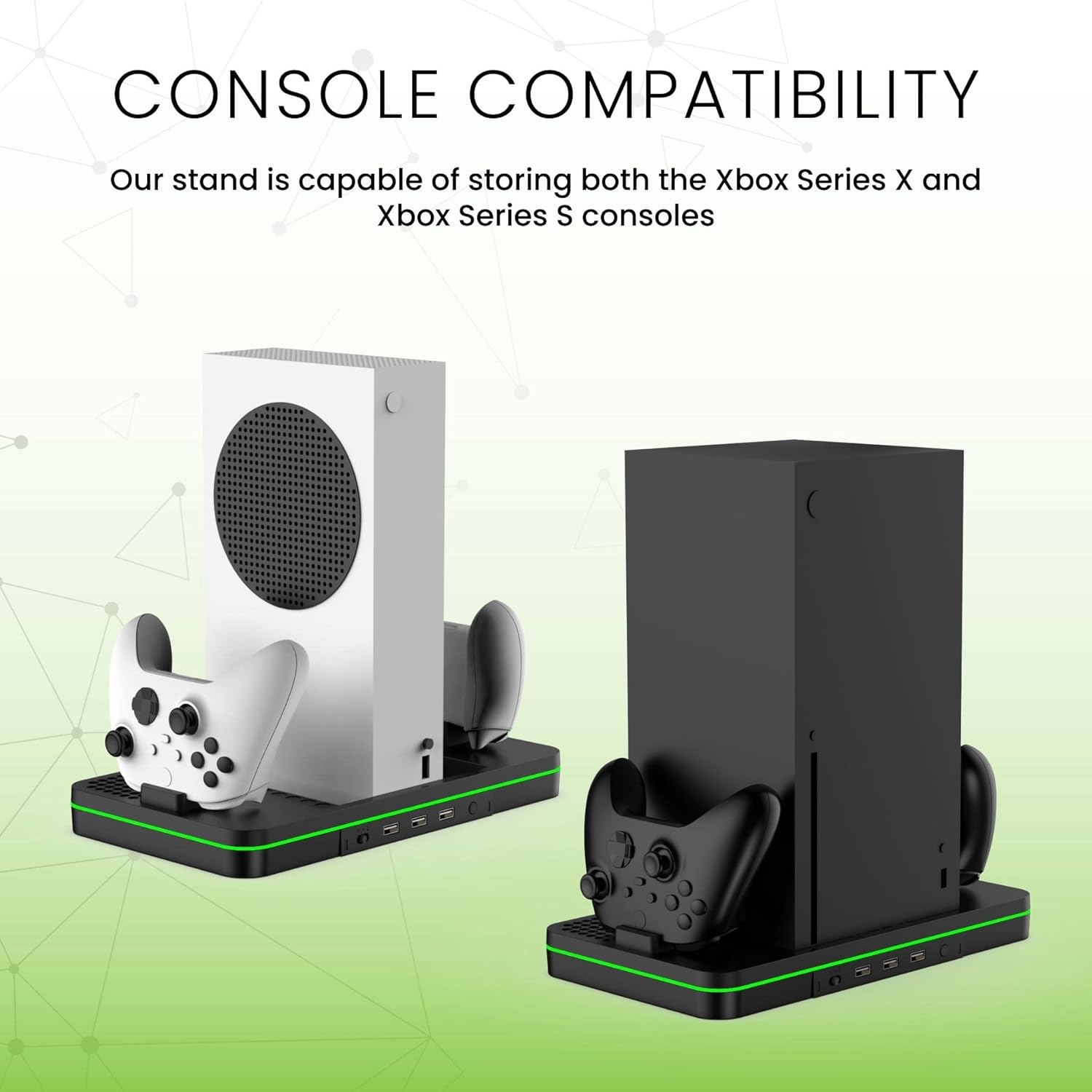
Image: The console stand shown with both an Xbox Series S (white) and an Xbox Series X (black) console, demonstrating compatibility.
2. Install Rechargeable Batteries
Open the battery compartment on your Xbox controllers. Insert the provided 1,100mAh rechargeable battery packs into the controllers, ensuring correct polarity. Replace the battery covers.

Image: An Xbox controller with a Surge battery pack installed, showing the battery compartment.
3. Connect to Console
Connect the included USB power cable from the console stand to an available USB port on your Xbox Series X or S console. Alternatively, you can use a compatible USB wall adapter (not included) for power.
Instruccions de funcionament
1. Col·locació de la consola
Carefully place your Xbox Series X or S console into the designated slot on the stand. Ensure it is seated securely.

Image: An Xbox Series X console standing vertically on the Surge Multi-Function Console Stand, with two controllers docked on either side.
2. Controller Charging
Place up to two Xbox controllers, equipped with the Surge rechargeable battery packs, onto the charging bays. The LED indicators on the stand will show the charging status. Charging protection features prevent overcharging, overvoltage, i curtcircuit.

Image: A hand placing an Xbox controller onto one of the charging docks on the Surge stand.
3. Cooling Fan Operation
The stand features a built-in cooling fan to help dissipate heat from your console during extended gaming sessions. Locate the fan control button on the stand to turn the fan on or off.

Image: An illustration showing airflow arrows indicating the cooling fan's operation within the console stand.
4. Ports d'expansió USB
Utilize the three USB 2.0 ports on the front of the stand to connect additional peripherals such as headsets, external storage, or other accessories.
5. Il·luminació LED
The integrated LED lighting provides ambient illumination. This lighting typically activates when the stand is powered on.

Image: A diagram of the Surge console stand with labels pointing to the cooling fan, controller charger, fan control button, and USB expansion ports.
Manteniment
- Neteja: Use a soft, dry cloth to wipe down the stand. Avoid abrasive cleaners or solvents.
- Ventilació: Ensure the cooling fan vents are not obstructed by dust or debris. Periodically clean the vents with compressed air if necessary.
- Emmagatzematge: When not in use for extended periods, store the stand in a cool, dry place away from direct sunlight.
Resolució de problemes
| Problema | Possible solució |
|---|---|
| Els controladors no carreguen | Ensure battery packs are correctly installed. Verify the stand is powered on and connected. Check if controllers are properly seated in the charging bays. |
| El ventilador de refrigeració no funciona | Confirm the stand is powered. Press the fan control button to activate. Check for any obstructions in the fan vents. |
| Els ports USB no funcionen | Ensure the stand is properly powered. Try connecting a different device to confirm the port functionality. |
| LED lighting not on | Verify the stand is receiving power. The LED lighting should activate automatically with power. |
Especificacions del producte
| Característica | Detall |
|---|---|
| Número de model | 839928015588 |
| Dispositius compatibles | Xbox Series X, Xbox Series S |
| Tecnologia de connectivitat | USB |
| Ports USB totals | 3 (USB 2.0) |
| Entrada Voltage | 120 Volts |
| Vol. De sortidatage | 5 volts (CC) |
| Corrent de sortida | 15 Amps |
| Wattage | 1800 watts |
| Font d'alimentació | Battery Powered (via console USB or wall adapter) |
| Característiques addicionals | Cooling Fan, LED Lighting, Short Circuit Protection |
| Material | Metall, plàstic |
| Color | Negre |
Informació de la garantia
This Surge product comes with a 1 any de garantia des de la data de compra. Aquesta garantia cobreix els defectes de fabricació i garanteix que el producte funcioni tal com està previst en condicions d'ús normal. Si us plau, conserveu el comprovant de compra per a reclamacions de garantia.
Atenció al client
For technical assistance, warranty claims, or any questions regarding your Surge Multi-Function Console Stand, please contact our customer support team:
- Correu electrònic: support@surgegaming.com
- Weblloc: www.surgegaming.com
Please have your model number (839928015588) and proof of purchase ready when contacting support.


