Introducció
This manual provides comprehensive instructions for setting up, operating, maintaining, and troubleshooting your TP-Link Archer AX10000 WiFi 6 Tri-Band Gaming Router. Designed for large homes, this router offers advanced wireless capabilities, high-speed connectivity, and robust security features to ensure an optimal network experience.
Contingut del paquet
Verifiqueu que tots els elements siguin presents al vostre paquet:
- WiFi 6 Gaming Router Archer AX10000
- Adaptador d'alimentació
- Cable Ethernet RJ45
- Guia d'instal·lació ràpida
Producte acabatview
The TP-Link Archer AX10000 is a high-performance router featuring a distinctive design with multiple antennas for enhanced coverage. It is equipped with various ports for wired connections and advanced internal components for efficient data handling.

Figura 1: De dalt a baix view of the TP-Link Archer AX10000 router, showcasing its eight extended antennas and central design.
Connexions físiques
The rear panel of the router provides multiple connectivity options for both internet and local network devices.
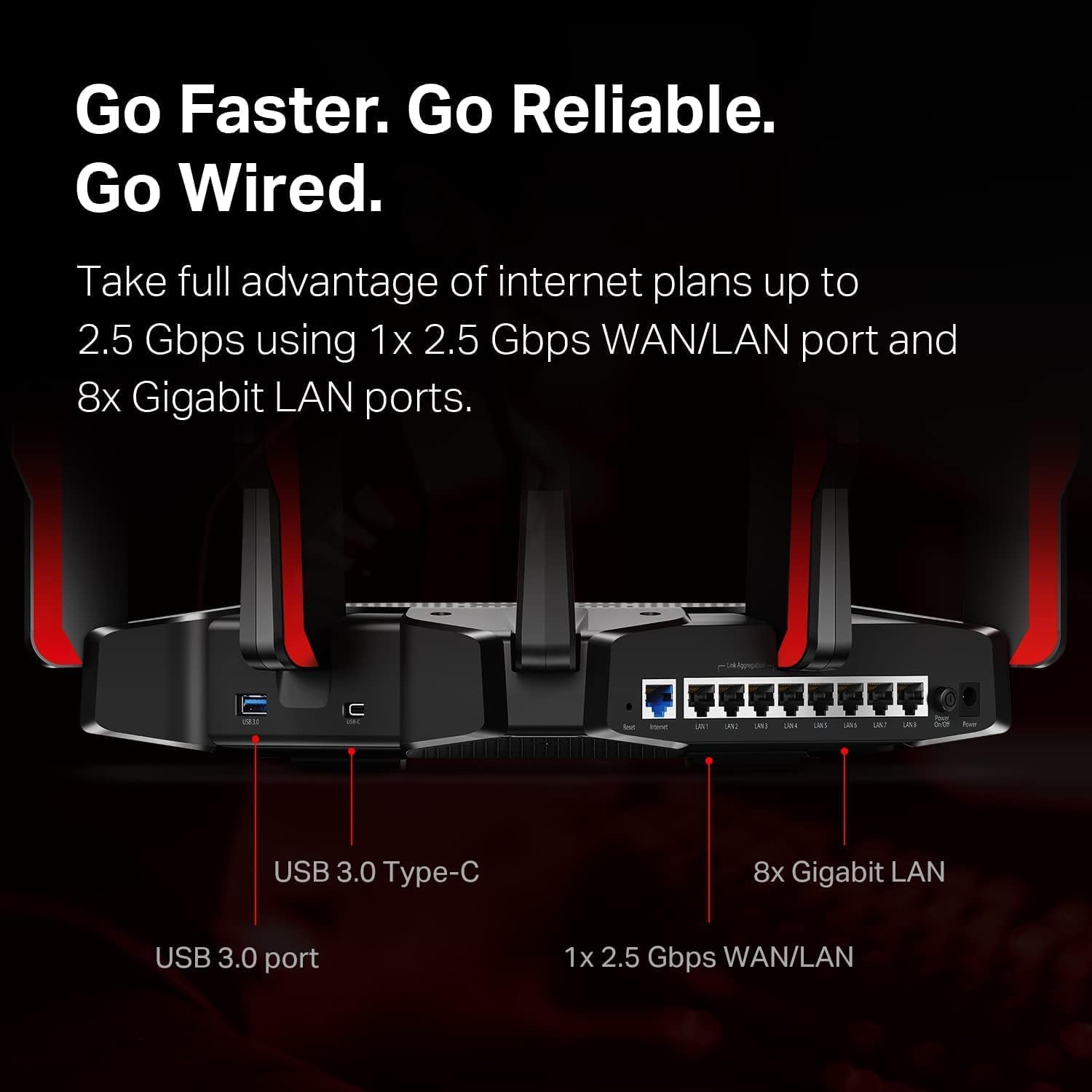
Figura 2: Rear panel of the router, highlighting the USB 3.0 Type-C port, USB 3.0 port, 1x 2.5 Gbps WAN/LAN port, and 8x Gigabit LAN ports.
The bottom label contains essential information for initial setup and network access.
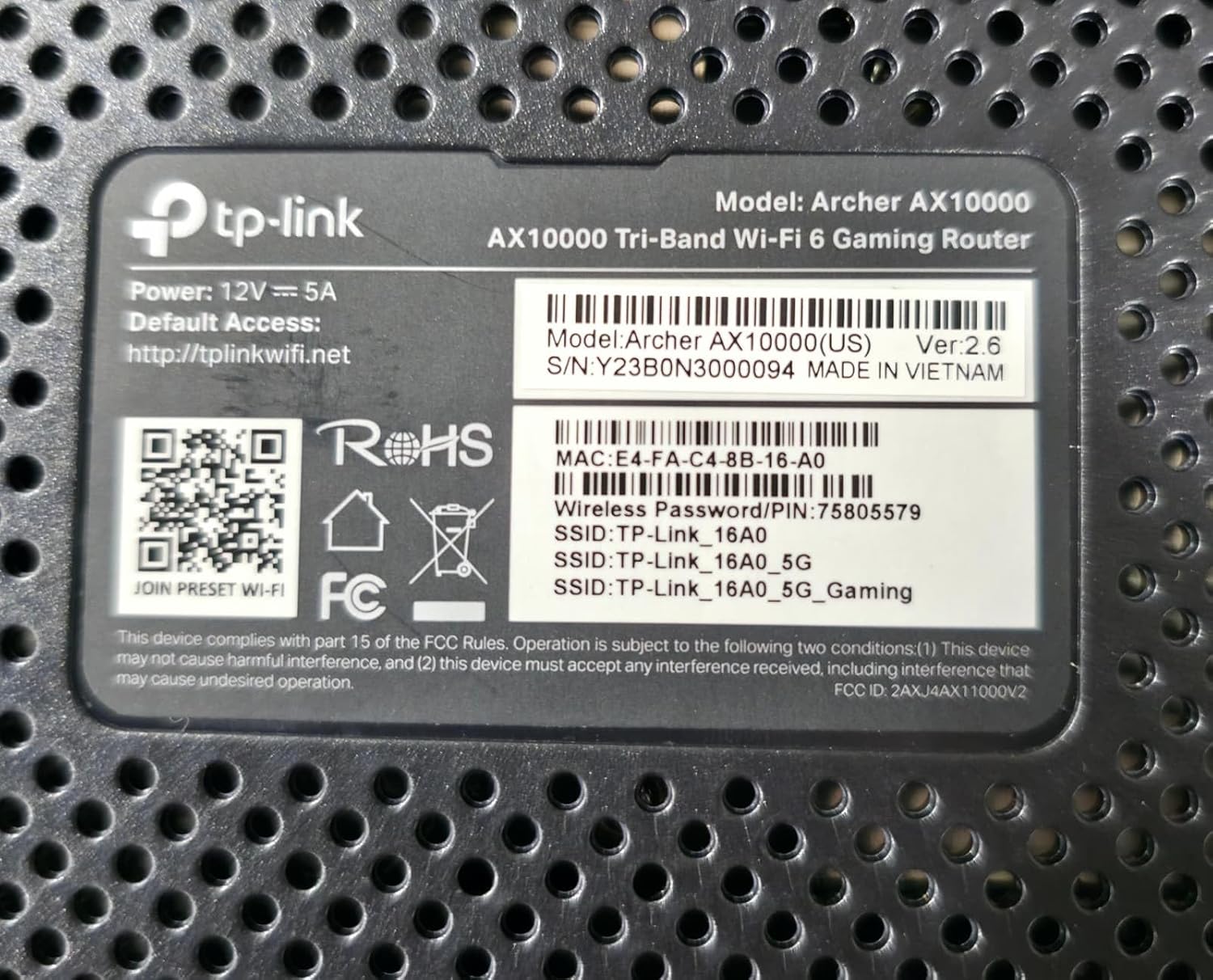
Figura 3: Product label on the bottom of the router, displaying model number, default access information, and wireless password/PIN.
Configuració
Segueix aquests passos per configurar el teu encaminador TP-Link Archer AX10000:
- Desempaquetar el router: Traieu amb cura el router i tots els accessoris de l'embalatge.
- Posicioneu el router: Place the router in a central location in your home, away from obstructions and devices that may cause interference. Ensure antennas are oriented for optimal signal.
- Connectar el maquinari:
- Connect your modem's Ethernet cable to the router's 2.5G WAN/LAN port.
- Connecteu l'adaptador de corrent al router i connecteu-lo a una presa de corrent.
- Power on the router. Wait for the LED indicators to stabilize, typically indicating a successful boot-up and internet connection.
- Connecteu-vos al router:
- Sense fil: Connect to the default Wi-Fi network (SSID) printed on the router's label using the provided password.
- Amb cable: Connect a computer to one of the router's Gigabit LAN ports using an Ethernet cable.
- Configura l'encaminador:
- Obre a web navegador i introduïu l'adreça d'accés predeterminada (per exemple, http://tplinkwifi.net) or use the TP-Link Tether app.
- Follow the on-screen instructions to create a new password, set up your Wi-Fi network name (SSID) and password, and complete the initial setup.
Vídeo 1: A user demonstrating the unboxing and initial setup of a TP-Link Tri-Band Wi-Fi 6 Router, highlighting its components and connectivity options.
Instruccions de funcionament
Once your router is set up, you can optimize its performance and utilize its features:
- Accedint al Web Interfície de gestió: Obre a web navegador i navegueu a http://tplinkwifi.net. Log in with your router password to access advanced settings.
- Ús de l'aplicació TP-Link Tether: Download the TP-Link Tether app from your mobile app store. The app allows for easy management of your network, including device prioritization, parental controls, and guest network setup.
- Optimizing for Gaming: The Archer AX10000 features a dedicated gaming band. Ensure your gaming devices are connected to this band for reduced latency and improved performance. Utilize the router's Quality of Service (QoS) settings to prioritize gaming traffic.
- Expansive Coverage: The router's 8 high-performance antennas and Beamforming technology ensure strong and stable Wi-Fi signals throughout your home.
- Controls parentals: Configure parental controls through the web interface or Tether app to manage internet access times and filter content for specific devices.
- Xarxa de convidats: Create a separate guest Wi-Fi network to provide internet access to visitors without sharing your main network password.
- Servidor VPN: The router supports VPN functionality, allowing you to securely access your home network from remote locations.
- Seguretat millorada: Your security is a priority with features like Game Protector and WPA3 encryption.
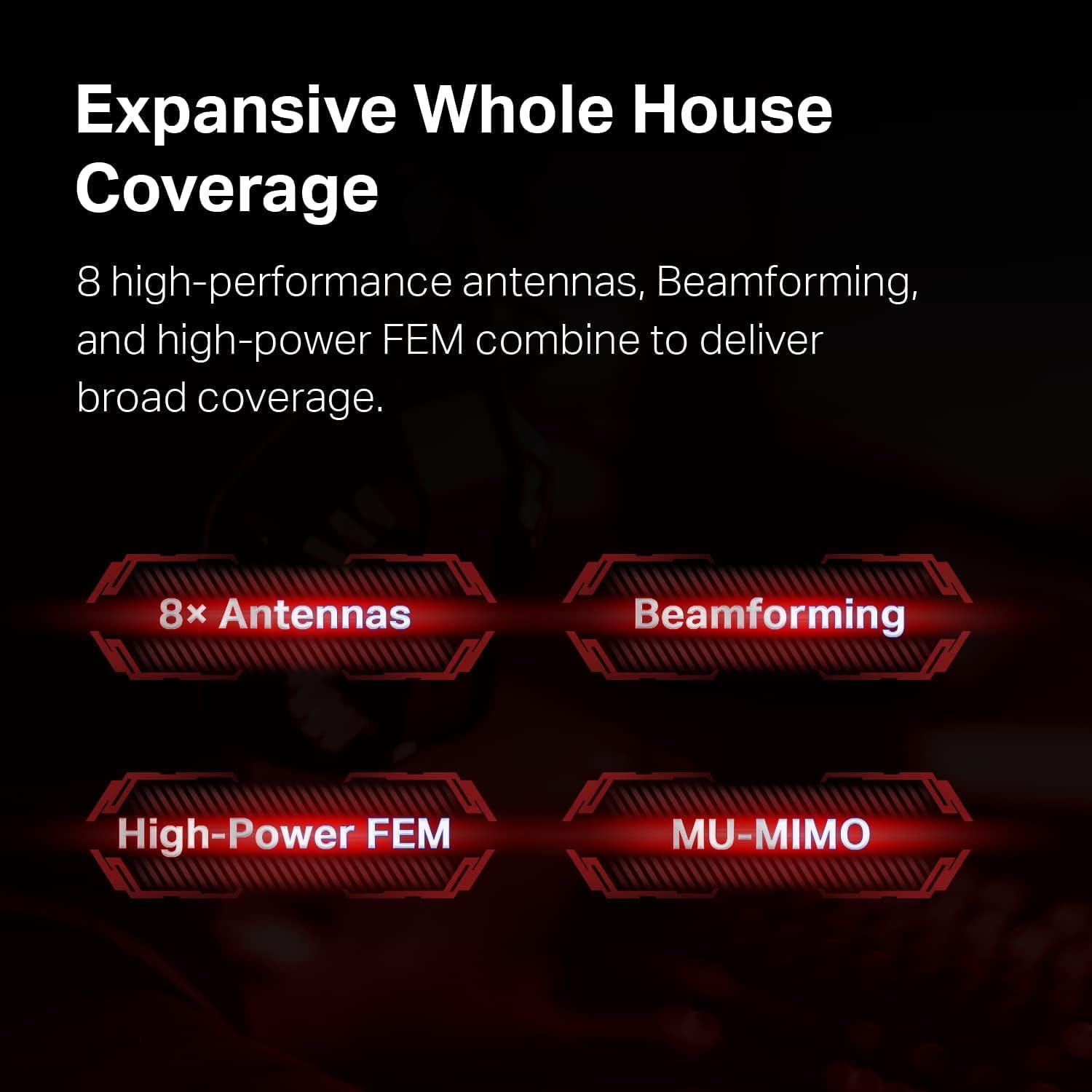
Figura 4: Illustration of the router's features contributing to expansive whole house coverage, including 8 antennas, Beamforming, High-Power FEM, and MU-MIMO.

Figura 5: Visual representation of the router's security features, HomeCare and WPA3, safeguarding connected devices.
Manteniment
Un manteniment regular garanteix un rendiment òptim i una llarga vida útil del vostre encaminador:
- Actualitzacions de firmware: Comproveu i instal·leu periòdicament si hi ha actualitzacions de firmware a través del router. web management interface or the Tether app. Updates often include performance improvements and security patches.
- Reinici normal: Rebooting your router every few weeks can help clear its memory and resolve minor performance issues.
- Col·locació òptima: Ensure the router remains in an open, central location, free from physical obstructions or electronic devices that could cause interference.
- Neteja: Mantingueu el router net i sense pols per evitar el sobreescalfament. Feu servir un drap suau i sec per netejar-lo.
Resolució de problemes
If you encounter issues with your router, try the following solutions:
- Sense accés a Internet:
- Check all cable connections between the router, modem, and power source.
- Reinicieu el mòdem i l'encaminador.
- Verifiqueu que la connexió del vostre proveïdor de serveis d'Internet (ISP) estigui activa.
- Velocitat Wi-Fi lenta:
- Assegureu-vos que els vostres dispositius estiguin connectats a la banda Wi-Fi adequada (5 GHz per a velocitats més ràpides, 2.4 GHz per a una cobertura més àmplia).
- Reduïu les interferències allunyant el router d'altres dispositius electrònics.
- Check for bandwidth-intensive applications running in the background.
- Update router firmware and device drivers.
- Desconnexions freqüents:
- Ensure the router is placed optimally and not obstructed.
- Check for conflicting Wi-Fi channels and adjust if necessary via the router settings.
- Actualitza el firmware del router.
- No es pot accedir a la pàgina de gestió del router:
- Verify your device is connected to the router's network.
- Ensure you are using the correct default access address (http://tplinkwifi.net) i contrasenya.
- Prova d'esborrar la memòria cau del navegador o utilitza un altre navegador.
Especificacions
Detailed technical specifications for the TP-Link Archer AX10000 router:

Figura 6: Internal hardware specifications, highlighting the 1.8 GHz Quad-Core CPU and 1 GB RAM for robust performance.
| Característica | Detall |
|---|---|
| Dimensions del producte | 12 x 10 x 4 polzades |
| Pes de l'article | 5.7 lliures |
| Número de model de l'article | Arquer AX10000 |
| Marca | TP-Link |
| Nom del model | Arquer AX10000 |
| Característica especial | WPS |
| Classe de banda de freqüència | Tri-banda |
| Comunicació sense fils estàndard | 2.4 GHz Radio Frequency, 5 GHz Radio Frequency, 802.11ax |
| Dispositius compatibles | Ordinador personal |
| Usos recomanats per al producte | Jocs |
| Components inclosos | Power Adapter, Quick Installation Guide, RJ45 Ethernet Cable, WiFi 6 Gaming Router Archer AX10000 |
| Tecnologia de connectivitat | Ethernet, USB, Wi-Fi |
| Color | Negre i vermell |
Garantia i Suport
Per obtenir informació sobre la garantia i assistència tècnica, consulteu el següent:
- Política de devolució: This product is eligible for a 90-day refund/replacement return policy.
- Fabricant: TP-Link. For detailed warranty terms and technical assistance, please visit the official TP-Link support weblloc o poseu-vos en contacte amb el seu servei d'atenció al client.


