Introducció
This manual provides detailed instructions for the operation and maintenance of your Technical Pro 6000 Watts Professional Portable PA System. Please read this manual thoroughly before operating the unit to ensure proper use and to prevent damage.
Informació de seguretat
Sempre observeu les següents precaucions de seguretat bàsiques quan utilitzeu aquest producte:
- No exposeu aquesta unitat a la pluja o la humitat.
- No traieu la coberta. No hi ha peces que l'usuari pugui reparar a l'interior. Demaneu el servei tècnic a personal qualificat.
- Assegureu-vos una ventilació adequada. No bloquegeu les obertures de ventilació.
- Connect only to a grounded power outlet.
- Eviteu que el cable d'alimentació sigui trepitjat o pessigat.
- Desendolleu la unitat durant les tempestes llamps o quan no l'utilitzeu durant llargs períodes.
Producte acabatview
The Technical Pro TPPOWER60 is a 2-channel digital stereo power amplifier designed for professional audio applications. It features high-quality components and robust construction for reliable performance.
Panell frontal

Imatge: Frontal view of the Technical Pro TPPOWER60 amplifier, showing the power switch, channel volume controls, and LED meters.
- Interruptor d'alimentació: Toggles the unit on or off.
- CH1/CH2 Volume Controls: Adjust the output level for each channel.
- Pantalla LED d'espectre: Visualizes the audio signal levels for each channel.
- Indicators (CLIP, SIGNAL, PROTECT): Provide status feedback on the ampfuncionament del lificador.
Panell posterior

Imatge: Part posterior view of the Technical Pro TPPOWER60 amplifier, showing input and output connections, and cooling fans.
- Audio Inputs (XLR, 1/4'', RCA): Connect audio sources to the ampmés viu.
- Speaker Outputs (Banana binding post, Speakon, 1/4''): Connecteu els altaveus al ampmés viu.
- Ventiladors de refrigeració: Ensure proper heat dissipation during operation.
- Entrada d'alimentació: Connecta el ampLifer a una font d'alimentació de CA.
Configuració
Desembalatge
Traieu amb cura amplifier from its packaging. Retain the original packaging materials for future transport or storage.
Col·locació
Col·loca el amplifier on a stable, flat surface. Ensure adequate ventilation around the unit. Do not place it near heat sources or in direct sunlight. Allow sufficient space for the cooling fans to operate effectively.

Imatge: El/La amplifier integrated into a home entertainment system, demonstrating typical placement.
Connexions
- Connexió d'entrada d'àudio: Connecteu la font d'àudio (mesclador, pre-amplificador, etc.) a la amplifier's input jacks (XLR, 1/4'', or RCA) on the rear panel. Ensure secure connections for both channels.
- Connexió de sortida de l'altaveu: Connect your speakers to the appropriate output terminals (Banana binding post, Speakon, or 1/4'') on the rear panel. Observe correct polarity (+ to + and - to -) to prevent phase issues.
- Connexió d'alimentació: Assegureu-vos el amplifier's power switch is in the OFF position. Connect the supplied power cord to the power inlet on the rear panel and then to a suitable grounded AC power outlet.
Instruccions de funcionament
Encès/Apagat
To power on the unit, press the POWER switch on the front panel. The LED display and indicators will illuminate. To power off, press the POWER switch again.
Control de volum
Adjust the CH1 and CH2 volume controls on the front panel to set the desired output level for each channel. Start with the volume controls at their minimum setting before powering on to avoid sudden loud sounds.
Selecció d'entrada
El amplifier automatically detects the active input. Ensure only one type of input (XLR, 1/4'', or RCA) is connected per channel at a time to avoid signal conflicts.
Emparellament Bluetooth
Això amplifier supports Bluetooth connectivity for wireless audio streaming. To pair a device:
- Assegureu-vos el ampel lifier està encès.
- Activa el Bluetooth al teu dispositiu mòbil (telèfon intel·ligent, tauleta, etc.).
- Cerca available Bluetooth devices and select "Technical Pro" or a similar identifier.
- Once paired, audio from your device will stream through the ampmés viu.
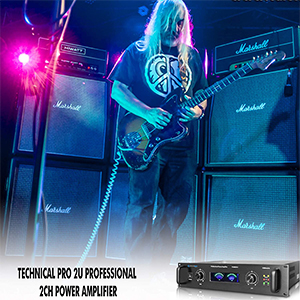
Imatge: Una representació visual de la amplifier's Bluetooth compatibility, showing a smartphone icon next to the ampmés viu.
Interpretació de la pantalla LED
- Pantalla LED d'espectre: Provides a visual representation of the audio signal strength. Higher bars indicate a stronger signal.
- Indicador de SENYAL: S'il·lumina quan hi ha un senyal d'àudio.
- CLIP Indicator: Illuminates when the input signal is too strong, causing distortion. Reduce the input level or amplifier volume if this indicator lights up frequently.
- Indicador PROTECT: S'il·lumina si el amplifier enters protection mode due to overheating, short circuit, or other issues. Power off the unit, check connections, and allow it to cool before restarting.
Manteniment
Per garantir la longevitat i el rendiment òptim del vostre amplificador, seguiu aquestes pautes de manteniment:
- Neteja: Use a soft, dry cloth to wipe the exterior of the unit. Do not use liquid cleaners or solvents.
- Ventilació: Regularly check that the ventilation openings and cooling fans are free from dust and debris. Use compressed air to gently clear any blockages.
- Emmagatzematge: Si guardeu la unitat durant un període prolongat, desconnecteu-la de l'alimentació i guardeu-la en un lloc fresc i sec, preferiblement en el seu embalatge original.
Resolució de problemes
| Problema | Causa possible | Solució |
|---|---|---|
| Sense poder | Cable d'alimentació no connectat; Presa de corrent defectuosa; Interruptor apagat. | Ensure power cord is securely connected; Test power outlet with another device; Press the POWER switch to ON. |
| Sense sortida de so | Input cables not connected; Speaker cables not connected; Volume controls too low; PROTECT indicator on. | Check all input and speaker connections; Increase volume controls; Refer to PROTECT indicator solution. |
| Distorted sound / CLIP indicator on | Senyal d'entrada massa alt; Amplifier volume too high. | Reduce the output level from your audio source; Lower the amplifier's volume controls. |
| PROTECT indicator on | Overheating; Short circuit in speaker wiring; Speaker impedance too low. | Turn off the unit, allow it to cool; Check speaker wiring for shorts; Ensure speaker impedance matches ampRequisits de l'activador. |
| Problemes de vinculació de Bluetooth | Device too far; Bluetooth not enabled on device; Interference. | Apropa el dispositiu a amplifier; Enable Bluetooth on your device; Reduce interference from other wireless devices. |
Especificacions
| Característica | Detall |
|---|---|
| Potència màxima de sortida | 6000 watts |
| Resposta de freqüència | 20Hz-20kHz ±1 dB |
| DampFactor | >200 @ 8 ohm |
| Distorsió harmònica total | <0.02% |
| Relació senyal/soroll | -105 dB (unweighted 20Hz-20kHz) |
| Sensibilitat d'entrada | .775V (0dBu) |
| Entrades | XLR, 1/4'', RCA |
| Sortides | Banana binding post, Speakon, 1/4'' |
| Refrigeració | Ventiladors de doble velocitat de refrigeració |
| Dimensions (P x A x A) | 11.14" x 19.02" x 3.94" |
| Pes | 13.92 lliures |

Imatge: Una representació visual de la amplifier's dimensions, indicating 11.14 inches depth, 19.02 inches width, and 3.94 inches height.
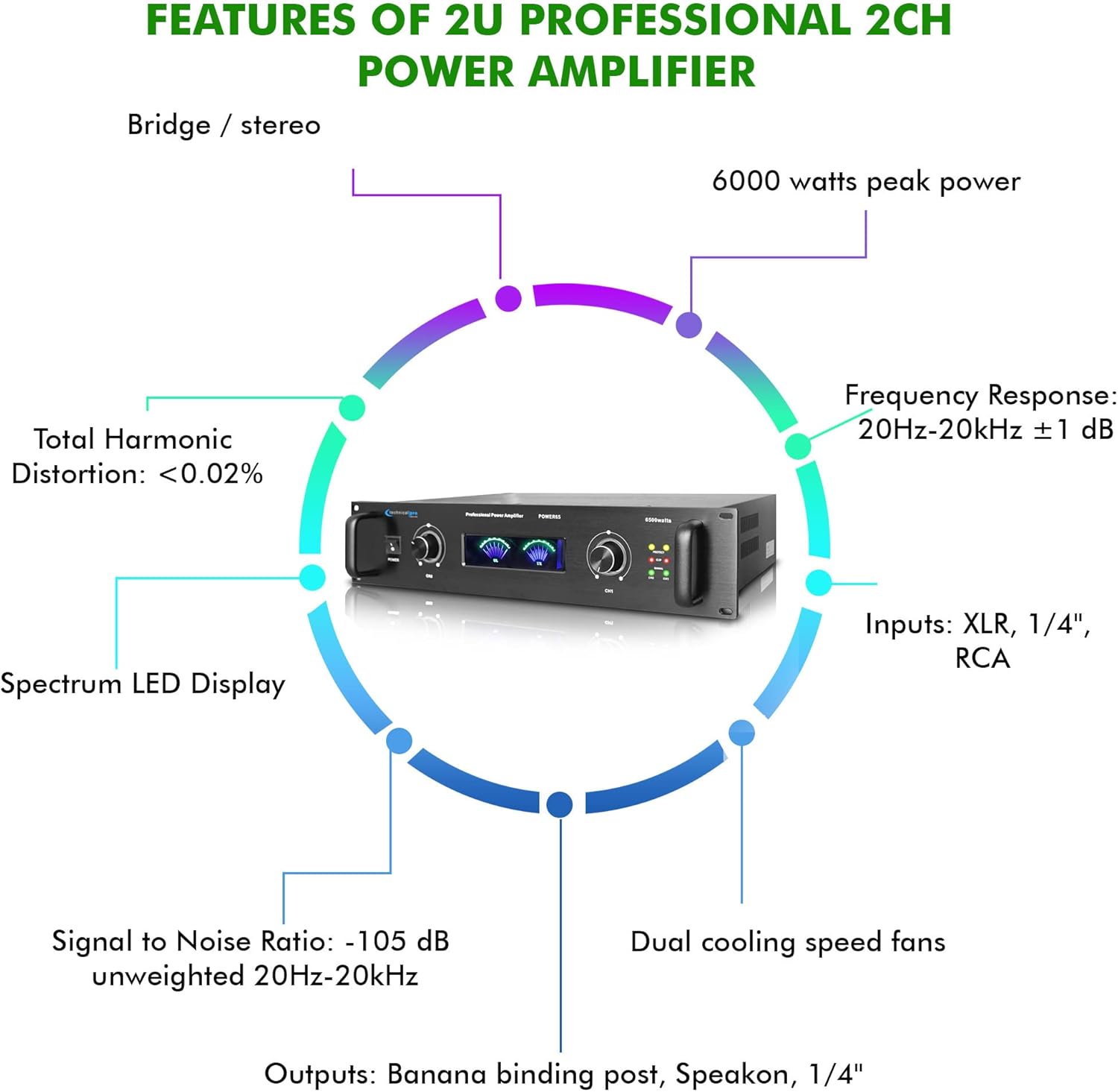
Image: A circular diagram highlighting key features such as 6000 watts peak power, frequency response, inputs, outputs, dual cooling fans, signal to noise ratio, total harmonic distortion, and spectrum LED display.
Què hi ha a la caixa
El paquet inclou:
- Technical Pro 6000 Watts Professional Portable PA System, 2 Channel Digital Stereo Power Amplifier with Dual Cooling Speed Fans
- Cable d'alimentació
- Manual d'usuari (aquest document)
Garantia i Suport
Technical Pro products are designed for reliability and performance. For warranty information and technical support, please refer to the official Technical Pro weblloc web o poseu-vos en contacte amb el seu departament d'atenció al client. Conserveu el rebut de compra com a comprovant de compra per a qualsevol reclamació de garantia.
Per obtenir més ajuda, visiteu el Botiga Technical Pro a Amazon.


