1. Introducció
The KoreHealth KoreScale Gen 2 is a digital smart scale designed to measure and track various body composition metrics. This manual provides essential information for the proper use and care of your device, ensuring accurate and consistent readings.

Image 1: The KoreScale Gen 2 Digital Smart Scale shown alongside its companion mobile application, illustrating the device's integration with digital health tracking.
2. Configuració
2.1 Desembalatge i instal·lació de la bateria
Carefully remove the scale from its packaging. Locate the battery compartment on the underside of the scale. Insert 4 AAA batteries (not included), ensuring correct polarity as indicated inside the compartment. Close the battery cover securely.
2.2 Descàrrega i instal·lació d'aplicacions
To utilize the full functionality of your KoreScale Gen 2, download the KoreHealth App on your smartphone or tablet. The app is available for both Android and iOS devices.
- Per a Android: Cerca "KoreHealth App" on the Google Play Store.
- Per a iOS: Cerca "KoreHealth App" on the Apple App Store.
Follow the on-screen instructions to install the app. Create an account or log in if you already have one.
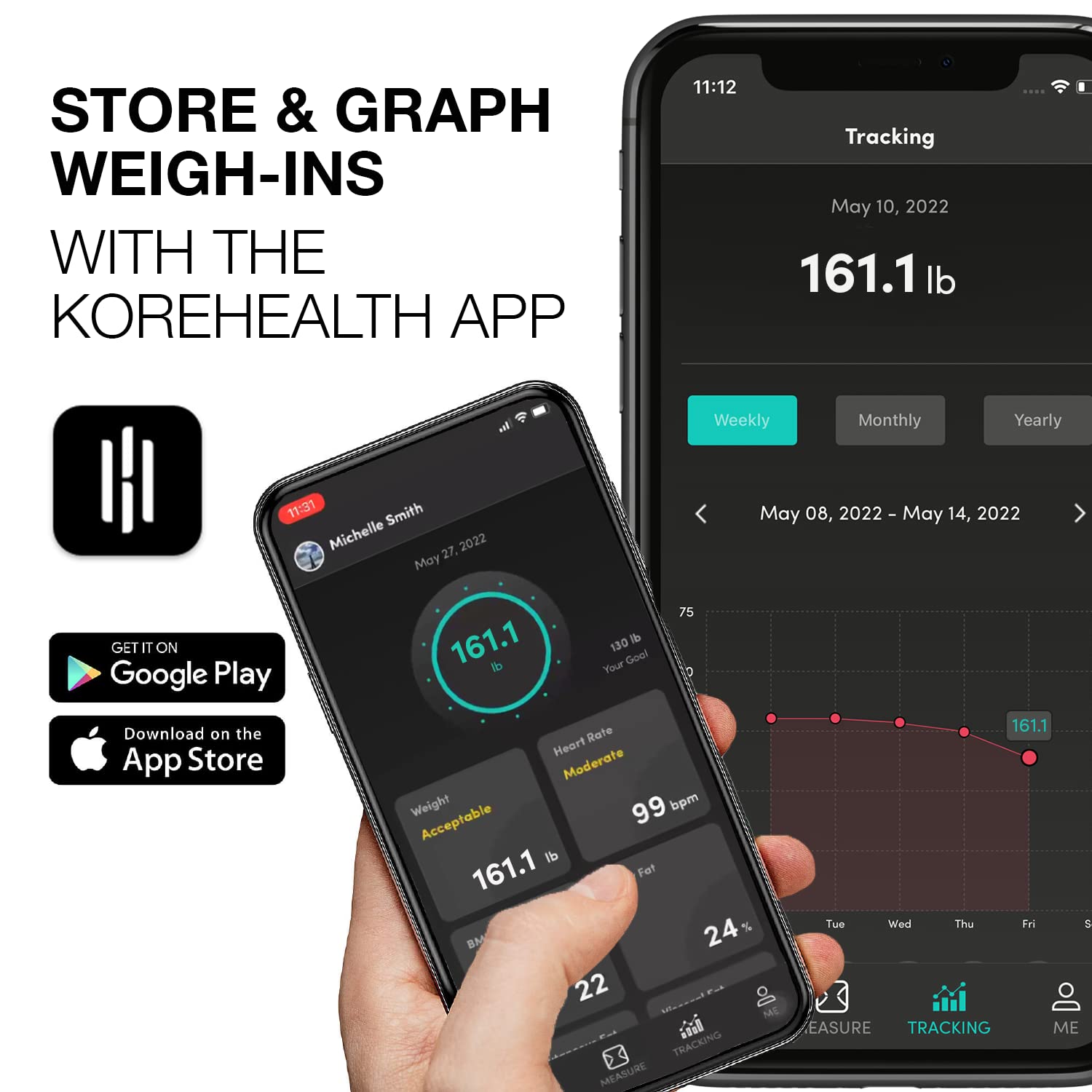
Image 2: A smartphone displaying the KoreHealth app interface, with prominent buttons for downloading the application from Google Play and the App Store.
2.3 Initial Pairing and Syncing
- Assegureu-vos que el Bluetooth estigui habilitat al vostre telèfon intel·ligent.
- Open the KoreHealth App.
- Step onto the scale with bare feet. The scale will activate and display your weight.
- The app should automatically detect and pair with the scale. Follow any prompts within the app to complete the pairing process.
- Your initial measurements will sync to the app, providing a baseline for your health metrics.
3. Funcionament de la bàscula
3.1 Prendre una mesura
For accurate body composition analysis, ensure your feet are bare and positioned directly on the four metallic sensor pads of the scale. Stand still until the display stabilizes and your measurements are shown. The scale will automatically transmit data to the KoreHealth App via Bluetooth.

Imatge 3: Un primer pla view of a person's foot correctly placed on the KoreScale Gen 2, highlighting the clear and easy-to-read LED display of the scale.
3.2 Understanding Health Metrics
The KoreScale Gen 2 monitors 14 key health metrics, providing a comprehensive overview of your body composition. These metrics include:
- Pes
- IMC (índex de massa corporal)
- Greix corporal
- BMR (taxa metabòlica basal)
- Greix visceral
- Proteïna
- Múscul esquelètic
- Massa muscular
- Missa òssia
- Aigua corporal
- Edat metabòlica
- Greix subcutani
- Freqüència cardíaca
- Lean Body Weight

Image 4: A visual representation of several key health metrics measured by the KoreScale Gen 2, including Weight, BMI, Body Fat, BMR, Visceral Fat, Protein, Skeletal Muscle, Muscle Mass, Bone Mass, Body Water, and Metabolic Age.
3.3 Using the KoreHealth App for Tracking
The KoreHealth App allows you to view, track, and analyze your health data over time. The app provides helpful graphs that chart your progress, enables you to set goals, and offers insights into your body composition trends.

Image 5: The KoreHealth App's tracking interface on a smartphone, showing a detailed graph of weight measurements over weekly, monthly, and yearly periods.
3.4 Funcionalitat multiusuari
The KoreHealth App supports multiple user profiles, allowing an entire family to track their individual health data. Each user's data is stored separately within their profile, ensuring privacy and personalized tracking.

Image 6: A family interacting with a smartphone, demonstrating the KoreHealth App's capability to manage and store health data for multiple users from a single KoreScale device.
4. Manteniment
4.1 Cleaning the Scale
To clean your KoreScale Gen 2, use a soft, damp cloth. Avoid abrasive cleaners or harsh chemicals, as these can damage the surface and electronic components. Do not immerse the scale in water.
4.2 Substitució de la bateria
When the scale display indicates low battery or fails to power on, replace all 4 AAA batteries. Always use new batteries and ensure they are inserted with the correct polarity. Dispose of old batteries responsibly.
4.3 Emmagatzematge
Guardeu la bàscula en un lloc fresc i sec, allunyat de la llum solar directa i de temperatures extremes. Eviteu col·locar objectes pesats a sobre de la bàscula quan no l'utilitzeu.
5. Solució De Problemes
- L'escala no s'activa: Comproveu si les piles estan correctament instal·lades i tenen prou càrrega. Canvieu les piles si cal.
- Lectures inexactes: Ensure the scale is placed on a hard, flat surface. Avoid carpets or uneven flooring. Make sure your feet are bare and properly positioned on the sensor pads. Recalibrate by stepping on and off the scale quickly.
- App Syncing Issues: Verify that Bluetooth is enabled on your smartphone and the KoreHealth App has permission to access Bluetooth. Ensure the scale is within range of your device. Close and reopen the app, or restart your phone if issues persist.
- No Body Composition Data: Ensure you are standing on the scale with bare feet, making full contact with all four sensor pads. Clothing or socks can interfere with the bioelectrical impedance analysis.
6. Especificacions
| Característica | Especificació |
|---|---|
| Dimensions del producte | 10.24 x 10.24 x 0.98 polzades |
| Pes | 2.65 lliures (1.2 kg) |
| Número de model | korescale-parent |
| Bateries | Necessites 4 piles AAA (no incloses) |
| Marca | KoreHealth |
| Color | Blanc |
| Característica especial | Apagat automàtic |
| Tipus de visualització | LED |
| Límit de pes | 400 lliures (180 kg) |

Image 7: The KoreScale Gen 2 Digital Smart Scale displaying its physical dimensions, including a length of 10.2 inches and a height of 1 inch.

Imatge 8: Una imatge detallada view of the KoreScale Gen 2's tempered glass surface and non-slip feet, emphasizing its robust and secure design features.
7. Garantia i Suport
Information regarding product warranty and customer support is not provided within this manual. Please refer to the official KoreHealth website or your purchase documentation for details on warranty coverage and how to contact customer service for support.


