Introducció
This manual provides comprehensive instructions for the ENDORFY Omnis Pudding Onyx White Red mechanical keyboard (Model EY5A036). This full-size keyboard features Kailh Red mechanical switches, durable PBT Pudding keycaps, and customizable ARGB backlighting. It is designed for various applications, including gaming, creative work, and general office use, offering a responsive and comfortable typing experience. Key features include a reinforced chassis, a detachable magnetic wrist rest, and a metal volume wheel for convenient audio control.
Contingut del paquet
- ENDORFY Omnis Pudding Onyx White Red Mechanical Keyboard
- Cable USB-A desmuntable
- Repòs de canell magnètic
- Manual d'usuari (aquest document)
Configuració
1. Connexió del teclat
Connect the detachable USB-A cable to the USB-C port on the keyboard and then to an available USB-A port on your computer. The keyboard is plug-and-play and should be recognized automatically by your operating system.
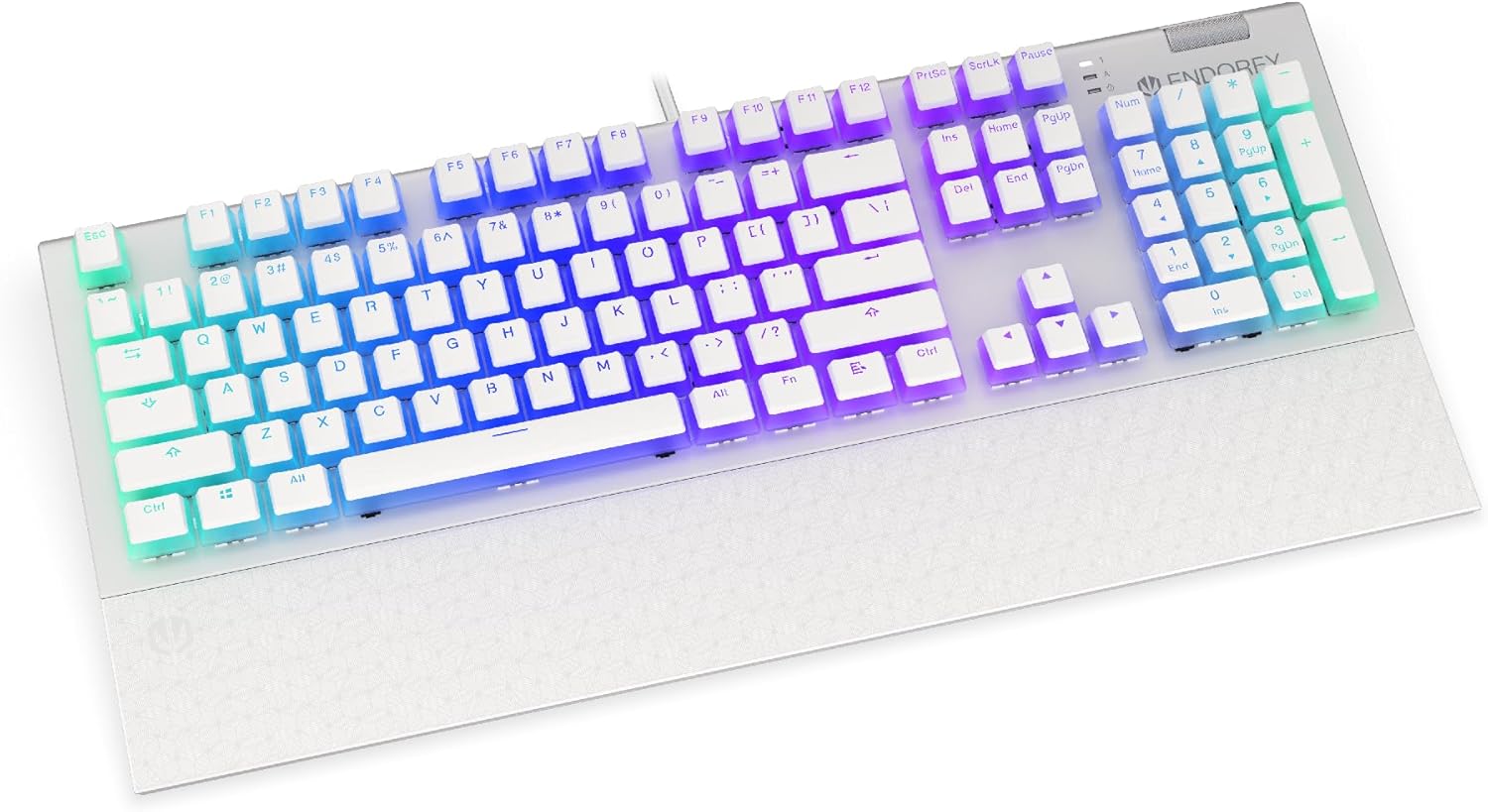
Imatge: Frontal view of the ENDORFY Omnis Pudding Onyx White Red mechanical keyboard, showcasing its full layout and connected cable.
2. Attaching the Wrist Rest
Align the magnetic wrist rest with the front edge of the keyboard. The magnets will automatically secure it in place, providing ergonomic support during use.

Imatge: Anglesa view of the ENDORFY Omnis Pudding Onyx White Red mechanical keyboard with the magnetic wrist rest attached, highlighting the seamless integration.
3. Instal·lació de programari (opcional)
For advanced customization of lighting effects, key assignments, and macros, download the official ENDORFY software from the manufacturer's weblloc. Seguiu les instruccions que apareixen a la pantalla per a la instal·lació.
Instruccions de funcionament
Funcions bàsiques del teclat
The keyboard features a standard full-size layout with a dedicated numpad, function keys (F1-F12), and navigation keys. All keys operate as standard input devices for your computer.
Volume Wheel Operation
The metal volume wheel located on the top right of the keyboard allows for quick audio adjustments:
- Rotate Up: Augmenta el volum.
- Rotate Down: Disminuir el volum.
- Prémer: Silencia/activa el so de l'àudio.
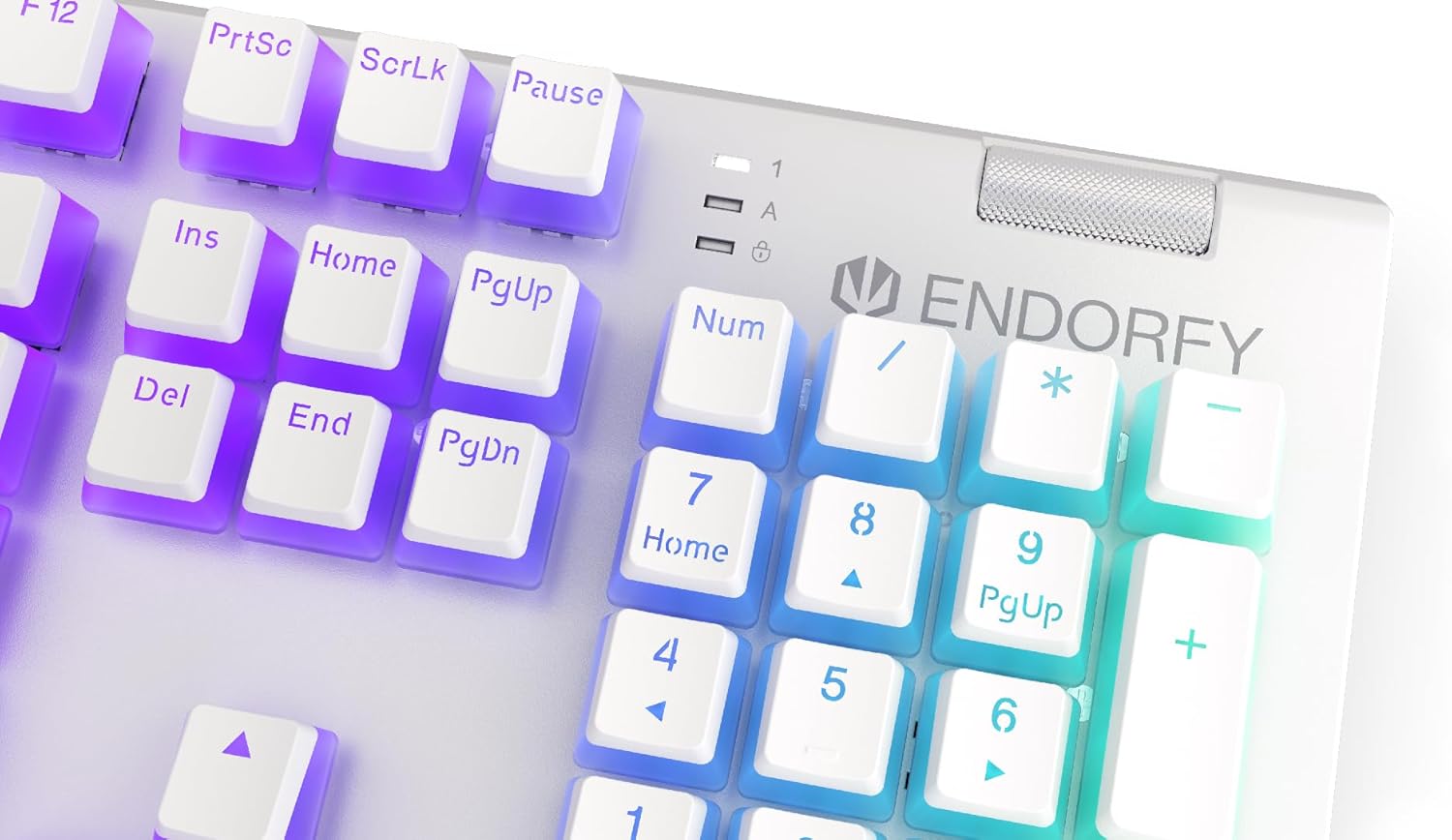
Imatge: Primer pla view of the keyboard's numpad and the prominent metal volume wheel, indicating its position for easy access.
Control de retroil·luminació RGB
The keyboard features customizable ARGB backlighting. Lighting effects and brightness can be adjusted using the dedicated ENDORFY software. Some basic lighting modes and brightness levels may also be accessible via keyboard shortcuts (e.g., Fn + arrow keys or specific function keys), though advanced customization is recommended through the software.

Image: The ENDORFY Omnis Pudding Onyx White Red mechanical keyboard illuminated with vibrant RGB backlighting, showcasing the Pudding keycaps.
Canvi de clau N (NKRO)
The keyboard supports N-Key Rollover, which means every key press is registered independently, regardless of how many other keys are being pressed simultaneously. This feature is particularly beneficial for fast typists and gamers, preventing ghosting or missed inputs.
Funcionalitat del programari
The ENDORFY software allows users to:
- Customize ARGB lighting effects and colors.
- Remap individual keys.
- Create and assign macros for complex command sequences.
- Gestiona múltiples professionalsfiles per a diferents aplicacions o jocs.
Manteniment
Neteja del teclat
Per mantenir un rendiment i un aspecte òptims:
- Desconnecteu el teclat de l'ordinador abans de netejar-lo.
- Utilitzeu un drap suau i sense pelusa lleugerament dampEsbandiu amb aigua o una solució netejadora suau per netejar les tecles i el xassís.
- Per a la pols i les restes entre les tecles, feu servir aire comprimit.
- Eviteu utilitzar productes químics o materials abrasius.
Extracció i substitució de les tecles
The PBT Pudding keycaps can be removed for thorough cleaning or replacement. Use a keycap puller (not included) to gently lift keycaps straight up. When replacing, align the keycap with the switch stem and press down firmly until it clicks into place.

Imatge: Primer pla view of the Kailh Red mechanical switches, visible when keycaps are removed, illustrating the switch mechanism.
Resolució de problemes
- El teclat no respon:
Ensure the USB cable is securely connected to both the keyboard and the computer. Try connecting the keyboard to a different USB port or a different computer to rule out port or system issues. Restart your computer. - La retroiluminació no funciona o és incorrecta:
Check the brightness settings via the ENDORFY software or any onboard shortcuts. Ensure the software is up to date. If specific keys have incorrect lighting, reset the lighting profile al programari. - Claus que no es registren:
Clean under the affected keycaps to remove any debris that might be obstructing the switch. If the issue persists, it may indicate a hardware fault; refer to the Warranty and Support section. - Wrist Rest Not Attaching Securely:
Ensure there is no debris between the keyboard and the wrist rest that might interfere with the magnetic connection.
Especificacions
| Característica | Detall |
|---|---|
| Marca | ENDORFAR |
| Número de model | EY5A036 |
| Color | Blanc |
| Commutadors de tecles | Kailh Red Mechanical |
| Taps de claus | PBT Pudding |
| Disseny | Full-size (US Layout) |
| Il·luminació de fons | ARGB (Configurable RGB) |
| Connectivitat | USB-A (Detachable Cable) |
| Repòs de canell | Magnetic, Detachable |
| Control de volum | Metal Volume Wheel |
| Canvi de clau N | Sí |
| Sistemes operatius compatibles | Linux, Mac OS X 10.12 Sierra, Windows 7, Windows 8, Windows 10 |
| Ús recomanat | Gaming, Multimedia |
| Material | Tereftalat de polibutilè (PBT) |
Garantia i Suport
ENDORFY products are covered by a manufacturer's warranty. For detailed warranty terms, technical support, or service inquiries, please refer to the official ENDORFY weblloc web o poseu-vos en contacte amb el vostre distribuïdor local. Conserveu el comprovant de compra per a reclamacions de garantia.


